CLEVR Resources
AI in manufacturing: 4+1 key takeaways from Siemens Realize LIVE 2026
Discover how AI in manufacturing is evolving from pilots to production. Explore 4+1 key takeaways from Siemens Realize LIVE 2026, including orchestration, connected systems and sustainability.
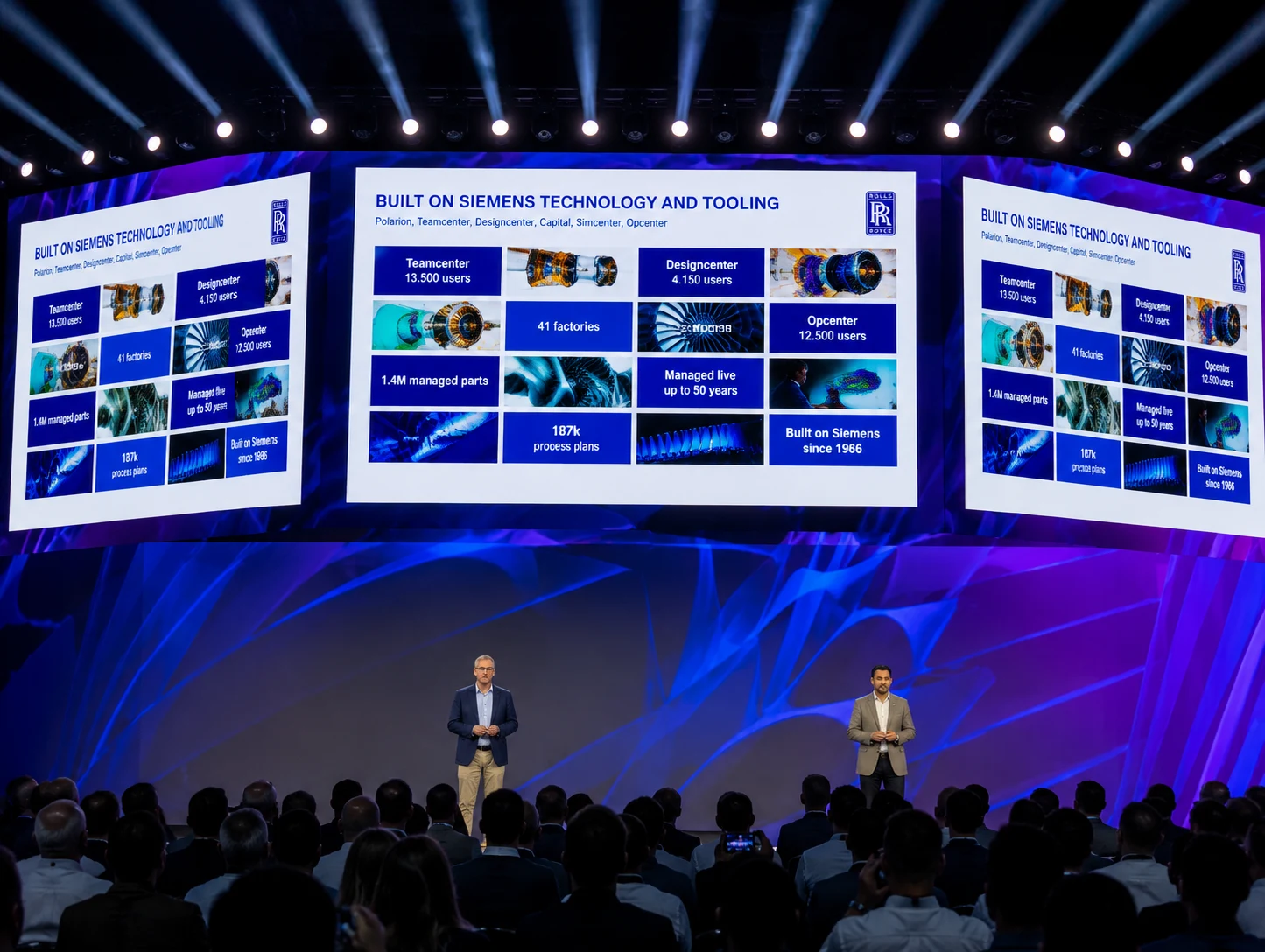
Every year, Siemens Realize LIVE brings together manufacturers, engineers and technology leaders to explore where the industry is heading and how that future is taking shape in practice. Product updates, roadmap announcements, and technology highlights across sessions, customer stories, and partner discussions have shown this year that manufacturing is no longer about optimizing individual technologies. It is about connecting systems, intelligence and people into one coherent whole. This shift is particularly visible in how AI in manufacturing is evolving from isolated use cases into connected, operational systems.
This shift builds on a long standing ambition within the industry to create connected environments where data flows seamlessly across PLM, ERP, MES and supplier networks, improving efficiency, visibility and decision making. The introduction of AI further expands this landscape, not only increasing the potential for automation and insight, but also raising critical questions around how these capabilities can be translated into measurable and scalable operational value.
Here are the 4+1 ideas that defined Realize LIVE 2026 and what they mean for the future of manufacturing.
1. AI is becoming operational, not experimental
For years, AI has been positioned as a powerful tool, supporting individuals through copilots, predictions and insights. At Realize LIVE 2026, it became clear that this phase is evolving toward execution at scale.
AI use cases in manufacturing are moving from assistance to orchestration within real workflows. Instead of responding to prompts in isolation, it is being embedded into processes where it can support decisions, coordinate systems and automate multi step activities across the lifecycle.
The introduction of Intelligence Center X signals this transition explicitly. By connecting enterprise data, lifecycle context and workflows in a governed environment, organizations can deploy AI agents alongside people as part of a hybrid workforce, moving from isolated pilots to production level execution with traceability and control.
The question is no longer whether AI works. It is how organizations embed it into connected systems and structured workflows, with the governance required to deliver consistent, measurable and scalable value.
2. Connected systems matter more than isolated innovation
Despite continued investment in digital transformation, many manufacturers still face challenges when it comes to scaling innovation across the enterprise. The underlying issue is not a lack of technology, but a lack of connectivity, particularly across PLM, ERP and MES integration layers that are essential to enable scalable AI in manufacturing.
Across organizations, systems remain fragmented, data is distributed across silos, and AI initiatives are often introduced as isolated pilots. While these efforts deliver local improvements, they rarely translate into measurable impact across the full product lifecycle.
In manufacturing, design, engineering, production and service are inherently interdependent. As a result, optimizing individual components in isolation does not drive systemic improvement. Connecting their existing systems into a cohesive digital thread does.
This is exactly what our CEO, Tim Claes, emphasized in his keynote, framing this challenge and opportunity through what he defined as the Holy Trinity of Manufacturing:
- PLM as the backbone for product data and the digital thread
- Smart factory as the layer connecting IT and OT, enabling visibility and control across operations
- Low code and AI as the orchestration layer that connects systems, workflows and decision making
Individually, each of these domains delivers value. However, the real impact emerges when they operate as part of a connected system. This is increasingly becoming the approach that manufacturers adopt to remain competitive and relevant in a rapidly evolving market.
3. Sustainability is becoming part of everyday engineering
Another strong signal from Realize LIVE was the shift in how organizations approach sustainability in manufacturing and compliance.
Regulation is tightening, particularly in Europe, where frameworks such as CSRD, REACH and emerging requirements like the Digital Product Passport are forcing organizations to provide detailed visibility into materials, sourcing and environmental impact across the entire value chain. Adding to it the pressure specific industries face such as aerospace and defense to improve their margin, and the stricter compliance requirements and growing expectations from OEMs and partners, sustainability can no longer be a separate reporting activity, but a factor that directly influences cost, risk and competitiveness.
During his keynote, Gerrit Kiefer, our Head of Solutions and Customer Success Management in Germany, demonstrated how this transition is already taking place in practice. Together with tec4U, he showcased how compliance and sustainability can be embedded directly into engineering workflows, enabling organizations to:
- Integrate regulatory requirements directly into PLM and design environments
- Ensure full traceability of materials, components and suppliers across the product lifecycle
- Reduce manual effort in compliance reporting through automated data capture and validation
- Identify risks and compliance gaps earlier in the design phase, where they can still be addressed efficiently
- Align cost, sustainability and engineering decisions by making all relevant data available in one connected workflow
- Accelerate time to compliance while maintaining control and auditability across processes
4. The rise of the orchestration layer
With the introduction of Intelligence Center X, Siemens clearly articulated a strategic focus on establishing an orchestration layer that connects enterprise data, workflows and AI agents into a cohesive and scalable system. An orchestration layer acts as the architectural component that enables data orchestration, workflow coordination and AI execution across systems.
The implication for manufacturers is significant. Most of them have already invested heavily in core systems such as PLM, ERP and MES. So instead of building new systems, they can activate and connect what already exists.
At CLEVR, we have consistently been advocating that large scale rip and replace strategies are no longer sustainable, nor necessary. Over time, engineering logic, domain knowledge and process intelligence have become deeply embedded within existing systems. Replacing these foundations would not only introduce risk, but also discard valuable intellectual capital.
Instead, manufacturers can introduce an orchestration layer on top of their current landscape, enabling them to connect workflows, embed intelligence and extend capabilities without disrupting what already works.
4+1. Technology is ready. Organizations are not
If there is one thing we can safely extract from Realize LIVE 2026, it is that that the challenge is no longer technological. Manufacturers today have access to advanced PLM platforms, connected factory systems, low code environments and increasingly powerful AI capabilities. The building blocks for transformation are already in place.
Yet many AI adoption initiatives in manufacturing continue to stall. At CLEVR, we see this pattern across organizations every day. Workflows not fully understood or mapped, decision logic remaining implicit, unstructured data, or connected in a way that enables reliable, cross-system execution.
Embedding intelligence into workflows requires more than deployment. It requires clarity on how decisions are made, where responsibility sits, and how humans and systems interact.
This means the next frontier to address is organizational in nature. Manufacturers need to design workflows that are clearly defined, decisions that are explicitly structured, and governance models that can be translated into executable logic. Only then can AI agents operate reliably, make autonomous decisions within defined boundaries, and scale across the enterprise with consistency and control.
5 actions manufacturers can take today
First, the focus needs to shift from adding more tools to connecting existing ones. Most organizations already have the core systems in place. The real opportunity lies in linking them into a coherent digital thread across design, engineering, production and service.
Second, AI initiatives need to move beyond experimentation. Instead of isolated pilots, the emphasis should be on embedding intelligence into real workflows where it can deliver measurable impact. This requires clear governance, defined decision boundaries and a strong orchestration layer.
Third, transformation strategies need to become more pragmatic. Large scale, multi year replacement programs are increasingly difficult to justify. A leave and layer approach allows organizations to start with what they have, extend it intelligently and deliver value incrementally.
Fourth, sustainability and compliance should no longer sit on the sidelines. By integrating these requirements directly into engineering and product development processes, manufacturers can turn them into a competitive advantage rather than a constraint.
Finally, organizations need to rethink how people and technology work together. As AI becomes embedded into operations, new roles, responsibilities and ways of working will emerge. Designing this deliberately is critical to making transformation succeed.
Think big with a clear vision for your organization, start small with one workflow that delivers immediate value, and scale fast once the approach proves effective.
AI in manufacturing: Transforming product cost management software and sustainability decisions
Discover how AI in manufacturing is transforming product cost management software. Learn how Siemens Teamcenter enables smarter cost, profitability, and sustainability decisions while helping reduce carbon footprint across the product lifecycle.
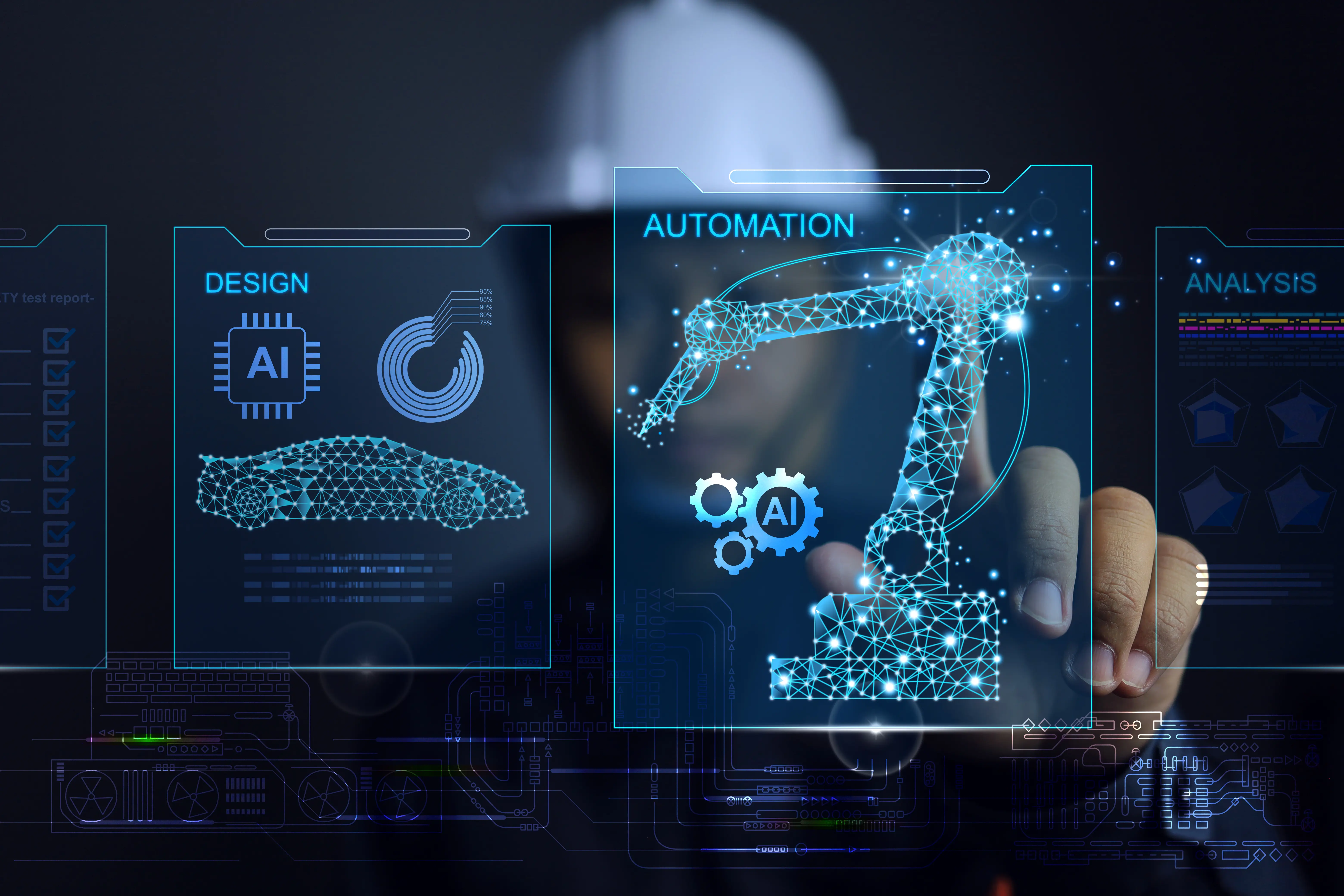
Faster design cycles, automated engineering workflows, and reduced manual effort across processes. These advancements build on a long-standing promise of digitalization in manufacturing: connecting data, systems, and processes to improve efficiency and decision making. As we now enter the era of AI in manufacturing, that promise is being exponentially amplified.
In a connected manufacturing ecosystem, where data flows across PLM, ERP, MES, and supplier networks, AI has the potential to use this data to automate not just tasks, but decisions. Optimizing costs, reducing carbon footprint in manufacturing, and adding context to operational data are only some of the ways AI can unlock a new level of insight across the Siemens Teamcenter ecosystem, in an industry that has long struggled with fragmented data and limited visibility.
This raises an important question for manufacturers. Where does enablement software sit across this spectrum, and how ready are organizations to move toward this future?
AI copilots in product cost management software
Siemens is already taking active steps toward this agentic future by introducing copilots across its ecosystem, with Product Cost Management being one of the first areas where this intelligence directly impacts decision making.
Although still in a pilot phase, these copilots already demonstrate how AI can streamline cost engineering tasks by enabling features like automated part matching, instant generation of BOM (Bill of Materials) and BOP (Bill of Processes) structures, and accelerated “what if” scenario simulations.
Instead of spending time building and maintaining models, teams can, from now on, focus on evaluating scenarios, comparing alternatives, and making decisions. Complex analyses that previously required significant manual effort can now be executed faster and with greater consistency.
For organizations, this means:
- Faster evaluation of design and sourcing options
- Reduced dependency on manual data preparation
- More consistent and reliable cost models
- The ability to explore more scenarios in less time
Building AI-ready manufacturing data for product cost management and sustainability
For manufacturing organizations, foundation is critical. In order to safely operationalize AI, companies first need to operationalize their data. Unstructured data leads to fragmented workflows, and fragmented workflows are one of the main reasons AI initiatives fail to move beyond pilot stages. This is where Siemens is taking another important step. By advancing how enterprise data is stored and structured, it strengthens the underlying foundation required to make those capabilities effective at scale.
1. Cloud for scalable AI-driven product cost management
As AI evolves toward more autonomous and agent-driven workflows, organizations need platforms that are scalable, connected, and continuously updated. Cloud environments provide that foundation and that's why the ability to transition enterprise environments to the cloud is a key element.
With the latest enhancements in Teamcenter Product Cost Management, existing users can bring their value plugins and customized cost breakdowns into the cloud environment without losing the functionality they depend on. This allows organizations to achieve greater scalability, accelerate innovation cycles, and reduce operational overhead, while building a reliable foundation for advanced analytics and AI driven decision support at scale.
2. User experience for faster cost and sustainability decisions
A modernized user interface reduces friction in daily workflows and improves access to relevant data. Instead of navigating complex systems, users can now more easily find, interpret, and act on the information they need. Improved navigation, reorganized layouts, and more intuitive access to core functionalities are some examples of such enhancements, while improved search capabilities and clearer data visualization allow teams to focus more efficiently on evaluating cost drivers, comparing scenarios, and supporting decisions.
3. APIs and data readiness for manufacturing intelligence
Finally, Siemens has taken important steps to further optimize how systems interpret data, generate insights, ensuring that enterprise knowledge is not only available, but also structured, connected, and accessible in a way that enables advanced analytics and scalable AI-driven applications.
Enhanced calculation capabilities and REST API extensions enable automation, integration with external systems, and more advanced reporting and analytics.
Improvements in data models, KPI flexibility, and manufacturing cost visibility provide a more granular and accurate view of cost drivers and profitability.
How CLEVR enables product cost management software and AI in manufacturing
Technology alone does not create intelligence. Organizations still need to define where decisions are made, which data should inform them, and how insights can be embedded into daily operations. This starts with structuring data in a consistent and scalable way, and ensuring that product, cost, and operational information is standardized across systems.
From there, workflows can be automated to embed business rules, engineering logic, and financial models directly into processes, a foundation AI models can effectively build on, learning from reliable data and delivering insights that are accurate, actionable, and aligned with how the organization operates.
At CLEVR, we combine deep industry expertise with a team of specialists in advanced software solutions to help manufacturers translate these capabilities into measurable outcomes. With over 30 years of experience delivering tailored technology solutions across manufacturing, marine, aerospace, and defense, we understand the realities of complex, legacy environments and how to evolve them.
By tailoring leading platforms such as Siemens and Mendix to each organization’s context, we work alongside our customers to embed domain knowledge, business rules, and engineering logic into scalable workflows, and augment them with AI where it delivers the most value. In practice this means that we activate structured cost and sustainability management, supported by the governance and orchestration required in an increasingly complex and data driven future.
As Product Cost Management continues to evolve and AI becomes embedded across the digital landscape, manufacturers have an opportunity to rethink how cost, sustainability, and profitability insights are used, and with the right partner, transform them into powerful decision engines.
From tool to teammate: Why 2026 is the year AI starts acting
Explore how Agentic AI is transforming enterprises in 2026, from autonomous workflows to AI driven decision making, and why organizations must balance speed, governance, and strategy to stay competitive.
There is a moment in every major technology shift when the early signals stop being signals and start being reality. I believe we have crossed that threshold with Artificial Intelligence, and specifically with what is now being called Agentic AI.
For most of the past decade, AI has been something we used as a tool. We prompted it. We queried it. We marveled at what it could produce when we asked the right question. But that framing, AI as a sophisticated assistant, is becoming outdated at a remarkable speed.
Agentic AI doesn't wait to be asked. It pursues goals, executes plans, coordinates tools, and adapts to changing conditions, all with limited human intervention. The shift from reactive to proactive AI is subtle in concept but enormous in consequence.
What "Agentic" actually means
I want to be precise here, because this term gets used loosely. An agentic AI system is defined by five characteristics:
- Goal orientation: it works toward an objective, not just a single response.
- Multi-step reasoning: it plans sequences of actions, not just the next word.
- Tool use: it calls APIs, queries databases, triggers workflows.
- Memory and context: it retains state across interactions.
- Adaptability: it responds to changing conditions without being re-prompted.
The practical difference is stark. Instead of asking an AI to draft a market analysis, you assign an agent to monitor a market continuously, synthesize trends, and alert you when action is needed. Instead of manually coordinating procurement, you deploy an agent that tracks inventory, identifies suppliers, validates pricing, and within defined limits executes purchase orders automatically.
AI used to answer our questions. Now it's starting to do our work.
Why now? The convergence moment
Several forces are converging in 2026 to make Agentic AI viable at enterprise scale for the first time. Large language models now have reliable multi-step reasoning. Orchestration frameworks for coordinating multiple agents have matured. Low-code platforms like Mendix have dramatically lowered the barrier to building agentic systems. And the business case is becoming impossible to ignore.
The risk of waiting, and the risk of rushing
I want to be honest about both sides of this picture, because the data tells a nuanced story. Yes, adoption is accelerating dramatically. But Gartner also warns that more than 40% of agentic AI projects risk cancellation by 2027, due to escalating costs, unclear business value, and inadequate governance.
This is not a reason to hesitate. It is a reason to act thoughtfully. The organizations that will win are not those that move first. They are those that combine speed with structure. Those that understand what they are building, why, and how to govern it.
At CLEVR, we have been deploying agentic AI in production across manufacturing, financial services, healthcare, utilities, and retail. And the single most consistent finding across every deployment is this: the technology is rarely the bottleneck. The workflow, the governance, and the people most often are.
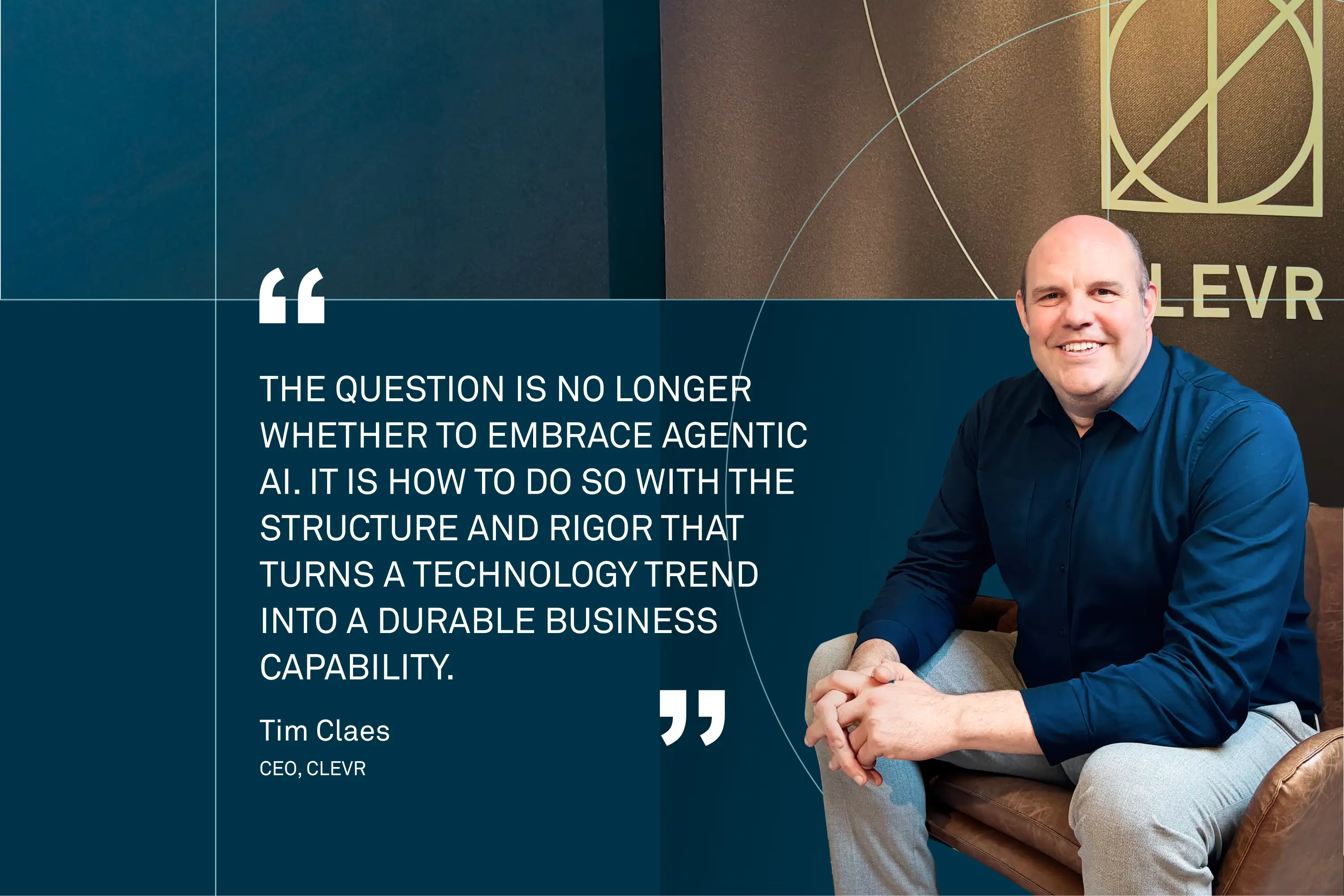
The question is no longer whether to embrace Agentic AI. It is how to do so with the structure and rigor that turns a technology trend into a durable business capability.
What this series covers
Over the next four weeks, I will explore the building blocks of an enterprise-ready agentic AI strategy. The role of workflows, how Mendix has evolved into an agent orchestration platform, what agentic AI means specifically for PLM, ERP, and CRM environments, and the change management disciplines that make adoption sustainable.
This is a series for technology leaders and business leaders in equal measure, because the agentic transition is not a technology program. It is a business transformation.
Five weeks. Five posts. One practical guide to building the AI-powered enterprise, without tearing apart what already works.
Follow along and share with a colleague who is navigating this transition.
Article originally published here.
What should you really expect from CAM software in 2026?
Explore the biggest CAM software trends in 2026, from AI and automation to simulation, digital manufacturing workflows, and smarter production processes.
The differences between CAM systems no longer come from what they can do, but from how efficiently, predictably and automatically production runs with them.
When looking for a CAM solution, the discussion often focuses heavily on technical details. Does the software support milling, turning or multitasking machines? Are postprocessors available? Is the user interface easy to learn?
These are still relevant questions, but to be honest, they no longer differentiate solutions. Almost all modern CAM systems can handle the same basic tasks. The real question is no longer what the software can do, but how efficiently and predictably production works with it.
In many machine shops, CAM programming is still largely an individual effort. This is actually a fairly universal challenge across many industries. An experienced programmer can get things done quickly, but at the same time dependency on that person increases. Knowledge stays in people’s heads and does not scale. This becomes visible when workload increases or new people join. In a modern environment, this should no longer be an acceptable starting point.
Guided processes
CAM software should enable programming to become a guided and repeatable process, not manual work. When geometry is automatically recognized and machining strategies are selected based on rules and “company best practices”, programming shifts from an individual task to an organizational capability. At that point, we are talking about productivity, not just a tool.
In practice, the software recognizes typical features in the model, such as holes and pockets, and automatically assigns tools and cutting parameters based on predefined practices. PMI data, such as tolerances and surface finish, guides the selection of the correct machining strategy. For example, tighter tolerance holes can be finished by reaming to achieve the required tolerance range. This reduces manual work and shifts the programmer’s focus to areas where automation does not yet apply or is not sufficient.
Another often underestimated topic is the relationship between CAD and CAM. In many companies, these still operate separately, even though they should not. When models are transferred between systems, gaps are introduced, and data translations can degrade the model. Changes do not update, errors occur and time is wasted. When CAM operates in the same environment as design, the situation changes significantly. Programming can start before the design is finished, and changes update automatically. This is not just a convenience, it directly impacts lead times and error rates. In practice, it is about doing things right once instead of fixing them multiple times.
The importance of simulation
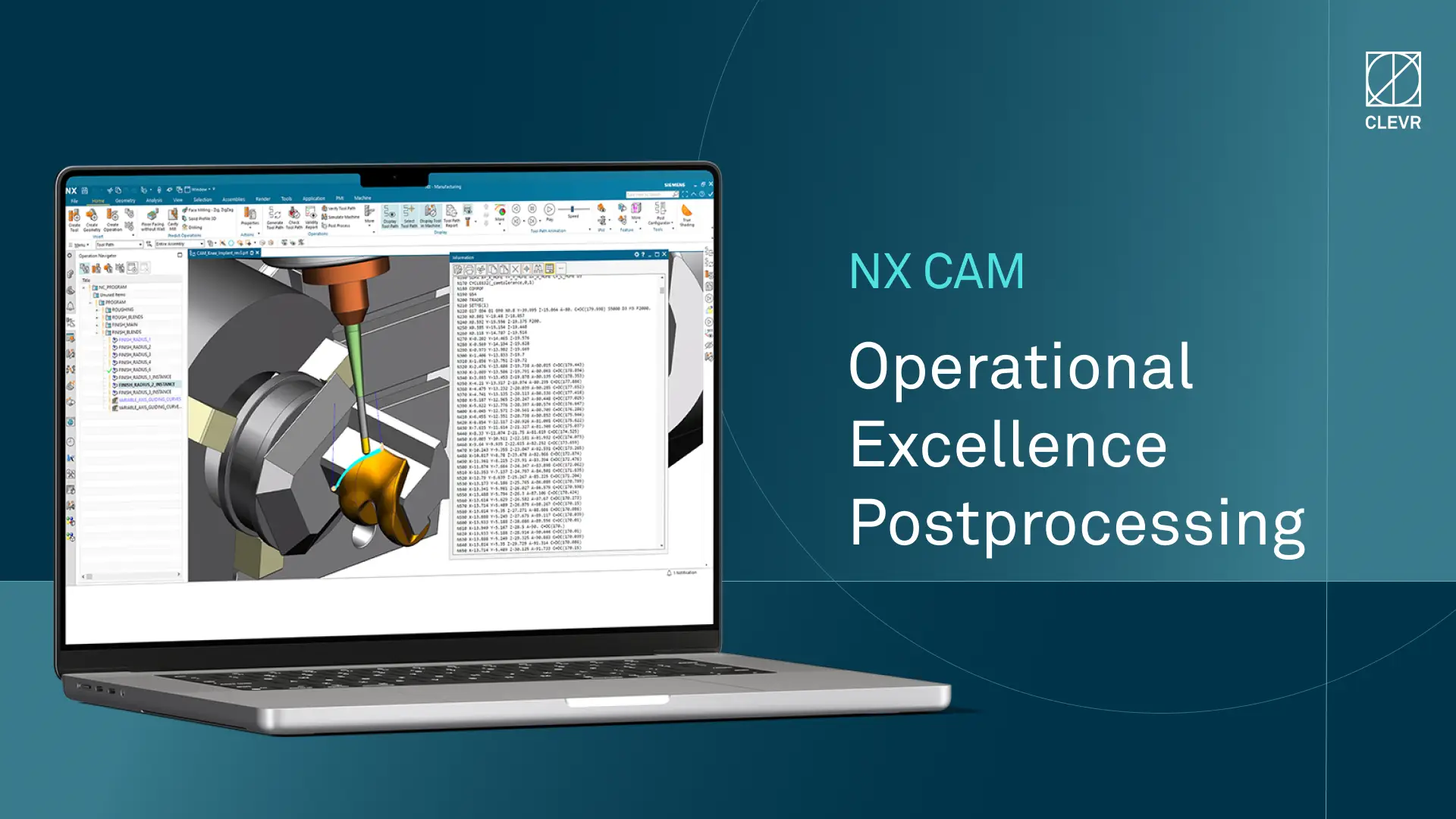
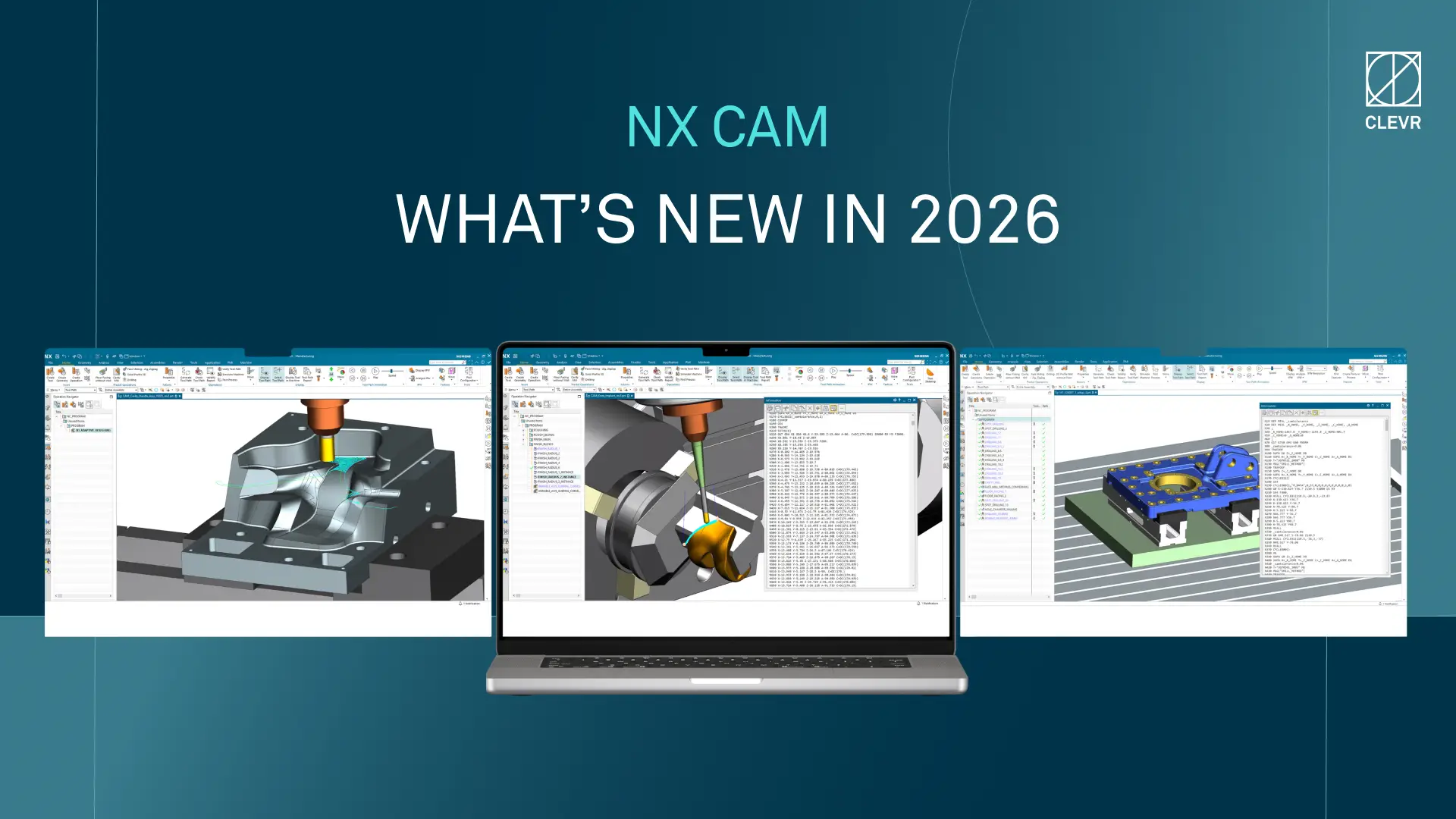
Simulation is another topic that is often mentioned, but its importance is not always fully understood. Simply visualizing a toolpath does not show what the machine will actually do. If simulation is not based on NC code and real machine kinematics, uncertainty remains. A modern CAM solution should allow the program to be run digitally before it is sent to the machine. When simulation is based on postprocessed NC code and can be taken all the way to controller logic level, the digital and physical worlds start to match. Collisions, errors and even cycle times can be evaluated in advance. In practice, this means that you no longer test on the machine, but production can start as it was planned.
Postprocessors have traditionally been one of the biggest concerns, but at the same time their importance is often underestimated. The discussion easily focuses on CAM software features and what can be programmed. In reality, CAM is only as good as its postprocessors. Programming can be smooth and the interface easy to use, but if the postprocessed NC code does not control the machine correctly, the program itself has no real value.
In the worst case, a poor or incorrect postprocessor leads to wrong machine movements, lower quality or even tool and machine damage. For this reason, the postprocessor should not be seen as a single technical component, but as a critical part of the whole manufacturing process. The key is not only that postprocessors are available, but how they are managed, developed and validated as part of the overall solution.
This is where NC simulation becomes especially important. When the postprocessed code can be validated digitally with machine kinematics and even controller logic, it is possible to ensure that the program works correctly before it reaches the machine. This means validating not just the toolpath, but the entire machining process. At its best, this speeds up the commissioning of new machines and significantly reduces production risks.
The number of axes
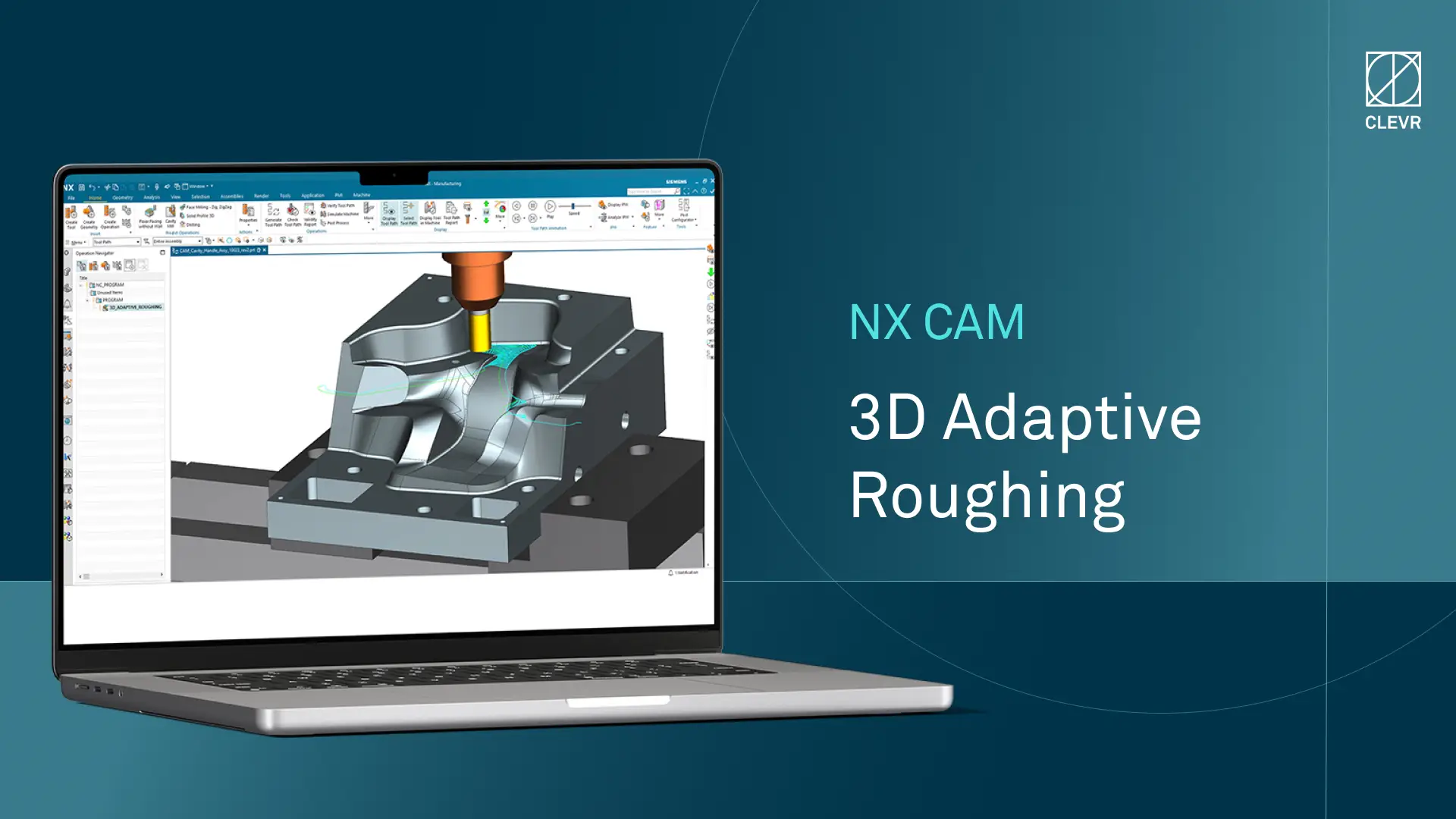
When discussing technical capabilities, the conversation still often turns to the number of axes. It is worth stating that modern CAM solutions cover different machine types and machining methods quite broadly, from basic milling and turning to advanced multi-axis and multitasking machines. However, this is no longer the first discussion that should be had.
Whether the software supports 5-axis machining, how many channels can run simultaneously and so on are valid questions, but they do not define everyday efficiency. Most machining is still 3-axis or 3+2 machining, and continuous 5-axis machining is used where it truly adds value. What matters is not what is possible, but how easily and reliably the most common tasks can be completed. If programming requires a lot of manual work and adjustments, errors will increase. When the system supports and guides the user, the result becomes more consistent and predictable.
AI is coming
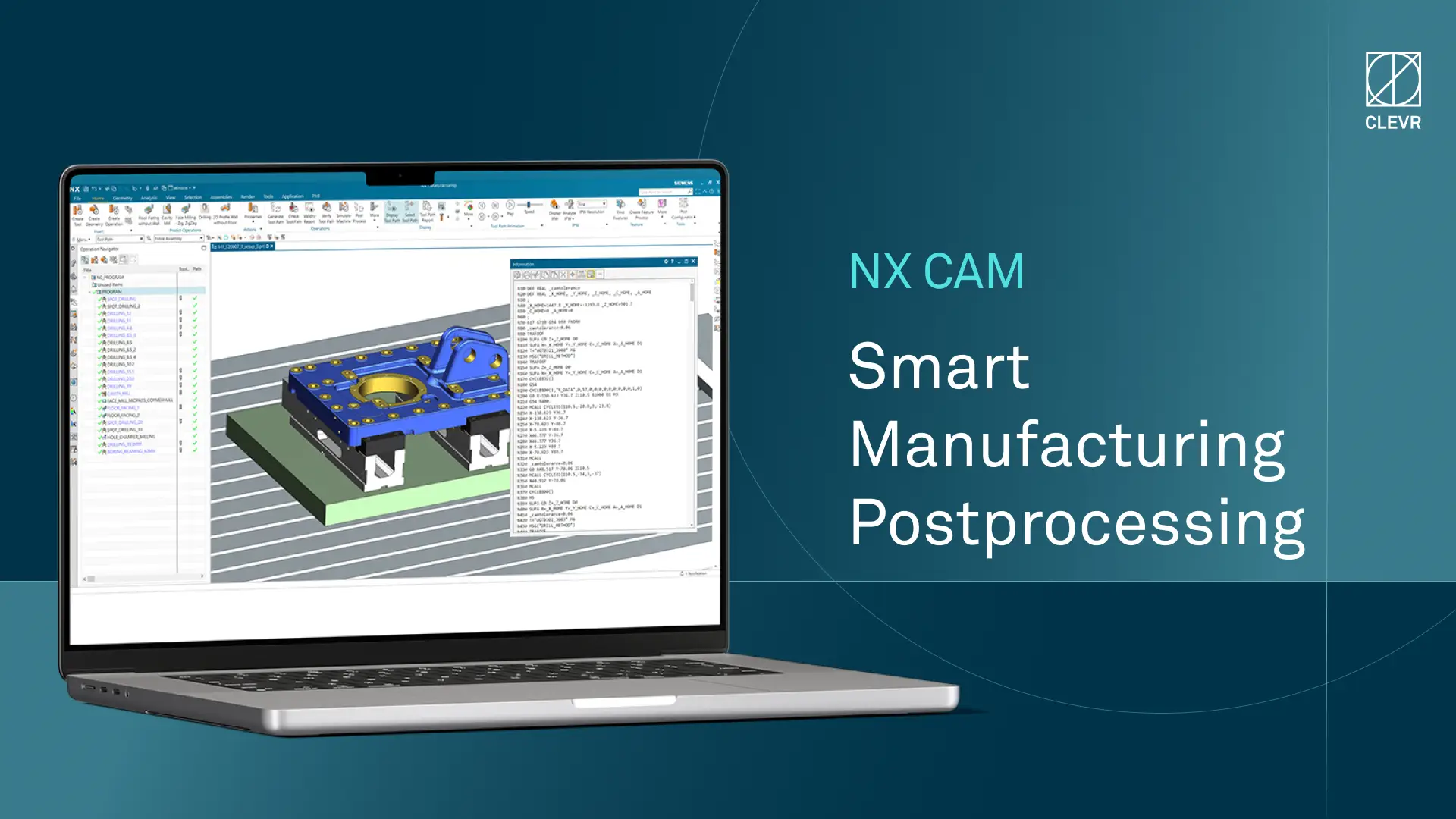
Artificial intelligence is the latest addition to CAM discussions, and it is no longer just marketing talk. Its value is not in doing everything for you, but in supporting the user at the right moments. When the system learns from user behavior and suggests next steps or parameters, work becomes faster without losing control. At the same time, ways of working become more standardized. The more the system is used, the better it becomes. This is one of the most effective ways to reduce dependency on individual expertise.
One of the most significant changes in recent years is that CAM is no longer a standalone tool. It is part of a larger ecosystem that includes product data management, production control and overall manufacturing process planning. When the same data flows through the entire chain from design to production and back, transparency is created. When this is combined with production data and analytics, it goes beyond visibility. Bottlenecks can be identified, processes optimized and decisions made based on data instead of assumptions. At its best, the system can provide insights that individuals or organizations would not otherwise see.
This is not only relevant for large companies. More and more smaller companies benefit from having a controlled process instead of a collection of separate tools. The machines themselves have not changed in the same way – lathes and milling machines still do what they were originally designed to do. Their value comes from their technical capabilities and control, but development is happening faster in software and digital tools.
Digitalization is no longer a choice, it is a requirement to stay competitive. Regardless of company size, the same rule applies: those who can use data and connect their processes will outperform those who cannot.
More than a software decision
Choosing a CAM system is no longer just a software decision. It is a decision about how far you want to take your production. Not every solution is for everyone, and it does not need to be. For simpler production, a lighter solution can be enough. But as parts, machines and processes become more demanding, the overall solution becomes more important. That is where the real differences between systems start to show.
Originally published here.

CLEVR x ET Advisory: Advancing digital engineering in the Siemens ecosystem
Manufacturers face increasing pressure to balance cost and sustainability. Discover how CLEVR and ET Advisory enable data driven decisions across the Siemens ecosystem to optimize product design, profitability, and carbon impact.
Manufacturers of complex products are under growing pressure to balance sustainability and profitability. They must reduce carbon emissions and meet rapidly evolving sustainability regulations amidst global, carbon-intensive supply chains that still rely heavily on fossil-based energy and resource-heavy production processes. All while protecting margins.
For complex products with thousands of components, design decisions have asignificant impact on both cost and carbon footprint. Yet, this is exactly where most manufacturing companies lack the necessary insight to act with confidence.
Most critical decisions happen too early and too blindly
Despite significant investments in PLM, CAD, and MOM systems, cost and sustainability insights remain disconnected from day-to-day engineering decisions. In practice, costing is still managed through fragmented Excel models with limited traceability, while sustainability is often handled as a downstream reporting exercise rather than an input that actively shapes design choices.
As a result, teams are forced into costly redesign cycles, decision making is slowed down by manual handovers between engineering,finance, and operations, and critical knowledge remains fragmented. At CLEVR, we see it all the time. Both the disruption of daily operations that all of these create for manufacturers, and the clear shift in the market.
Customers are increasingly looking for transparency into cost structures and environmental impact, and are gradually moving away from viewing PLM, MOM, and CAD systems as end goals in themselves. There is a growing expectation that digital platforms should actively support real business decisions, and this is exactly what we are now better positioned to deliver.
From systems of record to systems of decision making
In practice, most organizations still operate in a reporting mode. Cost calculations are typically based on estimations of material costs, labor, tooling, and supplier pricing, while sustainability metrics often rely on benchmark or reference data. By the time these figures are compiled, major design decisions are already locked in, forcing manufacturers to either accept lower margins or go back to the design phase and rework the product.
With the addition of ET Advisory, these insights can now be embedded directly into the product lifecycle, and redefine how decisions are made. By connecting cost and carbon data directly to the evolving bill of materials, we align engineering decisions with manufacturing realities and supplier inputs.
At the same time, we extend this with a deeper understanding of how product characteristics, performance, and market dynamics influence pricing and margin potential. This allows organizations not only to understand what a product should cost, but also how it should be positioned in the market.
More specifically, manufacturing teams can:
- Define and control cost targets from the earliest design stages through design-to-cost and target-costing approaches
- Build accurate bottom-up cost models based on product structures, materials, and manufacturing processes
- Assess profitability across the full product lifecycle through scenario-based analysis of margins and investments
- Strengthen procurement with fact-based supplier negotiations through purchase price analysis and should-costing
- Create transparent and competitive pricing structures that reflect both cost drivers and market dynamics
- Optimize tooling and manufacturing investments with detailed tool costing insights
Instead of working with static estimates, teams can model product costs and emissions at component and assembly level, simulate different design, material, and manufacturing scenarios, and understand how these decisions impact both cost and market positioning.
A unified digital thread for engineering, cost and sustainability
With the addition of ET Advisory, CLEVR evolves from an implementation partner into atrue decision enabler.
By activating engineering, procurement, and finance insights across the entire product lifecycle, we can help companies operate on the same data, evaluate trade offs early, and make informed decisions, creating a dynamic and actionable view of product cost, footprint, and value. This is particularly critical for industries such as automotive, industrial machinery, heavy equipment, and defense, where product complexity requires full process transparency and confidence to make timely, data-driven decisions.
Building on our expertise in PLM, Low Code, Data Science and AI, we embed specialized costing and sustainability expertise directly into our delivery model, ensuring that these insights are not only available, but actively used within engineering and business processes.
For customers, this unlocks a fundamentally different way of working. They can leverage value-driven use cases such as design optimization, supplier negotiations, new program planning, global sourcing decisions, and tooling benchmarking, as well as pricing-focused ones like initial price discovery, supplier consolidation, and portfolio cleanup to name a few.
CLEVR: Building the connected future of digital engineering
With the addition of ET Advisory, CLEVR is better positioned to help customers across the Benelux, DACH, and the Nordic regions to not only build their digital backbone, but actively use it to drive cost, sustainability, and product outcomes.
In this way, existing Siemens investments evolve from systems of record into decision engines. And CLEVR is driving this shift enabling companies to move from reactive decision-making to designing products that are cost-efficient, compliant, and sustainable by design.
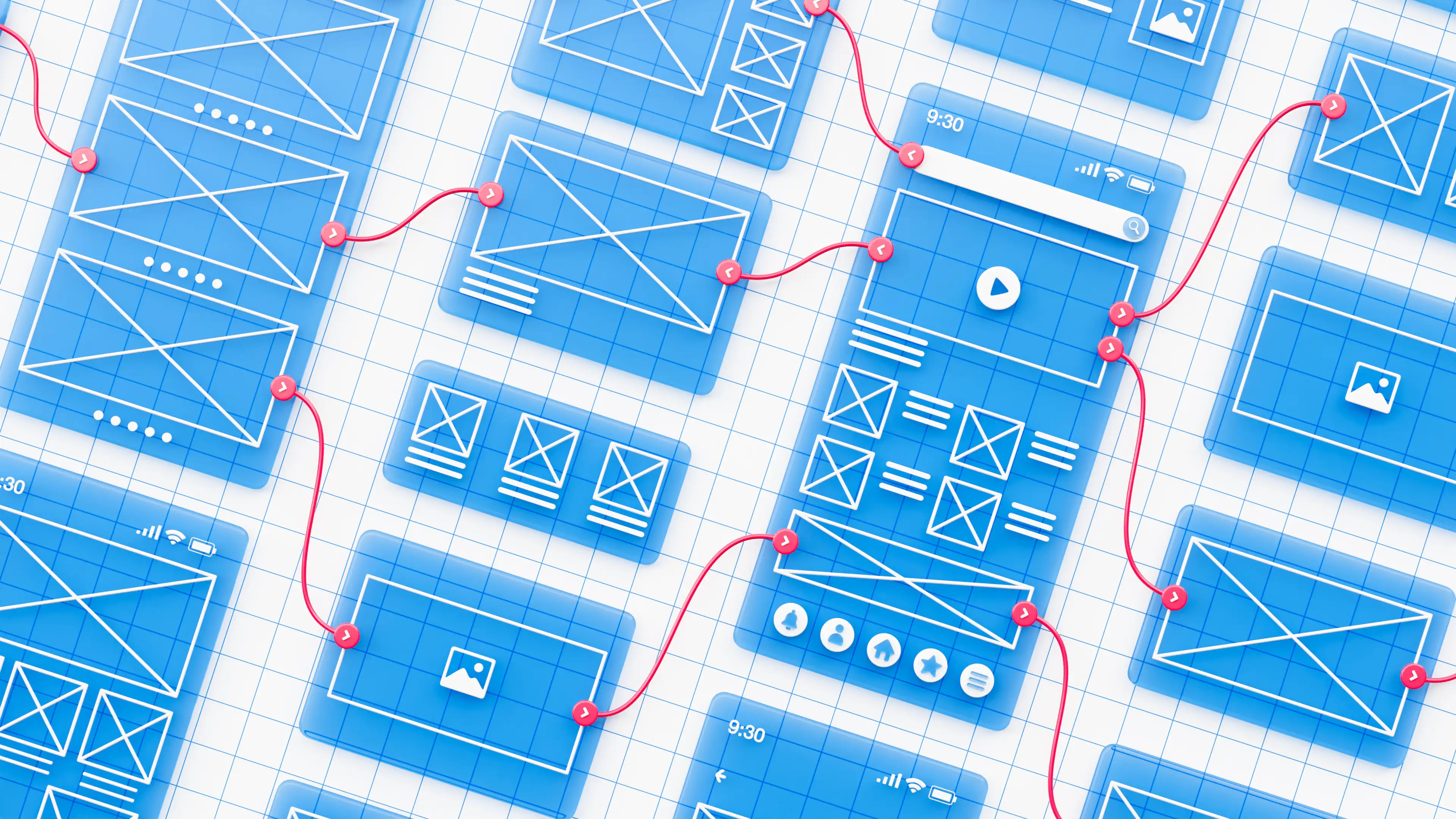
Meet Electra: CLEVR's Design System for standardized design, faster delivery, and better user experiences.
Discover Electra, CLEVR's standardized Design System for Mendix. Accelerate development by up to 30%, improve consistency, reduce maintenance, and scale applications faster.
Customers increasingly expect business applications that are intuitive, visually appealing, and aligned with their brand identity. At the same time, varying design requirements, branding guidelines, and levels of design maturity across organizations often lead consultants to spend valuable time repeatedly creating components, layouts, and styling that could otherwise be standardized and reused.
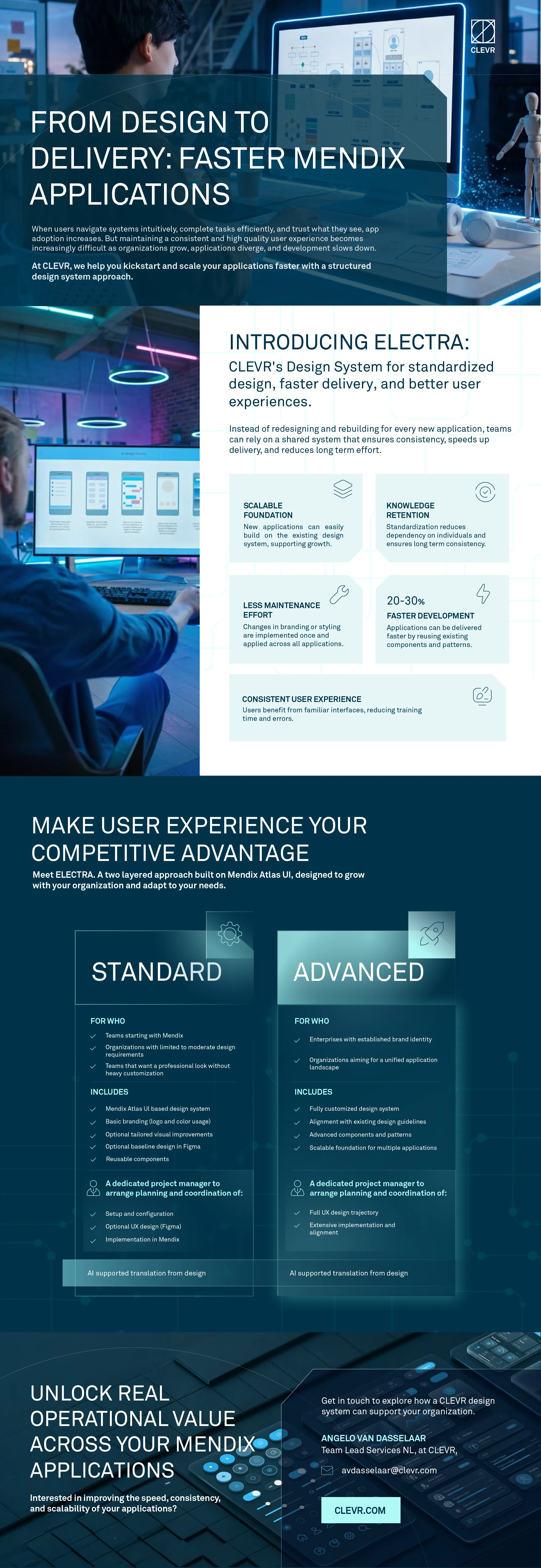
At CLEVR, we decided to accelerate the process. We developed Electra, a standardized and configurable Design System for Mendix applications that allows our teams to deliver high-quality user experiences without reinventing the wheel every time.
Built on the Mendix Atlas UI framework, Electra provides a reusable foundation that can be tailored to each client's needs and branding requirements. By standardizing components, layouts, styling, and user interactions, Electra helps organizations:
- Build new functionality up to 20 to 30% faster
- Accelerate the start of new application projects by up to 40%
- Reduce maintenance effort through centralized design updates
- Deliver a consistent user experience across applications
- Future proof their application landscape with scalable standards
- Reduce dependency on individual developers through standardization
Electra supports organizations with different levels of design maturity, offering an important foundation for calability, governance, and long term application quality.
Explore how organizations can leverage Electra to accelerate development, strengthen brand consistency, and scale their Mendix applications more effectively through the infographic below:
At CLEVR, we continuously look for ways to help our clients work smarter, deliver faster, and create better digital experiences.
If you would like to learn more or see Electra in action, don't hesitate to reach out to our team for a demo.
CLEVR acquires ET Advisory to expand its European offering within the Siemens ecosystem
CLEVR has acquired ET Advisory to strengthen its European offering and expand cost and sustainability capabilities within the Siemens ecosystem.
Amsterdam 6/02/2026 — CLEVR today announces the acquisition of ET Advisory, a Sweden‑based specialist in Product Cost Management and cost‑driven sustainability. With offices in the Netherlands, Germany, Finland, Norway, Sweden and Lithuania, CLEVR continues to build its European footprint, strengthening its position in the Nordic market, and accelerating its ambition to become a leading digital transformation partner within the Siemens ecosystem.
As a recognized Siemens Smart Specialist Partner, ET Advisory brings deep expertise in product cost management, target costing, should‑costing, and the integration of cost and CO₂ metrics early in the product lifecycle. Combined with CLEVR’s strong portfolio in PLM, MOM, CAD, low‑code, enterprise integration and AI, customers will now be able to influence design and sourcing decisions before costs are locked in.
“Digital transformation only delivers value when it helps customers make better decisions,” says Tim Claes, CEO of CLEVR. “With the acquisition of ET Advisory, we embed economic and sustainability insights more deeply into the digital backbone of the product lifecycle, providing our customers with the insights they need to make confident, value‑driven decisions.”
With this partnership, CLEVR becomes a strategic decision enabler, directly responding to the pressures companies face in today’s market. By connecting technology with cost and sustainability metrics, organizations gain earlier control over spending, achieve more predictable margins, and make sustainability choices grounded in measurable business logic.
"CLEVR’s proven implementation record of the Siemens portfolio, including Teamcenter, NX, and Opcenter, can now extend into commercial simulation and verification through product costing solutions," says Magnus Normann, CRO at CLEVR. "Combined with our leading low‑code capabilities, this ensures an even stronger fit with our customers’ overall digitalization strategies.”
For customers, this translates into tangible benefits across the product lifecycle:\
- Stronger customer value — cost, sustainability and digital transformation are now addressed together.
- Better decisions, earlier — cost and CO₂ insights influence design and sourcing before decisions are locked in.
- More predictable outcomes — target costing and should-costing reduce late-stage surprises.
- European scale, local presence — deep Nordic roots with the ability to scale across Europe.
“We chose to join CLEVR because of their strong and long‑standing position as a Siemens PLM partner in the Nordic market,” says Tony Bergström, owner of ET Advisory. “Becoming part of CLEVR allows us to strengthen our financial foundation and significantly increase the impact we can deliver to our customers.” For ET Advisory, joining CLEVR provides the scale, delivery capacity, and implementation depth needed to extend their proven approach beyond specialist engagements, and across Europe.
“What attracted us to ET Advisory is not only their specialist knowledge, but their mindset,” Claes concludes. “They share our belief that successful transformation is about people, collaboration, and long‑term partnerships. Together, we are better positioned to support our customers’ ambitions in the Nordics and across Europe.”
This acquisition represents a clear milestone in CLEVR’s long-term growth plan to help industrial organizations move beyond tool implementation, while strengthens its presence in the Nordics, a strategically important region within the Siemens PLM market.
As part of this strategy, CLEVR intends to continue exploring selective mergers and acquisitions within the Siemens ecosystem with the aim to partner with specialist firms that complement its industrial expertise, share its collaborative mindset, and contribute to long-term value creation for customers across Europe.
About CLEVR
CLEVR is a European digital transformation partner specializing in industrial and enterprise platforms. With deep expertise across PLM, MOM, CAD, low‑code, enterprise integration and AI, CLEVR helps organizations translate technology investments into measurable business value.
About ET Advisory
ET Advisory is a Sweden‑based consultancy specializing in Product Cost Management and cost‑driven sustainability. As a Siemens Smart Specialist Partner, ET Advisory supports industrial organizations in embedding cost and CO₂ transparency into early product decisions.

CLEVR Strengthens Its Security Leadership with NIS2
CLEVR is NIS2 compliant and ISO 27001 certified, strengthening cybersecurity, governance, and risk management for partners and clients across Europe.
At CLEVR, safeguarding digital ecosystems is not just part of our process. It’s part of our identity.
Security is one of our core pillars and a testament to our dedication to protecting our customers, partners, and stakeholders through vigilance, transparency, and continuous improvement.
In addition to our long-standing ISO 27001 certification, CLEVR is proud to announce that we are now NIS2 compliant, a milestone that underlines our ongoing investment in secure operations, regulatory alignment, and responsible innovation.
But what does this dual recognition mean for the organizations that choose to partner with CLEVR, and how does it impact our existing clients?
Understanding NIS2 and Its Impact on European Businesses
The NIS2 Directive (EU 2022/2555) is the European Union’s latest cybersecurity framework designed to strengthen resilience and protect critical infrastructure across 18 key sectors. It sets new expectations for governance, risk management, and supply chain oversight, introducing stricter requirements for data protection, accountability, and incident reporting.
Together, with our ISO 27001 certification, these two recognitions reinforce CLEVR’s position as a trusted, security-first technology partner, whose operational integrity is fully aligned with European and global best practices.
For companies that choose to partner with us, and for our existing clients, this means enhanced assurance that every CLEVR solution, platform, and service is designed, delivered, and maintained to the highest possible standards of protection and compliance:
- Simplified audit readiness – Our frameworks streamline your own regulatory checks and compliance reporting.
- Reduced operational vulnerabilities – Stronger protection measures minimize the risk of cyber incidents and downtime.
- Enhanced credibility – Partnering with a recognized, certified provider strengthens your reputation for reliability and trust.
- Future readiness – As standards evolve, CLEVR ensures that your digital transformation journey remains secure and compliant.
- Transparent collaboration – We foster open dialogue to support proactive risk management and continuous improvement.
By partnering with CLEVR, you gain confidence that your transformation is built on a secure, reliable, and future-proof foundation.
CLEVR’s Ongoing Commitment to Data Protection and Governance
Cyber resilience is a shared responsibility, one that we embrace every day. For this reason, we maintain our recognitions not as static achievements but as living standards that drive operational excellence and trust.
That means, we continuously invest in evolving our frameworks to anticipate new risks and regulatory developments, embedding secure-by-design principles across all teams and projects. Our proactive approach includes:
- Conducting regular risk and vulnerability assessments to adapt to changing threats.
- Upholding clear governance and accountability, ensuring readiness and transparency across all levels.
- Requiring all partners and suppliers to align with CLEVR’s rigorous data protection standards.
- Embedding cybersecurity awareness and compliance into daily decision-making and culture.
These practices ensure that CLEVR continues to meet and exceed the highest benchmarks in information protection and corporate governance, reinforcing the confidence of our clients and partners.
Partner with CLEVR: A Benchmark for Trust and Security
Becoming NIS2 compliant marks a significant milestone in our ongoing commitment to cybersecurity, reliability, and regulatory excellence. It reinforces our long-term strategic focus on security resilience, and highlights the collective effort of our teams, who are constantly striving to stay aligned with the latest cybersecurity directives and evolving industry frameworks.
With CLEVR, you can rest assured that your organization is supported by a partner fully dedicated to excellence in both compliance and security, fostering lasting trust, resilience, and confidence in every collaboration.
Partner with CLEVR or contact us to learn how our approach to security can strengthen yours.
<div class="w-embed">
  <hr class="clevr-divider">
  <style>
    .clevr-divider {
      border: 0;
      height: 2px;
      width: 100%;
      background-color: #333333; /* Dark grey, visible on white background */
      margin: 2rem 0;
    }
    @media (prefers-color-scheme: dark) {
      .clevr-divider { background-color: #cccccc; }
    }
  </style>
</div>
About the NIS2 Directive
The NIS2 Directive establishes a unified cybersecurity framework across the EU, building upon the original NIS1 legislation of 2016. It expands to cover critical sectors including digital infrastructure, manufacturing, public administration, and more, introducing robust expectations for supply chain security and risk management.
Member States are required to implement NIS2 by October 2024, mandating strong cyber resilience practices, detailed incident reporting, and executive-level accountability, while cooperation is strengthened through CSIRTs and the EU-CyCLONe network to ensure coordinated responses to large-scale cyber incidents.
By achieving NIS2 compliance, CLEVR demonstrates its leadership in advancing secure, compliant, and responsible innovation across Europe.

Worldwide expansion software with a service
CLEVR announces global expansion and commitment to software-with-a-service innovation.
AMERSFOORT, NETHERLANDS – July 29, 2021 – CLEVR, the company that helps enterprises accelerate their digital transitions through the enormous power of low-code and no-code development solutions, today announced the launch of an international expansion of the CLEVR brand and the company’s unique business model.
When Mansystems and Flowfabric, two leading Mendix partners, merged to create a superpower in services and software development, they named the combined company CLEVR. The company now employs a hybrid business model, equal parts solution and services, that it calls Software with a Service (SWAS). The model is designed to assist the legions of people around the world involved in the daunting task of digitalizing enterprises: CIOs and enterprise architects, product owners, medium-sized-business owners and IT service providers.
Developing with low-code and no-code platforms is among the hottest trends in tech, and widely recognized as a way to dramatically accelerate and simplify software development. The CLEVR team relies on the Mendix platform, recognized by research firms Forrester and Gartner as a world leader in low-code and no-code. Not only has CLEVR accumulated years of expertise creating problem-solving software apps with Mendix, but the company now employs more expert Mendix developers than any other. Despite the hype surrounding so-called citizen developers, these experts supply the knowledge, experience and creative thinking enterprises need to realize the full benefits and value of low-code and no-code tools.
“There is a silent revolution happening in software development, hiding in plain sight,” said Angelique Schouten, who took over as CLEVR CEO in March. “And that’s the rise of low-code and no-code, a visual approach to software development with the power to accelerate the world’s digital transition. However, I believe many of the low-code and no-code companies are selling a false promise. Low-code and no-code by itself is not the solution to all your challenges because you still need to consider security, architecture, infrastructure and performance when developing software applications. If you use low-code and no-code solutions and don’t consider these areas, you’ll run into enormous problems when apps become more complex, start to scale and support business-critical processes.”
Part of CLEVR’s business is offering professional services and assisting companies – in financial services, energy, government and manufacturing – to create dynamic and useful applications that advance at a high velocity their own or their customers’ digitalization efforts. CLEVR helped the City of Rotterdam build greater functionality around a video-call application that enabled residents to communicate with their local government digitally during the pandemic. With CLEVR’s assistance, the service eventually featured a document exchange, payment services and tools that allowed citizens to transact business, such as register births and marriages, by enabling them to identify themselves through DigiD, the Dutch government’s digital ID system.

The future of fashion and retail with Mendix
CLEVR’s PLM system for fashion and retail now available in the SAP Store.
A cloud-native product lifecycle management system developed by CLEVR, the fast-growing technology solutions company, is now on the SAP Store.
Building on a rich history serving brands such as Marlies Dekkers, Van Bommel, and the Amsterdam Fashion Institute. CLEVR combines deep fashion and retail industry knowledge with market-leading expertise in Mendix low-code to deliver a solution that accelerates the design to sales process. Mendix DLM for Fashion and Retail:
- Uses a digital twin to innovate and reduce physical sampling.
- Provides a single source of truth that aligns teams.
- Cuts time to market.

Low-code powers the future of fashion
Produced under an OEM deal, Mendix DLM for Fashion and Retail harnesses the flexibility of low-code to power the future of fashion. It integrates with your system landscape (e.g., SAP ERP) and allows you to connect silos, improving collaboration both internally and with suppliers. Modernizing the process from design to delivery.
With integrated 3D modelling, you can go straight to e-commerce with photo-realistic product images. Capture, mine, and reuse design and production data to make the products of tomorrow. And deliver them to consumers on the platforms of the future. With personalisation being a trend in retail and fashion, this keeps you at the cutting edge.
Jeroen Hanekamp, CLEVR CEO, said: “We are proud of the technical and commercial quality of the Mendix DLM for Fashion and Retail solution, this recognition by SAP underlines that.”

Hanekamp noted the close partnership between CLEVR and Mendix. This is based on decades of experience that allows CLEVR to leverage the Mendix platform’s strengths, to meet industry challenges now and in the future.
Available in more than 200 countries and territories, the SAP Store is the online marketplace where customers can find solutions from SAP and trusted partners. Providing real-time access to innovative solutions that can digitally transform your business.
CLEVR combines expertise in both standard software and low-code solutions. “Our customers are global leaders focused on delivering the products and services of tomorrow. CLEVR helps them build the future – by harnessing our software and industry expertise,” said Hanekamp.

CLEVR and Mendix will be showcasing the solution at retail’s big show, NRF, in New York in January 2023.




AI in manufacturing: 4+1 key takeaways from Siemens Realize LIVE 2026
Every year, Siemens Realize LIVE brings together manufacturers, engineers and technology leaders to explore where the industry is heading and how that future is taking shape in practice. Product updates, roadmap announcements, and technology highlights across sessions, customer stories, and partner discussions have shown this year that manufacturing is no longer about optimizing individual technologies. It is about connecting systems, intelligence and people into one coherent whole. This shift is particularly visible in how AI in manufacturing is evolving from isolated use cases into connected, operational systems.
This shift builds on a long standing ambition within the industry to create connected environments where data flows seamlessly across PLM, ERP, MES and supplier networks, improving efficiency, visibility and decision making. The introduction of AI further expands this landscape, not only increasing the potential for automation and insight, but also raising critical questions around how these capabilities can be translated into measurable and scalable operational value.
Here are the 4+1 ideas that defined Realize LIVE 2026 and what they mean for the future of manufacturing.
1. AI is becoming operational, not experimental
For years, AI has been positioned as a powerful tool, supporting individuals through copilots, predictions and insights. At Realize LIVE 2026, it became clear that this phase is evolving toward execution at scale.
AI use cases in manufacturing are moving from assistance to orchestration within real workflows. Instead of responding to prompts in isolation, it is being embedded into processes where it can support decisions, coordinate systems and automate multi step activities across the lifecycle.
The introduction of Intelligence Center X signals this transition explicitly. By connecting enterprise data, lifecycle context and workflows in a governed environment, organizations can deploy AI agents alongside people as part of a hybrid workforce, moving from isolated pilots to production level execution with traceability and control.
The question is no longer whether AI works. It is how organizations embed it into connected systems and structured workflows, with the governance required to deliver consistent, measurable and scalable value.
2. Connected systems matter more than isolated innovation
Despite continued investment in digital transformation, many manufacturers still face challenges when it comes to scaling innovation across the enterprise. The underlying issue is not a lack of technology, but a lack of connectivity, particularly across PLM, ERP and MES integration layers that are essential to enable scalable AI in manufacturing.
Across organizations, systems remain fragmented, data is distributed across silos, and AI initiatives are often introduced as isolated pilots. While these efforts deliver local improvements, they rarely translate into measurable impact across the full product lifecycle.
In manufacturing, design, engineering, production and service are inherently interdependent. As a result, optimizing individual components in isolation does not drive systemic improvement. Connecting their existing systems into a cohesive digital thread does.
This is exactly what our CEO, Tim Claes, emphasized in his keynote, framing this challenge and opportunity through what he defined as the Holy Trinity of Manufacturing:
- PLM as the backbone for product data and the digital thread
- Smart factory as the layer connecting IT and OT, enabling visibility and control across operations
- Low code and AI as the orchestration layer that connects systems, workflows and decision making
Individually, each of these domains delivers value. However, the real impact emerges when they operate as part of a connected system. This is increasingly becoming the approach that manufacturers adopt to remain competitive and relevant in a rapidly evolving market.
3. Sustainability is becoming part of everyday engineering
Another strong signal from Realize LIVE was the shift in how organizations approach sustainability in manufacturing and compliance.
Regulation is tightening, particularly in Europe, where frameworks such as CSRD, REACH and emerging requirements like the Digital Product Passport are forcing organizations to provide detailed visibility into materials, sourcing and environmental impact across the entire value chain. Adding to it the pressure specific industries face such as aerospace and defense to improve their margin, and the stricter compliance requirements and growing expectations from OEMs and partners, sustainability can no longer be a separate reporting activity, but a factor that directly influences cost, risk and competitiveness.
During his keynote, Gerrit Kiefer, our Head of Solutions and Customer Success Management in Germany, demonstrated how this transition is already taking place in practice. Together with tec4U, he showcased how compliance and sustainability can be embedded directly into engineering workflows, enabling organizations to:
- Integrate regulatory requirements directly into PLM and design environments
- Ensure full traceability of materials, components and suppliers across the product lifecycle
- Reduce manual effort in compliance reporting through automated data capture and validation
- Identify risks and compliance gaps earlier in the design phase, where they can still be addressed efficiently
- Align cost, sustainability and engineering decisions by making all relevant data available in one connected workflow
- Accelerate time to compliance while maintaining control and auditability across processes
4. The rise of the orchestration layer
With the introduction of Intelligence Center X, Siemens clearly articulated a strategic focus on establishing an orchestration layer that connects enterprise data, workflows and AI agents into a cohesive and scalable system. An orchestration layer acts as the architectural component that enables data orchestration, workflow coordination and AI execution across systems.
The implication for manufacturers is significant. Most of them have already invested heavily in core systems such as PLM, ERP and MES. So instead of building new systems, they can activate and connect what already exists.
At CLEVR, we have consistently been advocating that large scale rip and replace strategies are no longer sustainable, nor necessary. Over time, engineering logic, domain knowledge and process intelligence have become deeply embedded within existing systems. Replacing these foundations would not only introduce risk, but also discard valuable intellectual capital.
Instead, manufacturers can introduce an orchestration layer on top of their current landscape, enabling them to connect workflows, embed intelligence and extend capabilities without disrupting what already works.
4+1. Technology is ready. Organizations are not
If there is one thing we can safely extract from Realize LIVE 2026, it is that that the challenge is no longer technological. Manufacturers today have access to advanced PLM platforms, connected factory systems, low code environments and increasingly powerful AI capabilities. The building blocks for transformation are already in place.
Yet many AI adoption initiatives in manufacturing continue to stall. At CLEVR, we see this pattern across organizations every day. Workflows not fully understood or mapped, decision logic remaining implicit, unstructured data, or connected in a way that enables reliable, cross-system execution.
Embedding intelligence into workflows requires more than deployment. It requires clarity on how decisions are made, where responsibility sits, and how humans and systems interact.
This means the next frontier to address is organizational in nature. Manufacturers need to design workflows that are clearly defined, decisions that are explicitly structured, and governance models that can be translated into executable logic. Only then can AI agents operate reliably, make autonomous decisions within defined boundaries, and scale across the enterprise with consistency and control.
5 actions manufacturers can take today
First, the focus needs to shift from adding more tools to connecting existing ones. Most organizations already have the core systems in place. The real opportunity lies in linking them into a coherent digital thread across design, engineering, production and service.
Second, AI initiatives need to move beyond experimentation. Instead of isolated pilots, the emphasis should be on embedding intelligence into real workflows where it can deliver measurable impact. This requires clear governance, defined decision boundaries and a strong orchestration layer.
Third, transformation strategies need to become more pragmatic. Large scale, multi year replacement programs are increasingly difficult to justify. A leave and layer approach allows organizations to start with what they have, extend it intelligently and deliver value incrementally.
Fourth, sustainability and compliance should no longer sit on the sidelines. By integrating these requirements directly into engineering and product development processes, manufacturers can turn them into a competitive advantage rather than a constraint.
Finally, organizations need to rethink how people and technology work together. As AI becomes embedded into operations, new roles, responsibilities and ways of working will emerge. Designing this deliberately is critical to making transformation succeed.
Think big with a clear vision for your organization, start small with one workflow that delivers immediate value, and scale fast once the approach proves effective.
AI in manufacturing: Transforming product cost management software and sustainability decisions
Faster design cycles, automated engineering workflows, and reduced manual effort across processes. These advancements build on a long-standing promise of digitalization in manufacturing: connecting data, systems, and processes to improve efficiency and decision making. As we now enter the era of AI in manufacturing, that promise is being exponentially amplified.
In a connected manufacturing ecosystem, where data flows across PLM, ERP, MES, and supplier networks, AI has the potential to use this data to automate not just tasks, but decisions. Optimizing costs, reducing carbon footprint in manufacturing, and adding context to operational data are only some of the ways AI can unlock a new level of insight across the Siemens Teamcenter ecosystem, in an industry that has long struggled with fragmented data and limited visibility.
This raises an important question for manufacturers. Where does enablement software sit across this spectrum, and how ready are organizations to move toward this future?
AI copilots in product cost management software
Siemens is already taking active steps toward this agentic future by introducing copilots across its ecosystem, with Product Cost Management being one of the first areas where this intelligence directly impacts decision making.
Although still in a pilot phase, these copilots already demonstrate how AI can streamline cost engineering tasks by enabling features like automated part matching, instant generation of BOM (Bill of Materials) and BOP (Bill of Processes) structures, and accelerated “what if” scenario simulations.
Instead of spending time building and maintaining models, teams can, from now on, focus on evaluating scenarios, comparing alternatives, and making decisions. Complex analyses that previously required significant manual effort can now be executed faster and with greater consistency.
For organizations, this means:
- Faster evaluation of design and sourcing options
- Reduced dependency on manual data preparation
- More consistent and reliable cost models
- The ability to explore more scenarios in less time
Building AI-ready manufacturing data for product cost management and sustainability
For manufacturing organizations, foundation is critical. In order to safely operationalize AI, companies first need to operationalize their data. Unstructured data leads to fragmented workflows, and fragmented workflows are one of the main reasons AI initiatives fail to move beyond pilot stages. This is where Siemens is taking another important step. By advancing how enterprise data is stored and structured, it strengthens the underlying foundation required to make those capabilities effective at scale.
1. Cloud for scalable AI-driven product cost management
As AI evolves toward more autonomous and agent-driven workflows, organizations need platforms that are scalable, connected, and continuously updated. Cloud environments provide that foundation and that's why the ability to transition enterprise environments to the cloud is a key element.
With the latest enhancements in Teamcenter Product Cost Management, existing users can bring their value plugins and customized cost breakdowns into the cloud environment without losing the functionality they depend on. This allows organizations to achieve greater scalability, accelerate innovation cycles, and reduce operational overhead, while building a reliable foundation for advanced analytics and AI driven decision support at scale.
2. User experience for faster cost and sustainability decisions
A modernized user interface reduces friction in daily workflows and improves access to relevant data. Instead of navigating complex systems, users can now more easily find, interpret, and act on the information they need. Improved navigation, reorganized layouts, and more intuitive access to core functionalities are some examples of such enhancements, while improved search capabilities and clearer data visualization allow teams to focus more efficiently on evaluating cost drivers, comparing scenarios, and supporting decisions.
3. APIs and data readiness for manufacturing intelligence
Finally, Siemens has taken important steps to further optimize how systems interpret data, generate insights, ensuring that enterprise knowledge is not only available, but also structured, connected, and accessible in a way that enables advanced analytics and scalable AI-driven applications.
Enhanced calculation capabilities and REST API extensions enable automation, integration with external systems, and more advanced reporting and analytics.
Improvements in data models, KPI flexibility, and manufacturing cost visibility provide a more granular and accurate view of cost drivers and profitability.
How CLEVR enables product cost management software and AI in manufacturing
Technology alone does not create intelligence. Organizations still need to define where decisions are made, which data should inform them, and how insights can be embedded into daily operations. This starts with structuring data in a consistent and scalable way, and ensuring that product, cost, and operational information is standardized across systems.
From there, workflows can be automated to embed business rules, engineering logic, and financial models directly into processes, a foundation AI models can effectively build on, learning from reliable data and delivering insights that are accurate, actionable, and aligned with how the organization operates.
At CLEVR, we combine deep industry expertise with a team of specialists in advanced software solutions to help manufacturers translate these capabilities into measurable outcomes. With over 30 years of experience delivering tailored technology solutions across manufacturing, marine, aerospace, and defense, we understand the realities of complex, legacy environments and how to evolve them.
By tailoring leading platforms such as Siemens and Mendix to each organization’s context, we work alongside our customers to embed domain knowledge, business rules, and engineering logic into scalable workflows, and augment them with AI where it delivers the most value. In practice this means that we activate structured cost and sustainability management, supported by the governance and orchestration required in an increasingly complex and data driven future.
As Product Cost Management continues to evolve and AI becomes embedded across the digital landscape, manufacturers have an opportunity to rethink how cost, sustainability, and profitability insights are used, and with the right partner, transform them into powerful decision engines.
From tool to teammate: Why 2026 is the year AI starts acting
There is a moment in every major technology shift when the early signals stop being signals and start being reality. I believe we have crossed that threshold with Artificial Intelligence, and specifically with what is now being called Agentic AI.
For most of the past decade, AI has been something we used as a tool. We prompted it. We queried it. We marveled at what it could produce when we asked the right question. But that framing, AI as a sophisticated assistant, is becoming outdated at a remarkable speed.
Agentic AI doesn't wait to be asked. It pursues goals, executes plans, coordinates tools, and adapts to changing conditions, all with limited human intervention. The shift from reactive to proactive AI is subtle in concept but enormous in consequence.
What "Agentic" actually means
I want to be precise here, because this term gets used loosely. An agentic AI system is defined by five characteristics:
- Goal orientation: it works toward an objective, not just a single response.
- Multi-step reasoning: it plans sequences of actions, not just the next word.
- Tool use: it calls APIs, queries databases, triggers workflows.
- Memory and context: it retains state across interactions.
- Adaptability: it responds to changing conditions without being re-prompted.
The practical difference is stark. Instead of asking an AI to draft a market analysis, you assign an agent to monitor a market continuously, synthesize trends, and alert you when action is needed. Instead of manually coordinating procurement, you deploy an agent that tracks inventory, identifies suppliers, validates pricing, and within defined limits executes purchase orders automatically.
AI used to answer our questions. Now it's starting to do our work.
Why now? The convergence moment
Several forces are converging in 2026 to make Agentic AI viable at enterprise scale for the first time. Large language models now have reliable multi-step reasoning. Orchestration frameworks for coordinating multiple agents have matured. Low-code platforms like Mendix have dramatically lowered the barrier to building agentic systems. And the business case is becoming impossible to ignore.
The risk of waiting, and the risk of rushing
I want to be honest about both sides of this picture, because the data tells a nuanced story. Yes, adoption is accelerating dramatically. But Gartner also warns that more than 40% of agentic AI projects risk cancellation by 2027, due to escalating costs, unclear business value, and inadequate governance.
This is not a reason to hesitate. It is a reason to act thoughtfully. The organizations that will win are not those that move first. They are those that combine speed with structure. Those that understand what they are building, why, and how to govern it.
At CLEVR, we have been deploying agentic AI in production across manufacturing, financial services, healthcare, utilities, and retail. And the single most consistent finding across every deployment is this: the technology is rarely the bottleneck. The workflow, the governance, and the people most often are.
The question is no longer whether to embrace Agentic AI. It is how to do so with the structure and rigor that turns a technology trend into a durable business capability.
What this series covers
Over the next four weeks, I will explore the building blocks of an enterprise-ready agentic AI strategy. The role of workflows, how Mendix has evolved into an agent orchestration platform, what agentic AI means specifically for PLM, ERP, and CRM environments, and the change management disciplines that make adoption sustainable.
This is a series for technology leaders and business leaders in equal measure, because the agentic transition is not a technology program. It is a business transformation.
Five weeks. Five posts. One practical guide to building the AI-powered enterprise, without tearing apart what already works.
Follow along and share with a colleague who is navigating this transition.
Article originally published here.
What should you really expect from CAM software in 2026?
The differences between CAM systems no longer come from what they can do, but from how efficiently, predictably and automatically production runs with them.
When looking for a CAM solution, the discussion often focuses heavily on technical details. Does the software support milling, turning or multitasking machines? Are postprocessors available? Is the user interface easy to learn?
These are still relevant questions, but to be honest, they no longer differentiate solutions. Almost all modern CAM systems can handle the same basic tasks. The real question is no longer what the software can do, but how efficiently and predictably production works with it.
In many machine shops, CAM programming is still largely an individual effort. This is actually a fairly universal challenge across many industries. An experienced programmer can get things done quickly, but at the same time dependency on that person increases. Knowledge stays in people’s heads and does not scale. This becomes visible when workload increases or new people join. In a modern environment, this should no longer be an acceptable starting point.
Guided processes
CAM software should enable programming to become a guided and repeatable process, not manual work. When geometry is automatically recognized and machining strategies are selected based on rules and “company best practices”, programming shifts from an individual task to an organizational capability. At that point, we are talking about productivity, not just a tool.
In practice, the software recognizes typical features in the model, such as holes and pockets, and automatically assigns tools and cutting parameters based on predefined practices. PMI data, such as tolerances and surface finish, guides the selection of the correct machining strategy. For example, tighter tolerance holes can be finished by reaming to achieve the required tolerance range. This reduces manual work and shifts the programmer’s focus to areas where automation does not yet apply or is not sufficient.
Another often underestimated topic is the relationship between CAD and CAM. In many companies, these still operate separately, even though they should not. When models are transferred between systems, gaps are introduced, and data translations can degrade the model. Changes do not update, errors occur and time is wasted. When CAM operates in the same environment as design, the situation changes significantly. Programming can start before the design is finished, and changes update automatically. This is not just a convenience, it directly impacts lead times and error rates. In practice, it is about doing things right once instead of fixing them multiple times.
The importance of simulation
Simulation is another topic that is often mentioned, but its importance is not always fully understood. Simply visualizing a toolpath does not show what the machine will actually do. If simulation is not based on NC code and real machine kinematics, uncertainty remains. A modern CAM solution should allow the program to be run digitally before it is sent to the machine. When simulation is based on postprocessed NC code and can be taken all the way to controller logic level, the digital and physical worlds start to match. Collisions, errors and even cycle times can be evaluated in advance. In practice, this means that you no longer test on the machine, but production can start as it was planned.
Postprocessors have traditionally been one of the biggest concerns, but at the same time their importance is often underestimated. The discussion easily focuses on CAM software features and what can be programmed. In reality, CAM is only as good as its postprocessors. Programming can be smooth and the interface easy to use, but if the postprocessed NC code does not control the machine correctly, the program itself has no real value.
In the worst case, a poor or incorrect postprocessor leads to wrong machine movements, lower quality or even tool and machine damage. For this reason, the postprocessor should not be seen as a single technical component, but as a critical part of the whole manufacturing process. The key is not only that postprocessors are available, but how they are managed, developed and validated as part of the overall solution.
This is where NC simulation becomes especially important. When the postprocessed code can be validated digitally with machine kinematics and even controller logic, it is possible to ensure that the program works correctly before it reaches the machine. This means validating not just the toolpath, but the entire machining process. At its best, this speeds up the commissioning of new machines and significantly reduces production risks.
The number of axes
When discussing technical capabilities, the conversation still often turns to the number of axes. It is worth stating that modern CAM solutions cover different machine types and machining methods quite broadly, from basic milling and turning to advanced multi-axis and multitasking machines. However, this is no longer the first discussion that should be had.
Whether the software supports 5-axis machining, how many channels can run simultaneously and so on are valid questions, but they do not define everyday efficiency. Most machining is still 3-axis or 3+2 machining, and continuous 5-axis machining is used where it truly adds value. What matters is not what is possible, but how easily and reliably the most common tasks can be completed. If programming requires a lot of manual work and adjustments, errors will increase. When the system supports and guides the user, the result becomes more consistent and predictable.
AI is coming
Artificial intelligence is the latest addition to CAM discussions, and it is no longer just marketing talk. Its value is not in doing everything for you, but in supporting the user at the right moments. When the system learns from user behavior and suggests next steps or parameters, work becomes faster without losing control. At the same time, ways of working become more standardized. The more the system is used, the better it becomes. This is one of the most effective ways to reduce dependency on individual expertise.
One of the most significant changes in recent years is that CAM is no longer a standalone tool. It is part of a larger ecosystem that includes product data management, production control and overall manufacturing process planning. When the same data flows through the entire chain from design to production and back, transparency is created. When this is combined with production data and analytics, it goes beyond visibility. Bottlenecks can be identified, processes optimized and decisions made based on data instead of assumptions. At its best, the system can provide insights that individuals or organizations would not otherwise see.
This is not only relevant for large companies. More and more smaller companies benefit from having a controlled process instead of a collection of separate tools. The machines themselves have not changed in the same way – lathes and milling machines still do what they were originally designed to do. Their value comes from their technical capabilities and control, but development is happening faster in software and digital tools.
Digitalization is no longer a choice, it is a requirement to stay competitive. Regardless of company size, the same rule applies: those who can use data and connect their processes will outperform those who cannot.
More than a software decision
Choosing a CAM system is no longer just a software decision. It is a decision about how far you want to take your production. Not every solution is for everyone, and it does not need to be. For simpler production, a lighter solution can be enough. But as parts, machines and processes become more demanding, the overall solution becomes more important. That is where the real differences between systems start to show.
Originally published here.
CLEVR x ET Advisory: Advancing digital engineering in the Siemens ecosystem
Manufacturers of complex products are under growing pressure to balance sustainability and profitability. They must reduce carbon emissions and meet rapidly evolving sustainability regulations amidst global, carbon-intensive supply chains that still rely heavily on fossil-based energy and resource-heavy production processes. All while protecting margins.
For complex products with thousands of components, design decisions have asignificant impact on both cost and carbon footprint. Yet, this is exactly where most manufacturing companies lack the necessary insight to act with confidence.
Most critical decisions happen too early and too blindly
Despite significant investments in PLM, CAD, and MOM systems, cost and sustainability insights remain disconnected from day-to-day engineering decisions. In practice, costing is still managed through fragmented Excel models with limited traceability, while sustainability is often handled as a downstream reporting exercise rather than an input that actively shapes design choices.
As a result, teams are forced into costly redesign cycles, decision making is slowed down by manual handovers between engineering,finance, and operations, and critical knowledge remains fragmented. At CLEVR, we see it all the time. Both the disruption of daily operations that all of these create for manufacturers, and the clear shift in the market.
Customers are increasingly looking for transparency into cost structures and environmental impact, and are gradually moving away from viewing PLM, MOM, and CAD systems as end goals in themselves. There is a growing expectation that digital platforms should actively support real business decisions, and this is exactly what we are now better positioned to deliver.
From systems of record to systems of decision making
In practice, most organizations still operate in a reporting mode. Cost calculations are typically based on estimations of material costs, labor, tooling, and supplier pricing, while sustainability metrics often rely on benchmark or reference data. By the time these figures are compiled, major design decisions are already locked in, forcing manufacturers to either accept lower margins or go back to the design phase and rework the product.
With the addition of ET Advisory, these insights can now be embedded directly into the product lifecycle, and redefine how decisions are made. By connecting cost and carbon data directly to the evolving bill of materials, we align engineering decisions with manufacturing realities and supplier inputs.
At the same time, we extend this with a deeper understanding of how product characteristics, performance, and market dynamics influence pricing and margin potential. This allows organizations not only to understand what a product should cost, but also how it should be positioned in the market.
More specifically, manufacturing teams can:
- Define and control cost targets from the earliest design stages through design-to-cost and target-costing approaches
- Build accurate bottom-up cost models based on product structures, materials, and manufacturing processes
- Assess profitability across the full product lifecycle through scenario-based analysis of margins and investments
- Strengthen procurement with fact-based supplier negotiations through purchase price analysis and should-costing
- Create transparent and competitive pricing structures that reflect both cost drivers and market dynamics
- Optimize tooling and manufacturing investments with detailed tool costing insights
Instead of working with static estimates, teams can model product costs and emissions at component and assembly level, simulate different design, material, and manufacturing scenarios, and understand how these decisions impact both cost and market positioning.
A unified digital thread for engineering, cost and sustainability
With the addition of ET Advisory, CLEVR evolves from an implementation partner into atrue decision enabler.
By activating engineering, procurement, and finance insights across the entire product lifecycle, we can help companies operate on the same data, evaluate trade offs early, and make informed decisions, creating a dynamic and actionable view of product cost, footprint, and value. This is particularly critical for industries such as automotive, industrial machinery, heavy equipment, and defense, where product complexity requires full process transparency and confidence to make timely, data-driven decisions.
Building on our expertise in PLM, Low Code, Data Science and AI, we embed specialized costing and sustainability expertise directly into our delivery model, ensuring that these insights are not only available, but actively used within engineering and business processes.
For customers, this unlocks a fundamentally different way of working. They can leverage value-driven use cases such as design optimization, supplier negotiations, new program planning, global sourcing decisions, and tooling benchmarking, as well as pricing-focused ones like initial price discovery, supplier consolidation, and portfolio cleanup to name a few.
CLEVR: Building the connected future of digital engineering
With the addition of ET Advisory, CLEVR is better positioned to help customers across the Benelux, DACH, and the Nordic regions to not only build their digital backbone, but actively use it to drive cost, sustainability, and product outcomes.
In this way, existing Siemens investments evolve from systems of record into decision engines. And CLEVR is driving this shift enabling companies to move from reactive decision-making to designing products that are cost-efficient, compliant, and sustainable by design.

Low code for machine builders: connect after sales with field service management software
For OEMs and machine builders, delivering a machine is not the end of the process. It is the beginning of a long operational lifecycle where performance, uptime, and customer experience define real value.
Yet in many organizations, this lifecycle is still fragmented.
While engineering, planning, and production are increasingly connected across PLM, ERP, and shop floor systems, after sales and field operations often remain disconnected. Service teams operate in separate tools, field technicians lack full machine context, and customer interactions are only loosely linked to core business systems.
The result is a gap in visibility exactly where it matters most.
In this article, we explore how machine builders and equipment manufacturers can break this cycle of inefficiency. How they can finally connect after sales to their core operations, unlock true end to end visibility, and establish closed loop systems that continuously feed insights back into the business.
After sales in manufacturing is a core operational layer
After sales should not be treated as a support function on the side. For machine builders, it is a core operational layer, just as critical as PLM, ERP, and production systems. It is where customer satisfaction is shaped in real time, uptime and performance are delivered, long term relationships are built, and recurring revenue opportunities are unlocked.
When after sales and field service management are not connected to core systems, OEMs lose visibility, control, and the ability to act proactively across the machine lifecycle. This disconnect turns service into a reactive function and creates daily operational friction:
- technicians work without full asset and service history context
- service teams rely on manual updates and disconnected field service management software
- communication between OEMs, dealers, and customers becomes fragmented
- data from the field is not fed back into engineering or quality processes
These challenges translate directly into lower first time fix rates, higher operational costs, and inconsistent customer experiences. Over time, this impacts brand perception and makes it increasingly difficult to scale service as a competitive business capability.
To overcome this, manufacturers must move beyond isolated improvements and adopt an approach that connects after sales in manufacturing end to end, aligning field service management processes with core systems and business objectives.
From fragmented field service management tools to connected operations
OEMs today have access to an abundant and mature toolkit of solutions for after sales in manufacturing and field operations, each effectively solve a respective pieces of the service lifecycle puzzle:
- Field service management systems can help plan and dispatch work, optimize technician schedules, and increase first time fix rates by ensuring the right skills are sent to the right job at the right time.
- IoT and remote monitoring platforms can collect machine data, trigger alerts, and provide visibility into equipment performance, enabling earlier detection of issues and condition based maintenance.
- ERP and service modules can manage contracts, warranties, installed base, and billing, ensuring financial control, service-based revenue models, and a structured view of customer agreements and obligations.
- Customer portals can improve transparency and communication by giving customers access to service status, documentation, and support channels.
But even when OEMs invest in all these tools, they are still faced with one fundamental problem: disconnection.
What OEMs are missing is not another tool, but a way to connect these capabilities into a self feeding lifecycle. A connected operating model where data, workflows, and insights continuously flow across systems, teams, and the full machine lifecycle.
With low code for manufacturing, OEMs can create that connection layer, enabling customized solutions that evolve with their operations and unlock true lifecycle connectivity and continuous improvement.
Connect manufacturing and field service management operations with low code
Instead of forcing operations into predefined software structures, a low code platform for manufacturing enables OEMs to design and orchestrate after sales and field service management processes around their own workflows, systems, and business priorities.
Positioned on top of PLM, ERP, shop floor, and service systems, low code acts as a connection layer built from reusable building blocks. These blocks extend existing systems and connect them into one unified experience, bringing machine builders and equipment manufacturers closer to a truly orchestrated, self feeding lifecycle.
More specifically, low code enables OEMs to:
1. Connect systems into one workflow
Low code connects existing systems and transforms isolated data into coordinated, end to end workflows. For OEMs, this means embedding intelligence directly into field service management processes, enabling faster decisions, reducing manual effort, and ensuring every action is driven by real time insights.
2. Unlock proactive service
With industry leaders reporting measurable reductions in downtime when moving toward predictive service models, the value becomes tangible. Low code turns machine signals and service data into automated workflows, allowing OEMs to resolve issues before they impact operations, improve customer satisfaction, and unlock new service revenue models.
3. Enable AI driven and future ready service models
Low code provides the flexibility to design workflows that match real operational complexity. OEMs can integrate AI, analytics, and automation into their field service management processes as they evolve, enabling continuous innovation without disrupting existing systems.
4. Scale without replatforming
Low code enables OEMs to start small and expand gradually. New capabilities, systems, and workflows can be added over time, creating a scalable foundation for connected service operations without replacing core platforms.
5. Deliver faster time to value
OEMs can rapidly build and deploy tailored solutions such as service case management, mobile field service management apps with full asset context, proactive maintenance workflows, partner collaboration portals, and customer engagement platforms, often in a matter of weeks.
CLEVR enables connected service operations with a low code accelerator
At CLEVR, we bring this approach to life through a Mendix based accelerator designed specifically for OEMs and machine builders. Rather than starting from scratch, the CLEVR Filed Service Management Solution provides a proven foundation that can be quickly tailored to each organization’s needs:
- A core foundation. A reusable base that includes best practices for after sales and field service management processes.
- Configurable modules. Predefined components that support workflows such as service cases, work orders, inspections, and asset management.
- Tailored extensions. Custom capabilities built to match unique processes, integrations, and business models.
With 30+ years of experience in the Siemens Xcelerator portfolio and advanced low code application development, CLEVR bridges strategy and execution by connecting proven industrial platforms with the flexibility required to adapt to evolving operational demands. Over the years, we have partnered with multiple OEMs and machine builders to deliver connected service operations tailored to their specific needs.
By starting with focused, high value use cases and expanding step by step, we help organizations move quickly from fragmented processes to a cohesive, end to end operating model that spans engineering, production, service, and customer interaction.
Our approach is grounded in listening closely to real operational challenges and translating them into practical solutions that work in the field. From unifying service cases, work orders, installed base and asset telemetry into one workflow, to field and partner collaboration, and customer visibility portals our portfolio includes many examples of how we have helped leading manufacturers close the loop across their operational lifecycle.
If you are looking to connect after sales with field service management software and build a truly connected service operation, we know how to help you get ahead.
Contact us for a consultation.
Security misconfiguration in Mendix applications: How to prevent sensitive data exposure
Reports about unintended sensitive data exposure in Mendix applications due to authorization misconfiguration are not new. Similar discussions have surfaced over the past few years, often following security reviews, pen tests, or internal audits, with the topic receiving extensive attention in the Dutch market due to the recent Odido hack.
While high-profile incidents typically result from a combination of technical, organizational, and operational factors, discussions around such events often raise questions about the role of platforms and enablement software used within application landscapes.
It is important, therefore, to clarify that these situations generally do not concern structural security issues or vulnerabilities within the Mendix platform itself, but rather application-level security configuration in Mendix apps, including how authorization settings, data access, roles, and constraints are implemented and maintained.
The Mendix runtime, cloud infrastructure, and core security architecture remain robust and continuously improved, having been significantly strengthened in recent versions. But authorization misconfiguration can occur when these elements are not designed or validated carefully.
Since correct implementation and lifecycle governance remain the responsibility of application owners and their implementation partners, it becomes essential to understand how organizations can structurally prevent security misconfiguration in Mendix applications and ensure application security throughout the entire lifecycle.
Security misconfiguration in Mendix applications: Risks and business impact
What investigations such as the DVID research have highlighted is that in some Mendix environments (cloud hosted, on-premise, and internet facing portals), data sources have been accessible to users who should not have access. In most cases, this turns out to be a common security misconfiguration at the application level, typically related to:
- Overly permissive entity access rules
- Incorrect or overly broad role mappings
- Missing or insufficient XPath constraints
- Anonymous user permissions that are too broad
- Default or newly registered users receiving unintended access
- Insufficient authorization checks in microflows or published REST services
- Unrestricted data exports or bulk data retrieval functionality without proper authorization controls
Like other cloud and PaaS platforms, Mendix operates under a shared responsibility model. While the platform provider secures the underlying infrastructure, runtime environment, and core platform capabilities, application owners remain responsible for the correct configuration of authorization, roles, and data access within their Mendix applications.
If runtime permissions are configured too broadly, data can be retrieved through normal Mendix runtime requests. In other words, when authorization misconfiguration occurs, the runtime simply returns the data it has been configured to expose.
This behavior can unintentionally lead to sensitive data exposure, creating potential risks for organizations, including:
GDPR / AVG exposure
Personal data such as names, addresses, contact details, or documents may become accessible to unintended users, potentially triggering regulatory obligations.
Fraud and phishing risk
Exposed data can be leveraged for targeted phishing, social engineering, or impersonation.
Reputational damage
Even limited exposure can harm trust among customers, partners, and regulators.
Compliance and audit impact
Authorization gaps may lead to audit findings, remediation requirements, or breach notification assessments.
In many environments, additional technical safeguards (such as IP filtering or network restrictions) may reduce external exposure. However, investigations repeatedly show that when security misconfiguration in Mendix apps occurs, infrastructure-level controls alone are not sufficient to mitigate the underlying configuration risk.
Mendix security best practices: Why authorization must be continuously validated
Authorization security in Mendix app development is not a one-time configuration task. It is an ongoing discipline that requires structural validation, recurring checks, and governance throughout the application lifecycle. At CLEVR, Mendix security best practices are embedded in both development and support processes.
Structural Mendix security validation
To structurally validate authorization models, we leverage a combination of dedicated CLEVR tooling and established security analysis solutions within the Mendix ecosystem. Historically, we have used ACR and explored QSM as validation mechanisms, alongside role visibility and authorization insight tools available in the Studio Pro directly.
To ensure that authorization is not only configured but continuously verified against best practices, we perform structural security checks that validate:
- Entity access rules
- Module role mappings and user role assignments
- Page access configuration
- XPath constraints and data visibility rules
- Anonymous user settings
These validations are a core part of secure Mendix app development and help prevent security misconfigurations before applications go live.
Continuous Mendix security revalidation in support
Applications under support are periodically and structurally rechecked as part of our governance model. With every support release, we repeat authorization and Mendix security validations to prevent regressions, unintended permission changes, or gradual authorization drift that can occur as Mendix apps evolve.
This continuous revalidation ensures that new features, bug fixes, or role adjustments do not unintentionally broaden data access or weaken existing controls. When findings are identified, configurations are amended and the authorization model is reassessed to prevent recurrence and reduce the risk of sensitive data exposure.
We also deliberately go one step further by continuously reassessing not only the applications themselves, but also the way we validate them. Tooling, processes, and governance mechanisms are reviewed to ensure they remain scalable and futureproof. This includes investigating automated scans triggered by proactive tickets and exploring sustainable alternatives for existing validation tools.
In a reality where structural checks require continuous discipline, especially under the daily pressure of projects and support activities, continuously strengthening validation frameworks is essential. By doing so, organizations can prevent blind spots, reduce human dependency, and ensure that Mendix security governance evolves alongside both the applications and the platform itself.
5 Practical Mendix security best practices to prevent sensitive data exposure
With over 30 years of experience implementing Mendix low code applications, we have identified proven Mendix security best practices for organizations operating one or multiple Mendix apps.
1. Review authorization in Mendix applications structurally
Authorization reviews should not be incidental but systematic. Organizations should conduct structured and recurring reviews of entity access rules, role mappings, XPath constraints, anonymous user permissions, default user roles, and published services. This helps identify authorization misconfiguration early and prevent sensitive data exposure.
2. Treat Mendix security as a lifecycle responsibility
While authorization is often designed during early Mendix app development, it cannot remain a onetime exercise. Security must be continuously monitored throughout the lifecycle of Mendix apps to ensure that evolving features and role changes do not introduce new security misconfigurations.
3. Upgrade to supported Mendix versions
Supported LTS/MTS versions provide improved Mendix security capabilities, including clearer role insights and enhanced governance tooling. Staying on supported versions allows organizations to benefit from ongoing platform security improvements.
4. Combine application and infrastructure security controls
Preventing sensitive data exposure requires layered security. Organizations should combine application-level Mendix authorization with infrastructure controls such as IP restrictions, optimized security headers, certificate-based access, monitoring, and periodic security testing.
5. Choose an experienced Mendix implementation partner
Security maturity in Mendix app development is strongly influenced by implementation expertise and governance discipline. Organizations should evaluate partners not only on delivery speed, but also on their ability to implement Mendix security best practices, validate authorization models, and perform recurring security reviews.
Strengthening Mendix security through strategic governance
The renewed attention around security misconfiguration in Mendix applications should not lead to alarm, but it should encourage strategic reflection. These discussions do not point to a structural vulnerability in the Mendix platform, but rather highlight the importance of governance, validation, and disciplined implementation of Mendix security practices.
For organizations using Mendix apps, this is a valuable opportunity to reassess authorization models, review existing configurations, and strengthen security governance with their development or support partners.
Security in Mendix is not a one-time checkpoint but a continuous operational discipline. And organizations looking to evaluate their Mendix security posture or validate their authorization model may benefit from an expert consultation.
Reach out for a consultation on how to strengthen governance in a pragmatic and structured way.

Misaligned Workflows: The real barrier to smart factories
Robotics, digital twins, advanced automation, and emerging technologies such as generative AI are attracting immense investment across the manufacturing sector. Organizations are building increasingly connected ecosystems of data, platforms, and cyber-physical systems in pursuit of seamless interoperability and end-to-end visibility.
Yet for many manufacturers, these initiatives struggle to scale beyond pilots, stall during enterprise rollout, or result in standardized technology stacks that lack the flexibility to adapt to the unique workflows of each plant and operation. Recent Deloitte research confirms this paradox, citing mitigating operational risk, addressing talent and skills gaps, and aligning IT and OT priorities among the primary culprits.
But if the technology works, then why doesn’t the smart factory?
Smart manufacturing requires more than standardization
Industry case studies consistently demonstrate that smart factories are both achievable and capable of delivering measurable improvements in efficiency, quality, and capacity. The digital backbone reliably manages engineering intent, planning, costing, and execution control. The execution layer provides real-time operational visibility from machines and shop floor systems. And emerging technologies such as digital twins, IoT platforms, and AI further enhance performance through advanced analytics, simulation, and predictive intelligence.
However, organizations progress at different speeds, shaped by varying levels of digital maturity, technical capability, and transformation readiness. The breakdown rarely occurs within individual systems. It emerges between them, where workflows must connect engineering, planning, execution, and optimization into a coherent, end-to-end operating model.
Standardized platforms, while essential, are not designed to accommodate the full diversity of workflows, product variants, and governance structures that exist across plants and business units, making smart manufacturing more than just a technological adoption problem.
Where manufacturing process optimization breaks down
When workflows are not fully aligned, symptoms becomes visible across PLM, ERP, MES/MOM, and the shop floor, creating operational friction, slowing decision-making, and undermining the consistency of day-to-day execution.
1. Engineering-to-production misalignment
In manufacturing environments, engineering updates a design, variant configuration, or Bill of Materials in PLM, but the change is not automatically reflected in MES work instructions or on the shop floor. Operators continue building to outdated specifications, while ERP planning still references previous routings or components. The result is rework, quality deviations, and delayed deliveries not because systems failed, but because the digital thread between PLM, ERP, and MES is incomplete.
2. Planning vs. execution gaps
ERP releases production orders based on forecasted capacity and inventory assumptions, yet real-time constraints (like machine availability, tool wear, or labor allocation) are only visible in MES or on the shop floor. Without a synchronized workflow between ERP and MES/MOM, planners operate on outdated data while production teams manage exceptions manually.
3. Shop floor visibility without enterprise integration
Sensors and machine data provide rich operational insight, but deviations captured on the shop floor do not consistently trigger structured workflows in ERP, quality management, or service systems. Maintenance teams may see alerts, yet spare parts planning, cost tracking, or customer communication remain disconnected.
4. Service feedback not closing the loop
For machine builders in particular, insights from installed machines (such as performance data, recurring faults, configuration issues, etc.) are not systematically fed back into engineering in PLM. As a result, product improvements rely on informal communication rather than traceable, data-driven workflows across the lifecycle.
5. IT/OT governance misalignment across systems
IT teams standardize architectures across PLM, ERP, and enterprise systems, while OT teams prioritize uptime and local production stability in MES and shop floor environments. Without clearly defined cross-system workflows, integrations stall, exceptions bypass governance, and digital initiatives lose credibility.
Low code manufacturing workflow orchestration: connecting PLM, ERP, and MES/MOM and shop floor integration
Positioned on top of existing PLM, ERP, MES/MOM, and shop floor systems, low code enables manufacturers to connect their digital backbone, execution layer, and optimization technologies into one coordinated operating model.
By acting as the connective tissue between systems, low code transforms technical interoperability into operational interoperability, ensuring:
1. Real-time decision activation across PLM, ERP, and MES
Engineering changes in PLM can automatically update ERP planning parameters and MES work instructions, enabling synchronized execution instead of manual reconciliation and delayed corrections.
2. Closed-loop production and service feedback
Machine data, quality deviations, and field performance insights can trigger structured workflows back into ERP and PLM, creating a continuous improvement loop rather than isolated reports.
3. Operational dashboards tailored to roles and plants
Low code enables plant managers, planners, and service teams to access unified, role-specific dashboards that combine ERP, MES, and shop floor data, supporting faster, data-driven decisions in daily operations.
4. Exception-driven workflow automation
Instead of relying on emails or manual escalations, deviations in production, inventory, or machine performance automatically initiate traceable workflows across systems, reducing response time and execution risk.
5. Variant and configuration management aligned with execution
For machine builders, product variants and custom configurations can be reflected consistently from PLM through ERP to shop floor systems, minimizing rework and delivery delays.
6. Scalable integration without disrupting core systems
Manufacturers can extend ERP, PLM, and MES capabilities incrementally, adding new workflows and use cases as business needs evolve, without destabilizing their existing technology landscape.
Build your smart factory with the right strategic implementation partner
Low code does far more than connect systems. It enables manufacturers to operationalize data across the entire product and manufacturing lifecycle, turning insight into structured, measurable action.
From engineering and planning to production and service, low code strengthens how information flows across the organization. And at CLEVR, we partner with manufacturers to translate that potential into tangible business outcomes.
With 30+ years of experience in the Siemens Xcelerator portfolio and advanced low code application development, we bridge strategy and execution, connecting proven industrial platforms with the flexibility required to adapt to evolving operational demands. We begin by defining where value can be unlocked across the operational chain, then design and implement tailored workflows that connect PLM, ERP, MES/MOM, and shop floor systems. Rather than forcing your organization into rigid templates, we use Mendix—the leading enterprise low-code platform—to build orchestration layers aligned with your specific processes, governance model, and growth ambitions.
This approach allows manufacturers to:
- Align PLM, ERP, MES/MOM, and shopfloor processes around shared outcomes.
- Leverage existing Siemens Xcelerator components while extending them where standard functionality stops.
- Handle exceptions and deviations consistently across teams and systems.
- Evolve workflows incrementally as operations, products, and strategies change.
Smart factories are built on aligned workflows
Smart factories are not defined by the technologies they adopt, but by how well workflows align people, systems, and decisions. Until that alignment exists, even the most advanced digital initiatives will struggle to deliver lasting impact.
With the right strategic implementation partner, however, manufacturers can overcome these challenges, align systems with business ambitions, and tailor operations to the specific performance goals they set for growth, efficiency, and innovation.
If you are ready to move beyond isolated initiatives and build a truly connected manufacturing environment, contact us for a consultation to explore how your organization can unlock measurable operational value.

AI is moving fast and the worst thing you can do is nothing
Every day when I wake up, I open my laptop, read my emails, and check the news (also the AI news). And every day I see new models, new research papers, and new projects. There's a lot of things happening.
I feel haste. I feel urgency. I have the feeling that I have to do something with this information and also a little bit of FOMO. I see other companies taking actions and I think maybe we should do too.
All this creates a kind of pentup energy that I don’t really know where to put. It makes me feel like I should do something. And like every person in business I fall back on the most familiar reflex when something becomes too big, too fast, or too complex to handle: outsource it, hire help, make it someone else’s problem.
And with AI I think that it's the wrong way to look around about it.
Outsourcing AI thinking is dangerous
We see this with many of our clients. They bring in external teams like us to build software, just like they hire plumbers to fix blocked pipes. They don’t train plumbers internally because it’s inefficient, and they don’t stand up full development teams from scratch because it takes enormous time, cost, and organisational effort. In most cases, outsourcing is simply the fastest and least disruptive way to keep the business running.
But the moment you hand it off, you also hand off the learning that comes with it. The thinking, the decisionmaking, the conversations you should be having internally about AI, those end up happening somewhere else, with someone who isn’t living your organisation’s reality.
And that’s the real risk. AI is topic simply too big, and it’s going to change the way we work too deeply, for any organization to outsource the understanding and the learning to an entity outside your own walls.
Why AI is different from every "disruptive" technology before
When we talk about technology, we often throw around the word “disruptive,” but AI genuinely earns it. Not because it’s louder or faster, but because it changes where work happens and who can do it. So the question becomes: why is AI different from all the other technologies we once thought would change everything? For me, it comes down to three simple but profound shifts.
1. Humans work inside systems, AI works across them
We all work in systems. Whether it’s CRM, email, development tools, ERP (you name it) our daily work happens inside these structured applications. But the real effort, the part no system truly handles, lives between those tools.
Whenever something is too complex or too unstructured to automate, we put humans there. They make judgment calls, chase information, talk to multiple teams, fix issues, and move processes from status A to status B. In practice, people act as the connective tissue that keeps all these systems aligned and moving.
They are the glue between applications, and that’s exactly the space where AI is starting to make an impact.
Those inbetween roles, those loops are now increasingly automatable. Five years ago this simply wasn’t realistic. Today, AI can take over more of that glue work, the work currently done by people, and in the future this will only accelerate.
2. AI automates what was previously not automatable
The AI market can be sliced in many ways, but the distinction that works best for me is this:
On one side, you have tools, the more traditional, incremental form of software development. A new feature here, a small improvement there, something that makes a product 5% better or a bit nicer to use. In the AI world, that’s things like translation features, summarisation buttons, or a smart autocomplete that fills in a few fields for you. Useful, but ultimately just extensions of what software has always done.
Then you have agents. And I’ll be honest, I don’t even like the word, because everyone calls everything an “agent” these days, and 9 out of 10 times it isn’t one. Because if you look carefully at what a true agent actually is, it’s something very different.
It's a software system that can take unstructured information, turn it into its own todo list, execute that list (or ask other AIs to do it), move between systems, pull data from your CRM, make decisions, and then produce structured, meaningful output. That’s not a nicer tool. That’s a different category of software entirely.
Because the truth is, our work is really just a bundle of tasks. Some of those tasks are incredibly difficult to automate (like building relationships, reading a room, having dinner with a client if you are a salesperson). Human connection isn’t something AI can replace so those parts of the task bundle are, for now, safe.
But the small, repetitive administrative tasks? Current AI systems can already automate many of these or help you complete them much faster. And everything in between. Those mixed bundles of judgment, admin, and minor decisions, AI will become increasingly capable of handling. And that capability will only continue to grow.
But how will people experience these shifts? How will we guide them through it? How will we make sure this transition strengthens, rather than unsettles, the organization?
Navigating the human side of an AI-driven workflow
Certain tasks will naturally shift from humans to AI, we see that happening little by little everyday. One or two tasks here, a small process there, nothing dramatic at first. The work doesn’t disappear. It simply stops being done by people.
And that’s where the real conversation begins. Because while tasks may move, the people doing them don’t vanish. Their identity, their sense of contribution, and the value they bring to the organisation are tied to that work. So we need to start talking about these things now, openly and honestly.
The financial pressure
A little while ago, we visited one of our retail clients. In many ways, their organisation was wellstructured: each department ran efficiently within its own vertical, people knew what they were responsible for, and they solved problems quickly. But the moment work had to move between those verticals, everything started to slow down.
They had people manually moving information from one system to another. Typing data into Excel, copying it into Outlook, pulling information back out of Outlook, adjusting formats, fixing small inconsistencies (“this should be five numbers instead of six”), and repeating that process dozens of times a day. None of it was strategic work. All of it was essential work.
And this is the reality for many organisations. These manual gluetasks easily cost €50,000 per person per year. Now imagine an AI system that can do 80% of that work for €500 a year.
What would you do then? What would your customers do? What would any business do if they had a hundred people performing those types of tasks?
This is where the financial motivation becomes impossible to ignore.
People need to be part of the plan
This is where the human side becomes just as important as the financial one. If you’re not actively planning for how AI and automation will be introduced in your organisation, how people will be trained, how their roles may evolve, and how this new technology will find a place that feels fair and comfortable, then people simply get left out of the story.
Because if the discussion reaches the board without that human context, it turns into a numbersonly decision. On a spreadsheet, €550,000 versus €500 is not a dilemma; it’s a conclusion. And when that comparison involves dozens or hundreds of people, the choice becomes even more obvious.
That’s why it’s essential to build a human plan alongside the financial logic. People need to understand what’s coming, how it affects their work, and what their future looks like in an AIenabled organization. This shift is happening whether we want it or not but how people experience it is still very much in our hands.
The first steps every company should take
We need to start having real conversations about AI, not because it's trendy, but because the world around us is moving whether we participate or not. Two years ago, for some organisations, “AI” meant buying a chatbot or automating a single workflow. But every day I open my laptop, read the news, or check new research, and the capabilities have grown again. Things we thought were impossible last year are suddenly standard.
Other companies are already acting on this. And if we aren’t even aware of what’s becoming possible, we can’t expect our organization to generate the ideas or innovations we’ll need to stay competitive.
The best ideas always come from people. But only if those people are informed, involved, and part of the conversation.
1. Remove the fear around automation
Automation is already happening all around us, and one of the most important things organisations can do is make it a topic people feel safe discussing. It doesn’t have to be a scary word. In many industries (manufacturing is a great example) automation has been evolving for decades. Work that was once done with hammers, chisels, and manual effort is now done by robots, and often done better.
So automation itself isn’t the problem. The real challenge is helping people understand what it means for them. You need a plan for how your organisation will adapt, how roles might evolve, and how people will be supported through that change. When automation is part of an honest, structured conversation, it becomes something you manage, not something you fear. And that brings me to the second point.
2. Be transparent
Transparency becomes critical the moment you start moving toward AI adoption. People need to understand what is happening, why it is happening, and how it will affect the way they work. When organisations stay quiet or vague, uncertainty fills the gaps. And uncertainty quickly turns into fear.
That’s why you need a clear roadmap. Not a perfect one, but one that shows direction, intent, and honesty. Let people see how you’re approaching this project, what decisions are being made, and where they fit into the story.
If we are upfront about the scale of the transformation, people can prepare, contribute, and adapt. But if we keep the process behind closed doors, AI becomes something that “happens to them” rather than something they are part of.
3. Enable organisational insight
Before you can do any of this successfully, you need a clear understanding of your own organisation. Your processes, your data, your people, and how work actually gets done. This has never been more important, because AI is now capable of automating the kinds of work that were previously considered impossible to automate.
Most companies have beautifully documented process diagrams and welldefined application flows. But everything between those flows, the real daytoday work, the unwritten parts of your job description, the informal steps people take to keep things moving? Those are rarely captured anywhere. And it’s exactly in that unstructured space where AI is beginning to make its impact.
Act or be acted upon
Are you going to be the kind of organisation that embraces AI intentionally? One where people are informed, aligned, and understand how the company plans to work with AI as its capabilities grow?
Or will you become the organisation where AI simply “happens” to you? Two years pass, competitors have embraced AI, costs have dropped, efficiency has soared, and suddenly customers are asking why you can’t keep up.
If you reach that point, you no longer have the time or space to create your own framework, your own human story, or your own way of adapting to these changes. You’re forced into action instead of choosing it. And by not acting, by not even beginning the discussion, you’re still making a choice.
You’re choosing to end up in the group where AI happens to you rather than through you. And that is a position no organisation wants to find itself in, yet it is the silent reality many companies are drifting toward.
AI is a train already moving
AI is getting more capable every day, and ignoring it won’t slow it down. It’s a train already in motion, whether we like it or not. The only real question is whether we choose to take control of how it impacts us.
That starts with getting informed, involving more people, and having the conversations that matter. And I genuinely believe we are already taking good steps in that direction at CLEVR. More people are engaged, more discussions are happening, and that’s exactly what we need.
So talk about it. Think about it. Discuss it with your colleagues. The more we share our thoughts and questions, the better prepared we become.
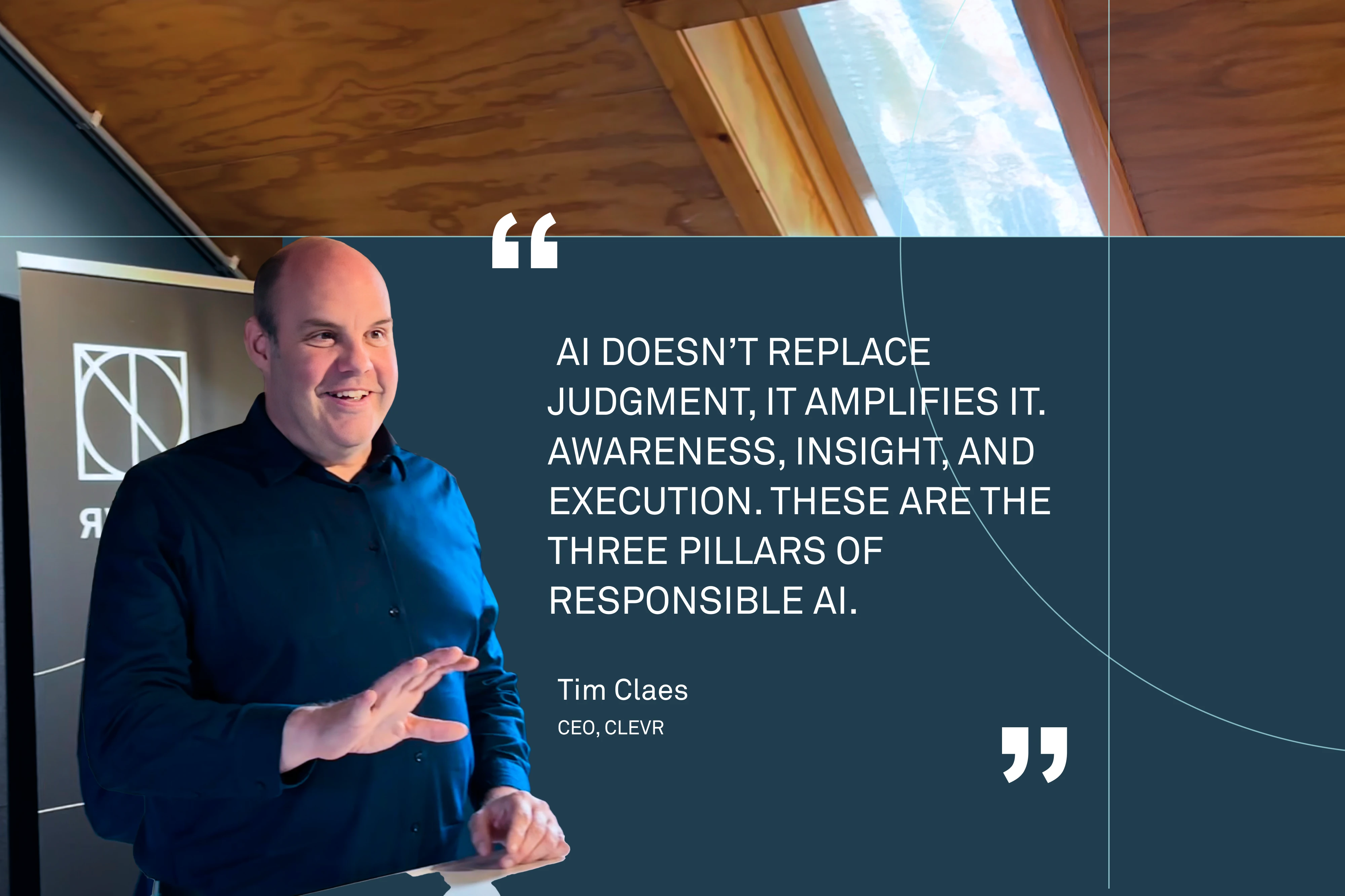
How to embed AI responsibly, strategically, and in a way that empowers your workforce
AI is a tsunami, it’s coming. The question is not whether you’ll ride the wave, but how well you’ll ride it.
AI is one of the most transformative technologies of our time. It’s revolutionizing industries, unlocking new efficiencies, and driving innovation.
But with great power comes great responsibility. The enthusiasm surrounding AI often comes with concerns about its fairness, transparency, and long-term impact on jobs and society.
The challenge for businesses isn’t just about harnessing AI’s capabilities, it’s about doing so responsibly. Incorporating AI governance, explainability, and compliance is how companies ensure they ride the wave effectively without losing control.
AI makes your job better: Empowerment, instead of replacement
One of the biggest misconceptions about AI is that it’s designed to replace people. In reality, AI is about empowerment, it’s about helping people make smarter decisions, faster, and with more insight.
Take OOE dashboards, for example. They give you the data, but what do you do with it? AI doesn’t just deliver information; it turns data into actionable insights, helping people interpret and act on that information.
The real value of AI lies in its ability to amplify human judgment, not replace it. AI supports the human decision-making process by filtering through data, suggesting options, and predicting outcomes, but ultimately, humans remain in the driver’s seat.
Building a responsible AI-driven organization
1. Michael Wade’s three core capabilities for responsible AI
To successfully navigate AI’s integration into business, leaders must embrace Michael Wade’s three core competencies:
Hyperawareness
AI allows businesses to sit on a goldmine of data. To harness this power, companies must be aware of how and where data flows through their systems. This awareness leads to more informed, proactive decisions.
Information-based decision thinking
AI empowers leaders to move beyond intuition. With data-driven insights, leaders can make decisions that are grounded in reality, not just experience. This thinking is key to unlocking AI’s true potential.
Fast execution
AI helps organizations respond faster to changing market conditions, enhancing agility. It’s about scaling decisions quickly, adapting processes, and innovating at speed, all while keeping the core intact. Fast execution is where human oversight meets AI’s analytical power.
These capabilities form the foundation for responsible AI adoption, but awareness and speed mean little without trust.
2. Establish explainability to build trust in AI
AI works best when people trust it. But trust doesn’t come automatically. If AI decisions aren’t explainable, it’s easy for businesses to lose credibility.
Explainability ensures that everyone involved, from employees to customers, understands how decisions are being made.
In sectors like banking, healthcare, or manufacturing, where decisions directly impact people’s lives, this trust is critical. When this explainability is embraced, AI models become more transparent and understandable. This clarity builds trust, making AI an enabler of responsible innovation, not a black-box risk.
3. Create strong governance to guide AI use
As AI systems become more integrated into business processes, governance plays a pivotal role. AI is not just a technology to be deployed in isolation; it’s a strategic capability that must be managed and overseen at every level of the organization.
Without strong governance, AI can quickly become a risk rather than an asset. This governance framework ensures that AI is used within ethical boundaries, aligning it with the company’s values and strategic goals.
Leaders must establish clear guidelines on how AI is implemented, who is responsible for decisions, and how it is regulated. By setting up proper governance, businesses can mitigate risks like bias, unethical behavior, and unintended harm.
4. Make AI a Sstrategic capability, not a technical project
AI is too important to be treated merely as a technical experiment. For AI to deliver real enterprise value, it must be integrated into the company’s strategic goals.
Too often, AI is treated as a standalone project or a technological trend. Implementing AI without a clear vision for how it aligns with business operations can lead to fragmented deployments.
AI isn’t just about technology; it’s about strategy.
The key to scalable AI adoption is treating AI as a strategic enabler for business transformation. Leaders must ensure that AI aligns with the company’s long-term vision and drives improvements in efficiency, customer satisfaction, and sustainability.
5. Lead the organization toward AI adoption and trust
The success of any AI initiative depends on leadership. Without strong leadership, AI can quickly become a tool for unintended consequences, such as bias, or loss of control.
It must be ensured that AI is deployed responsibly, as a tool to enhance decision-making, not just efficiency or profit.
Leaders also need to provide the guidance and framework to allow employees to trust AI. This means fostering a culture where AI amplifies human judgment, rather than replacing it. When AI is seen as a tool for empowerment, helping people make better decisions, faster, and more accurately, it becomes a force for positive transformation.
AI doesn’t replace judgment, it amplifies it
AI doesn’t replace human decision-making; it supports and amplifies it. Integrated into business operations, AI doesn’t take over decisions, it provides the context and insight to make them better.
The future of AI lies in collaboration between human intuition and machine learning. As long as the human factor stays in the driver’s seat, organizations can trust AI to enhance, not erode, control.
Ultimately, responsible AI isn’t just about algorithms or compliance, it’s about people trusting technology enough to use it wisely. AI empowers people to act with greater clarity, not less control. That’s the real measure of transformation.
Originally published here.

The Clean Core Paradox: How to customize SAP S/4HANA without breaking it
SAP S/4HANA is the future, and for most CIOs the pressure is on. Mainstream maintenance for SAP Business Suite systems winds down in 2027, with only limited and increasingly costly options beyond that, making inaction less of a strategy and more postponement with rising risk.
But how do you even begin a SAP S/4HANA migration when you know you are about to let go of years of ABAP customizations, Z‑code, and embedded workflows that keep day-to-day operations running?
SAP is explicit about this. Much of that custom logic cannot move across unchanged. It must be identified, adapted, or removed entirely, leaving CIOs exposed to a parallel challenge alongside the migration itself.
Critical business logic that once lived safely inside the core must be rebuilt elsewhere and rebuilt fast enough to avoid disrupting operations. But where does this logic go, and how do you reintroduce it without recreating the very technical debt S/4HANA is designed to eliminate?
The clean core strategy: Why SAP prioritizes scalability and long-term agility
Large enterprise ERP systems tend to accumulate complexity in ways that eventually work against the organization. Over years of customization, business logic becomes deeply embedded in the core through custom code, enhancements, and tightly coupled integrations, making systems harder to upgrade, slower to scale across regions, and more expensive to maintain.
The clean core approach is SAP’s response to this pattern. By keeping the ERP core standard and upgrade stable, organizations gain the ability to adopt new SAP releases more predictably, roll out changes consistently across global operations, and prevent technical debt from compounding over time.
SAP has two extensibility models for this purpose. In‑app extensions that live inside S/4HANA but are not modifying the standard core (best for lightweight changes that stay close to standard processes like BAdIs, Fiori app extensions, or ABAP RAP), and side‑by‑side extensions that live outside S/4HANA, typically on SAP BTP. These are separate applications, workflows, and integrations that communicate with S/4HANA through APIs and events (best for complex business applications, AI/ML services and integrations, multi-system data orchestration, customer portals and mobile apps).
According to SAP, innovation does not disappear in this model. It simply moves to places where it can evolve without putting the stability of the core at risk. But how true is that in practice?
SAP extensibility vs. Low code: Choosing the right execution model for business-critical applications
SAP’s direction on extensibility is architecturally sound. By introducing clear extension models SAP enables organizations to keep the S/4HANA core stable while still allowing innovation around it. From a scalability, upgradeability, and long-term agility perspective, this approach makes sense.
However, clearly defining where custom logic should live does not always translate into the speed, sustainability, and predictability required to deliver business‑critical capabilities.
Why business-critical extensions increase technical debt in legacy SAP environments
Even when built side by side, native SAP extensions typically rely on traditional development approaches using ABAP, UI5, or CAP. These remain high-code efforts with longer design, build, and test cycles than business timelines allow, that over time can:
- slow down delivery
- make costs harder to predict
- increase dependency on scarce specialist skills
- add governance and coordination overhead
- shift CIO focus from innovation to capacity management and long-term maintenance risk
How low code helps CIOs reduce technical debt and regain speed, predictability, and control
Low code platforms such as Mendix are designed to operate fully side‑by‑side with SAP S/4HANA, integrating through standard APIs and events while keeping the digital core clean. Instead of treating clean‑core extensibility as a purely technical exercise, low code helps CIOs:
1. Restore critical business logic faster
Visual development models, reusable components, and rapid iteration cycles allow teams to rebuild workflows much faster than traditional high‑code approaches. This helps organizations reintroduce essential business functionality without delaying operations during or after S/4HANA migration.
2. Reduce dependency on scarce SAP skills
Low code changes how delivery teams are structured. Rather than relying exclusively on scarce ABAP, UI5, or CAP expertise, CIOs can form cross‑functional teams that combine business knowledge with IT governance. This expands delivery capacity and reduces risk tied to specialized staffing constraints.
3. Enable modular, reusable extensions
Low code applications are built as composable components that can be reused across processes and business units. This reduces the proliferation of one‑off extensions and supports scalable growth as new requirements emerge, without recreating technical debt outside the core.
4. Simplify upgrades through clear separation
By operating independently of the S/4HANA lifecycle and integrating through released interfaces, low code extensions simplify upgrades and regression testing. At the same time, CIOs retain control by defining clear standards for how extensions are built, owned, and maintained.
In this operating model, SAP Business Technology Platform remains the secure and scalable foundation, while low code becomes the execution layer that turns clean ore from a theoretical principle into a practical and repeatable capability. By modularizing business logic outside the S/4HANA core, low code platforms can help CIOs actively manage and prevent technical debt instead of continuously accumulating it through tightly coupled customizations.
CLEVR’s Role: From clean core approach to working architecture
Understanding the clean core principle is one thing. Turning it into something that actually works across systems teams and business units is another.
With more than 30 years of experience delivering enterprise‑grade low‑code solutions using Mendix, CLEVR has helped multiple organizations translate clean‑core principles into working, business‑critical applications.
Instead of treating extensions as individual solutions built in isolation, at CLEVR we help define how extensions should be designed, connected to SAP, governed, and maintained over time.
This includes:
- defining clear architectural patterns aligned with SAP’s clean‑core principles
- advising on integration strategies using standard APIs and events
- establishing ownership and governance models across IT and business teams
- setting development standards that balance speed with control
- designing lifecycle processes so extensions remain manageable, upgrade‑safe, and predictable as they grow in scope and importance
Clean core is only valuable if you can execute it safely
A clean core is not a theoretical goal. For CIOs, it is a promise that business‑critical systems will remain stable, upgradeable, and secure while the organization continues to operate and evolve. But that promise only holds if the logic that keeps the business running can be rebuilt and extended with confidence.
This is where experience matters. Building side‑by‑side applications for SAP landscapes requires more than tooling. It requires architectural judgment, governance discipline, and a delivery model that works under real business pressure. And with decades of experience delivering enterprise‑grade, business‑critical applications, CLEVR can deliver exactly that.
If you are planning or already navigating an S/4HANA migration and want to extend SAP safely without risking core business operations, our team is ready to help.
Contact CLEVR for a consultation to discuss how to build secure, business‑critical extensions that keep your core clean while your organization continues to move forward with confidence.
AI in the Product Lifecycle: Where innovation meets intelligence
In the manufacturing sector, AI is rapidly becoming the tool that connects the dots between design, production, and maintenance. From design optimization to predictive maintenance, AI is revolutionizing the product lifecycle by enabling smarter, more efficient processes.
But for AI to realize its potential, it needs to be deeply embedded in the Product Lifecycle Management (PLM) system.
1. PLM: The foundation AI needs to create real value
PLM serves as the central data backbone for product data. Whether it's from design, production, or after-sales service, PLM is the data thread that connects all stages of the product lifecycle. When AI taps into this thread, it can significantly enhance product development and lifecycle management.
For example, AI-powered algorithms can now help optimize designs, making them lighter, cheaper, and stronger, all in one go. These algorithms evaluate multiple parameters, offering new insights and potential product innovations that were previously too complex to calculate manually. The result is a more intelligent, adaptive design process.
2. Digital Twins & Generative Design: Where AI supercharges engineering
A key area where AI adds immense value is through digital twins and generative design. Digital twins allow manufacturers to simulate and monitor products in real-time, creating a digital replica of a physical product. AI models leverage this data to predict and prevent issues, optimizing designs before they even reach production.
Generative design, another AI-powered innovation, enables the creation of thousands of design alternatives based on specific parameters. AI continuously learns from the data, refining these alternatives to create designs that are both efficient and innovative, adapting to real-world conditions.
3. Beyond Design: AI in maintenance, operations & sustainability
AI isn’t just improving the design phase. It’s transforming how companies maintain and service their products as well.
Predictive maintenance powered by AI allows manufacturers to predict when a machine or part will fail, preventing downtime and reducing costly repairs. AI analyzes data from sensors, identifying patterns and anomalies that indicate potential failures before they occur. This predictive approach helps reduce operational costs and extend the life of machinery and products.
Furthermore, AI is increasingly being integrated into the efforts to improve sustainability and circularity. By optimizing product lifecycles and making it easier to measure and reduce waste, AI offers manufacturers the tools they need to meet ever-growing sustainability demands.
4. AI as a Service: Bridging the digital thread and business processes
AI doesn’t exist in a vacuum. It needs to be integrated not only into core systems like PLM but also into the business processes that define how an organization operates. AI as a service within the IT architecture ensures that AI can be deployed across the organization without disrupting core systems.
The real power of AI is realized when it becomes a part of the operational processes of the business. Whether it’s through AI-enabled supply chain resilience, design optimization, or real-time maintenance predictions, AI turns insight into action. This integration ensures that companies are not just experimenting with AI, but leveraging it to create lasting value.
Making AI work: Where architecture meets leadership
When AI, PLM & Low code work together
By combining PLM, AI, and low-code platforms, companies can create a dynamic, scalable architecture that supports continuous improvement. AI moves beyond just providing insights, it becomes part of the operational fabric that drives faster, smarter decisions across all stages of the product lifecycle.
In the same way that PLM became the license to innovate for product design and manufacturing, AI is becoming the license to improve and scale operations, offering companies a path to both sustainability and competitive advantage.
The human factor
While AI makes processes smarter and more efficient, it’s crucial to remember that the human element remains essential. AI supports but doesn’t replace human decision-making. Strategic leadership is required to guide AI’s implementation, ensuring it aligns with the business’s overall vision and goals.
AI empowers teams by reducing repetitive tasks, improving decision-making, and offering data-driven insights. But ultimately, it’s the leadership and the people within the organization who make the final decisions, turning AI’s potential into tangible outcomes.
From complexity to clarity
When PLM meets AI, complexity becomes clarity. AI unlocks value at every stage of the product lifecycle, from design and production to maintenance and sustainability.
By leveraging the full power of AI within a solid PLM framework, companies can move from experimentation to execution, creating long-term value and driving innovation.
Originally published here.

Beyond discounts: Why the future of promotions depends on smart IT infrastructure
For years, in-store promotions have been one of retail’s most reliable, andwell-established growth generators. They brought people into stores, movedproducts, and delivered quick results. The model worked, predictable,campaign-based, and centered on clear seasonal moments.
But retail isn’t that simple anymore, especially after COVID-19 changed consumer behaviour forever.
Promotions have become more complex and customers more unpredictable
It has never been easier to lose a loyal consumer than it is now.
Today, a single campaign might run across a retailer’s app, website, social channels, and stores, all while adapting to instant trends, stock levels, and customerdata. Shoppers expect consistency between what they see online and what they find on the shelf. They also expect personalization, relevance, and speed, and they mean it.
From a headquarters point of view, that’s a huge challenge. Managing promotions now means connecting marketing, SMM, merchandising, pricing, and operations across dozens of systems, often with tools never designed for this level ofcomplexity.
A promotion that changes online in minutes might take days to reflect in stores. Small data errors can turn into big execution problems and as e-commerce and omnichannel strategies expand, new pressures are emerging:
- Omnichannel alignment: Customers expect one consistent message and price everywhere. But coordinating that across systems is still harder than it should be.
- Dynamic pricing: AI and data-driven pricing are reshaping promotions, yet without integrated systems, it’s easy for HQ to lose oversight.
- Inventory and supply-chain agility: Promotions linked to local stock or regional demand reduce waste, but only if data flows freely across teams.
- Sustainability: More retailers are running campaigns around circularity or eco-friendly choices, adding another layer of coordination and tracking.
- Personalization at scale: Tailored offers work, but delivering them to millions of customers, in real time, is a logistical puzzle.
This is where IT-driven promotion management earns its place
By connecting every stage of a campaign in one system, promotion automation eliminates manual work and fragmented tools. It gives retailers complete visibility and control, ensuring that offers reach the market faster and with greater consistency.
Low-code technology and automation give retailers the power to adapt quickly, simplify operations, and scale without adding complexity. By using configurable templates and automated workflows, teams can launch, monitor, and adjust campaigns in real time. This flexibility helps retailers stay responsive to market shifts, reduce manual effort, and focus on delivering impactful, data-driven customer experiences.
The future of promotion management isn’t about doing more; it’s about doing its marter, connected, and aligned with how people actually shop today.
About CLEVR
CLEVR helps retailers across the Benelux digitize their operational processes. With 30+ years of retail experience, we combine low code technology (Mendix andSiemens) with deep sector expertise. Retailers such as Etos, Rituals, VanBommel, Marlies Dekkers, ANWB Retail, and HEMA use our solutions to work moreefficiently and create value faster.

Why promotion management ss the Achilles' heel of retailers
The paradox of modern retail is striking: while retailers invest millions in AI-driven personalization and omnichannel experiences, the heart of their commercial operations—promotion management—still often runs on Excel and email.
The result? Campaigns that launch weeks late, approval processes drowning in cc’d emails, and teams working on different versions of the same spreadsheet. Missed opportunities multiply with every delay.
The hidden costs of outdated promotion management
In conversations with retailers across the Benelux, we hear the same frustration repeatedly: “Our front office is state-of-the-art, but our back-office procedures are slowing us down.”
That complaint has real consequences. When a promotion launches a week late, it’s not just about missed revenue. It affects supplier relationships, inventory planning, staffing, and—perhaps most importantly—credibility with customers who have already seen your offer elsewhere.
The real impact becomes clear in the numbers. Among retailers who have digitized their promotion management, we typically see:
- 20–25% shorter lead times from briefing to launch
- 1,000–1,500 hours saved weekly across all stores
- Significant error reduction thanks to a single source of truth
- Improved ROI through real-time performance insights
From operational problem to strategic constraint
What begins as an operational issue—too much manual work and too little visibility—quickly evolves into a strategic limitation.
Take seasonal campaigns. In a fragmented system, it can take days to find out which promotions are active, what budget remains, and whether all assets are ready. Those days can mean the difference between riding a trend and missing it.
Or consider supplier collaboration. Increasingly, retailers run co-funded campaigns, but without a centralized system, it’s nearly impossible to track which supplier has committed what budget, how each promotion performs, or where optimization opportunities lie.
What successful retailers do differently
Retailers who have mastered their promotion processes share three common traits:
- Real-time insight: Not just into what’s running, but what’s working. Which promotion types perform best per category? Which channels convert most effectively? Which suppliers deliver consistent results?
- One source of truth: Everyone—from procurement to marketing to operations—works from the same data, calendar, and status. This eliminates errors and endless alignment loops.
- Agility: When a campaign underperforms, they can adjust within days. When a competitor launches an aggressive promotion, they can respond instantly. In an ever-evolving retail landscape, that flexibility is a competitive necessity.
From excel to enterprise
The shift from manual processes to integrated promotion management no longer needs to take months. With low-code platforms and ready-made templates, retailers can go live in a matter of weeks.
However, success requires more than just an IT project. It demands clear process ownership (who approves what, when, and based on which criteria), cross-functional alignment between merchandising, marketing, and supply chain, and solid change management. Gaining stakeholder buy-in early and providing proper onboarding are often the biggest success factors.
Measurable impact in practice
At ANWB Retail, promotion lead times dropped by 20% after implementation. At Etos, digitization saved 1,500 hours per week—time that teams now spend on value creation instead of manual work.
Both organizations report that their teams now work more strategically. Instead of firefighting and comparing spreadsheet versions, they focus on what truly matters: more creative campaigns, smarter budget allocation, and stronger supplier collaboration.
The question is not if, but when
Every day your promotion management remains fragmented, you fall further behind competitors who are already more agile—behind suppliers accustomed to real-time collaboration, and behind your own teams growing frustrated by inefficiency.
The technology is available. The business case is clear. The only question is: will you wait until the pain becomes unbearable, or take the step now—before your competitors do?
About CLEVR
CLEVR helps retailers across the Benelux digitize their operational processes. With 30 years of retail experience, we combine low-code technology (Mendix and Siemens) with deep sector expertise. Retailers such as Etos, Rituals, Van Bommel, Marlies Dekkers, ANWB Retail, and HEMA use our solutions to work more efficiently and create value faster.
This is where IT-driven promotion management proves its value.
By connecting every stage of a campaign—from planning to execution—in one system, promotion automation eliminates manual work and fragmented tools. It gives retailers complete visibility and control, ensuring that offers reach the market faster and with greater consistency.
Low-code technology and automation give retailers the power to adapt quickly, simplify operations, and scale without adding complexity. By using configurable templates and automated workflows, teams can launch, monitor, and adjust campaigns in real time. This flexibility helps retailers stay responsive to market shifts, reduce manual effort, and focus on delivering impactful, data-driven customer experiences.
The future of promotion management isn’t about doing more; it’s about doing it smarter—connected, consistent, and aligned with how people actually shop today.
Originally published here.
The AI Gap – From experiments to enterprise value
Why so many AI projects stall before they scale
For years, AI has been the technology everyone talks about, but few have truly mastered. Across industries, companies are experimenting with pilots, proofs of concept, and prototypes. Yet very few manage to turn those experiments into tangible business impact.
The reason is rarely a lack of ambition or technical capability. It’s that AI too often sits on the sidelines: disconnected from the data, systems, and processes that drive real decisions. As a result, organizations end up with interesting demonstrations, not scalable value.
From pilots to production: Embedding AI in the business core
AI creates measurable value only when it is embedded in the operational backbone of the business. That means integrating it into systems like PLM, ERP, and MES, where processes are defined and decisions are made.
When AI is built on top of reliable, connected data, it can start turning insights into action. Without that foundation, even the most advanced models deliver little more than isolated reports.
Garbage in, garbage out still applies.
In manufacturing, for example, PLM acts as the digital thread linking design, engineering, production, and service. When AI taps into that thread, it can optimize designs, predict bottlenecks, and improve quality at every stage of the lifecycle. That is how experiments evolve into enterprise-scale impact.
If ERP is your license to operate, PLM has become your license to innovate. AI amplifies both, but only when the foundation is in order.
The Eenablers: Creating real impact
1. Low-code + AI: The twin accelerators
AI and low-code go hand in hand. Low-code provides the speed and agility to bring AI into business processes; AI adds the intelligence that drives continuous improvement.
Together, they enable organizations to rethink their IT strategy fundamentally. Instead of replacing core systems, they can keep the core clean and extend functionality at the edge, where new business value emerges.
Low-code applications help anchor AI inside the organization, connecting models and data directly to users and workflows. They turn AI from an experiment in a lab into an integrated part of daily operations.
2. AI as a service layer: Intelligence across the enterprise
The companies that move fastest treat AI not as a project, but as a service layer within their IT architecture. Some intelligence already lives inside core systems, within platforms such as Microsoft, SAP, or Salesforce. But the real opportunity lies in extending that intelligence beyond the core, into the unique processes that define each business.
Just as low-code bridges the gap between business and IT, AI bridges the gap between data and intelligence. Together, they allow organizations to operationalize innovation, deploying new capabilities quickly without disrupting the core. This approach enables AI to scale safely across functions while keeping core systems clean, stable, and compliant.
Low-code makes this possible: it allows companies to integrate AI services where they matter most: at the edge of core systems, close to where people make decisions and value is created.
The result is a dynamic, layered architecture: AI in the core for stability and scale; AI at the edge for flexibility and innovation.
It keeps the organization in continuous motion, building a foundation for sustainable, data-driven improvement rather than one-off experiments.
Building for the future: From assistive to autonomous
AI is moving beyond analytics. The next generation of intelligent systems doesn’t just support decisions, it executes them. From production planning to quality assurance, AI agents are beginning to act autonomously, learning and improving with every cycle.
This shift doesn’t replace people; it redefines their role. Human expertise remains essential for governance, context, and control. The real opportunity lies in synergy, where people set direction and AI delivers precision at scale.
Organizations that build this balance gain both speed and confidence. They make better decisions, faster, with fewer errors: the foundation of a truly adaptive enterprise.
Why governance and vision matter
Most AI initiatives fail not because technology underperforms, but because it’s underestimated what adoption requires. Embedding AI at scale demands a clear vision, executive ownership, and a willingness to rethink how work gets done.
AI is not an IT initiative. It’s a strategic capability, one that touches processes, culture, and governance. And leaders who treat it that way move faster and build lasting advantage.
The principle remains the same: think big, start small, scale fast. Begin with one clear use case that proves value, then replicate success across the organization. This approach builds trust, alignment, and momentum, the ingredients that separate experiments from transformation.
Open and flexible AI architecture for long-term agility
Technology evolves faster than any corporate roadmap. That’s why open, modular architectures matter. By combining open-source AI models with low-code development, companies can experiment safely, scale efficiently, and adapt quickly as new capabilities emerge.
Designing AI architectures that can move with the market, rather than being locked into it, keeps innovation sustainable. It ensures that organizations stay in control of how and where AI delivers value.
From technology to transformation: Closing the AI gap
AI is not a shortcut to innovation. It’s an enabler of strategic transformation, connecting data, people, and processes into one continuous flow of insight and action.
Where technology once followed strategy, it now helps to shape it. AI enables businesses to make decisions grounded in data, not instinct, and to adapt faster to changing conditions. The challenge is no longer to prove that AI works, but to embed it in the way the business works.
Bridging architecture and ambition
The gap in AI today is not one of capability, but of connection: between strategy and systems, vision and execution. Closing that gap requires more than new models. It requires leadership, architecture, and accountability.
When AI becomes part of the digital backbone, alongside PLM, ERP, and low-code, it stops being a technology experiment and starts being a driver of enterprise value.
From capability to commitment
AI delivers value only when it moves from concept to consistency. It requires a strong data foundation, integration with core systems, and leadership that scales with purpose.
AI isn’t about what it can do; it’s about what you’re ready to change.
Originally published here.

Why excel is failing modern manufacturing and how MES fixes it
Digital transformation is no longer a buzzword. It’s happening in real factories today. Siemens has built its Electronics Works Amberg into a flagship digital twin showcase, Bosch is using its Nexeed Smart Factory platform to cut energy use by up to 40% in plants like Homburg, and Tesla’s Gigafactories are redefining automated, software-driven production at scale.
These examples prove that smart factories are not just visions. They are operating realities delivering measurable results, making it all the more striking that around 80% of manufacturers continue to rely on Excel for production planning.
For years, studies have deemed spreadsheet-based planning inadequate for modern manufacturing, highlighting it as one of the biggest barriers to digital maturity. So, while they may feel familiar, inexpensive, and somewhat flexible, we have to ask ourselves whether they are truly scalable.
Can spreadsheets connect to ERP, PLM, IIoT sensors, and meet the interoperability requirements of today’s complex shop floors?
Why excel fails on the modern shop floor
1. Outdated and disconnected data
Real-time visibility is now a baseline requirement for competitive manufacturing, especially in industries with fast-moving supply chains such as automotive and electronics. Yet spreadsheets can only deliver static snapshots, leaving production teams to make critical decisions based on yesterday’s data rather than the actual conditions on the shop floor. Gartner has linked this gap directly to slower response times, inventory mismatches, and misaligned planning cycles.
In practice, when a critical part is delayed, production managers cannot easily reroute orders to alternative lines, and planners risk pushing components through that may already be outdated by the time they reach final assembly.
2. High error rates and version chaos
94% of spreadsheets contain errors, a statistic that resonates strongly on the shop floor. From a manufacturer’s perspective, even a minor miscalculation in a formula or an outdated file version can quickly cascade into serious operational consequences: thousands of parts produced to the wrong specification, production lines halted for rework, or warehouses filling up with unsellable excess stock.
In industries such as automotive and aerospace, where tolerances are tight and supply chains are global, these spreadsheet-driven errors not only waste resources but also erode customer trust and strain already thin margins.
3. Scaling pains across sites
Excel might suffice for a single factory, but it quickly collapses when operations span multiple plants or geographies where coordination and synchronization are vital. IDC research highlights that manufacturers depending on spreadsheets at scale face significantly higher operational costs, slower time-to-market, and reduced supply chain agility.
Gartner has made similar observations in its MES research, emphasizing that spreadsheet-driven planning becomes unmanageable once production expands globally, underscoring that spreadsheet-driven planning not only inflates costs but also undermines the responsiveness needed to meet dynamic customer demand across international markets.
4. Compliance and traceability gaps
In heavily regulated sectors such as pharmaceuticals or aerospace, failing to track every batch, lot, or serialized component can result in costly audits, production halts, fines, or even forced recalls. Excel provides no reliable audit trail, making it nearly impossible to meet the strict requirements of authorities like the FDA or EASA.
Organizations that embrace digital transformation can cut audit preparation times dramatically—sometimes from weeks to days—by digitizing records, automating traceability, and embedding quality checks directly into their production workflows. Digital automation makes it possible to ensure full process visibility, maintain reliable audit trails, and accelerate approvals.
5. Inability to keep up with Industry 4.0 demands
Modern manufacturing increasingly relies on lot sizes of one, mass customization, and rapid product changeovers. Static spreadsheets cannot adapt to this level of variability and speed, leaving planners unable to adjust schedules or resource allocations in time to match shifting demand.
By contrast, digitally automated processes enable real-time adjustments to production lines—whether that means reconfiguring a line for a customized vehicle order, balancing throughput in electronics assembly, or accelerating consumer goods launch. This level of agility has become a fundamental competitive requirement for manufacturers across all sectors.
From spreadsheets to smart automation: Why MES is the next step
Manufacturers need more than incremental fixes. They need a step change, and this is where Manufacturing Execution Systems (MES) come in.
MES platforms bridge the gap between the planning layer (ERP) and the shop floor, providing real-time visibility, orchestrating workflows, and embedding quality and compliance into daily operations. With MES, companies can synchronize production schedules across sites, capture and analyze live machine data, ensure full traceability for audits, and rapidly adjust to shifting customer demand—all things Excel can never achieve.
Amongst the solutions available, Siemens Opcenter is consistently positioned by Gartner and IDC as a leader in MES, recognized by industry analysts and practitioners as one of the strongest offerings in the market. Let’s dive deeper into how companies can leverage its capabilities to strengthen operations and stay competitive.
Siemens Opcenter: Bringing MES to life
Siemens Opcenter is a unified portfolio of manufacturing operations management (MOM) solutions designed to support manufacturers in their digital transformation journey. Part of the Siemens Xcelerator portfolio, it enables companies to digitally plan, orchestrate, and continuously improve production and quality operations, to help them make higher-quality products faster and at lower cost than competitors.
Opcenter’s core strengths lie in its ability to unify disparate systems and close the loop between design and execution, supporting manufacturers who need continuous improvement through analytics and digital twin capabilities. More specifically, Opcenter offers:
Real-time data integration
Opcenter unifies shop floor and enterprise systems, allowing manufacturers to monitor actual performance, detect issues immediately, and respond instantly to disruptions. This integration improves reliability, boosts efficiency, and ensures decisions are based on live production data rather than static reports. A great example is The Absolut Company, which implemented Opcenter Execution and APS to automate production lines and gained full visibility and control across its operations.
Predictive planning and scheduling
With advanced analytics, Opcenter enables companies to digitally plan and orchestrate operations, optimize capacity, reduce downtime, and increase on-time delivery. By comparing as-planned and as-is data, planners can continuously fine-tune schedules to keep production aligned with demand. As such, Opcenter can give manufacturers a clear edge in responsiveness and resource utilization, ensuring they can adapt production to real-world changes with speed and accuracy.
Compliance and traceability
Opcenter automates record keeping, tracks every component, and embeds quality checks into workflows. This ensures reliable audit trails and makes regulatory compliance a seamless part of daily operations, making it a critical tool for companies operating in highly regulated environments. By lowering costs associated with manual inspections and documentation, companies that adopt Opcenter can automate records, ensure full traceability, and meet regulatory standards more efficiently.
Digital twin and integration with PLM, ERP, and automation
Acting as the real-time layer that connects PLM to automation, Opcenter helps manufacturers to link design, planning, and execution in one continuous loop. This digital twin approach allows smarter decision-making, faster innovation cycles, and continuous closed-loop improvement across the entire lifecycle, activating what Siemens describes as the comprehensive Digital Twin.
CLEVR: Your trusted partner in MES digital transformation
As a trusted Siemens partner, CLEVR brings more than just technical implementation skills. We combine deep expertise in MES and MOM with years of experience guiding organizations across industries through digital transformation projects.
Our role is not to simply deploy software, but to ensure the MES and MOM solutions fit the way your teams actually work, aligning technology with business goals and operational realities. And in a fast‑changing world, companies will need a trusted advisor who understands their industry and can guide them through bold decisions with confidence.
Whether you are operating in aerospace and defense, energy and utilities, or any other industry, adopting Opcenter and smart automation is no longer optional. It is a strategic necessity and CLEVR brings industry‑specific MES and MOM expertise to help you fully leverage Opcenter’s capabilities to improve efficiency, quality, and agility.
Contact us to learn more.

Siemens Opcenter vs other MOM tools: Top MOM solutions compared
With ample evidence showing how digital transformation improves efficiency, agility, and quality, the real challenge is no longer about whether these technologies work. It is about which solution to trust with orchestrating operations on the shop floor and across the enterprise.
In this article we’ll go deeper into the MOM vendor landscape, looking at the most important and widely adopted solutions. This includes Siemens Opcenter, Dassault DELMIA Apriso, Critical Manufacturing, Körber Werum, Plex (Rockwell), and SAP DMCe, examining each solution’s key dimensions, their pros and cons, and which situations they are ideal for.
What is MOM software and why it matters in 2025
Manufacturing Operations Management (MOM) software integrates and optimizes production, quality, and planning processes across the manufacturing lifecycle. It connects systems such as ERP, PLM, and automation, providing a comprehensive layer for managing operations to create real-time visibility and enable smarter decision-making.
MOM works closely with MES (Manufacturing Execution Systems), bridging enterprise strategy with on-the-ground execution. Together, these systems create a complete digital operations environment that delivers real-time control and data-driven insights across all levels of production.
Today’s market offers a wide range of MOM and MES solutions designed to accelerate digitalization. MOM solutions like Siemens Opcenter, SAP DMCe, and DELMIA Apriso are now central to digital manufacturing, offering unique advantages based on industry demands and operational complexity. Let’s go over them to see how each performs in supporting manufacturers’ goals for smarter, more efficient, and connected production environments.
MOM software comparison: Opcenter, DELMIA Apriso, SAP DMCe, Plex, and more
Let’s explore how each solution compares across the most important dimensions.
1. Functionality: How each MOM system performs
A MOM solution must cover execution, scheduling, quality, and analytics in one cohesive suite. Critical Manufacturing and DELMIA Apriso offer strong capabilities in discrete manufacturing, excelling in industries such as electronics, aerospace, and industrial equipment, where configurability and process optimization are crucial. Körber Werum, on the other hand, focuses predominately on pharmaceutical and biotech manufacturing, offering deep regulatory compliance and batch record management.
Plex brings ERP and MES together in a cloud-native bundle, which makes it attractive for smaller manufacturers, but its architecture struggles with handling the variability and scale of complex production environments. And SAP DMCe, might leverage a strong ERP base, yet it relies on integrating multiple modules and layers, resulting in higher complexity, longer deployment times, and less seamless execution on the shop floor.
Siemens Opcenter, by contrast, delivers an end-to-end MOM portfolio with execution, planning, quality, and intelligence fully integrated. Beyond covering the traditional MES layer, it brings together advanced scheduling, enterprise manufacturing intelligence, and integrated quality management, all connected through Siemens’ Xcelerator digital thread. This holistic approach enables manufacturers to implement continuous improvement, streamline compliance, and achieve true end-to-end visibility across the product and production lifecycle.
2. Integration, interoperability, and ecosystem breadth
Integration is critical to realizing the value of MOM because manufacturing systems rarely operate in isolation. Most vendors integrate effectively within their own ecosystems and nearly all vendors provide APIs or connectors to support the interoperability demands of today's complex manufacturing networks.
Yet, the real differentiator lies in their ecosystem breadth: the scope of capabilities a MOM solution can offer as manufacturers scale and connect to more functions across the enterprise.
DELMIA’s excels in its integration with product design and engineering via Dassault’s 3DEXPERIENCE, making it well-suited for manufacturers in aerospace, automotive, and industrial equipment who need tight links between CAD, PLM, and execution. SAP DMCe centers its strength on ERP, which makes it attractive for companies already heavily invested in SAP for finance and enterprise processes.
Plex, on the other hand, delivers a combined ERP and MES in a cloud-native model, but it lacks the depth required for advanced or multi-site manufacturing, while Körber Werum’s ecosystem is highly specialized for life sciences, but offers limited value outside pharma and biotech.
Siemens Opcenter is the only solution that seamlessly connects PLM, ERP, automation, digital twin, and intelligence, providing manufacturers with a far broader ecosystem. This breadth makes it suitable for all industries and company sizes, enabling end-to-end visibility, continuous improvement, and scalability that few other MOM platforms can match.
3. Scalability and multi-site deployment
Scalability is a another critical factor when adopting new MOM solutions. Manufacturers need to ensure that the software they invest in can adapt to user expansion, growing workloads, and additional sites without forcing teams to change environments or relearn entire systems. And some tools support this better than others.
DELMIA Apriso demonstrates reliable scalability in discrete industries such as automotive and aerospace, thanks to its strong PLM integration, but licensing and heavy configuration can slow rollouts. Körber Werum is trusted in pharma for compliance and batch management, yet its narrow focus limits adaptability outside life sciences.
Similarly, SAP DMCe and Plex may appeal to smaller businesses as good starting points, thanks to their ERP integration and cloud-native simplicity respectively. However, both encounter significant challenges when scaling, particularly in complex, multi-site or global deployments. This is also the case with Critical Manufacturing, although research indicates strong configurability and flexibility in high-tech and electronics.
By contrast, Siemens Opcenter has a proven track record of scaling globally across both discrete and process industries. Its flexible deployment models, support for multi-site rollouts, and integration with Siemens Xcelerator make it uniquely capable of supporting organizations of all sizes with Siemens' Electronics Works Amberg factory serving as a notable example of how advanced manufacturing execution can be scaled effectively across complex operations.
4. Cloud-readiness and flexibility
As cloud deployment gradually becomes a necessity and with more manufacturers seeing it as secure and cost-effective, some MOM solutions are already ahead of the curve. Plex, for example, leads with a multitenant SaaS model, giving SMBs fast start-up times, simplified IT management, and frequent updates without heavy infrastructure investment. SAP DMCe, as well, is positioned as cloud-first, leveraging deep ERP integration to deliver benefits such as streamlined enterprise connectivity and data consistency, although its complexity can make scaling slower.
Critical Manufacturing and DELMIA Apriso are both moving gradually toward cloud-native capabilities, but their strengths still lie mainly in on-premises deployments where they offer industry-specific depth in electronics, aerospace, and discrete manufacturing. The same goes for Körber Werum as well, as it remains predominantly on-premises, reflecting its strong specialization in regulated pharmaceutical production and compliance management.
Siemens Opcenter stands apart by offering MOM adaptability across all deployment models—on-premises, hybrid, and cloud. As part of the Siemens Xcelerator portfolio, Opcenter connects seamlessly with PLM, ERP, and automation in the cloud environment, enabling a continuous digital thread that scales with business needs. Siemens also provides modular SaaS capabilities tailored to SMBs, while retaining the enterprise-grade functionality required for large-scale manufacturers, allowing companies of all sizes to modernize at their own pace.
5. Total cost of ownership and time-to-value
When evaluating licensing price and customization needs, some solutions, such as Plex and SAP DMCe, may be quick to start with, but struggle as organizations grow. Plex offers simplicity through its SaaS model, but integration with nonPlex systems and scaling beyond SMB use cases often introduce additional costs, whereas SAP DMCe benefits from tight ERP integration, yet organizations frequently face high service and customization expenses when attempting to scale across sites.
Other solutions, such as DELMIA Apriso, Critical Manufacturing, and Körber Werum, deliver depth and industry-specific compliance but typically at the expense of higher costs and slower time-to-value. DELMIA Apriso’s licensing and configuration requirements make it costly and lengthen deployments, Critical Manufacturing, while very flexible, demands significant implementation effort and budget and Körber Werum's specialized validation processes often extend timelines and increase ownership costs. Yet this is a downside pharma companies accept because compliance is the top priority.
Siemens Opcenter is distinguished by striking a balance between fast implementation, robust functionality, and long-term scalability. Standardized integrations, flexible deployment options, and builtin digital thread capabilities can help organizations accelerate adoption while controlling costs, especially when working with trusted implementation partners, who ensure Opcenter is tailored to the company’s specific processes and industry requirements.
MOM Comparison Table (2025 Edition)
Siemens Opcenter vs competitors: Why it stands out
Siemens Opcenter stands out as more than just another MOM platform. Building on Siemens’ decades of expertise and proven success across industries, Opcenter reflects a clear vision for enabling smart factories and digital enterprises, combining Siemens’ leadership in PLM, automation, and simulation into a unified solution.
Having been recognized by analysts as a market leader, Opcenter enables manufacturers across industries to futureproof their operations and scale with confidence. By offering MOM adaptability across deployment models and aligning closely with Siemens’ longterm vision for digital transformation, Opcenter helps businesses implement solutions that work for their specific needs rather than forcing teams to adapt to rigid systems.
Siemens Opcenter Advantages
- End-to-end MES/MOM suite covering execution, planning, quality, and intelligence.
- Native integration with Siemens Xcelerator (PLM, simulation, automation, digital twin).
- Broad industry adoption across discrete and process manufacturing.
- Recognized as a Leader by analysts such as Gartner and IDC.
- Clear vision and roadmap aligned with the future of digital transformation.
Siemens Opcenter vs Top MOM/MES systems 2025 Quick Comparison
- Opcenter vs DELMIA Apriso: Opcenter offers broader scalability and faster implementation, while DELMIA Apriso excels in discrete manufacturing and PLM integration.
- Opcenter vs SAP DMCe: Opcenter provides greater flexibility, faster deployment, and multi-site scalability compared to SAP DMCe’s ERP-focused but complex environment.
- Opcenter vs Critical Manufacturing: Opcenter delivers standardized integration and faster rollouts, while Critical Manufacturing is highly configurable but slower to scale.
- Opcenter vs Körber Werum: Opcenter combines compliance strength with versatility across industries, while Körber Werum specializes in pharma and biotech.
- Opcenter vs Plex (Rockwell): Opcenter supports enterprise-grade scalability and analytics, while Plex is best suited for SMBs prioritizing simplicity and quick cloud setup.
Choosing the right MOM partner: Why work with CLEVR
All MOM tools have their own strengths, and selecting the right one ultimately depends on the specific needs of your business and the expertise of your teams. The true value lies in how the solution is implemented and adapted to fit your unique operations.
At CLEVR, we have invested heavily in training and building expertise across the MOM solutions that best fit the needs of modern businesses. As a trusted Siemens partner, we bring hands-on experience with the Siemens Xcelerator portfolio, activating Opcenter for MOM/MES capabilities in ways that help companies move forward.
This ensures they not only adopt advanced tools, but also tailor and leverage them fully to achieve sustainable growth with confidence. Because at the end of the day, it is not just about the technology, but about making it work effectively for your business.
Contact us today for a consultation.

Siemens NX for Aerospace & Defense: Lightweight aircraft design and safety compliance
In aerospace and defense, every kilogram counts. Whether it’s Airbus advancing next-generation composite wings, Boeing investing in high-rate composite production, or defense primes like Lockheed Martin and Northrop Grumman developing lighter mission platforms, weight reduction is now a strategic imperative. And modern aerospace CAD software and defense platform CAD tools play a central role.
Lightweight design enables lower fuel burn, extended range, greater payload capacity, and reduced logistics burdens — all while helping A&D organizations meet decarbonization targets and mission requirements.
With sustainable aviation fuel (SAF) still covering less than 1% of global demand, lightweighting and efficient aerodynamics remain among the few immediate levers for CO₂ reduction. At the same time, programs face accelerating demand, defense modernization, and tightening oversight from regulators and accreditation authorities such as FAA, EASA, ITAR, and NATO.
The result: OEMs and suppliers are forced to shorten development cycles, prototype faster, and deliver certified designs to market or deployment without delay.
Emerging technologies like AI-driven generative design, simulation automation, and digital twins are helping meet these challenges, but they also increase the need for robust digital traceability.
That’s why lightweighting and safety must be treated as inseparable imperatives. And companies that align both in their design philosophy and toolset will be the ones able to meet sustainability targets, satisfy regulators, and capture market share in an industry that is moving faster than ever.
Siemens NX CAD: Powering Aerospace & Defense design excellence
Meeting aggressive demand and speed targets while maintaining rigorous safety standards requires an integrated approach that connects design, simulation, materials data, and compliance documentation. Siemens NX CAD offers exactly that.
By delivering a holistic environment for modern aerospace development, it enables engineering teams to maintain control over every stage of design, respond quickly to changing market and regulatory demands, and keep compliance processes integrated into their daily workflows without slowing innovation.
Let’s take a closer look into the features Siemens NX offers in terms of lightweight design and safety and how they can empower A&D companies to operate effectively in a fast-paced, highly competitive environment.
Lightweight design with strength and confidence
1. Topology optimization & generative design
NX CAD’s topology optimization and generative design for aerospace engineering modules enable the creation of weight-efficient geometries that are tailored to withstand extreme aerospace and defense load cases while maintaining safety margins.
This allows airframe and mission platform structures to be optimized for minimal material use while still meeting the demanding requirements of aerodynamic stress resistance and fatigue life. For aerospace and defense design teams, the result is lower fuel burn, extended mission range, increased payload capacity, and progress toward sustainability and readiness targets. All achieved without jeopardizing certification or accreditation timelines.
2. Material libraries with lifecycle assessment
Within Siemens NX, aerospace- and defense-specific material databases, combined with environmental lifecycle analysis, support the selection of alloys, titanium, or composite systems that achieve both weight savings and sustainability objectives.
For A&D engineers, having this capability inside the design environment enables informed trade-offs between performance, cost, mission impact, and environmental considerations. It ensures every decision aligns with technical requirements and regulatory or accreditation demands without leaving the platform.
3. Fibersim composite integration
Siemens NX offers direct integration with Siemens Fibersim, bringing comprehensive composite layup data (such as ply geometry, fiber orientation, stacking sequence, draping behavior, and curing parameters) straight into the CAD environment.
This seamless link ensures that CAD geometry reflects true manufacturing intent, eliminating costly mismatches between design and production. For aerospace and defense, this is especially critical, as it allows engineers, manufacturing specialists, and certification or accreditation managers to work from the same source of truth, with ply schedules, draping simulations, and curing data readily available for certification- or accreditation-ready documentation and downstream processes. This positions NX as a top composite design CAD aerospace and defense solution.
Built-in safety from day one
1. Embedded structural & fatigue simulation
Advanced finite element analysis (FEA) solvers, modal analysis capabilities, and fatigue life prediction are all available within Siemens NX, allowing aerospace and defense engineers to run stress, fatigue, and vibration analyses directly within the CAD model. This ensures that design and simulation teams can effectively assess structural integrity, detect resonant frequency risks, and evaluate long-term fatigue behavior, making NX not only an essential aerospace structural analysis software, but also a trusted military aircraft design software.
Identifying these safety-critical issues early on enables informed design adjustments before physical prototypes are built, significantly reducing the risk of costly late-stage rework and helping teams maintain aggressive certification or accreditation schedules.
2. Simcenter aerodynamic & thermal analysis
Through direct integration with Simcenter, design teams gain access to high-fidelity computational fluid dynamics (CFD) for aerodynamic analysis and advanced thermal simulation capabilities, supported by robust meshing, solver options, and real-world environmental modeling. These capabilities help aerospace and defense engineers evaluate airflow patterns, drag and lift characteristics, heat distribution, and thermal management strategies under flight-relevant and mission-relevant conditions, which is especially important in safety- and mission-critical programs.
By revealing potential performance or safety concerns already from the design process, engineering teams can make targeted refinements, align with stringent safety, efficiency, and accreditation standards, and reduce reliance on expensive physical test campaigns.
3. Version control & digital traceability
When Siemens NX is integrated with Teamcenter, aerospace and defense teams can capture every revision, design decision, and associated documentation in a centralized, auditable record, while also leveraging powerful configuration management. This means that teams can link design data directly to certification or accreditation requirements, track the impact of engineering changes across complex assemblies, and ensure that compliance evidence is always up to date.
This level of traceability is vital for regulatory and defense authority alignment, especially in programs where safety-critical components undergo multiple iterations, making NX a powerful certification-ready aerospace design tool and a reliable defense compliance engineering software for ITAR, DFARS, and NATO standards.
NX enablers for streamlined product development
Beyond these core features, Siemens NX includes capabilities tailored to aerospace and defense realities, helping teams manage the complexity of large-scale airframes and mission platforms, coordinate across disciplines, and innovate regulation- and accreditation-ready systems faster.
These enablers span every phase of product development to create a seamless, connected process from concept to certified or accredited delivery. Let's see what those are and how they keep both weight and safety under control.
1. Seamless design-to-analysis workflow
Siemens NX enables aerospace and defense engineers to move effortlessly from creating 3D models to running simulations without leaving the environment. Engineers can quickly set up structural, thermal, or aerodynamic analyses directly from their design models, feeding results back into the geometry for immediate refinement.
For lightweighting, this means supporting rapid weight optimization decisions by enabling immediate iteration on geometry and materials. For safety, it allows early validation of structural integrity, reducing the risk of late-stage failures—all while maintaining the pace needed for rapid prototyping and accelerated validation cycles.
2. Design reuse for faster cycles
With Siemens NX, aerospace and defense teams can draw on a library of preapproved design elements and integrate them into new programs without starting from scratch. This is achieved through intelligent part and assembly templates, parameterized models, and managed libraries that ensure components meet established design rules and standards.
By leveraging these proven lightweight and pre-certified components, mass can be kept under control and risks reduced, supporting OEMs with both sustainable aerospace design software and defense platform CAD tools for mission assurance.
3. Partial loading & memory optimization for large assemblies
Inside the Siemens NX environment, teams can open, navigate, and edit massive digital mockups, such as full aircraft structures or defense platforms, without overwhelming computing resources. Engineers can selectively load only the parts or subassemblies they need, while retaining full‑fidelity detail when required.
For lightweighting, this means teams can perform complete weight assessments on complex assemblies without performance bottlenecks. For safety, it ensures that system‑level evaluations of load paths and critical structures are addressed early, before they escalate into costly, time‑consuming liabilities.
4. Multi-disciplinary collaboration tools
Last but not least, structural, systems, and manufacturing teams in aerospace and defense can work from the same dataset, minimizing integration issues and ensuring that all disciplines remain aligned throughout development.
This prevents incremental weight creep and reduces integration errors, ensuring all teams work from the same verified dataset and maintain the integrity of safety-critical requirements across programs.
Why choose Siemens NX and CLEVR
Siemens NX is more than a CAD tool. It’s an integrated CAD platform for aerospace and defense, built to address the sector’s most pressing needs.
From lightweight structures to rigorous safety validation, it equips organizations to innovate faster, meet sustainability and mission targets, and satisfy certification or accreditation requirements.
This makes it an ideal solution for OEMs, Tier‑1 suppliers, and engineering leaders seeking to balance sustainability, safety, and speed in product development. And at CLEVR, we have seen firsthand how it can help aerospace companies achieve exactly that.
With 30+ years of experience implementing the Siemens Xcelerator portfolio, we know how to tailor Siemens NX to each company’s unique requirements, ensuring the platform is aligned with your workflows, certification processes, and operational priorities.
By combining deep industry knowledge with cutting‑edge technology, we help A&D manufacturers accelerate prototyping, optimize designs, and position themselves as leaders in a fast‑moving market.
Take the Next Step
If you’re ready to align lightweighting, safety, and speed in your aerospace and defense programs, now is the time to act.
Contact CLEVR to discover how our expertise can help you deploy Siemens NX to its fullest potential and tailor it to give you a competitive edge in today’s rapidly evolving industry.
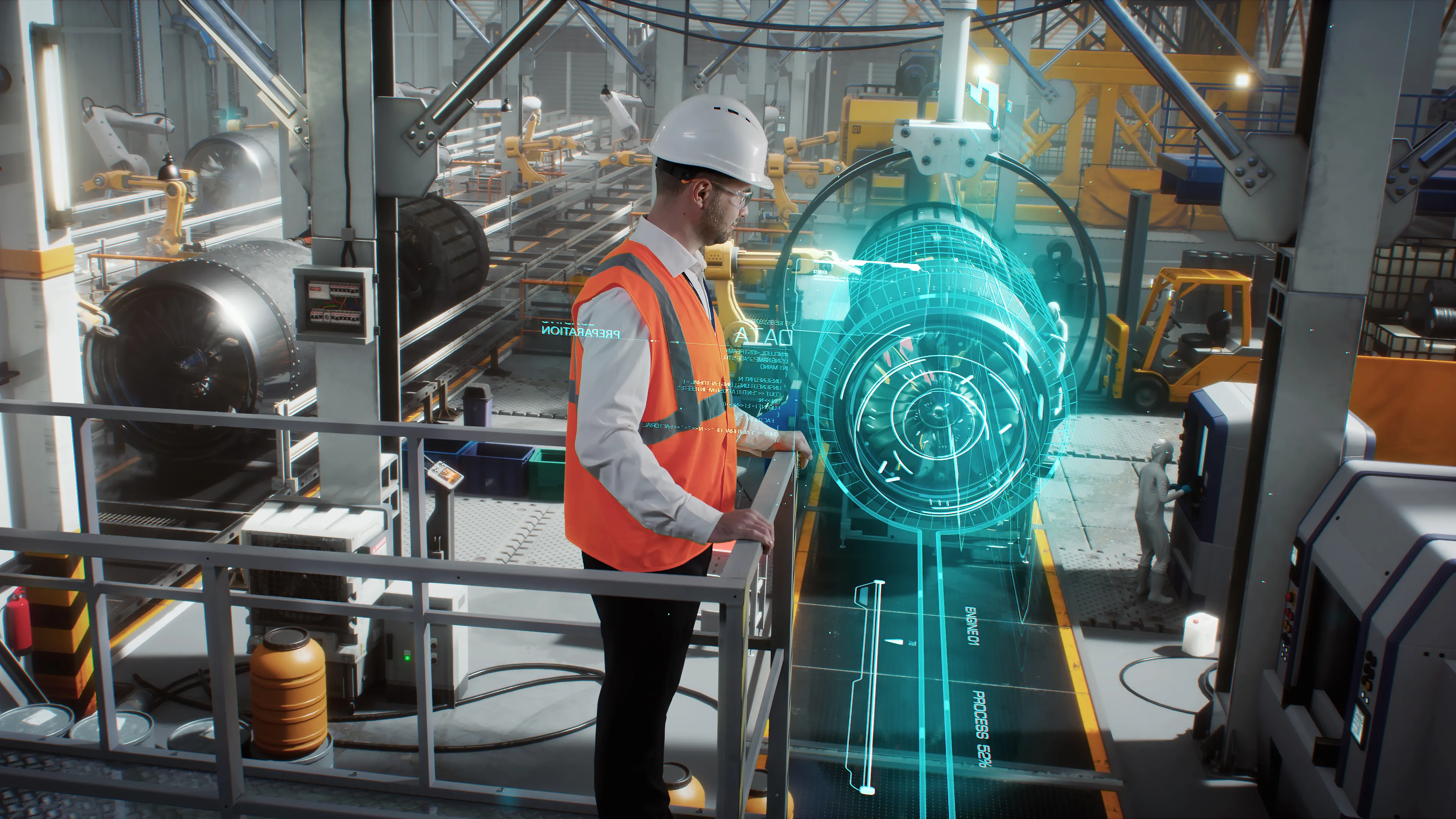
Why aerospace & defense needs PLM in 2026 - Siemens Teamcenter for aerospace & wefense
For decades, complexity has been the norm for the aerospace and defense (A&D) industry, and most organizations have learned to navigate it with ingenuity, rigor, and grit. But what’s changed most in recent years is the pace, making PLM for aerospace and defense and modern aerospace PLM software a strategic necessity, not just an engineering tool.
Programs have become more ambitious—not just in scale, but in complexity and integration. Today’s aircraft, spacecraft, and defense platforms are expected to be smarter, more autonomous, and more environmentally responsible, while meeting mission-critical standards for safety, security, and interoperability. Electrification, fly-by-wire systems, AI-enabled decision-making, and digital battle management are no longer emerging technologies—they are rapidly becoming program requirements.
Yet each innovation adds layers of data, interdependency, and verification that must be managed in parallel across multiple teams and tools that often lack proper integration, standardization, or context.
In practice, managing this complexity manually or through isolated systems leads to slow decision-making, rework, and certification or accreditation challenges that ripple through the entire lifecycle. While many A&D organizations have modernized select engineering capabilities (e.g. simulation tools, digital twins, system modeling), these efforts often remain disconnected from the broader product and program infrastructure.
What makes PLM (Product Lifecycle Management) essential isn’t just managing this complexity. It’s turning it into a competitive advantage. And with increasing pressure from regulators, defense ministries, customers, and program timelines, PLM is increasingly seen not just as an engineering tool, but as a core enabler for cross-functional agility, mission assurance, and integrated program delivery.
5 Reasons why PLM is essential for Aaerospace & defense
Let's break down the reasons why PLM has shifted from a support tool to a strategic necessity:
1. Rising product and system complexity
Modern A&D platforms now handle integration across hundreds to thousands of system interfaces, spanning across mechanical, electrical, software and mission systems. These aren’t just technical challenges, they’re organizational and systemic as well.
Each domain typically uses its own specialized tools, standards, and processes, making it difficult to manage and validate system-wide changes, particularly when teams rely on manual updates and lack real-time visibility.
A robust aerospace PLM software allows aerospace and defense companies to centralize engineering data, enforce process consistency, and enable real-time collaboration across all domains. This ensures changes are validated early, integration points are understood, and downstream implications are fully visible.
2. Accelerated development cycles
It's no secret that building and certifying A&D products is inherently complex. These systems are safety-critical by design, require strict adherence to evolving global regulations (e.g. DO-178C, ARP4754A, ITAR, DFARS, NATO standards, etc.), and they must meet rigorous performance, durability, and operational standards—often across extreme environments.
In addition, certification is a year-long process of exhaustive documentation, iterative testing, and multi-stakeholder validation, whose cost and time investment, in many cases, can exceed the cost of design itself.
At the same time, according to Deloitte, sustained growth in commercial aviation is placing intense pressure on OEMs and suppliers to accelerate design, development, and certification cycles, often compressing timelines by 20–30%.
Modern defense PLM software brings all critical teams (design, simulation, manufacturing, and compliance) into a shared environment where they can collaborate in real time, using consistent, version-controlled data. This unified approach ensures traceability and transparency across the entire lifecycle, allowing aerospace companies to accelerate development without compromising on safety, compliance, or quality standards.
3. Sustainability demands
Sustainability in A&D isn’t just about SDG compliance. It’s about managing growing expectations from regulators, investors, and OEM customers who demand transparency, verifiability, and measurable action. Lifecycle assessments (LCAs), material passports, and recyclability scores must be tied back to specific components, suppliers, and product versions, which presents a massive data challenge.
Additionally, directives like the EU Corporate Sustainability Reporting Directive (CSRD) and the broader European Green Deal are ramping up expectations for full lifecycle transparency and environmental accountability. For aerospace companies already navigating complex regulations (like REACH, RoHS, ISO 14001, NATO and dual-use compliance), this adds a new layer of pressure to integrate sustainability from the earliest stages of design and development.
PLM systems make this possible by integrating sustainability KPIs directly into product and process workflows. This allows A&D companies to track, quantify, and align engineering and sourcing decisions, supporting PLM for sustainability reporting in aerospace especially when regulatory requirements are evolving, while generating auditable, report-ready ESG data.
4. Digital transformation enablement
Artificial intelligence is no longer a futuristic concept. It’s actively reshaping how A&D companies design, test, and manage their products. When integrated with technologies like digital twins, robotics, and smart factory systems, AI can significantly accelerate aerospace development cycles, helping teams uncover insights faster, reduce costly physical prototyping, anticipate risks earlier, and drive intelligent design reuse across multi-domain systems.
However, for AI to deliver on its potential, it requires an environment where data is centralized, structured, and contextual. This is precisely where PLM becomes indispensable.
With AI, modern PLM systems evolve from static systems of record into dynamic systems of intelligence, providing the structured and connected backbone required to train AI on governed engineering data. They enable the digital thread in aerospace and defense programs and support advanced practices like MBSE, enabling real-time insights for design optimization, sourcing decisions, and production flow simulations. In this way, data becomes trustworthy, accessible, and interoperable across every stage of the lifecycle.
5. Global supply chain complexity
A&D companies depend on vast, multi-tier supplier ecosystems to deliver critical components, subsystems, and increasingly software-driven systems. In today’s environment, where post-pandemic disruptions persist and aircraft programs demand unprecedented levels of customization and integration, it’s becoming increasingly difficult to coordinate design and engineering changes across dispersed suppliers without introducing delays, inconsistencies, or compliance risks.
Add to this the pressures of geopolitical instability, shifting trade alliances, and export controls, and the cost of poor coordination quickly becomes unsustainable.
PLM systems serve as the foundation for PLM supply chain management in aerospace and defense programs, helping manufacturers regain control. They offer centralized, version-controlled platforms for collaboration that support structured approvals, real-time data traceability, and synchronized BOM updates—ensuring that supply chain orchestration scales as complexity grows.
PLM Is the foundational layer for aerospace & defense innovation
What started as a "nice-to-have" system for managing engineering data is now becoming a strategic investment, essential for staying competitive in the aerospace industry. According to CIMdata, over 65% of A&D OEMs are actively implementing digital thread strategies, with PLM platforms like Siemens Teamcenter at the heart of these transformations.
Let’s look at some of those examples:
- Bye Aerospace used Siemens Teamcenter and NX to streamline their design and certification process, achieving a 66% reduction in engineering resources required, while accelerating time to compliance. This demonstrates how a unified PLM system can eliminate redundant work and ensure seamless data continuity across the development lifecycle.
- Northrop Grumman leveraged Siemens Teamcenter to establish a digital thread across defense programs. By connecting virtual and physical testing workflows, they improved traceability, accelerated certification cycles, and reduced weight in critical subsystems. This shows how Siemens solutions support defense organizations with mission assurance, compliance, and agility in highly regulated environments.
Accelerate product development with CLEVR & Siemens Teamcenter in aerospace & defense
Siemens Teamcenter for aerospace and defense is one of the most robust and widely adopted PLM systems. As part of the Siemens Xcelerator portfolio, it integrates seamlessly across engineering, manufacturing, and enterprise ecosystems—including ERP, MES, MBSE, and simulation environments. This enables A&D manufacturers to digitize and orchestrate every phase of product development, from concept through certification and into sustainment.
Teamcenter offers:
- Unified, multi-domain data and bill-of-materials (BOM) management
- Cloud-native deployment via Teamcenter X cloud PLM in aerospace and defense for scalability and faster time to value
- Built-in support for MBSE, sustainability metrics tracking, and digital twin enablement
- Secure, role-based collaboration across dispersed design and supplier networks
- Robust change and configuration management tailored to regulatory-intensive programs
At CLEVR, we have seen first-hand how A&D companies scale and future-proof their operations with Teamcenter. With over 30 years of experience implementing PLM in aerospace and defense, we help organizations navigate every stage of the transformation journey—from strategy and planning to system integration, data migration, and long-term support.
Our team specializes in guiding companies through the complexities of integrating Teamcenter into highly customized, multi-system landscapes, especially where legacy tools, compliance obligations, and distributed teams present unique challenges.
Whether you're optimizing traceability, enabling cross-domain collaboration, or unifying design and production workflows, CLEVR ensures that your PLM foundation is built with your needs in mind, embedding resilience, agility, and long-term growth into your operations.
Key takeaway
The aerospace and defense industry are undergoing a period of rapid transformation, driven by technological disruption, rising regulatory demands, evolving sustainability targets, and increased pressure to bring smarter, more integrated products to market faster.
In this context, where traditional tools and siloed systems no longer meet the demands of modern aerospace programs, PLM for aerospace and defense has emerged as a critical backbone.
From accelerating development cycles and supporting AI adoption, to ensuring traceability across sustainability metrics and global supply chains, PLM enables organizations to manage complexity, drive innovation, and maintain compliance in one connected ecosystem.
At CLEVR, with decades of domain expertise, we help aerospace and defense companies unlock this potential, turning complexity into competitive advantage through smart PLM implementations tailored to their goals. By combining deep Siemens Teamcenter knowledge with agile development expertise, CLEVR helps organizations build secure PLM foundations while developing intuitive and compliant applications.
Whether you're starting your PLM journey or scaling an existing system, our team can advise on best practices, guide your system integration strategy, and support complex migrations, ensuring long-term success and faster ROI.
Get in touch to learn more or schedule a consultation.

NX vs. SolidWorks: Which CAD platform wins?
Product development teams must design and deliver innovative products faster than ever before. Customer expectations for performance and quality keep climbing, while manufacturing costs and time-to-market are always scrutinized. It’s no surprise, then, that choosing a computer-aided design (CAD) platform has become a make-or-break decision.
Two names consistently come up in the CAD conversation: Siemens NX and SolidWorks. While both are powerful tool options with advanced 3D modeling tools, they cater to different segments of the engineering world. Which is right for you? This guide breaks down the key differences between these two CAD giants to help you make the best choice for your business needs.
Short on time? Here’s a brief overview
- Performance: NX is engineered for massive assemblies and complex geometries, delivering enterprise-grade performance. SolidWorks remains effective for everyday mechanical design but is less suited for very large or highly complex projects.
- Learning curve: SolidWorks offers faster onboarding with its intuitive interface, while NX demands significant training investment but rewards users with deeper capabilities.
- Industry focus: NX dominates aerospace, automotive original equipment manufacturers (OEMs), and precision-heavy industries. Meanwhile, SolidWorks serves the broader mid-market manufacturing and supplier ecosystem.
- Integration: NX integrates deeply with Siemens’s Teamcenter PLM, while SolidWorks connects to Dassault’s 3DEXPERIENCE platform.
Core Modeling & Functionality
1. Software overview
NX
Siemens NX is a high-end platform that excels in complex industries such as aerospace and automotive. It’s known for its exceptional power in handling massive assemblies, its advanced surface modeling, and its integrated computer-aided engineering (CAE) capabilities.
SolidWorks
SolidWorks leads the mid-market with its intuitive user interface and robust ecosystem, enabling rapid design iteration and a faster learning curve for teams of all sizes.
2. Complex geometry & hybrid modeling
NX
Siemens NX wins for sophisticated modeling challenges. It combines parametric, direct modeling ability, and subdivision techniques within a single environment.
The platform’s Synchronous Technology enables engineers to modify any geometry, including imported “dumb” solids, without feature history constraints. Its direct modeling approaches and direct modeling methods also prove invaluable when working with multi-CAD environments or when rapid design iterations matter more than parametric control.
Additionally, NX’s surface modeling capabilities set industry standards for Class-A surfaces required in automotive and aerospace applications. It can achieve G2 and G3 curvature continuity through accurate modeling, which is essential for aerodynamic surfaces and premium consumer products.
SolidWorks
SolidWorks’s strength is parametric modeling with its intuitive FeatureManager Design Tree, which works well for basic to mid-level mechanical design. However, teams often encounter limitations when scaling up to advanced freeform or hybrid modeling needs. SolidWorks does offer capable surfacing tools, but they lack the depth and control required for the most demanding freeform applications.
3. Efficiency & Toolset Breadth
NX
NX’s architectural design requires fewer steps to execute complex tasks once users master its extensive toolkit. The breadth of available tools means engineers rarely need external software for advanced modeling challenges.
SolidWorks
SolidWorks optimizes efficiency for standard engineering tasks, with workflows designed for productivity on common parts and assemblies. However, its architecture can introduce ceilings in capability as project complexity grows — areas where NX’s broader toolkit proves decisive.
Performance & Handling Large Assemblies
NX and SolidWorks use the same Parasolid geometric kernel, yet their performance diverges dramatically. The difference lies in how each application layer manages data and its direct modeling engines.
NX
NX was designed for enterprise-scale complexity, handling assemblies with hundreds of thousands of components while maintaining interactive performance.
It’s robust and stable even with massive datasets, largely due to its sophisticated data management and lightweight representations that scale efficiently.
SolidWorks
SolidWorks faces well-documented challenges with large assemblies, often leading to performance degradation and heavy RAM consumption. This makes it less reliable for enterprise-scale projects, where NX continues to deliver stability and interactive performance even with hundreds of thousands of components. This is partly due to SolidWorks’s linear FeatureManager Design Tree. It’s intuitive for smaller projects but creates performance bottlenecks when feature dependencies cascade through complex assemblies.
Usability & Learning Curve
NX
NX has a more significant learning curve, typically requiring additional training before teams achieve full productivity. However, organizations report that the investment pays off with deeper capability, long-term efficiency, and confidence in handling complex projects.
SolidWorks
New SolidWorks users typically achieve productivity within weeks, making it ideal for organizations requiring rapid skill development.
Industry Use Cases
1. Aerospace
NX
Siemens NX dominates the aerospace sector alongside CATIA, with major OEMs relying on its advanced surface modeling and large assembly capabilities. The platform’s composite design tools and certification workflows are essential for modern aircraft development.
SolidWorks
SolidWorks serves the aerospace supply chain effectively for component design, tooling, and ground support equipment, where its cost-effectiveness and ease of use matter more than full-aircraft complexity management.
2. Automotive
NX
NX powers major automotive OEMs, including General Motors, where complete vehicle design from Class-A body surfaces to complex powertrain packaging demands the platform's integrated capabilities. The connection to Teamcenter PLM proves important for managing global automotive programs.
SolidWorks
SolidWorks has a role within the automotive supplier ecosystem, particularly for smaller components and subsystem validation. However, OEM-level vehicle design, Class-A surfacing, and global program management remain domains where NX sets the standard.
3. Industrial & heavy machinery
NX
NX is often used when machinery involves extreme scale and complexity — entire automated production lines, large packaging machinery, or heavy construction equipment. Its superior large assembly performance and integrated CAM capabilities offer decisive advantages here.
In fact, JCB leverages NX and Teamcenter to manage over 200,000 product variations across its equipment portfolio.
SolidWorks
SolidWorks’s robust part modeling, excellent weldment tools, and cost-effectiveness align perfectly with most industrial equipment manufacturers. Fittingly, 13% of SolidWorks’s user base is in machinery — by far its biggest industry segment.
Ecosystem & Integration
NX integration with Siemens’s Teamcenter
NX's integration with Teamcenter represents the industry benchmark for CAD-PLM connectivity. Engineers can access comprehensive data management, revision control, and change workflows directly within the NX interface through embedded Active Workspace clients. This eliminates context switching and maintains design momentum.
The broader Siemens ecosystem connects natively to Simcenter for advanced simulation and NX CAM for manufacturing. The June 2025 release introduced NX CFD Designer, embedding fluid flow analysis directly into the CAD interface for design engineers without specialized CFD expertise.
SolidWorks integration with Dassault’s 3DEXPERIENCE
SolidWorks connects to Dassault’s 3DEXPERIENCE platform through connectors that translate native files into the platform’s unified data structure. While powerful, its integration approach can feel less natural and requires additional setup, unlike NX’s seamless, embedded CAD-PLM connectivity that keeps engineers in flow.
Overall, the 3DEXPERIENCE vision aims to unify design, simulation, and manufacturing in a single cloud environment, potentially offering more comprehensive long-term integration than traditional point solutions.
Community & Support
NX
NX’s user base is smaller, at approximately 5,700 companies, but these include industry-defining organizations that set standards for entire supply chains. This concentrated expertise provides deep domain knowledge but limits general learning resources.
Regarding support, NX offers comprehensive official support, and its users often benefit from Siemens’s broader industrial automation expertise when integrating with manufacturing systems.
SolidWorks
SolidWorks benefits from a user community comprising more than 73,000 companies, according to Enlyft. This massive user base creates extensive learning resources, active forums, and readily available talent. The platform's popularity in academic institutions ensures a continuous pipeline of trained users.
Like NX, SolidWorks provides extensive official support.
Pricing & Licensing
NX
Siemens NX traditionally commanded premium pricing that limited adoption outside large enterprises. However, the new NX X Manufacturing Value-Based Licensing system introduces token-based subscriptions starting around $11,000 annually for 50 tokens. This model allows access to advanced modules only when needed, potentially reducing the total cost of ownership for many organizations.
SolidWorks
SolidWorks offers transparent subscription pricing starting around $2,820 annually for Standard, $3,456 annually for Professional, and $4,716 annually for Premium versions. Perpetual licenses remain available with higher upfront costs but potential long-term savings for stable environments.
NX vs. SolidWorks: Pricing example
A hypothetical 50-seat deployment over five years might cost approximately $1.7 million for SolidWorks Premium versus $3.8 million for NX with Teamcenter, including implementation and training.
While NX often requires higher initial investment, the ROI becomes evident when teams face complex engineering challenges where SolidWorks reaches its limits. NX reduces the need for third-party tools and enables enterprises to consolidate capabilities within a single platform.
NX vs. SolidWorks: Which Should You Choose?
CLEVR is your strategic partner in CAD platform selection
Selecting between NX and SolidWorks — or any of their competitors — is a strategic investment that will affect your organization for years, maybe even decades. CLEVR brings deep expertise in both platforms, helping engineering leaders navigate this decision using proven evaluation methodologies.
CLEVR has guided organizations through successful CAD implementations across manufacturing, automotive, and aerospace sectors, ensuring alignment between technology capabilities and business objectives.
Plus, its unique position as a Siemens Platinum Partner and leading Mendix expert enables CLEVR to design integrated solutions spanning CAD, PLM, and low code automation.
Whether you're evaluating platforms for the first time or considering migration from legacy systems, CLEVR offers the strategic guidance needed to deliver lasting value from your software choices.
Final thoughts
There’s no universal winner in the NX versus SolidWorks debate, as each platform excels in its target domain.
NX delivers unmatched scalability and engineering power, making it the strategic choice for enterprises that demand innovation at scale. SolidWorks remains a popular option for mid-market manufacturers seeking accessibility and fast onboarding, but organizations planning for long-term growth and complexity find NX the more future-ready investment.
Still unsure about the right choice for your organization? Contact CLEVR for a comprehensive CAD platform evaluation workshop. CLEVR’s experts will analyze your unique requirements, coordinate platform trials, and give recommendations based on proven implementation experience.
Research Methodology
This analysis is built on data from multiple independent sources to ensure a balanced and practical perspective.
It considers aggregated user satisfaction ratings on G2, in-depth community discussions on Siemens and SolidWorks community forums, and verified case studies from industries ranging from small machine shops to large-scale aerospace manufacturing.
This information was cross-referenced with expert analysis and technical documentation to verify feature sets and performance claims.

CATIA vs. NX: Which CAD Platform Wins?
Your choice of computer-aided design (CAD) platform will shape your engineering team for at least the next decade. CATIA and Siemens NX are two direct competitors for the top spot in enterprise-level product design, offering an extensive array of tools for different engineering disciplines.
Both platforms support complex 3D models, integrated product lifecycle management (PLM), and automotive design workflows — but which is right for you?
This guide compares the two platforms on everything from modeling features and user experience to industry fit, PLM integration, and costs. With this information, you’ll be better prepared to choose the platform that’ll propel your company to success.
Short on Time? Here's a Brief Overview
- CATIA leads in Class-A surfacing and automotive styling, with an interface that feels natural for designers. It works especially well for exterior body design, where surface quality matters most.
- Siemens NX wins at hybrid modeling flexibility by mixing exact modeling with direct modeling freedom. It also has the best reverse-engineering tools for complex industrial projects.
- Industry preferences are split clearly: CATIA rules automotive surfacing studios, while NX is preferred in aerospace systems and manufacturing-focused environments.
- PLM integration shows clear differences: Engineer communities typically rate NX’s Teamcenter partnership above CATIA’s ENOVIA platform for managing company data.
Core CAD Capabilities & Modeling Strengths
1. Advanced surface modeling excellence
CATIA
CATIA’s Class-A surfacing reputation remains the industry benchmark, particularly in automotive design. This specialized capability lets designers create the mathematically perfect, high-quality surfaces required for vehicle exteriors, where aesthetics and manufacturing precision must work together.
For expert users, CATIA’s surfacing tools offer unparalleled control and precision. They can handle the most complex curve transitions with mathematical accuracy — a task that can be challenging when using other platforms.
NX
Siemens NX has a broader focus. It offers strong multi-surface modeling that works across various engineering disciplines.
While it may not have the same specialized depth as CATIA for automotive Class-A surfacing, NX provides excellent flexibility and is often considered more user-friendly for industrial design applications requiring diverse geometric methods.
2. Parametric vs. direct modeling philosophies
CATIA
CATIA works primarily through parametric modeling. Features build in sequence and maintain strict parent-child relationships. This method enforces design intent but can limit how easily you can modify things later.
NX
NX changes the game with Synchronous Technology. It combines exact modeling with direct modeling freedom. Engineers can push, pull, and modify geometry without wrestling with complex feature trees. This proves invaluable when you're working with imported geometry or legacy designs.
This hybrid method is one of NX's biggest advantages over traditional parametric-only systems.
Usability, Interface & Learning Curve
1. User Experience & Interface
CATIA
Discussions among engineers on forums such as Reddit’s r/engineering and r/CAD frequently describe CATIA’s user interface as “very confusing” and “rough around the edges.” New users often express frustration with what they see as a clunky and non-intuitive workflow that requires significant adaptation.
While expert users who have mastered its intricacies become highly efficient, CATIA isn’t praised for its initial ease of use. This complexity is often seen as a byproduct of its deep, specialized toolsets developed over decades for the aerospace and automotive industries.
NX
In contrast, NX is broadly considered to have a modern, consolidated, and intuitive interface.
User reviews on platforms such as G2 and TrustRadius frequently rate NX highly for its ease of use, often praising its customizable layout and better command structure that is easier for new users to operate.
2. Learning Curve & Training Considerations
CATIA
CATIA typically requires a more substantial upfront training investment. Its steep learning curve means that engineers, even those experienced with other CAD software, need dedicated time to become proficient.
NX
NX’s more user-friendly design generally allows for a faster initial adoption and a quicker time-to-productivity. While it’s still a deeply complex program that requires training, its learning curve is widely considered less steep than CATIA’s.
Specialized Features & Industry Fit
1. Automotive design
CATIA remains the automotive industry standard for exterior surfacing and styling work. Major automotive manufacturers rely on CATIA’s Class-A surfacing capabilities for body-in-white design. Surface quality directly impacts both aesthetics and aerodynamic performance here.
The platform's specialized tools for automotive workflows include dedicated modules for sheet metal and composite design. These create significant switching costs for established automotive teams.
2. Aerospace
The aerospace industry is now a bit more nuanced. While CATIA historically dominated aircraft design, NX has gained substantial ground in aerospace systems and propulsion applications.
Engineering community discussions often indicate that aerospace suppliers prefer NX due to its superior reverse-engineering capabilities and assembly management tools.
3. Advanced manufacturing integration
NX shows clear advantages over CATIA here, thanks to its integrated solution.
While CATIA does offer manufacturing modules, NX’s computer-aided manufacturing (CAM) capabilities and easy transition from design to manufacturing make it particularly attractive for companies prioritizing design-for-manufacturing principles.
Collaboration & CAD Data Management
Effective collaboration and data management are essential in modern engineering — and this is an area where CATIA and Siemens NX differ.
NX champions a tool-centric method, giving direct control to the engineer. Meanwhile, CATIA has a platform-centric strategy, where management is handled holistically through its ecosystem.
1. Reference Sets & Layer Control
CATIA
CATIA's data management is deeply integrated with the 3DEXPERIENCE platform. Instead of providing numerous in-tool controls, it enforces a top-down, process-driven structure managed through the PLM system.
While this delivers rigorous control, it shifts the focus of data management from the individual user’s session to the overarching platform.
NX
NX provides granular, user-facing tools that offer precise control over the working environment.
Features such as layers, “Lightweight Representation,” and “Partial Loading” allow an engineer to intelligently manage the data load, ensuring the system remains smooth and responsive.
Things are further simplified by NX’s single-file structure, which combines parts, assemblies, and drawings into one file, reducing administrative complexity.
2. Product lifecycle management integration
A CAD tool cannot be evaluated in isolation from its PLM system. This integration is arguably the most significant differentiator between CATIA and NX and a primary driver of major market shifts.
CATIA: ENVOIA PLM
Many users have expressed significant frustration with CATIA and its ENVOIA PLM. Some companies have even chosen to manage their CATIA data within Teamcenter — a scenario virtually unheard of in reverse.
This has led to what are known as “PLM-first” decisions, where major automotive original equipment manufacturers (OEMs) have migrated their entire ecosystems to Siemens.
NX: Teamcenter PLM
Teamcenter is a mature, robust, fast, and user-friendly platform. Its strength is so recognized that it’s often used as a multi-CAD foundation.
Community & Ecosystem
Training resources and support networks
CATIA
CATIA benefits from Dassault Systèmes’s comprehensive training ecosystem. It includes extensive online tutorials and certification programs.
Additionally, the 3DEXPERIENCE platform provides integrated learning resources that help users discover advanced capabilities within their daily workflows.
NX
NX leverages Siemens’s broader industrial software ecosystem. It offers integrated training across CAD, CAM, CAE (computer-aided engineering), and PLM domains. This can appeal to organizations seeking unified competency development across multiple engineering disciplines.
Pricing, Licensing & Deployment
Enterprise-level CAD software pricing varies significantly based on seat counts, module requirements, and deployment models. Annual licensing costs typically range from tens of thousands to hundreds of thousands of dollars for large organizations.
CATIA
CATIA’s modular pricing structure allows organizations to customize their investment, but this can lead to higher total costs when advanced surfacing modules become necessary.
Regarding cloud deployment, CATIA’s 3DEXPERIENCE platform emphasizes cloud-native operations.
NX
NX often provides better value through its integrated CAM and simulation tools that support complex engineering analysis.
In terms of cloud deployment, NX offers flexible hybrid deployment models that accommodate various IT infrastructure preferences.
Choosing Between CATIA and NX
Choose CATIA if:
- Your organization prioritizes automotive design.
- You have Class-A surfacing requirements that demand specialized capabilities.
- You have established automotive workflows, particularly in styling and aesthetic surface development.
- Your organization values deep functional power over user-level simplicity.
- You can accept a significant learning curve to harness the platform's full potential.
Choose NX if:
- Your workflows emphasize multi-surface modeling, reverse engineering, and manufacturing integration.
- Your organization requires flexibility between parametric and direct modeling, as you can benefit from NX's Synchronous Technology.
- You typically work with imported geometry or legacy designs.
- You value seamless PLM integration.
- You’re an enterprise organization.
- You manage complex data across multiple engineering disciplines.
CATIA vs. NX: Factor Comparison
CLEVR, Your Partner in CAD Platform Evaluation
Choosing between CATIA and NX requires understanding how these tools integrate into your broader PLM and manufacturing environment. But you don’t have to do this alone.
CLEVR provides expert guidance in CAD software evaluation and PLM strategy, helping you navigate these complex decisions.
CLEVR follows a proven methodology to analyze your unique workflows, identify the optimal platform fit, and design implementation strategies that align with your long-term business goals.
The company’s expertise with the Siemens ecosystem — including Teamcenter PLM implementation and custom applications with Mendix low code — has helped clients like Nel Hydrogen and Optime Subsea build truly connected systems.
Final Thoughts
Your choice of CAD platform impacts your designers’ daily work and your company’s ability to compete in markets that change at a blistering pace. Choose right, and you’ll unlock significant innovation, efficiency, and time-to-market gains.
CATIA and Siemens NX are excellent CAD software options, but neither is a universal solution. The best one for you depends on your workflows, industry requirements, and existing technology stack.
That said, CATIA is great when automotive surfacing and intuitive operation are prioritized. NX wins when top concerns are modeling flexibility, manufacturing integration, and enterprise PLM capabilities.
When choosing which to adopt, evaluate your organization’s priorities rather than trying to decide which is the best in all cases. Consider requesting comprehensive platform demonstrations, pilot implementations, and strategic consultation. This helps you make informed decisions about your CAD software investment.
Ready to evaluate further which platform (or another) fits your organization? Contact CLEVR for expert CAD strategy consultation, including hands-on demos and implementation planning.
Research Methodology
This comparison combines insights from specialist CAD software reviews, active engineering community discussions, and enterprise user feedback. We prioritized real-world implementation experiences over marketing materials to provide practical guidance for your software selection decision. Sources include technical publications, professional forums, and verified user reviews from enterprise software evaluation platforms.

Mendix vs. PowerApps: Which low code platform wins?
Low code development has hit a turning point for enterprise companies. As your competition embraces the benefits of developing at speed, it’s no longer a question of whether your company should adopt low code tools, but which ones will form the foundation of your future.
Among the top choices, Mendix and Microsoft PowerApps both promise faster building and less need for old-school coding.
But which is better for your needs?
This comparison guide looks at platform strengths, cost issues, and considerations you should make to help you choose the right base for your online plans.
Short on time? Here's a brief overview
- Platform positioning: Mendix is a top-of-the-line platform for complex applications. PowerApps is a smaller, developer-friendly solution within the Microsoft world.
- Cost dynamics: PowerApps often appears “free” with Microsoft 365 licenses, but premium connectors and Dataverse can create considerable hidden costs. Mendix offers clear, though higher, upfront pricing.
- Use case fit: Choose PowerApps for simple workflows within Microsoft spaces. Pick Mendix for complex, integrated multi-device applications needing company-wide controls.
- Decision framework: Platform choice depends on app complexity, system alignment, control needs, and total cost beyond first licensing.
Platform overviews
Mendix: Top-grade development platform
Mendix works as a unified, model-driven platform designed for the complete software building process. Its focus is visual app modeling, where the model itself becomes the app, so little to no code creation is needed.
The platform supports creating responsive web applications, progressive web apps, and mobile applications from a single model. Professional developers can extend features with custom Java actions and React-based widgets while mostly working within the visual building space.
The platform targets organizations building business applications that need wide system connections, complex business logic, and multi-year lifecycle management.
PowerApps (Microsoft Power Platform): Citizen-developer-friendly tool
Microsoft PowerApps forms part of the broader Power Platform suite. It focuses on access for business users and citizen developers.
PowerApps’s main advantage for many companies is its tight connection with the Microsoft ecosystem. Organizations already using Microsoft 365, SharePoint, Teams, and Dynamics 365 can tap into existing data sources and user login without extra setup investment.
The platform’s low code method uses Power Fx, a formula language similar to Excel. This makes it accessible to users familiar with Microsoft’s productivity tools. However, this simplicity can become limiting as app needs increase in complexity. It often requires technical knowledge and professional developer help for advanced scenarios.
Usability & developer experience
Mendix
Mendix provides a dual-IDE (integrated development environment) method targeting different user types.
Mendix Studio offers a simple web-based space for business users to create mockups and work together on needs. Meanwhile, the pro development experience centers on Mendix Studio Pro, a complete desktop IDE where complex applications are built. It features built-in visual modeling for data domains, business logic (microflows), and user interfaces within a single space.
There’s also MxAssist, Mendix’s AI-powered development helper, which offers real-time tips and automates routine development tasks. The platform includes native debugging tools, automated testing frameworks, and Git-based version control.
The learning curve here is steeper than PowerApps. However, this complexity enables the creation of company applications that can scale to handle thousands of users and complex integration needs.
PowerApps
PowerApps puts ease of use first through familiar Microsoft design patterns. Canvas apps use drag-and-drop interfaces similar to PowerPoint, while Model-driven apps automatically create interfaces based on data structures in Microsoft Dataverse.
Development happens mainly within the web-based PowerApps Studio, but building complete solutions often requires working across multiple interfaces: PowerApps for UI, Power Automate for business logic, and the Power Platform Admin Center for controls.
Use case fit & application complexity
When Mendix excels
Mendix is best used in medium to high-complexity applications needing wide system connections, smart business logic, and multi-channel deployment. The platform’s model-driven design handles complex data relationships, detailed workflows, and performance-sensitive scenarios well.
It’s also excellent for customer portals connecting to SAP systems, mobile field service applications with offline capabilities, and case management systems spanning multiple departments. Additionally, the platform’s strength in native mobile development using React Native delivers top performance compared to hybrid alternatives.
Manufacturing companies like Nel Hydrogen have also used Mendix alongside product lifecycle management (PLM) systems to modernize product development processes.
When PowerApps shines
PowerApps excels in simpler scenarios where quick deployment and smooth integration with the Microsoft ecosystem take precedence over app smartness. Form digitization, approval workflows, and data collection apps represent ideal PowerApps use cases.
The platform’s strength lies in making the most of existing Microsoft investments. Applications that mainly consume SharePoint data, integrate with Teams for collaboration, or extend Dynamics 365 functionality can be deployed quickly with minimal custom development.
Organizations with established Microsoft 365 user bases often default to PowerApps for department applications, taking advantage of included licensing and familiar user interfaces.
Integration & ecosystem
Mendix
Mendix is platform-neutral and designed for mixed company spaces. The platform delivers strong out-of-the-box connectivity to major company systems — especially SAP, Oracle, and Salesforce — through standard protocols such as REST, SOAP, and OData.
The Mendix Marketplace offers thousands of pre-built connectors and modules, too. These include a wide range of Amazon Web Services (AWS) and AI service connections.
And for unique needs, Mendix’s Connector Kit enables professional developers to build custom connections using Java.
PowerApps
PowerApps’s defining trait is its tight connection with SharePoint, Teams, Dataverse, and Azure services. This native connectivity enables quick development of applications that feel like natural extensions of the Microsoft productivity suite.
Standard connectors to Microsoft services are included with most Microsoft 365 licenses. The platform handles login, data sharing, and collaboration workflows without extra setup.
But this strength creates vendor lock-in issues. While PowerApps supports connections to non-Microsoft systems through premium connectors, these connections often lack the depth and performance tuning available for Microsoft’s own tools.
Scalability, governance & CI/CD
Mendix
Mendix embeds company controls as a base design principle. The platform’s Git-based version control enables pro development practices, including branching, merging, and team development workflows.
In addition, the built-in application lifecycle management (ALM) space includes Agile project management tools, automated testing frameworks, and CI/CD (continuous integration and continuous delivery/deployment) pipelines.
Also, Mendix Pipelines offers native deployment automation, and the platform supports connection with external DevOps tools like Jenkins and GitLab.
Lastly, organizations can deploy Mendix applications to public clouds, private clouds, or on-site setups. This offers complete control over data location and performance tuning.
PowerApps
PowerApps controls work through the Power Platform Admin Center and Data Loss Prevention (DLP) policies.
The Center of Excellence (CoE) Starter Kit offers control capabilities through PowerApps-built applications for watching adoption and managing the application portfolio. However, this needs significant setup and customization effort compared to Mendix’s built-in control tools.
With PowerApps, application lifecycle management relies on Solutions and external CI/CD tools, such as Azure DevOps. While powerful when properly set up, this method needs cross-platform knowledge and ongoing management of multiple tool chains.
Cost & licensing models
Mendix
Mendix uses subscription-based pricing starting around $998 monthly for single applications, plus per-user fees of $15 monthly.
While some cite higher upfront costs as a drawback, Mendix’s pricing model provides a predictable total cost of ownership without usage-based surprises.
It also reflects Mendix’s positioning for pro development teams building complex applications. Organizations building multiple applications can benefit from unlimited application plans starting at $2,495 monthly, plus $15 per user per month. This makes per-application costs more competitive at scale.
Additionally, company customers can negotiate custom pricing for large deployments. Costs vary based on app complexity, user count, and deployment business requirements.
PowerApps
PowerApps uses a tiered licensing model that appears accessible but can bring significant hidden costs as app complexity increases.
Most Microsoft 365 licenses include limited PowerApps capabilities restricted to Standard connectors and SharePoint data sources. Premium connectors trigger per-user licensing needs for any app feature, regardless of how minimal the premium usage. Applications needing SQL Server connectivity, custom connectors, or Dataverse immediately require $5–20 per-user monthly licenses.
Further costs build up through Dataverse capacity ($40 per GB monthly for database capacity), API request overages ($50 monthly for 50,000 extra requests), and special features such as Power Pages for external portals. These usage-based add-ons can multiply initial cost estimates.
Community & support ecosystem
Mendix
The Mendix ecosystem centers on its curated Marketplace featuring thousands of pre-built components, connectors, and application modules. This marketplace enables code reuse and speeds development through shared community contributions.
In addition, Mendix Academy delivers free training materials and certification paths for developers at different skill levels. The platform’s AI-assisted development tools (MxAssist) also help developers follow best practices and accelerate everyday development tasks.
Mendix Pro support includes dedicated customer success teams and technical account management for company customers. This ensures successful platform adoption and ongoing tuning.
PowerApps
PowerApps benefits from Microsoft's massive ecosystem, with 56 million monthly active users across the Power Platform. This scale creates wide community resources, training materials, and third-party consulting knowledge.
Microsoft's support model varies significantly based on licensing options. Basic support is included, but premium support requires extra investment.
Gartner & Forrester ratings
Gartner analysis
Both platforms hold Leader positions in Gartner’s Magic Quadrant for Company Low Code Application Platforms.
In 2024, Mendix scored highest on “Ability to Execute” for the second consecutive year. This reflects strong customer success and platform maturity.
Gartner Peer Insights shows similar user satisfaction: As of June 2025, Mendix maintains 4.5 stars with 297 reviews, while PowerApps achieves 4.6 stars with 342 reviews.
Forrester analysis
Microsoft is listed as a Leader in Forrester's 2025 Wave for Low Code Platforms for Professional Developers. It achieves top scores for strategy and current offering. Forrester recognizes Microsoft’s AI-infused vision and company-scale capabilities.
Mendix ranks as a Strong Performer in the same analysis. It has particular strength in data modeling, project management connection, and version control capabilities for professional development teams.
Which platform is best for you?
Choose PowerApps if:
- Your organization maintains deep Microsoft 365 standardization with SharePoint, Teams, and Dynamics 365 as core productivity tools.
- Your primary use cases are simple workflows, form digitization, and approval processes
- Development speed takes precedence over app power. You can accept platform limits for faster deployment.
Choose Mendix if:
- Your needs include complex integrated multi-device applications with smart business logic and wide system connections.
- Long-term application lifecycle management matters more than quick initial deployment.
- Connection needs span multiple vendor systems, especially SAP, Oracle, or other non-Microsoft company platforms.
When might you use both?
Many large companies adopt both platforms strategically. PowerApps can handle department productivity needs and citizen developer initiatives, while Mendix takes care of core system modernization and complex customer-facing applications.
Note that this hybrid method requires clear control boundaries and connection strategies between platforms to prevent data silos and maintain design coherence.
How CLEVR can support platform implementation
In summary, PowerApps can maximize existing Microsoft investments and speed up smaller-scale development for contained use cases. Meanwhile, Mendix delivers company-grade capabilities for complex, mission-essential applications needing smart controls.
Your app complexity, connection needs, and long-term care responsibilities will dictate which is the better option. You should further evaluate these low code platforms and others based on total cost of ownership, control needs, and strategic alignment rather than initial licensing costs alone.
To support this evaluation — and, eventually, your platform implementation — CLEVR offers platform-neutral guidance backed by deep Mendix expertise. CLEVR focuses on understanding your business requirements, not promoting specific technologies, to ensure that whichever solution you choose integrates seamlessly with your current systems.
Want to learn more? Get in touch with CLEVR today.
Research methodology
This analysis combines data from Gartner Magic Quadrant reports, Forrester Wave assessments, verified user reviews from Gartner Peer Insights, and full platform documentation. Cost analysis reflects publicly available pricing as of June 2025, supplemented by actual customer setups across various industries.

Reclaiming control in the age of Generative AI
It's safe to say it's an interesting time to live in.
While acknowledging the broader global challenges humanity is facing, this blog zooms in on the potential of GenAI in today’s enterprise technology landscape. It offers a grounded perspective on how to move beyond the hype and leverage AI to meaningfully support your company’s goals.
From ERP to innovation: The Eexample of a cookie company’s journey
Imagine, it's 2019, and your cookie-selling company just 'survived' a migration from SAP Business Suite to SAP S/4HANA. Knowing that you sell the best cookies in Europe, the company grew into a large construct with respect for its own processes and ways of working. A solid ERP implementation surely helped you focus on what you know best: producing and selling cookies.
Nevertheless, the regional differences and 'delighting customer procedures' that brought you part of your success were strongly tied to your SAP core implementation. The team of ABAP and Java developers spent over one and a half years migrating the custom business logic from the previous SAP version to the new one. New business requests were put on hold, mostly, as they would interfere with the timeline.
Or, did things go differently?
Saved from slowdown
Luckily, Gartner is mostly there to help us set the right course. So they did in 2016, too, advocating for concepts like "keep your core clean." This idea was embraced by large enterprise software vendors like SAP, who began offering extensibility options outside their core systems, even partnering with Mendix as their preferred low-code platform since 2017.
Your company didn’t just follow this trend. It embraced it. A partner was found to move most of the ERP customizations into separate, non-isolated 'systems of differentiation and innovation.' Former ABAP developers transitioned into Mendix consultants. And thanks to your deep Microsoft ecosystem, citizen developers quickly emerged throughout the organization. With Power Apps available by default to all employees, the inevitable rise of modern shadow IT wasn’t far behind (about which I could write a book on its own).
Despite these growing pains, the benefits became clear. ERP updates were no longer blocked by custom code entanglements. Departments began noticing each other’s digital initiatives and the speed at which they were being delivered.
Your CIO was pleased, too. A well-defined governance model ensured that the apps being built were not only helpful and intuitive, but also secure. You began laying the foundation for a modern data architecture, including a shared catalog of primary data. And as more of your differentiating processes shifted into low-code apps, you could gradually move their data sourcing away from ERP and into a centralized data platform.
The result? Low-code teams could now access data from various systems in consistent, simplified ways, without needing deep knowledge of those back-end platforms. They could spend more time solving real problems and less time navigating technical complexity.
This, in many ways, is what a composable enterprise looks like. Thanks again, Gartner!
Wait... wasn’t this Aabout AI?
Before we get to that, let’s highlight what your cookie company now enjoys: small teams and clarity in a complex world.
As a Mendix Consultant, I had the privilege of working with many different customers of all sizes and ages. One thing that has stood out in my experience thus far is that projects integrating with large systems like ERP or CRM, compared to those where an integration and/or data platform were already in place, often required:
- Larger teams
- Longer delivery cycles
- Broader knowledge on the inner workings of those systems and procedures
Why? Because responsibilities couldn’t be sufficiently isolated. This introduces the need for more people to understand the broader business and technical context. And in an increasingly complex world, this is your real challenge.
AI is modular by default
I am very pleased to see that most of the 'GenAI magic' we see in production is or can be modular by default. Especially with Agentic AI, which has proven to be a real game-changer, you break it down to:
- A central agentic building block that ‘understands’ the tools it can use and the sources it can consult
- An LLM (Large Language Model) to support the decision-making, reasoning, and orchestration
- A memory in the shape of a mechanism and a datastore to store previous questions and answers
- Well-defined, pre-configured, and parameterized prompts to provide clear instruction pathways
To clear up a misunderstanding, the tools that claim their AI is trained for you personally do stretch the worthiness somewhat. The more honest explanation is that these tools are good at tracking historical questions and answers, providing these historical interactions to your 'new' prompt when needed in a smart way.
The good news is that for most use cases, it's very doable to build this yourself, with the benefit of being in complete control. And with Mendix, you already have the foundational layer to get you started.
What “being in control” actually means
Control isn't binary—it's contextual. What's essential to your business can be different from use-case to use-case, and compared to other companies. Here are the key control areas to consider:
1. LLM choice
Most off-the-shelf tools won't let you pick a preferred LLM. This is not necessarily a problem (as it brings simplicity as a trade-off), but it is when you want to have control over what data you will share with what party. Additionally, tools might not pick the very best LLM in the market to support your use case, which can change from week to week in the current climate.
2. Data location
Closely related to the LLM choice, various LLMs or tools are only hosted in the US or other parts of the world. Although more vendors are starting to offer pure EU deployments, you might need complete control over where your data is stored, and whether your LLM is managed by either a commercial party or by a company with which far-reaching agreements can be made.
3. Token distribution
Most AI tools offer specific functionality for a monthly fee per person. This can lead to significant monthly investments, especially in large companies, while not all employees might use the tools to their full potential. Here, it's helpful when you can allocate LLM tokens for the entire company and distribute their usage across departments. This lets you track the financial impact more effectively and evaluate the foreseen business case granularly.
4. LLM monitoring
Everyone who has ever used one of the chat interfaces of the big LLM companies knows that models can hallucinate and start drifting. When you're in control of the separate modules that form your solution, you're able to monitor the effectiveness of your solution in a detailed way. For example, Datadog allows you to monitor all prompts and answers and analyze the quality, token usage, and anomalies in an automated way.
5. Knowledge
Every once in a while, you hear someone say, 'every company will be an IT company'. As this can be debated for sure, a similar saying will be there for using AI in your business. All knowledge you gain on the inner workings will help you make informed decisions moving forward with fewer dependencies on an increasing number of external parties.
The buy-vs-build dilemma
If you’re starting to think about building something yourself, let’s be realistic: it won’t be production-ready tomorrow. But it could be, say, next month. And in today’s economy of speed, we need to acknowledge the buy-versus-build dilemma.
Buying AI tools can be tempting. They promise a quick start, vendor support, data privacy (if you’re lucky), and sometimes even regional hosting. For roughly €20 per user, you’re off to the races and for an additional ‘enterprise fee’, you will get SSO support too. The tool will likely use the most affordable or efficient LLM behind the scenes and assure you that your data won't be used to train their models.
Sounds good, right?
But here’s where the fine print kicks in. These tools often come with limited visibility, little room for customization, and very few levers to control the actual underlying technology. When token prices drop, or a cheaper LLM becomes available, the benefit usually goes to the vendor—not you. And just as you're starting to rely on it, they might raise prices or quietly sunset the product altogether.
Unicorns need to start somewhere, but many of these tools have only been around for a few months and are run by very small teams. At the very least, this is worth including in the equation.
So, what’s the alternative?
The pragmatic roadmap
To wrap this up, let’s translate all of this into a practical, realistic roadmap, one that works for enterprises of any size. The key message is simple: start small, learn quickly, and continuously evaluate the best course of action, always with a long-term strategy in mind. Just as we do for our customers using Mendix.
Step 1: Experiment and stay informed
Allow your employees to experiment with tools they find. As new tools appear every day, it's impossible to keep track of this with a centralized department. Besides that, your employees will likely use them anyway. Educate people on safe usage (experimenting without sharing sensitive data) and enable enthusiastic people to advocate their tools within the company. This is a perfect opportunity to polish your security policy and -education in general, too.
Step 2: Establish a buy-vs-build decision process
Set up a proper internal process to allow employees to submit use cases or tools and let other employees vote on these use cases (if your company's size requires this). Try to blend this into the general software procurement process but try to avoid bottlenecks that can be either automated or resolved up front. Iterate on a decision tree for your company to choose between buying or building the AI solution.
Step 3: Embrace platform thinking
As described in this article, the modular approach to (agentic) AI is available and doable. It's even more likely that you have most components already in place. Use the very first use case (alright, maybe the second) to start iterating on your approach to 'embedded AI' in your company's software landscape. With clear ownership, separation of concerns, and solid governance. Just like with other technologies that support the business today. You can do it; if you need a hand, a partner is happy to help.
Agentic AI is here. Go make it.
The potential of Agentic AI is undeniable, and what excites me most is how much control organizations can exercise without adding unnecessary complexity. We are not starting from scratch; we’re building on decades of technological progress, including the rise of composable business architectures and the vital distinction between systems of record and systems of differentiation and innovation.
Seen through this broader lens, AI doesn’t have to become a fragile dependency. Instead, it can be a powerful enabler, if you choose the right tools and the right partners to guide you.
Agentic AI is already here, and asking meaningful questions about your own data is no longer rocket science.
With Mendix, you can unlock this potential in a way that’s sustainable, controlled, and fast—while keeping the freedom to adapt and choose what works best for your business.
Not just for now, but for the decade ahead.
Originally published here.
Mendix vs. OutSystems: Which Low Code Platform Wins?
Picking the right low code development platform can determine whether your B2B eCommerce succeeds or stalls.
The market moves fast, and while leaders like Mendix and OutSystems both claim they'll transform how you build applications, they work quite differently under the hood. If you're a CIO, CTO, or enterprise architect, you know how challenging it is to separate vendor marketing from reality.
Whether you need lightning-fast delivery, straightforward development, massive scalability, or robust governance, this comparison focuses on what each platform actually delivers and which one could best fit your real needs.
Short on Time? Here's a Brief Overview
- Mendix (owned by Siemens) is a cloud-native platform that uses a collaborative, visual-first method suitable for all skill levels.
- OutSystems is a full-stack low code platform focused on high-performance enterprise applications with real-code output.
- Mendix offers a more intuitive experience, making it a strong choice for non-developers, whereas OutSystems blends visual development with professional code, which means a steeper learning curve but greater depth for technical teams.
- Mendix is highly scalable, supporting both SMBs and large enterprises, with flexible cloud and hybrid deployment options.
- OutSystems has a larger marketplace with over 200 out-of-the-box integrations. Mendix supports around 100 integrations, with a stronger focus on the Siemens and SAP ecosystems.
Overview of Platforms
Mendix
Mendix built its reputation on visual, model-driven development, where applications are created using graphical models for data, logic, and user interfaces. Mendix Runtime interprets these models directly, ensuring the model remains the single source of truth. This low code platform works for a wide range of custom applications with minimal coding needed.
The core principle of Mendix's architecture is that the visual model is the definitive representation of the application. The Mendix Runtime engine doesn't generate large volumes of intermediate code; it interprets the visual models directly. This maintains consistency and simplifies long-term maintenance, as there is no generated code to manage or get out of sync with the model.
It's cloud-native from the ground up, delivering containerized, portable applications you can deploy anywhere, such as Mendix Cloud, private clouds, or public clouds like AWS and Azure. With Git-based version control and strong collaboration tools within its integrated development environment (IDE), it's built for team-based, agile projects.
OutSystems
OutSystems goes a different direction, focusing on high-performance applications by generating optimized, real-code output (C# and JavaScript) from its visual models. This gives professional developers deep control, robust DevOps capabilities, and a system that feels closer to traditional coding.
There are two main options: OutSystems 11 (which supports cloud, on-premise, and hybrid deployments) and the newer OutSystems Developer Cloud (ODC)—a cloud-native SaaS platform running on modern tech like Kubernetes and microservices. This architecture supports rapid application development for building and scaling complex, mission-essential enterprise-grade applications.
Ease of Use & Learning Curve
Mendix
Mendix typically wins the "easiest to get started" conversation, especially if you're new to low code or don't have a heavy technical background. Its visual method offers a more intuitive experience for non-developers.
Mendix Studio Pro is well-suited for everyone, from business analysts to professional developers. But as your projects get more complex, you'll face a steeper learning curve to master the advanced features.
For instance, while a business analyst might easily create initial application screens, mastering advanced features like complex data integrations, writing custom Java actions for backend logic, or building custom UI widgets with JavaScript or React requires professional developer skills.
OutSystems
OutSystems appeals more to developers who want serious tools for full-stack development. Its environment blends visual modeling with access to professional code, which can increase complexity for less technical users but is a major advantage for technical teams.
While there's more to learn upfront, professional developers often prefer the depth and control once they're up to speed. G2 user reviews give OutSystems a slight edge on ease of use over Mendix, suggesting that technical users adapt well to its power.
Scalability & Enterprise Readiness
Both platforms handle large enterprise demands, but they scale differently.
Mendix
Mendix works for a wide range of organizations, from SMBs to large enterprises, offering flexible cloud and hybrid deployment options. It uses stateless runtimes and microservices support for horizontal scaling that grows with your user base. Its flexible deployment options let you tap into auto-scaling and load-balancing from major cloud providers.
The platform's architecture supports deployment on various cloud environments, including AWS, Azure, and Google Cloud, allowing organizations to utilize the native auto-scaling capabilities of these providers. Mendix for Private Cloud is also compatible with various Kubernetes and OpenShift distributions.
OutSystems
OutSystems, on the other hand, excels in raw enterprise-grade performance and auto-scaling. With its Kubernetes foundation, ODC delivers high availability and resilience for mission-essential applications built to serve millions of users.
The architecture is designed to handle high volumes of users and substantial data, making it a popular choice for core system modernization. If your primary concern is building systems that can handle extreme performance demands automatically, OutSystems has an advantage.
Integration & Extensibility
Mendix
Mendix provides solid tools for creating seamless integrations with enterprise systems, especially if you're already invested in the Siemens ecosystem. It supports hundreds of integrations and connects particularly well with Siemens Teamcenter PLM and SAP, making it a natural choice for organizations already using those systems.
Mendix Connect gives you a catalog for discovering and using data from various enterprise sources. For anything not covered, you can build custom code extensions.
Developers can write custom backend logic using Java actions and build custom UI widgets using JavaScript or React. Mendix also provides platform APIs and an SDK (Model SDK) for programmatic interaction with the platform itself, allowing integration with external tools.
OutSystems
OutSystems responds with the OutSystems Forge—a huge ecosystem of pre-built components and connectors. It boasts over 200 out-of-the-box integrations and over 5,000 reusable assets. This extensive library makes integration with popular systems, such as Salesforce, Oracle, and Microsoft Dynamics, much simpler.
Beyond the Forge, deep extensibility is managed through Integration Studio, a tool where developers can write C#/.NET code to create "Extensions." These can then be used visually as components within the main Service Studio IDE.
Development Features & Collaboration
Mendix
Mendix Studio Pro serves as an integrated development environment with comprehensive visual tools for creating custom applications. Its key features include graphical modeling of data, UI pages, and application logic through microflows (for server-side logic) and nanoflows (for client-side logic).
It has integrated Git-based version control, which is essential for modern, collaborative development. It supports multi-experience UI for web and mobile apps and offers strong tools to encourage business-IT collaboration throughout the iterative development process.
While it's primarily a low code platform, you can extend functionality with Java for backend work and JavaScript or React for UI customization.
OutSystems
OutSystems' Service Studio enables visual full-stack development across UI, application logic, and data models. It's built on a modular architecture that promotes the reuse of pre-built templates and components.
Two standout key features are the "One-Click Publish" function, which compiles, deploys, and manages database updates automatically, and the TrueChange engine, which provides real-time validation and dependency analysis to catch errors instantly and reduce debugging headaches.
With AI-assisted development features and workflows designed for enterprise-level scale, it's a powerful environment for professional teams.
Pricing & Total Cost of Ownership
Both Mendix and OutSystems use pricing models that require custom quotes for enterprise deployments.
Mendix
Mendix offers more transparent pricing with user-based tiers, starting with a free plan and scaling up. Costs are based on the number of users, applications, and required support levels.
For the Standard and Premium tiers, the cost of the underlying cloud compute resources (e.g., from AWS or Azure) is typically separate from the license and must be budgeted for independently.
OutSystems
OutSystems generally has higher licensing costs, which makes sense given its focus on large-scale, mission-essential applications. Pricing is primarily based on Application Objects (a measure of application size) and user counts.
An Application Object (AO) is an OutSystems-specific metric that represents the sum of functional elements, such as screens, database tables, and API methods. A typical medium-sized app is estimated to have around 150 AOs. This value-based pricing contributes to its perception as a premium-priced platform, as well as the opaque nature of its pricing.
Community, Support & Ecosystem
Mendix
Mendix maintains an active community forum and provides extensive documentation through Mendix Academy and GitHub. Its marketplace is growing and well-supported, and its alignment with Siemens provides a strong backing and a clear focus for its ecosystem, especially in industrial sectors.
The Mendix Academy offers a wealth of online training materials and official certification paths to help developers build their skills, complementing the community forums where a high percentage of questions are answered promptly.
OutSystems
OutSystems has an even bigger, active global community of hundreds of thousands of members. This strong developer community is a significant asset, providing extensive learning resources and peer support.
The OutSystems Forge is a major advantage here. The vast repository of free, reusable assets can dramatically cut development time, allowing development teams to solve common challenges without reinventing the wheel.
Which Platform Suits Your Team?
Both Mendix and OutSystems are excellent choices for an enterprise low code development platform. The decision between Mendix and OutSystems comes down to your organization's specific context. To help clarify the decision, consider the following scenarios:
Final Thoughts
Both Mendix and OutSystems are formidable low code development platforms capable of delivering transformative results. The best decision comes from a balanced evaluation of your organization's needs, your development team's maturity, and your long-term strategic goals.
To move forward, we recommend hands-on evaluation. Engage with both vendors, request tailored demos for your specific use cases, and most importantly, conduct proof-of-concept projects. This provides your team with practical experience on each platform and offers the clarity needed for confident decision-making.
For organizations requiring custom applications, partnering with an experienced provider like CLEVR can offer guidance and expertise to navigate this process, ensuring a successful implementation that delivers measurable business value.
Research Methodology
The information reflects platform and market conditions as of mid-2025. This article draws from a detailed analysis of independent sources, including market research from leading analyst firms like Gartner and Forrester, user review platforms like G2 and TrustRadius, and documented case studies. We focused on providing a neutral, credible comparison based on real-world user experiences and expert analysis.

ENOVIA vs. Teamcenter: Which Tool Is Better for Your Team?
The right Product Lifecycle Management (PLM) platform can supercharge your company's engineering, manufacturing, collaboration, and time-to-market. Choosing the wrong one, on the other hand, can lead to costly integration challenges, poor user adoption, and a failure to realize the expected return on investment.
Among the leaders in the PLM space, Dassault Systèmes' ENOVIA and Siemens' Teamcenter are two of the most powerful and widely adopted solutions.
Each platform provides comprehensive features that serve customers by industry with specialized workflows. This guide provides a detailed comparison to help you make the best choice.
Short on Time? Here's a Brief Overview
- Teamcenter excels in complex manufacturing with best-in-class multi-CAD support and deep integration into production processes, making it ideal for large, diverse enterprises.
- ENOVIA's strength lies in its integration within the Dassault Systèmes 3DEXPERIENCE platform, making it a native fit for organizations using CATIA and other DS tools.
- The choice often depends on your existing technology ecosystem; aligning your PLM with your primary CAD and enterprise software vendor can prevent costly and complex integrations.
Side-by-Side Feature Comparison
A PLM system serves as the operational hub for all activities related to a product, from its initial concept to final retirement.
Teamcenter, from Siemens, is one of the most widely used PLM systems globally, recognized for its comprehensive capabilities and robust performance in managing complex manufacturing environments. Its architecture is designed for scalability and is well-regarded for its deep integration with manufacturing operations, as well as its exceptional support for a wide array of third-party design tools, making it a frequent choice for large, diverse enterprises.
Dassault Systèmes’ ENOVIA functions as the collaborative innovation engine of the broader 3DEXPERIENCE platform. Its primary strength is its native integration within this unified environment, creating a single source of truth that connects people, data, and processes. It’s often favored by design-centric organizations in industries such as aerospace and automotive, particularly those that utilize CATIA and other Dassault Systèmes applications.
To understand which platform might be right for your organization, it’s useful to compare how they approach important PLM functions.
Bill of Materials (BOM) management
A Bill of Materials is the complete list of all parts, components, and raw materials needed to build a product. Managing the BOM accurately is fundamental for coordinating purchasing, manufacturing, and assembly.
Teamcenter is built for deep manufacturing process integration, excelling at the complex task of reconciling engineering BOMs (eBOMs) with manufacturing BOMs (mBOMs). Its feature set is particularly advantageous for discrete manufacturers who need to manage make-versus-buy definitions and substitute parts in detail.
ENOVIA, by contrast, prioritizes a unified BOM within the 3DEXPERIENCE platform. Its strength is ensuring a single, consistent product definition is used across all Dassault Systèmes (DS) applications, from design to simulation. This is a considerable advantage for organizations heavily invested in the DS ecosystem that need absolute consistency, though it may require more configuration to achieve the same depth of manufacturing-specific BOM definition found out-of-the-box in Teamcenter.
Change management
Product designs are rarely static, and a formal process for tracking, approving, and implementing modifications is necessary to avoid errors and costly rework. Both platforms offer robust, industry-standard change management.
ENOVIA offers industry-standard Engineering Change Request (ECR) and Engineering Change Order (ECO) processes that often require minimal customization, making it a suitable choice for organizations seeking to adopt standard practices quickly.
Teamcenter provides highly configurable, guided workflow processes for managing changes, giving organizations greater flexibility to model the system precisely to their unique operational needs. Companies with established, non-standard change procedures will appreciate this versatility.
Document management
A product’s lifecycle generates countless documents—from technical specifications to compliance certificates. A robust PLM system must organize, secure, and control the version of every file. Here, the platforms offer different functional strengths.
ENOVIA has a deep, metadata-rich integration with the product structure. It supports documents with unique IDs, revisions, maturity states, and defined ownership, and it offers direct integration with CAD packages for version control of design files.
Teamcenter provides strong, core capabilities for document identification and version control, integrating with standard enterprise tools like Microsoft Office to manage related documentation. Its functionality is built to handle the essential tasks of securing, organizing, and tracking the progression of all files associated with the product lifecycle.
Quality & risk management
Ensuring product quality and complying with industry regulations are non-negotiable, and PLM systems are instrumental in embedding these processes into the workflow.
Teamcenter offers a dedicated, specialized "Teamcenter Quality" module, which functions as a comprehensive, standalone QMS with specific tools for Failure Mode and Effects Analysis (FMEA), audit management, and control planning. This modular design is a distinct advantage for organizations that require deep, pre-packaged quality management functionality.
ENOVIA integrates its quality and compliance tools across the entire 3DEXPERIENCE platform. This ensures quality metrics are visible and consistently applied across all disciplines, creating a more holistic view of compliance, though it may not have the same depth of specialized tools as Teamcenter's dedicated module.
Analytics & reporting
To improve processes, companies must be able to measure them. Analytics and reporting features within a PLM system collect data from across the product lifecycle to help identify bottlenecks and opportunities for improvement.
While both platforms provide analytics, Teamcenter offers an impressive ability to integrate data from diverse enterprise sources for comprehensive analysis. It's particularly powerful for organizations that need to consolidate reports spanning the PLM system, ERP, MES, and other business software.
ENOVIA's analytics are intrinsically tied to the 3DEXPERIENCE platform, providing detailed information from the data managed within that ecosystem. This is ideal for analysis focused on the product lifecycle within the DS environment, but may require more configuration for extensive external data integration compared to Teamcenter.
Collaboration & user experience
ENOVIA is designed to promote collaborative innovation through shared digital mockups and streamlined design reviews. Its web-based interface on the 3DEXPERIENCE platform is intended to be accessible from any device. User reviews for certain modules, like Engineering Central, have been positive regarding user-friendliness.
Teamcenter's user experience has been a topic of discussion. While the modern Active Workspace Client (AWC) offers an intuitive, role-based interface, some feedback on TrustRadius indicates the older Rich Client (RAC) is perceived as cluttered and outdated. The choice of client can significantly impact user adoption and customer service interactions.
Integration & Ecosystem Fit
Teamcenter is a central component of the Siemens Xcelerator portfolio, ensuring tight integration with Siemens tools like NX and Solid Edge for CAD, Simcenter for simulation, and Opcenter for manufacturing.
A key differentiator is its multi-CAD support, efficiently managing data from a wide array of systems, including CATIA V5, Creo, and SolidWorks. So, it's a strong choice for companies with a diverse design environment. Integration with ERP systems, such as SAP and Oracle, is well-supported through partner solutions.
ENOVIA's primary integration strength is its native connection to the Dassault Systèmes 3DEXPERIENCE platform. This creates a unified environment for companies using CATIA for design, SIMULIA for simulation, and DELMIA for manufacturing.
For organizations committed to the Dassault ecosystem, ENOVIA offers an integrated workflow and a single source of truth. Integration with third-party CAD and ERP systems often relies on solutions provided by partners.
Deployment, Scalability & Cost
Teamcenter offers exceptional deployment flexibility, including traditional on-premise, cloud-hosted (IaaS), and a full Software as a Service (SaaS) solution via Teamcenter X. This scalability makes it suitable for organizations from mid-sized businesses in the United States to the largest global enterprises.
While some user reviews mention high costs for certain licenses, a 2024 Total Economic Impact study by Forrester Consulting found that a composite organization using Teamcenter X could potentially achieve a 90% ROI over 3 years.
ENOVIA is primarily delivered through the cloud-native 3DEXPERIENCE platform, which offers SaaS, PaaS, and IaaS packages managed by Dassault Systèmes, simplifying deployment and maintenance. The licensing model is typically subscription-based per named user, with casual licenses available for part-time access. While pricing is customized, the cloud model is designed to lower the total cost of ownership by reducing internal IT overhead.
User Ratings & Satisfaction
On G2, Teamcenter holds a rating of 4.3 out of 5 stars from over 700 reviews, while ENOVIA has a 4.1-star rating from around 80 reviews. Teamcenter consistently scores higher in detailed feature comparisons for BOM management, document management, and data quality. On TrustRadius, Teamcenter has a score of 8.2 out of 10, where ENOVIA sits at 6.8 out of 10.
Common positive themes for Teamcenter include its robustness, stability, and strong integration capabilities. For ENOVIA, users praise its deep integration with CAD tools, such as SolidWorks, and its user-friendly interface for specific tasks. Both platforms have strong customer bases in the automotive and aerospace industries.
Choosing Based on Your Needs: Scenarios
The decision to switch platforms is significant, and your organization's specific profile and strategic priorities, as well as observations of recent customer movements, should guide your decision.
For large enterprises prioritizing deep manufacturing integration and robust multi-CAD support, Teamcenter is often the preferred choice. Its end-to-end lifecycle coverage and proven scalability are well-suited for complex, global operations. Current customers, such as Nel Hydrogen, have successfully implemented Teamcenter to automate and modernize their production processes.
For organizations deeply invested in the Dassault Systèmes ecosystem, particularly with CATIA, ENOVIA offers the most seamless and native PLM experience. The unified 3DEXPERIENCE platform eliminates many integration hurdles.
The CLEVR Support Framework
Selecting a PLM platform is only the first step. A successful implementation requires a partner with deep industry and technical expertise. CLEVR supports organizations through the entire process, from initial evaluation to long-term governance.
We provide platform-agnostic assessments to help you define your requirements and choose the solution that best fits your business goals. Our services include developing pilot projects, creating detailed cost models, and designing robust integration strategies. By focusing on adoption roadmaps and comprehensive training, we ensure your team can leverage the full power of your chosen PLM system.
Conclusion and Next Steps
Both ENOVIA and Teamcenter are formidable PLM platforms capable of managing the most complex product lifecycles. The best choice depends on your company’s strategic alignment, existing technology landscape, and core business priorities.
ENOVIA offers a deeply integrated, collaborative environment for those within the Dassault Systèmes ecosystem. Teamcenter provides a powerful, highly scalable, and manufacturing-focused solution with exceptional openness to a multi-CAD world.
Your next step should be to conduct a thorough internal assessment of your functional requirements, integration needs, and long-term vision. Engage with implementation partners who can provide expert guidance and help you navigate the complexities of a PLM transformation.
If you lean towards Teamcenter, CLEVR is ready to help you make it work from day one. Get in touch with CLEVR’s experts to help define your PLM strategy and ensure the platform you have selected works with your needs in mind to drive your business forward.
Research Methodology
This comparison is built on extensive analysis of official vendor documentation, independent industry reports, and aggregated user feedback from trusted software review platforms like G2 and TrustRadius. We prioritize recent information and user reviews to provide a current and accurate perspective on both PLM software platforms.

PTC Windchill vs Teamcenter: Which Tool Is Better for Your Team?
Picking your Product Lifecycle Management (PLM) system is a decision that will shape how your teams work for years to come. However, the complexity of modern products makes this choice tougher than ever. Too many organizations get stuck weighing powerful platforms against each other, unable to get past the marketing fluff to make a confident choice.
This article gives you an unbiased, practical comparison of two market-leading PLM systems: PTC Windchill and Siemens Teamcenter. We'll examine their real differences in functionality, integration, scalability, and industry fit to help you pick the platform that actually matches your goals.
Short on Time? Here's a Brief Overview
- Both are industry leaders, but they take different paths. PTC Windchill has a modern, web-based interface and a strong vision for IoT-driven service lifecycles, while Siemens Teamcenter offers unmatched depth for managing complex manufacturing and simulation processes.
- Your existing tech stack matters a lot. Windchill is genuinely “CAD-agnostic” and works well in diverse multi-CAD environments. Teamcenter offers deep, native integration for companies already using the excellent Siemens Xcelerator portfolio (NX, Solid Edge, Opcenter).
- It comes down to your main business goal. Want to enable new service-based business models through connected products? Windchill's service-oriented digital thread gives you a real edge. Want to optimize your internal design-to-manufacture value chain? Teamcenter's comprehensive digital twin of production is more robust.
- User reviews are split sharply on usability for both systems, indicating that your implementation, user roles, and process alignment matter as much as the software's out-of-the-box features.
Side-by-Side Feature Breakdown: The Essentials
Ignore the marketing; the real choice comes down to the practical differences of these platforms. Here’s how they compare on important features like user interface, CAD integration, and change management.
UI & usability
The user experience is where these two platforms first diverge. PTC Windchill runs on a single, modern web-based architecture, making it feel more intuitive out of the box. For non-expert users, PTC offers ThingWorx Navigate, a suite of role-based apps that simplify access to PLM data.
Siemens Teamcenter has a more complex but powerful ecosystem. It includes a legacy Java-based Rich Client (which many long-time users still prefer for its power) and a modern HTML5-based Active Workspace. However, this multi-interface environment does mean a longer learning curve.
As an example, a quality manager needing to review a nonconformance report quickly will find Windchill's interface faster and easier to navigate, whereas a manufacturing engineer configuring a complex workflow will require the granular control that Teamcenter's Rich Client offers.
CAD & multi-CAD management
Both platforms handle Product Data Management (PDM) well, but their CAD integration differs significantly.
Windchill has a genuine advantage in heterogeneous, multi-CAD environments. Its Workgroup Manager module offers seamless, native-like integration for a wide array of competing CAD systems, including CATIA, NX, and SOLIDWORKS. This makes it practical for companies that have grown through acquisition and now manage a diverse array of toolsets.
Teamcenter, meanwhile, has deep, native CAD integration with Siemens NX and Solid Edge. The tight coupling delivers unmatched performance for companies operating within the Siemens ecosystem. While it can manage data from other CAD software, the process isn't quite as seamless.
Change & configuration management
Managing how a product evolves is at the heart of product lifecycle management. Both platforms excel here, too. Windchill often gets praise for its highly configurable and flexible change workflows.
Teamcenter's signature strength is its powerful impact analysis, which lets users see the downstream effects of a proposed change on all related data, people, and processes before approval. This is highly valued in sectors like the automotive industry, where Teamcenter leads the market, since a minor design change can have massive cost implications for factory tooling.
BOM & product variant handling
Both platforms can manage a single, unified Bill of Materials (BOM) that includes mechanical, electrical, and software components.
Windchill operates on a part-centric philosophy, where a "WTPart" serves as a container connecting a single part definition to all its related information. This creates a single source of truth for the part. The platform’s eXtended Bill of Materials (xBOM) feature also uses configurable business rules to automate the transformation from an engineering BOM (eBOM) to a manufacturing BOM (mBOM).
Teamcenter gets high marks for its flexible multi-view BOMs. It lets an engineer, a manufacturing planner, and a service technician view the same underlying product data structured for their specific role, which, for example, is essential for managing the thousands of variants in a modern vehicle platform.
Quality, compliance, and risk features
Here's where we see real differentiation. Windchill extends beyond basic PLM into a full-fledged Quality Management System (QMS). It offers dedicated, out-of-the-box modules for Corrective and Preventive Actions (CAPA), nonconformance tracking, and customer complaint management.
For the medical device industry, Windchill offers pre-configured solutions to support compliance with regulations such as ISO 13485 and automate the creation of the mandatory Design History File (DHF). It also handles robust tracking for environmental regulations like REACH, RoHS, and conflict minerals.
Teamcenter also has solid quality and compliance capabilities, but its out-of-the-box QMS functionality isn't as comprehensive. While it can track non-conformance issues and manage embedded compliance workflows, achieving the same level of specific quality process integration as Windchill can require more customization or the purchase of additional modules.
Collaboration & workflow management
Real-time collaboration is an important feature for any modern PLM system. Both platforms offer tools to automate workflows, manage tasks, and ensure that teams across different functions and geographies work with the same information.
Windchill's web-based architecture makes collaboration with external suppliers more straightforward, while Teamcenter's process management capabilities integrate deeply with its other modules, delivering powerful, context-aware workflows across the entire lifecycle.
This makes Teamcenter particularly strong for managing intricate internal processes, while Windchill's architecture can simplify collaboration with external partners.
Analytics & reporting
Both platforms extract intelligence from PLM data. Windchill offers a solid Failure Reporting, Analysis, and Corrective Action System (FRACAS) for analyzing product quality data. Its analytics integrate with the ThingWorx IoT platform, which analyzes field data from connected products to enable predictive maintenance and feed real-world usage insights back into the engineering process.
Teamcenter has the edge in enterprise-level, cross-domain analytics. Its Reporting and Analytics module can aggregate data from PLM, ERP, and other systems into unified, real-time dashboards.
Integration Ecosystem & Digital Thread Compatibility
A PLM system's value multiplies when it connects well with other enterprise systems. Both PTC and Siemens offer mature solutions for PLM-ERP integration, with certified, partner-level connectors for major platforms like SAP and Oracle.
The main difference lies in their broader ecosystem strategy. PTC positions Windchill as the "product hub" in a portfolio that includes Creo (CAD), Codebeamer (ALM), ThingWorx (IoT), and Vuforia (AR). The strategy is to create a continuous, closed-loop flow of data across the entire product lifecycle, from initial requirements and software development through physical design and into the system of record, and out to the product's operational life in the field.
Siemens positions Teamcenter as the "collaborative center" of its comprehensive Xcelerator platform. This suite of products integrates Teamcenter with NX (CAD), Simcenter (simulation), Tecnomatix (digital manufacturing), and Opcenter (MES). For companies focused on creating a complete digital twin of both the product and the production process, the pre-integrated Siemens ecosystem offers a compelling, all-in-one solution.
Deployment Flexibility and Scalability
Both vendors have shifted to subscription-based models and offer flexible deployment options, including on-premise, cloud, and hybrid solutions. PTC's cloud-native SaaS version is Windchill+, while Siemens offers Teamcenter X.
Windchill's pricing is relatively transparent, with a publicly cited starting price. Teamcenter's pricing is less public, but it's generally considered a more expensive platform with higher administration costs, reflecting its power and complexity.
When To Choose Which
The best platform depends entirely on your organization's unique context and goals. To make the choice even clearer, let’s see how your company size, industry regulations, or strategic aims might lead to your favoring one platform over the other. Here are some typical scenarios:
- Scenario 1: Mid-sized manufacturer with limited IT resources. Windchill often fits better here. Its out-of-the-box usability, simpler web-based interface, and solid multi-CAD support can lead to faster time-to-value with less administrative overhead.
- Scenario 2: Complex enterprise with global teams & tight ERP coupling. Teamcenter has a distinct advantage in this scenario. Its deep customizability, powerful management of complex configurations, and robust integrations with manufacturing systems are designed for the scale and maturity of large, global enterprises, particularly in the automotive and aerospace sectors. Companies like NEL Hydrogen and Optime Subsea have successfully implemented Teamcenter to manage complex, engineering-to-order projects.
- Scenario 3: Heavily regulated industries (defense, medtech). This depends on the specific need. For medical devices, Windchill's pre-configured QMS and DHF automation give it a clear advantage. For aerospace and defense, Teamcenter's deep-rooted capabilities in large-scale program management and established footprint across the supply chain give it a competitive edge.
What the Market Says: User Ratings & Peer Reviews
Peer reviews highlight the different strengths of each platform. On G2 and other review websites, users consistently rate Windchill higher for ease of use, while Teamcenter scores well for its powerful feature set.
The Real Answer—It Depends
Ultimately, the choice between Windchill and Teamcenter comes down to a strategic trade-off. Windchill offers a more modern, user-friendly, and service-oriented platform that excels in multi-CAD and regulated environments.
Teamcenter delivers a deeply powerful and customizable system that leads for complex product and manufacturing process management, especially for companies within the Siemens ecosystem. The right answer depends on which of these strategic visions best aligns with your own.
The CLEVR Perspective: How We Help You Choose Right
Selecting the right PLM platform needs more than a feature comparison; it demands a strategic assessment of your business.
At CLEVR, we bring years of experience implementing Teamcenter for companies in manufacturing, construction and other heavy machinery industries. We’ve seen firsthand how it helps organizations manage product complexity, improve supplier collaboration, and maintain control across global operations—all while supporting growth and digital transformation.
Our goal is to help you succeed with the platform you choose. If that’s Teamcenter, we’re ready to help you make it work from day one.
Methodology: How This Comparison Was Built
This comparison draws from independent analysis by leading industry research firms, including Gartner, Forrester, and CIMdata. We've also incorporated user feedback and ratings from peer-review platforms, like G2, to give you a balanced view of real-world performance and how firms feel about the tools.

From Fragmented Systems to Future-Ready: CLEVR’s Step-by-Step PLM Integration Guide
Product lifecycle management (PLM) software plays a key role in managing every aspect of your manufacturing process—from design to delivery. However, a PLM can only do its job properly if it serves as a single source of truth for your organization.
If your company’s manufacturing process is fragmented across multiple PLM platforms and other systems, you’re not alone. Many organizations begin with a streamlined PLM but lose their digital cohesion over time due to mergers, growth, and internal process changes.
The good news is that you can re-establish your PLM as a unified, organization-wide platform through integration—and CLEVR PLM engineers Joana Nunes Silva and Lars Erik Haajhem have deep experience helping companies achieve just that. We gathered their insights to help you transition from fragmented systems to a future-ready state, step by step.
Why Is PLM Integration Necessary?
Before we dive into the steps to integrate your PLM system, it’s important to understand how a fragmented environment can arise, why it’s a problem, and how a PLM solution can help.
How fragmented systems develop
According to Joana and Lars Erik, one of the most common reasons organizations end up with multiple PLM systems is the acquisition of smaller companies, each with its own pre-existing PLM systems and ways of working. The goal in these cases, as they put it, is “to go from two companies using two systems to one company using a single platform for production.”
They also see many situations where companies begin taking on more customers without having a PLM system in place. These businesses often resort to ad hoc methods to manage a growing volume of data, resulting in disconnected systems and disorganized digital files. In such cases, it becomes necessary to have a PLM system that can seamlessly integrate existing data.
Whether through acquisition or accelerated growth, both scenarios are ultimately unsustainable. They require a PLM system to serve as a unified platform, one that enables clear communication of product designs, easy information sharing with suppliers, and accurate specifications for manufacturing processes. Relying on disconnected systems can lead to poor collaboration during design, manufacturing delays, and quality control issues.
Fragmentation also poses a barrier to keeping systems up to date. As Lars Erik and Joana point out, this is a major challenge because “these applications are evolving really, really fast.” Organizations without unified, standardized systems miss out on the latest upgrades, and implementing advanced features in the future becomes more costly due to the need for custom development.
Why your business needs an integrated PLM system
An integrated PLM system dramatically improves the entire manufacturing process, from collaborating on designs to managing supply chains to creating and delivering finished products. It reduces costs, speeds up time to market, and improves product quality.
Joana and Lars Erik emphasize these benefits of PLM: “With a PLM, you have much more traceability of your products and your assets. You start to really see your product and your full data, and a PLM can solve all the duplicates and issues and inconsistencies that your company had before. You can see the full history of your product, which [you] might not have had knowledge about before doing this integration.”
They also point out that having this structured data has a real impact on your business’s bottom line and ability to innovate. “You can see how your product has gone from an idea many years ago to how it's living right now. It gives you an overview of what your business is actually selling and what you can make more money on. The rewards from having a streamlined PLM system come very fast.”
Integrating Your PLM System: Step-by-Step Guide
Based on their experience helping companies deploy, integrate, and customize PLM systems, Joana and Lars Erik offer a four-step guide to PLM integration:
Step 1: Assess the current PLM environment
The first thing companies need to do to achieve a streamlined PLM is to understand their current situation and how a PLM can help. The integration process can vary significantly depending on a company's current stage in its digital journey.
For example, if your organization aims to unify several PLMs that are already in use, “you have to make some decisions,” Lars Erik and Joana continue. “Do you move all the data to one of your already existing applications? Or do you create a new application and migrate your data there?” Which approach is better for your business will depend on whether one of your PLM platforms fully meets your business’s needs and whether it is easily upgradeable as new features become available.
If your company doesn’t have a PLM at all, you’ll need to select a software vendor and identify what data needs to be migrated to the new system. Joana and Lars Erik recommend Siemens Teamcenter because of its advanced collaboration tools and customizability for a wide range of industries. They also praise its steady stream of updates, which help ensure businesses future-readiness.
Here partnering with PLM experts can be incredibly beneficial. “We have experience working with a lot of different customers across different industries,” say Lars Erik and Joana. “That knowledge helps us advise businesses on how to align the way they work with how their PLM software can best be used.”
Step 2: Develop new PLM systems in parallel
Instead of rolling out a new PLM all at once, Joana and Lars Erik recommend that companies should develop their integrated system in the background. “By not touching the legacy system and instead setting up a completely new PLM, we can work in parallel. Users can still use the existing applications while we develop a new system based on a new way of working. In time, we can migrate different products into the new system and train employees how to use it.”
This approach has a number of benefits. It minimizes disruption to your company’s operations while the integrated PLM system is being developed. The new system can also be thoroughly tested and fully functional before it’s rolled out across your organization, and individual products or teams can be migrated to the unified PLM one at a time, making the change management process much simpler.
There are several ways to manage this parallel development. One example Joana and Lars Erik provide is creating an integration layer—a database that receives information from multiple existing PLM and other applications—using low code. “You can then integrate or migrate data from your legacy environments to the new environment.”
Using a low code platform such as Mendix can simplify integration work, especially when dealing with multiple legacy systems, and can provide added flexibility, making PLM systems even more powerful.
Step 3: Train employees on your new PLM
Before new PLM systems can be rolled out, team members need to be trained on how to use them. This is crucial for ensuring employees can hit the ground running with your integrated PLM and earn buy-in, ensuring engineers, product designers, and manufacturing leads actually use the system. Without this buy-in, employees could end up using workarounds that result in more fragmentation.
“We do a lot of training,” Joana and Lars Erik add. “Usually, before we even have projects starting, we show how Teamcenter works out of the box, the different modules in Teamcenter, and what capabilities the different modules offer. This gives them a touch and feel for the system before they start using it.”
Training offers an opportunity to identify needs that can be incorporated into the development and software configuration process. “We go into this discovery period where we sit together and we discuss the behavior of the system to understand how it fits with their way of working. We also ask about the requirements that different teams have so that we can configure the system to work as best as possible to meet them.”
Step 4: Deploy and scale
Once your integrated PLM system is ready and employees are prepared for the switchover, you can deploy the new software. However, instead of rolling out the new PLM across your entire organization all at once, it’s a good idea to introduce it to individual teams first or implement it for specific projects. That way, you have an opportunity to identify any speed bumps or bugs before they cause significant issues.
Once you’re confident in the system, it can then be deployed more widely and scaled across all your business’s projects. At this point, you can back up data from legacy PLM systems that will no longer be used and decommission them.
Lars Erik and Joana emphasize the importance of listening to feedback from employees once the new PLM is implemented. “We get quite a lot of good feedback,” they say, which can help identify opportunities for new features or additional integrations.
Tips for a Smooth PLM Integration
In addition to sharing details about the approach they use for PLM integration, Joana and Lars Erik offer several tips to ensure your integration process is as smooth as possible:
Get your team on board by letting them know how their collaboration impacts the rest of the business.
Changing PLM systems often requires employees to adapt to new ways of working, which can be difficult, especially if they’re coming from an acquired company with a completely different software approach. Invest time in explaining the broader value of the change, and involve teams early to increase engagement and reduce resistance.
PLM is changing incredibly fast. So make sure that the platforms you build are ready to be upgraded with new features and integrated with additional systems in the future.
Choose a PLM solution that can grow with your business. Your system should be capable of integrating with future PLM tools, third-party platforms, or compliance software—especially in cases of future mergers or supply chain expansion.
Configure your systems to fit in your framework so that you always have that possibility of upgradeability.
One of the key benefits of integrating fragmented PLM systems is that it enables the use of standardized software platforms with regular software updates. So, while adapting your PLM to your business’s specific needs is important, it’s equally important to remain within the bounds of your software.
Be patient and go step by step to achieve a good end result.
Moving from multiple applications to one common system is not an overnight process. Take a phased approach, set realistic expectations, and focus on long-term results rather than quick wins.
Integrating Your PLM System: Step-by-Step, Side-by-Side With CLEVR
For organizations looking to go from fragmented systems to a single, unified PLM system, CLEVR serves as your expert partner. We offer a step-by-step approach guided by experts like Joana and Lars Erik, and we work by your side throughout the entire integration process.
Ready to streamline your PLM and ensure your business is future-ready? Check out our PLM solutions and customer success stories to learn more.

How To Avoid Rework With NX's Validation and Simulation Tools
In engineering, the cost of having to redo work, also known as rework, escalates dramatically as a project progresses. Late-stage changes can be exponentially more expensive than those made early in the design process. Studies indicate that engineering change orders (ECOs)—formal documents authorizing design modifications—can consume 33% to 50% of all engineering capacity and often account for 20% to 50% of total tool costs.
Early error detection is, therefore, essential when designing and building products. Siemens NX, a comprehensive software solution for product development, offers powerful tools that are designed to mitigate these risks. This article will help you understand how NX’s validation and simulation capabilities can reduce costly rework, enabling you to catch design flaws earlier and improve product quality.
Short on Time? Here's a Brief Overview
- Siemens NX's validation tools identify design flaws early in the design phase, significantly reducing expensive downstream corrections and helping engineering teams avoid rework.
- Integrated simulation in NX enables virtual testing of product designs under real-world conditions, predicting failures before physical prototypes are made, saving time and resources.
- Automated design rule checking in NX ensures adherence to standards, minimizing manual errors and enhancing the quality of product designs.
- Embedding validation and simulation throughout the design process with NX supports "first-time-right" engineering, shortening development cycles.
Understanding the Root Causes of Rework
Rework in engineering often stems from various sources. Misconfigured parameters, like incorrect dimensions or outdated master parts, are common, and overlooked design constraints or inconsistently applied design rules also frequently lead to errors requiring later changes. Plus, manual modeling errors can introduce subtle flaws difficult to detect without automation.
Poor communication of requirements is another factor. If design teams lack a clear understanding of project objectives, the resulting product designs may not meet expectations, leading to rework. And, issues during data handoff, especially when transferring CAD data to manufacturing, can also cause discrepancies. Sometimes, inconsistent standards or undocumented best practices contribute to recurring mistakes.
If not caught early, CAD anomalies like flipped surface normals (surfaces facing the wrong way) or unrealistic hole patterns can cause significant problems and delays in manufacturing processes. For instance, in plastic parts, missing draft angles (tapers on sides of a part) can prevent ejection from a mold, requiring expensive tooling modifications. Tooling for expensive manufacturing processes like injection molding can cost millions, making design errors very costly.
Leveraging NX’s Validation Tools To Prevent Errors
Siemens NX offers integrated validation tools to automate checks and enforce quality standards, helping teams avoid rework. NX helps designers identify and correct issues directly within their design environment.
Check-Mate tool
The Check-Mate tool in Siemens NX automates design rule checks, ensuring product designs comply with organizational and industry standards. It is knowledge-driven, with an extensive library of standard checks for geometry, Product Manufacturing Information (PMI), drafting, and assemblies. This tool is instrumental in identifying potential issues early in the design phase, before they become costly problems.
A key strength of Check-Mate is its custom rule authoring capability. This captures specific organizational knowledge, tailoring validation to unique requirements. When a rule is violated, Check-Mate provides instant notification to the designer, allowing immediate correction.
Validation requirements tool
Effective parameter management is another way NX helps prevent errors. NX Quick Check allows persistent monitoring of design parameters like mass and dimensions. Engineers define acceptable ranges, and the system flags out-of-range values in real time. For instance, if a component's weight exceeds limits, the designer is alerted.
While these tools warn designers, they may not always prevent out-of-range model updates, emphasizing designer responsibility. For organizations using Teamcenter (Siemens' Product Lifecycle Management software), NX Requirements Validation links product requirements to the CAD model. This ensures product designs are continuously checked against targets for performance or cost. HD3D visualization tools (high-definition 3D visual feedback) offer clear feedback on validation issues.
Utilizing NX’s Simulation Capabilities for Design Verification
Siemens NX includes built-in simulation tools for engineers to test product performance virtually under real-world conditions.
Integrated simulation and verification
NX’s simulation tools cover structural Finite Element Analysis (FEA), which simulates design reactions to forces, thermal analysis, motion/kinematics, and Computational Fluid Dynamics (CFD) via Simcenter FLOEFD. These enable early-stage analysis of design performance.
Engineers can simulate stress distributions, thermal loads, and complex motion scenarios directly within the CAD environment, predicting potential failures like material yielding or excessive heat before physical prototypes exist.
For example, in the automotive sector, specialized vehicle validation tools within the NX ecosystem allow for detailed simulations of crashworthiness, aerodynamics, and occupant safety. Such analyses help refine product designs and significantly avoid rework by identifying issues before costly physical prototypes are built or expensive manufacturing processes begin.
These methods of simulation help design engineers make informed decisions about design changes based on performance data. Iterative virtual testing is useful for developing a digital twin (a virtual replica of a physical product or process), where the virtual model accurately predicts physical behavior. Performing such analyses early is a significant advantage.
Molded part validation
For molded parts, NX offers specialized validation. The tools address manufacturability challenges in processes like injection molding. Features include draft angle analysis, wall thickness checks, and undercut region identification (areas trapping a part in a mold). NX EasyFill simulates the injection molding fill process, predicting issues like weld lines or air traps.
These capabilities are invaluable for ensuring manufacturability for expensive manufacturing processes. Correcting issues like insufficient draft or problematic wall thicknesses virtually saves enormous costs from mold rework and scrapped parts. It reduces the need for costly physical prototypes and ensures smoother transitions into manufacturing processes.
Best Practices for Integrating Validation and Simulation in the Design Process
Effectively using Siemens NX means strategically incorporating tools and methodologies into the daily design process. Performing checks and simulations as early and continuously as possible helps. For instance, concept phases might involve simple Design for Manufacturability (DFM) checks, then, as designs progress, NX Check-Mate can apply company standards. Before release, comprehensive simulations should be run.
Regular training ensures design teams fully utilize NX’s tools, understand results, and make appropriate modifications. Standardized procedures for addressing validation warnings and simulation outcomes are also important. This could mean automated Teamcenter tasks or consistent use of HD3D visualization tools during design reviews for clear communication.
Furthermore, organizations should capture institutional knowledge—lessons from past ECOs or failures—into custom NX validation rules, turning experience into proactive checks. NX's tight CAD simulation integration facilitates quick iterations. If a check fails or simulation shows an issue, the design can be rapidly adjusted and re-evaluated, fostering continuous improvement and helping to avoid rework.
Achieving First-Time-Right Designs With NX
Consistent use of Siemens NX’s validation and simulation tools throughout the design process helps achieve "first-time-right" engineering. Benefits include reduced rework, fewer ECOs, shorter development cycles, and higher product quality. Proactively identifying design flaws, parameter issues, and manufacturability problems minimizes disruptions and late-stage expenses.
Companies shifting to simulation-driven design can achieve as much as a 20% reduction in design rework. For organizations aiming to maximize engineering value, CLEVR can assist in integrating these powerful tools into daily workflows, helping to reduce rework, accelerate time-to-market, and boost first-time-right design performance.
Research Methodology
This article is based on information gathered from Siemens NX product documentation, analyses from industry experts, technical papers, and real-world examples of companies benefiting from the application of advanced validation and simulation tools.
Sources include CLEVR's own expertise and content related to Siemens solutions, plus insights from reputable industry analysts and technical resources detailing the capabilities and impact of NX software in reducing rework and improving engineering outcomes.

The Cost of Poor Version Control in CAD Design and How NX Solves for It
Computer-aided design (CAD) software plays a crucial role in product design and manufacturing by enabling engineering, research and development, and product teams to work collaboratively. However, this collaboration can break down due to inadequate version control in CAD platforms. Teams can overwrite one another’s designs or work on outdated designs, leading to significant project delays and reduced product quality.
The good news is that some CAD platforms, like Siemens NX, offer built-in version control and collaboration features to prevent these issues. In this guide, we’ll highlight the cost of poor version control in CAD design and explain how NX solves for it.
Short on Time? Here’s a Brief Overview
- Poor version control can cause significant problems, including additional work, delayed projects, damaged client relationships, and increased employee turnover.
- Robust version control systems should offer tools for tracking and managing design files automatically. They should also promote collaboration and enable teams to work efficiently in parallel.
- Siemens NX is a CAD software that includes a built-in version control system. It also promotes version control through collaboration tools and integrations with product lifecycle management software.
- Best practices for version control in CAD design include centralizing design files, training employees, implementing access controls, and conducting regular audits.
The Consequences of Inefficient Version Control
Inefficient version control is more than just a nuisance. It can cause serious problems for product and engineering teams including:
- Rework due to errors: Team members can use outdated or incorrect CAD files, requiring the need to redo time-consuming work like building prototypes. Product designers and engineers can also overwrite one another’s files, resulting in the loss of critical design data.
- Poor teamwork and communication: It’s very challenging for team members to discuss product plans or models for 3D printing without knowing if they’re working from the same design version. Over the long run, issues with version control can result in trust breakdown between engineering, product, and manufacturing teams.
- Project delays and cost overruns: Rework and poor communications extend the time it takes to design, prototype, test, and move to production, leading to missed deadlines and ballooning project costs.
- Quality compromises: Poor version control can also lead to inconsistencies in the engineering process and missed product details. Product quality can suffer as a result.
- Damaged client relationships: Customers care greatly about receiving high-quality products on time. If your company struggles to deliver consistency because of issues stemming from poor CAD version control, you risk losing your clients’ trust.
- Employee burnout: Employees want to feel like they’re making progress and contributing positively to collaborative efforts. Frequent miscommunications, rework, and frustrations can lead to burnout and turnover on your engineering and product teams.
The Importance of Robust Version Control Systems
So, what does a robust version control system for CAD design software look like?
At its core, version control is about tracking and managing changes to product design files. Version control systems automatically save and label each new design iteration whenever a modification is made. Earlier versions remain accessible, allowing team members to revisit previous ideas or restore past designs. These systems also log key details for every change, namely what was altered, who made the change, and when.
This is essential for project management since versioning ensures team members always have access to the latest design files and know what changes have been made since they last worked on a design. A standardized file naming scheme improves communication throughout the design process, while the fact that files are never overwritten helps to prevent lost data and rework.
Some version control systems offer even more features. For example, comparison tools allow engineers and designers to compare multiple versions of mechanical designs side-by-side, which is useful for identifying errors or understanding design intent.
Other version control systems also enable branching, in which multiple different versions can be created and modified in parallel. This allows greater design efficiency, particularly in early product stages when several potential approaches are being iterated.
How Siemens NX Addresses Version Control Challenges
One of the top CAD solutions for version control is Siemens NX. This is a powerful platform that brings together tools for CAD and building 3D models while also streamlining versioning and data management.
NX offers three key features to address version control challenges:
Built-in version control system
NX includes a built-in version control system to make data management easier. Team members don’t have to switch between your design software and a separate version control platform—it’s all in one place. NX automatically tracks changes and keeps a repository of past design iterations for each project, plus supports branching so engineering firms can work more efficiently.
Collaboration tools
NX also features collaboration tools to help your engineering, product, and manufacturing teams work together. You can comment directly on 3D designs, tightly control access to sensitive data, and even add external users like suppliers and customers to a project. In addition, multiple users can work simultaneously in a single virtual environment, making NX ideal for globally distributed teams.
PLM integrations
NX is designed to integrate seamlessly with Siemens Teamcenter and other product lifecycle management (PLM) systems. This integration enables you to establish standardized workflows for design changes and approvals. It also centralizes data across your systems, allowing your engineering team to access Teamcenter data inside NX. This ensures data consistency and speeds up development cycles.
Best Practices for Version Control in CAD Design
So, how can your company implement version control in CAD design? Here are a few best practices you can begin adopting today:
- Centralize CAD files: Create a centralized repository for design files. This repository should be organized by project, and you should implement a clear and consistent naming scheme for file versions, so there’s no confusion about which design files are the most up-to-date.
- Train employees: It’s essential to train your employees on version control so they know what’s expected of them. Be sure to emphasize the benefits of good version control practices to incentivize change.
- Implement access controls: Establishing a role-based permission system for your CAD software is key to preventing unauthorized changes to design files. This is also crucial for securing sensitive product data.
- Conduct regular audits: Periodic audits are necessary to ensure employees are complying with your company’s version control procedures. If you find widespread or recurring non-compliance, additional training may be necessary.
Embracing Effective Version Control
Poor version control in CAD design can have severe consequences, including duplicated effort, project delays, damaged client relationships, and employee burnout. Therefore, it’s critical for companies to adopt an effective version control system that enables them to centralize data and facilitate collaboration.
Siemens NX is the best choice for this because it combines powerful CAD tools and flexible version control features in a single platform. It also integrates seamlessly with Siemens Teamcenter PLM software, enabling your company to manage every aspect of a product’s lifecycle in a centralized system.
Check out our full guide on the benefits of PLM integration to learn more.
How We Researched This Guide
This guide is based on CAD and version control best practices, as well as insights from product and engineering leads who have deep experience with version control for CAD design. It also draws on product information from Siemens about the NX and Teamcenter platforms.

5 Predictions for AI in PLM
Manufacturers today need to innovate faster, manage more complex products, and operate sustainably. In this challenging environment, the collaboration of Artificial Intelligence (AI) and Product Lifecycle Management (PLM) is truly changing how things get done.
This combination provides a practical solution that's helping companies handle market demands right now. This article looks at five key ways AI is reshaping PLM and what that means for leaders in manufacturing.
Short on Time? Here's a Brief Overview
- AI will help predict design problems early and even generate new design options, speeding up innovation and improving product features.
- AI will automate many routine repetitive tasks, letting engineers focus on complex problem-solving and creative work.
- Data from products in use will constantly feed back into AI-driven digital twins, allowing for continuous improvement across the entire product lifecycle.
- Manufacturers should check if their current PLM systems are AI-ready, try out small AI projects first, and build teams with the right mix of skills.
5 Predictions for AI in PLM
AI is a powerful tool for manufacturing companies, opening up new ways to improve processes, spark innovation, and get ahead of the competition.
Prediction 1: AI will enable predictive design and development
AI is set to change product design from simply reacting to problems to actively preventing them. A big part of this is catching potential failures early. AI systems can look at tons of old data, simulation results, and how products perform in the real world to spot design flaws, material issues, or manufacturing headaches before they become real problems. This means lower development costs and faster delivery of products.
AI also helps make smarter decisions right from the start, going beyond simply predicting failures. By looking at market trends, customer feedback, and current product performance data, AI can help your engineers choose better initial designs and fine-tune product features to what the market actually wants.
Prediction 2: Intelligent automation will reshape engineering workflows
AI is going to change engineering workflows by automating repetitive tasks. Think about all the routine, rule-based jobs that eat up engineers' time: data entry, updating Bills of Materials (BOMs), handling engineering change orders (ECOs), creating standard reports, and putting together compliance documents. AI is perfect for taking over these kinds of tasks. In fact, studies show that 77% of workers say automating repetitive tasks saves them about 3.6 hours a week.
AI will also act as a "co-pilot" or smart assistant for engineers. AI tools can offer design ideas in real time, quickly search through huge technical databases, help optimize designs based on different factors, or point out potential problems as designs take shape.
Prediction 3: Closed-loop manufacturing will become the norm
Get ready for closed-loop manufacturing to become standard, thanks to AI. Closed-loop manufacturing is where data from a product's later life stages continuously flows back to improve the early stages, especially in design and engineering. It makes Product Lifecycle Management a living, breathing system.
Real-time feedback is key here. IoT sensors in real, physical products, along with data from Manufacturing Execution Systems (MES) on the factory floor, provide a steady stream of performance and operational data.
Digital twins are a big part of this, too. These are live virtual copies of physical things and processes. They're constantly updated with real-time data, and AI systems study this information within the digital twin to spot patterns, predict when maintenance is needed, and find ways for improvement.
McKinsey states that digital twin tech can increase revenue by about 10% and get products to market up to 50% faster. Airbus, for example, already uses digital twins for its aircraft programs to test scenarios and improve processes.
AI takes all this feedback and suggests design changes for future product developments, improving manufacturing processes, and boosting product reliability. This constant improvement also helps with supply chain management by giving a clearer picture of how parts are performing and what's needed.
Tools like Siemens Teamcenter are essential for handling the data for these digital twins and pulling in information from Manufacturing Operation Management (MOM) systems that coordinate and optimize factory floor processes.
Prediction 4: AI will transform compliance and quality management
AI systems can check product design details, material selections, and supplier information against huge databases of rules (i.e., safety, environmental concerns, and specific industry needs) and internal quality goals. This means potential compliance problems can be spotted and flagged right at the start—during design—which saves a lot of money and trouble later on.
AI will also take over parts of compliance checking, such as helping to create compliance reports, ensuring all paperwork is complete, and confirming that manufacturing steps meet the required standards. This helps companies make more informed decisions about quality and compliance. Plus, when AI is built into PLM systems, it can create solid, easy-to-search audit trails.
AI-powered vision systems and data analysis are already playing a crucial role in quality checks. For instance, BMW's GenAI4Q project uses AI to create custom inspection checklists for every car, using specs and sensor data to find defects.
Prediction 5: Human-AI collaboration will redefine roles
When AI joins PLM, the main effect is boosting what people can do and changing their roles, rather than replacing them. The focus will move from doing manual tasks to thinking strategically and innovating. Engineers and PLM managers will increasingly count on AI to handle data work, routine analysis, and automated tasks. This will let them spend more time on big-picture thinking, tough problem-solving, and overseeing the AI systems.
A good example of this teamwork is CLEVRAssist, a solution developed with automation technology leader Festo, which uses AI to help people learn and interact in industrial environments.
What Manufacturers Should Do Now
So, how can manufacturers get started with AI in PLM? Taking a few practical steps now can build a solid base for bringing in AI and getting the most out of it.
First off, check if your PLM setup is ready for AI. This means taking a good look at the data you have in your PLM, ERP, MES, and other systems. Is it of good quality? Is it complete? Can you get to it easily? Make sure your systems can talk to each other, using APIs or cloud platforms, so data can flow smoothly.
Next, begin with small projects that can make a big difference without much risk. Don't try to change everything at once. Instead, test AI on specific things. For instance, try predictive maintenance for one type of machine, use generative design for a less critical part, or automate a PLM workflow that's causing headaches.
And third, put together teams with people from data, IT, and engineering. To make AI in PLM work, you need engineers who know the products, data scientists who can build and run AI models, and IT staff who can handle the tech side and ensure everything connects.
PLM Is the Intelligence Hub of Future Manufacturing
The incorporation of AI is changing Product Lifecycle Management from a simple data storage place into a smart, active center that helps make decisions throughout the entire product lifecycle. This is a necessary step for manufacturers to innovate quickly, work more efficiently, and build stronger businesses. Companies that start using AI in their PLM plans now will be in the best spot to lead the way in manufacturing's future.
Research Methodology
The ideas in this article come from looking closely at industry reports from well-known sources like Gartner, McKinsey, and Deloitte. We also studied how AI and Product Lifecycle Management are being used in real manufacturing companies, including specific case studies and expert opinions.

How Insurers Can Use Low Code To Meet ESG Reporting Requirements
Environmental, social, and governance (ESG) requirements have grown in importance for investors, creating special challenges for insurers. While insurance companies have complex systems built up over decades to support financial reporting, many lack ways to track and report on their sustainability efforts. This can make it difficult to comply with ESG reporting requirements, as well as increase sustainability costs and alienate investors who care about ESG values.
The good news is that low code offers a fast and efficient way for insurers to report on their ESG efforts. In this guide, we’ll explain how insurers can use low code to meet ESG reporting requirements.
Short on Time? Here’s a Brief Overview
- Insurers must navigate multiple ESG frameworks and changing regulatory requirements around sustainability reporting. Automation is key to ensuring compliance.
- Low code can help insurers build automated ESG reporting pipelines quickly and cost-effectively. It can also be used to build ESG dashboards for external stakeholders and maintain compliance with sustainability requirements.
- Your company can get started with low code by understanding your reporting requirements and ESG-related data sources, choosing a low code platform, and building an automated reporting workflow.
The ESG Reporting Challenge for Insurers
Insurers looking to remain competitive by incorporating ESG initiatives face a fragmented regulatory landscape. There are multiple governing bodies involved in ESG monitoring, including the Global Reporting Initiative, the Sustainability Accounting Standards Board, and the International Sustainability Standards Board. Europe has also implemented the Corporate Sustainability Reporting Directive, which requires most insurers operating in the EU to report on their ESG efforts.
On top of that, some regulatory agencies and investment firms require insurers to meet minimum ESG standards or make climate-related financial disclosures. This is especially important for insurers since climate-related risks can lead to physical risks to insured property and increased claims in the future. Falling behind on reporting requirements or producing inaccurate reports can lead to costly compliance issues.
However, collecting data about an insurer’s ESG efforts can be highly challenging. Companies must collect data from multiple teams—including underwriters, facilities managers, and HR—to get a full picture of their ESG efforts. This data must then be unified, validated, and organized into reports for different governing bodies and regulators. Changing requirements over time make this reporting process even more complex.
The solution for insurance companies is to automate as much of the ESG reporting process as possible. But due to the long time horizons and high costs of traditional development, many insurers have struggled to accomplish automation.
Leveraging Low Code Platforms for ESG Reporting
Low code software can help insurers overcome the challenges associated with traditional automation strategies. These platforms offer customizable templates, drag-and-drop interfaces, and ready-made software blocks, so you don’t need a dedicated team of developers to build ESG reporting pipelines.
This low code approach has several key advantages for insurance organizations. First, building an automated reporting process with low code tools is fast. You don’t need to wait for busy developers, which saves time and money. In addition, low code is well-suited to agile development, which means you can prototype and launch a functional data pipeline in weeks instead of months.
Another advantage to using low code for ESG reporting is that it makes integrating your company’s core systems, like underwriting, facilities management, and HR platforms, easy. Crucially, low code integrations don’t risk disrupting mission-critical software like writing new code for existing systems does.
Low code platforms are also highly flexible and scalable. So, you can easily update your reporting workflows as requirements change and ensure your ESG reporting processes remain aligned with your broader business strategies.
Key Benefits of Low Code Solutions in ESG Reporting
Low code solutions offer several key benefits for ESG reporting at insurance companies.
1. Data integration and management
Low code enables you to seamlessly integrate ESG data from a wide variety of disconnected sources. For example, you can automatically collect data from your HR information system, claims management platform, facilities management software, and customer relationship management software. Low code software also integrates with cloud databases, so you can store and aggregate your data.
2. Automation of reporting processes
Low code excels at automation and can help your business automate the ESG reporting process, which saves time and reduces manual errors. For example, you can create automations that generate ESG reports for various governing bodies. Low code also enables you to keep a human ESG officer in the loop to review and validate reports before they’re published.
3. Real-time dashboards and analytics
You can also use low code tools to build custom ESG dashboards for external stakeholders, like investors. This is a way to share up-to-date performance data so investors can make informed decisions. It also demonstrates your company’s commitment to ESG principles and meeting stakeholder expectations.
4. Compliance and audit readiness
Low code can also help ensure your company complies with ESG requirements by including automated compliance checks in your reporting workflows. You can also keep audit trails with low code tools, enabling you to trace ESG issues and resolve them before they result in costly penalties. In effect, low code serves as a form of compliance risk management.
Selecting the Right Low Code Platform
It’s important to choose the right low code platform for seamless ESG reporting. Key features to look for include:
- Scalability: Low code platforms should be modular and offer the ability to deploy workflows in the cloud so they can scale up as your company grows.
- Security: Low code platforms should offer role-based access permissions and data encryption to keep sensitive company information safe.
- Ease of use: Low code platforms should be user-friendly enough that non-technical employees can use them to build basic reporting workflows.
- Ready-made integrations: Ready-made integrations for popular HR information systems, customer relationship management platforms, and cloud providers can speed up the deployment of your ESG reporting pipeline.
Some of the top low code platforms for the insurance industry include Mendix, Appian, and Quickbase. We recommend Mendix as the best overall choice because of its agile collaboration tools, support for an incredibly wide range of data sources, and built-in quality assurance checks to ensure your ESG workflow is completely accurate.
Steps To Implement Low Code ESG Reporting Solutions
Here are the steps your company can take to implement ESG reporting with low code:
- Identify your reporting needs: Begin by considering which ESG frameworks your company must comply with and what data each framework requires to be reported.
- Map your data sources: Document what data sources your company has that are related to ESG efforts and must be reported.
- Choose a low code platform: Select a low code platform that’s scalable and offers integrations for your data sources. Mendix offers ready-made templates for ESG reporting.
- Build your pipeline: Use your low code platform to develop integrations for one or more ESG data sources and build a workflow to analyze and report that data. It may be helpful to start with reporting just one aspect of ESG, such as greenhouse gas emissions, as a pilot project.
- Validate your solution: Test and validate your workflow thoroughly before using it to deliver high-impact reports. Ensure the data is correct and the output meets your reporting requirements.
- Continuously improve: Once your ESG reporting workflow has been deployed, you can continuously improve it by adding data dashboards for stakeholders, integrating new data sources, and monitoring outputs to ensure your ESG reports remain compliant.
Embracing Low Code for Sustainable Insurance
Streamlined ESG reporting is crucial for insurers looking to attract sustainability-minded investors and comply with new ESG regulatory requirements. Using traditional development to automate reporting is cumbersome and expensive, but low code solutions provide a fast, cost-effective, and scalable alternative.
Ready to learn more? Check out our comprehensive guide to low code today.
How We Researched This Guide
This guide is based on insurance industry reports about ESG trends and expert analysis of low code’s role in ESG compliance. It also draws on case studies from other industries that have used low code for reporting automations.

The Future of Low Code Development: 5 Must-Knows for CIOs and Product Teams
While low code has long been considered a niche product for citizen developers or basic apps, that’s no longer the case. It now plays a key role in enterprise-grade IT stacks and is critical in achieving an agile, scalable digital ecosystem.
In fact, chief information officers (CIOs), chief technology officers (CTOs), and product leads who fail to understand the role of low code as a strategic tool in their technological arsenals may find their businesses falling behind competitors and struggling to innovate.
Low code is only going to get more powerful from here, so now is the time to prepare. In this guide, we’ll take a closer look at the low code development future and offer five essential insights to future-proof your company’s approach to digitization.
Short on Time? Here Are CLEVR’s 5 Predictions for the Future of Low Code
- Low code will increasingly be used to build mission-critical enterprise software.
- App development will be driven by fusion teams that include business and IT users working side by side.
- Strong governance frameworks will be crucial to ensuring that low code is used effectively.
- The most significant impacts of low code will come from integrations with existing enterprise systems.
- Low code will transform product roadmaps and enable faster, more iterative delivery cycles.
5 Predictions for the Low Code Development Future
1. Low code is now enterprise-grade. And will continue scaling fast
Low code started as a tool citizen developers and non-technical teams used to build relatively basic software. However, over the past few years, low code capabilities have grown dramatically. Now, it’s increasingly being used to build robust, complex platforms and mission-critical apps at the center of companies’ IT stacks.
Advances like native integrations for cloud platforms, such as Amazon Web Services (AWS) and Snowflake, have significantly increased the scalability of low code platforms. It’s now possible, for example, to build a customer-facing app in Mendix low code and host it on an AWS cloud server to meet unlimited digital demand.
At the same time, performance improvements and a wider range of ready-made, secure integrations have made low code a better fit for existing enterprise-grade systems. Low code apps can plug in seamlessly wherever you need them, instead of requiring custom development to connect them to your company’s other software.
CLEVR predicts that in the coming years, enterprise-ready capabilities of low code will encourage more companies across more industries to adopt this technology. That, in turn, could fuel new use cases, new integrations, and more widespread proof that low code is built to scale—kicking off a flywheel of even more adoption and more investment in this space.
2. Fusion teams will be the face of app development
One of the big advantages of low code is that it enables an entirely new model of collaboration: fusion teams that include both business-side and IT-side users working together to build software.
Fusion teams are more agile since they allow business and IT users to prototype, build, and iterate in a single software platform. The result is faster product delivery with greater relevance to problems that business users and customers actually face.
IT users, meanwhile, can delegate certain aspects of software design and development, reducing technical debt. Fusion teams also promise to be more innovative by bringing together distinct perspectives and incorporating feedback from both business and IT users.
CLEVR predicts fusion teams will be as popular in the near future as agile workflows are today. Companies need to prepare for this today by breaking down traditional department silos and building frameworks for product leads, business analysts, and developers to work collaboratively.
3. Governance and security can’t be afterthoughts
While low code’s potential to enable fast development is exciting, it will also bring challenges. One of the chief challenges enterprises will face is governance—controlling who can access low code tools, how low code apps are overseen and audited, and how software lifecycles are managed.
In the absence of strong governance measures, it can be easy for companies to see many overlapping or single-purpose apps designed by different development teams. These “shadow” apps can also present security and compliance issues, particularly in regulated industries such as finance or healthcare.
The solution is to ensure your company has governance and security models in place proactively, before low code tools are rolled out widely to your workforce. In other words, governance and security need to be built into all low code products your company creates.
4. Integration will be the key to real impact
Low code platforms are great for designing standalone software, but their real impact comes when they’re connected to your business’s core systems. For instance, you can integrate low code into enterprise resource planning (ERP) and customer relationship management (CRM) software and existing databases.
Integration enables your company to use low code to extend and customize enterprise platforms, build new user interfaces for outdated systems, incorporate AI analysis pipelines, and much more.
Looking ahead, CIOs and CTOs will need to prioritize strategies that support integration. For example, application programming interfaces (APIs), middleware, and data synchronization pipelines all help connect data across enterprise systems, setting the stage for low code development. By building up integration capabilities now, your company will be able to implement low code more quickly and realize its full benefits.
5. Low code will redefine product roadmaps and innovation cycles
Lastly, CLEVR predicts low code will blur traditional lines within enterprise companies.
Product managers won’t just define requirements for new digital products and services—they’ll also be expected to co-own digital delivery alongside professional developers. At the same time, the distinction between internal apps and customer-facing apps may fade, as low code supports both and unlocks more customizability in user access management.
More broadly, business leaders should expect faster prototyping and a shift to iterative product development combined with continuous feedback loops. Low code is a major enabler of agile workflows, so companies need to be prepared to adopt an agile approach for product delivery and innovation.
How to Prepare Your Organization for the Low Code Future
CIOs, CTOs, and product leads need to start preparing for the future of low code to stay ahead. Here are four key changes you can make today:
Create a low code center of excellence
Establishing a working group on low code that includes business leaders, product managers, and developers can help set the stage for future implementation and scalability.
Within this center of excellence, you and your team members can discuss opportunities for low code deployment, create governance guidelines, and develop resources for employee training.
Invest in training
Training both technical and non-technical users on how to use low code tools effectively is essential. Training not only provides employees with the skills they need to use low code and adhere to governance requirements, but also helps break down resistance to change.
Build standards and guardrails that scale
You can start planning for low code governance now by instituting scalable processes and approval workflows for development. Make sure these workflows are applicable to cross-functional teams that include both business and IT collaborators.
Encourage a culture of experimentation
A major advantage of low code is that it enables faster, more iterative development cycles. Adopting agile workflows within your organization now can prepare your workforce to rapidly iterate with low code tools in the future.
How CLEVR Helps CIOs and Product Teams Lead the Way
CLEVR serves as a strategic partner for enterprise-scale companies interested in adopting low code. The company offers tailored consulting, technical expertise, and implementation support to help your business identify and act on opportunities for low code development.
CLEVR has real-world experience and proven outcomes across industries, including manufacturing, finance, the public sector, and healthcare.
Learn more about CLEVR’s low code solutions to find out how it can help your company scale securely and drive innovation across teams.
The Future Is Fast, Collaborative, and Low Code-Powered
Low code is a strategic enabler that helps enterprise companies be more agile and innovative—and the future of low code looks bright.
Organizations that embrace low code now will outpace competitors in speed, adaptability, and customer focus, giving them a serious advantage. To prepare for a low code-powered future, CIOs, CTOs, and product leaders should start evolving their mindsets, team structures, and governance today.
Ready to get started? Check out CLEVR’s guide to the best low code platforms.
Research Methodology
This guide is based on insights from CIOs, CTOs, product leads, and IT professionals currently using low code platforms in enterprise settings. It also draws on industry reports of low code trends and surveys of business leaders regarding their future expectations for low code.

How Digital Workflow Automation With Low Code Can Eliminate Operational Bottlenecks
Manual processes hinder operations—paper forms shuttle between departments, approvals take days to complete, and data is often re-entered repeatedly across disconnected systems. Despite ongoing digital transformation efforts, operational bottlenecks persist in most organizations, wasting employee time, causing human error, and preventing quick responses to market changes.
Low code digital workflow automation offers a solution: empowering business teams to digitize their processes while maintaining proper IT governance and security.
Short on Time? Here's a Brief Overview
- Traditional automation approaches fail due to lengthy development cycles, rigid tools, and growing IT backlogs.
- Low code platforms enable up to 10x faster workflow automation without extensive programming.
- Business users can digitize their own processes while IT maintains governance, security, and system integration.
- Organizations see immediate benefits, including reduced manual tasks, fewer errors, and greater operational transparency.
What Is Digital Workflow Automation?
Digital workflow automation transforms manual, paper-based processes into streamlined digital systems that automatically move work forward. Instead of employees manually routing information or updating spreadsheets, automated workflows handle these steps based on predefined rules.
For example, paper forms get replaced with digital versions that people fill out online. Then, instead of someone physically carrying that form to the next person, the system automatically sends it to whoever needs to see it next. The data from those forms is sent directly into your systems without requiring anyone to re-enter it.
Modern automation covers everything from simple approvals to complex cross-departmental workflows. Common examples include purchase requisitions, employee onboarding, contract reviews, and field service management.
Effective workflow automation eliminates bottlenecks by standardizing processes, ensuring consistent execution, and providing visibility into work status at any moment.
Why Traditional Automation Often Falls Short
Organizations often find workflow automation a challenge for several reasons.
1. Development resource constraints
Custom-built solutions require extensive development resources and specialized skills. Even mid-sized automation projects can take months to implement, with costs exceeding initial estimates. Once built, these custom applications demand ongoing maintenance, further straining IT resources.
2. Inflexible off-the-shelf software
Pre-packaged software often proves too rigid for unique business processes. Organizations face an uncomfortable choice: either alter their processes to fit the software or invest in expensive customizations that may break with each vendor update.
3. Growing IT bottlenecks
According to Gartner research, application development teams can’t keep up with business demands for new applications. With limited developer resources and changing priorities, business-critical workflow improvements languish in backlogs for months or years.
Troublingly, frustrated business units often end up implementing unauthorized tools that create security risks and complicate your internal technology further.
The Low Code Advantage: Automating Workflows Without the Wait
Low code platforms change the automation equation by providing visual development tools that reduce the technical skills needed to create workflow applications.
Visual process design
Low code platforms offer intuitive interfaces where processes can be modeled visually, similar to creating a flowchart, rather than needing to write code. This means that business analysts and process owners, who understand the workflows best, can now contribute directly to automation efforts.
Accelerated development
Low code development accelerates application delivery compared to traditional methods because people can build workflows by dragging and dropping pre-built components instead of writing thousands of lines of code from scratch. What might take months with conventional development can be accomplished in weeks or even days.
Rapid iteration
When requirements change, non-technical people can often make those changes themselves by simply adjusting the workflow in a visual editor, like rearranging a flowchart. There's no need to call in developers to rewrite complex code every time.
Common Bottlenecks Solved With Low Code Automation
Low code workflow automation addresses operational bottlenecks across multiple business functions.
Financial process optimization
Finance departments can streamline purchase approvals, invoice processing, and expense management through automated workflows. CED, a European claims management specialist, implemented an Automatic Damage Settlement Platform using low code that cut claim handling time by 50%, eliminating a previously paper-heavy process.
HR process acceleration
Human Resources teams can eliminate onboarding delays by automating document collection, system provisioning, and training assignments. When new employees join, the workflow automatically triggers the right tasks for IT, facilities, and department managers.
Field service coordination
Field service operations often benefit from digital coordination of schedules, work orders, and status updates. Eneco, a Dutch energy company, developed a scheduling application called Splash that reduced failed service visits from 40% to just 2%-5% by automating appointment management and route planning.
Cross-functional workflow management
Complex workflows spanning multiple departments—like product launches, regulatory compliance reporting, or customer onboarding—benefit most dramatically from automation. With proper visibility and clear handoffs, these cross-functional processes no longer stall during team transitions.
The Key Benefits of Low Code Workflow Automation
Organizations implementing low code workflow automation gain several advantages over manual processes.
1. Dramatic speed improvements
Process speed increases when automation eliminates waiting time between steps. Tasks that previously took days can be completed in hours or minutes. Purchase approvals that once required physical signatures now progress automatically based on simple rules, such as “anything under $1,000 receives automatic approval” or “expense reports are routed to the department manager first, then to finance.”
2. Enhanced operational visibility
Automated workflows provide process status visibility in real time. Managers identify bottlenecks as they emerge rather than discovering problems after deadlines pass. This visibility extends to compliance requirements, with every action automatically documented.
3. Reduced error rates
Manual data entry causes numerous mistakes, from transposed numbers to inconsistent formatting. Automated workflows enforce data quality through validation rules and eliminate redundant entry by sharing information across connected systems.
4. Improved employee experience
Employees spend less time on repetitive tasks and more time on meaningful work requiring human judgment. By automating routine activities, organizations free up talent to focus on innovation and customer experience.
5. Greater operational flexibility
Workflows become easier to modify in response to changing conditions. When new regulations require additional documentation or market shifts demand faster responses, low code platforms allow rapid process adaptation without lengthy development cycles.
Governance & Integration: Making It Work at Scale
While low code platforms democratize application development, successful implementation requires proper governance and an integration strategy.
Balanced IT oversight
IT involvement remains essential for platform selection, security configuration, and system integration. Effective organizations establish clear guidelines about which processes business users can automate independently and which require IT oversight.
Seamless system integration
Modern low code platforms provide connectors to common enterprise applications like SAP, Salesforce, and Microsoft 365, along with support for standard protocols. Workflows can incorporate data from multiple systems without creating new silos.
Centers of excellence
Many organizations establish centers of excellence that bring together IT and other departments to share best practices, reusable components, and governance standards. These collaborative groups help scale automation efforts while maintaining appropriate controls.
As CLEVR's Team Lead, Robert Huisintveld points out, “Low code governance can help companies build and innovate faster while also ensuring that software is scalable and future-proof.”
CLEVR's Approach: Fast, Scalable, and Business-Aligned Automation
CLEVR helps organizations implement effective workflow automation by combining technical expertise with practical business experience. Our work begins by understanding process challenges and identifying high-impact automation opportunities.
A process-first methodology ensures automation efforts deliver meaningful outcomes rather than simply digitizing existing inefficiencies. By mapping current workflows, identifying bottlenecks, and reimagining processes before implementation, organizations achieve transformative results.
CLEVR's expertise with low code platforms enables rapid development while maintaining enterprise-grade security, scalability, and integration capabilities. The technical foundation supports both simple departmental workflows and complex, cross-functional processes that span multiple systems.
Automation That Works for Everyone
Organizations relying on manual workflows and disconnected systems struggle to match the speed and efficiency of their more automated competitors.
Low code workflow automation offers a balanced path forward—combining rapid implementation with necessary governance, security, and scalability.
For organizations with operational bottlenecks and outdated manual processes, low code platforms provide the balance of speed and control needed to move forward. The significant cost savings and efficiency gains make this particularly valuable for businesses in any industry looking to modernize their operations.
Contact CLEVR to discuss how digital workflow automation can help eliminate your specific operational challenges.
Research Methodology
This analysis draws on documented case studies from organizations across multiple industries that have implemented low code workflow automation. We reviewed published research from Gartner, Forrester, and McKinsey to identify common challenges and success factors.

Extend Your IFS ERP With Mendix: Innovate Without the Risk
IFS Cloud is a robust Enterprise Resource Planning (ERP) platform designed to manage essential business functions—from finance and inventory to manufacturing and supply chain operations. While it offers a strong foundation, making direct changes to it often does more harm than good. Manual customization risks breaking future upgrades and ends up increasing your IT team's backlog of requested features.
Fortunately, keeping pace with growth and adopting new technologies doesn’t require replacing your ERP or taking unnecessary risks. By extending your IFS system with Mendix low code development, you can quickly add a flexible layer on top, enhancing functionality without disrupting the stability of your core systems.
Short on Time? Here's a Brief Overview
- Preserve your investment: You can keep your stable IFS Cloud system for essential business operations while adding new capabilities.
- Speed up innovation: You can build new features in weeks instead of months with visual development tools.
- Reduce development costs: Create custom applications without expensive specialized programmers.
- Connect everyone: Give employees, customers, and suppliers intuitive access to your ERP data.
- Protect your upgrade path: You can add functionality without modifying your core ERP system.
The Innovation Bottleneck: Why ERP Alone Can't Keep Up
ERP systems are great for standardized processes like accounting, inventory management, and order processing, but this standardization makes rapid change difficult.
Customization problems
Organizations running IFS often find themselves weighing the benefits of new functionality against the risks and costs of customization. Customize your ERP directly, and you can face several practical problems:
- Direct code modifications often break during system upgrades.
- Each customization requires specialized developers who charge premium rates.
- The more you customize, the harder future changes become.
- Testing and quality assurance consume significant resources.
IT backlogs delay critical business capabilities
Your business constantly evolves, and technological requirements only get more complex. For instance, sales teams request mobile apps for field representatives, operations departments need enhanced reporting dashboards, and finance requires specialized approval workflows. Every request joins an ever-growing queue that your IT department must try to address even while maintaining existing systems.
When organizations lack effective ways to handle these needs, departments often create independent solutions, such as stand-alone spreadsheets, isolated databases, or unauthorized shadow systems. Such fragmentation creates inconsistent data, wastes time, duplicates efforts, and increases error rates throughout your organization.
What Is Mendix and How Does It Work Alongside IFS?
Mendix is a low code development platform—a visual environment where you build applications by dragging and dropping elements instead of writing thousands of lines of code. The platform transforms complex programming into visual design, making application development more accessible to a wider audience across your organization.
Let’s see how it would work in a real-word example. Creating a customer portal with Mendix would typically involve:
- Visually designing screens by dragging elements like tables and buttons.
- Connecting these screens to your data using point-and-click tools.
- Adding logic with visual flowcharts instead of complex programming.
- Testing and deploying with built-in tools that handle technical details automatically.
With IFS, Mendix works as an extension layer that connects through secure APIs (application programming interfaces—essentially code that lets systems share information). This allows your extensions to leverage IFS Cloud's Industrial AI features, bringing advanced analytics and intelligent automation into your business workflows.
The result? Create modular, composable applications that can be quickly adapted as needs change.
For example, you can maintain customer master data in IFS but use a Mendix application where sales representatives update contact information and view order history on their tablets. The information stays synchronized automatically, without duplicate data entry.
Use Cases: How Organizations Extend IFS With Mendix
Companies in manufacturing, retail, energy, and financial industries use Mendix to enhance their IFS systems in various ways without disrupting core stability.
1. Self-service portals
Many businesses need to give external partners access to ERP data. Mendix excels at creating intuitive portals for vendors, customers, and field personnel.
With Mendix portals connected to IFS, organizations can provide real-time access to relevant data while maintaining security controls. Suppliers can view purchase order statuses and delivery schedules, customers can track their orders and access invoicing information, and field personnel can access work assignments and update job progress—all without requiring direct ERP system access or consuming internal resources for routine inquiries.
2. Mobile workforce solutions
Field service management works better when mobile apps connect technicians with your ERP. Mendix applications let field teams access work orders, update job statuses, and record time—even offline.
VodafoneZiggo, a Dutch telecommunications provider, had technicians complaining about juggling multiple systems during service calls. Its new application integrates data from multiple systems into one unified mobile tool. With technicians saving an average of 10 minutes per truck roll, VodafoneZiggo has seen significant efficiency gains.
3. Process automation and workflow
IFS offers standard workflows, but companies often require custom approval sequences or specialized notifications. Mendix can handle these unique workflows while keeping transactions in the ERP.
CED, a European specialist in claims management within the insurance industry, transformed its entire claims process using Mendix. Previously, handling the approximately one million claims worth more than €2.5 billion annually involved extensive paper processes, manual work, and duplicated efforts. Working with CLEVR, CED developed a platform that handles all process flows related to a claim—from initial damage report to final payout. The new automated system reduced the time required for the entire claims handling process by 50%.
4. Legacy application replacement
Many IFS customers have older applications alongside their ERP. These aging systems often create problems due to outdated technology and high maintenance costs. Mendix applications can replace these systems while connecting smoothly with IFS. This digital transformation strategy focuses on step-by-step modernization rather than replacing everything at once.
Integration and Governance: IT Still in Control
For IT leaders worried about system sprawl and security risks, Mendix offers governance features that maintain central control while enabling broader development capabilities.
Security and access control
Mendix applications integrate with your existing security infrastructure through multiple layers of protection. For instance, single sign-on seamlessly connects with your identity providers, while row-level security and role-based permissions ensure that users access only the appropriate data. Additionally, comprehensive audit logging tracks all system activity for compliance and security monitoring purposes.
Deployment management
IT maintains control through a structured deployment pipeline with dedicated environments for development, testing, and production use. The platform offers one-click deployment between environments and provides full version control with rollback capabilities, eliminating the need for complex manual processes.
Enabling citizen development safely
Mendix's visual development tools enable business analysts to build applications within guardrails established by IT, utilizing pre-approved components, standardized templates, and secure integrations. Automated quality and security checks prevent common mistakes throughout the development process.
Why CLEVR? Your Partner in IFS + Mendix Excellence
At CLEVR, we bring specialized expertise in connecting Mendix with ERP systems, such as IFS. With nearly 300 professionals across 18 countries serving over 500 clients, we understand both the technical details and business considerations in these integrations.
What really sets us apart is the fact that we work closely with business and IT teams to identify opportunities for enhancing their IFS environment. Our experts design Mendix applications that connect securely with your IFS ERP while meeting your specific business requirements. Using agile methodologies, we build, test, and refine applications with regular feedback to ensure they deliver exactly what you need.
Extend, don't rebuild
The best enterprise systems today use a single platform that combines specialized tools working together, rather than one system that does everything poorly. The IFS and Mendix combination gives you:
- Speed: Build customer portals, mobile apps, and workflows in weeks instead of months.
- Right Fit: Create exactly what your business needs without compromising.
- Safety: Protect your core ERP investment and upgrade path.
- Flexibility: Adapt quickly as your business evolves without expensive rework.
Creating a "best of both worlds" scenario, your trusted IFS system handles core business transactions while Mendix provides the agility to address changing market needs quickly. You can build an interactive user experience that puts the right information at your staff's fingertips. And governance topics like security, compliance, and system management remain straightforward with clear processes and responsibilities.
Mendix and IFS can work together for your company. Contact CLEVR for a personalized demo of our integration capabilities.
Research Methodology
This article combines insights from customer case studies with technical information from IFS and Mendix platform documentation. All implementation details reflect actual capabilities verified through practical application in enterprise environments.

Agile Workflows: How Developing Applications with Low Code Bridges the Gap Between Business & IT
At many organizations, business teams typically identify a problem and rely on IT teams to build a solution. While this traditional separation of roles can be effective in certain cases, it often leads to delays, inefficiencies, and a lack of alignment between the end product and original business needs.
This happens because there is often a disconnect between how business and IT teams communicate their goals and capabilities, which often leads to friction. This gap is only getting worse as organizations strive to digitize their operations and keep pace with rapidly evolving technologies.
However, agile workflows that leverage low code development tools offer a solution. In this guide, we’ll explain how.
Short on Time? Here's a Brief Overview
- Agile workflows are essential to innovation because they enable faster software deployment and greater collaboration between business and IT users.
- Low code allows business and IT users to work in the same digital space, build feedback loops, and share ownership of digital transformation initiatives.
- Together, agile workflows and low code development ensure better alignment between business and IT teams, speed up software delivery, and reduce IT backlogs.
- When implementing agile workflows and low code, it’s important to consider governance, integrations, and change management.
The Case for Agile Workflows
Agile workflows are a series of project management and software development approaches that emphasize flexibility, collaboration, and continuous improvement. They can result in stronger fusion between business and IT users, which in turn speeds up digital transformation and yields higher-quality software products that better meet business needs.
An agile methodology is especially essential in today’s fast-paced business environment, where traditional, rigid workflows often struggle to keep up with change. The introduction of generative AI—and the potential business uses that come with it—clearly demonstrates the need for development workflows that accommodate rapid change in the face of technological innovation.
However, there’s significant friction between the agile framework and how companies traditionally approach collaboration between business and IT teams. In a recent survey, only 43% of IT professionals in enterprise-scale companies reported that agile principles are being used effectively. Siloed workspaces and vastly different communication methods can significantly hinder collaboration and harm business-IT alignment.
What Is Low Code Development?
Low code development is an approach to software development that uses customizable templates, drag-and-drop design tools, and pre-made content blocks. It minimizes the amount of code needed to create software tools such as apps, workflow automations, or integrations.
Since low code requires less code than traditional development approaches, it enables business users to act as citizen developers alongside IT professionals. For example, business analysts can design and build an analysis pipeline on their own, with little to no coding required. The democratization of development using low code has played a crucial role in helping many companies achieve rapid digital transformation.
How Low Code Bridges the Gap Between Business and IT
Low code is key to more effectively implementing agile principles and enabling business and IT users to work together.
First, low code platforms offer built-in tools to promote collaboration within cross-functional teams. Business employees can prototype in the same workspace as IT employees, which helps to break down silos in how they discuss ideas and suggest changes. The drag-and-drop interfaces and premade content elements also enable business employees to jumpstart the creation process while IT employees write code for more custom features.
Low code development also encourages faster iteration cycles in line with an agile approach. It’s much easier to quickly modify a piece of software when there are no concerns about breaking complex code or disrupting critical IT infrastructure. This faster pace of development helps eliminate project backlogs and supports agile teams overall.
Another way low code helps bridge the divide between business and IT users is by enabling feedback loops. The flexible nature of low code makes it easy to incorporate new ideas and continuously improve software to better meet business needs.
As a result, low code promotes transparency within and cross-functional ownership of digital transformation projects. Business and IT users are using the same tools and speaking the same language, which results in much stronger alignment between them.
Real-world use cases for low code
Low code platforms are very flexible and can be used for a wide range of digital transformation efforts. Example use cases include:
- Building internal tools for approvals, employee onboarding, asset tracking, and data analysis.
- Creating customer-facing apps for mobile shopping, account access, product tracking, and more.
- Modernizing outdated IT systems with new user interfaces or custom integrations for new business software.
Key Benefits for Business and IT
Implementing agile workflows with low code has several benefits for both your business and IT teams.
For business users, one of the most significant benefits is being able to play a bigger role in digital initiatives. With more visibility into and control over the development process, business users can ensure software products are well-aligned with their needs. This eliminates the problem that many companies currently face: wasting time and money on building custom software that employees don’t actually want to use.
Another key benefit is that you can deliver digital solutions faster. Since business users are empowered to design large portions of new software solutions on their own, they aren’t as dependent on overburdened IT teams. That reduces bottlenecks and speeds up time to deployment.
Apart from these, agile workflows and low code seem to shift some development responsibility onto business users, which brings a great deal of benefits for your IT team. IT employees can focus on more complex project components, such as architecture and security and significantly reduce their overall workload, helping prevent backlogs that can hinder your company’s digital transformation effort.
Challenges and Best Practices
While low code enables agile workflows and offers numerous benefits for business and IT teams, there are some challenges to be aware of when implementing this approach.
First, it’s important to think about software governance—how to control what types of developments business users can take on versus what types of development IT employees should be responsible for.
Good governance is essential to software quality and ensuring your business doesn’t end up with dozens of overlapping apps. As a rule of thumb, IT employees should remain in control of low code platforms and be required to oversee any new development, even if no code is required.
Another challenge is ensuring that low code software integrates smoothly with existing systems. Seamless integration is vital to prevent data silos and disconnected workflows. All new proposed development should involve a plan for how it will be integrated into your business’s core systems.
Lastly, it’s essential to manage the pace of change. Both business and IT employees need to buy into low code development and new forms of collaboration. It’s a good idea to start with a small pilot project to demonstrate the effectiveness of low code and agile approaches before adopting them more broadly.
How CLEVR Enables Agile, Low Code Transformation
CLEVR serves as an expert partner to help businesses implement agile workflows and low code development. The company has deep experience working with enterprise-scale companies across numerous industries to help them achieve digital transformation.
CLEVR’s approach supports both business users and IT teams by offering scalable platforms, proven collaboration methods, and assistance in identifying digitization opportunities.
It also implements enterprise-grade governance and change management strategies, ensuring that your business can quickly overcome challenges and maximize the benefits of agile and low code.
Check out customer success stories to learn more about how CLEVR can help you accelerate innovation with agile workflows and low code development.
The Future is Collaborative
Greater collaboration between business and IT teams is key to innovation. Agile workflows and low code development unlock shared product ownership, faster iteration, and greater alignment.
Check out CLEVR’s comprehensive guide to low code to learn more.
Research Methodology
This guide is based on input from business and IT leaders who use agile workflows and low code to facilitate cross-functional collaboration. It also draws on surveys of IT professionals, digital transformation success stories, and insights from companies that have successfully implemented low code tools.

What German A&D Contractors Need To Know About VS-NfD Compliance
German aerospace and defense contractors must be able to manage classified information securely while keeping projects moving forward. Securing Verschlusssache-Nur für den Dienstgebrauch (VS-NfD) data has become a make-or-break capability for companies seeking Bundeswehr (military) and NATO contracts.
Yet many engineering teams have scattered data systems and inconsistent security practices that put compliance at risk.
This guide unpacks how contractors can weave VS-NfD compliance into their everyday product development workflows.
Short on Time? Here's a Brief Overview
- VS-NfD classification represents the lowest tier of classified information in Germany, equivalent to NATO/EU Restricted, requiring specific security controls for handling.
- PLM systems provide the essential foundation for compliance by centralizing product data with integrated security controls and audit trails.
- Security features like encryption, role-based access, and audit logging are mandatory for systems handling VS-NfD information.
- Combining PLM with targeted low code applications enables organizations to build custom compliance workflows while maintaining security.
What Is VS-NfD and Why It Matters to A&D Contractors
Verschlusssache-Nur für den Dienstgebrauch (VS-NfD), which translates to “Classified-For Official Use Only,’ sits at the entry level of Germany's four-tier classification system. It ranks below VS-Vertraulich (Confidential), Geheim (Secret), and Streng Geheim (Top Secret).
According to the German Federal Office for Information Security (BSI), information tagged as VS-NfD could potentially harm German interests if it falls into unauthorized hands.
How it compares
VS-NfD matches the NATO/EU “Restricted” level, requiring consistent protection for equivalent data in international projects. Even at this lower classification level, leaks of information like technical drawings or operational details could harm national interests, reveal capabilities, or provide adversaries with insights.
Handling VS-NfD data correctly is often mandatory for Bundeswehr contracts. Companies must commit to protection in accordance with specific guidelines, such as the VS-NfD Merkblatt. Non-compliance risks legal trouble and contract termination, while any accidental breaches could severely damage reputations and trust.
As such, strong VS-NfD compliance offers a competitive edge, since secure firms are better positioned in bids, while less secure businesses risk exclusion entirely.
The Role of PLM in Supporting VS-NfD Compliance
Product Lifecycle Management (PLM) systems create a secure home for all product-related information. Instead of scattering sensitive data across multiple systems, PLM provides one central repository with built-in security controls.
Digital thread maintenance
PLM's strength in classification management lies in its ability to maintain the “digital thread” that connects all product information. When engineers create designs containing VS-NfD information, the PLM system preserves that classification as the design moves through development, manufacturing, and support. In short, sensitive information is prevented from slipping through security cracks.
Configuration and access management
Configuration management becomes straightforward with PLM. The system tracks every document version, recording who made changes, when they occurred, and what was modified. This means auditors and security officers can easily find exactly what they need.
Furthermore, access management in PLM applies the “need-to-know” principle essential for classified information. For instance, a hydraulic system engineer might review VS-NfD specifications for their component without accessing classified details about unrelated electronics.
Security Features A&D Contractors Should Look for in a PLM System
For a PLM system to properly support VS-NfD compliance, it needs specific security functions aligned with German standards.
Encryption and access controls
Strong encryption is vital in VS-NfD data protection. Your PLM should encrypt sensitive information both at rest and in transit.
PLM systems should implement encryption methods that comply with BSI Technical Guideline TR-02102, which specifies approved cryptographic algorithms (such as AES-256, RSA-2048, and ECDSA with P-256 or higher curves) and minimum key lengths. Systems should also support secure key management through hardware security modules (HSMs) that have received BSI approval for VS-NfD use.
Role-based access control with detailed permissions helps enforce the need-to-know principle. So, the PLM should let administrators set precise access rules based on job roles, projects, and security clearances.
Audit and classification features
Comprehensive audit logging captures a complete record of classified information handling. A good PLM system tracks who accessed information, when and where they accessed it, what actions they performed, and what changes they made. These logs should be tamper-resistant and available for security reviews.
Next, classification labeling ensures VS-NfD markings stay attached to sensitive information. The PLM should support classification tags that travel with documents throughout their lifecycle. Automatic marking of new documents prevents accidental exposure when information moves between systems.
Finally, integration with existing security tools rounds out the picture. PLM systems should connect with identity management systems, certificate authorities, and network security tools used for VS-NfD approval.
The link between PLM and low code (an optional extra)
Low code platforms can enhance PLM systems for VS-NfD environments by speeding up the development of security-focused applications. These platforms let organizations build custom interfaces and workflows for specific compliance needs while inheriting the PLM system's underlying security controls.
A contractor might use a low code platform to create the key processing for a dashboard showing all VS-NfD-classified components in a product, along with their current approval status and access history. This means security officers get a clear view of classification status without requiring deep PLM expertise.
Common Challenges and How To Overcome Them
Implementing VS-NfD-compliant systems presents several notable challenges for German aerospace and defense contractors.
1. Legacy systems and data migration
Legacy systems and scattered data create frequent headaches. Many contractors have sensitive information spread across various systems and moving this information into a secure PLM environment requires careful planning to maintain proper classification and access controls.
Companies that do that successfully typically begin with a thorough data inventory to identify all repositories that hold potential VS-NfD information. They then create a migration strategy with clear classification guidelines, ensuring that data receives appropriate security tags as it is moved to the new system.
2. Cross-border collaboration
Cross-border collaboration adds another layer of complexity. Defense projects often involve teams from multiple countries working under different security frameworks. A design classified as VS-NfD in Germany might connect with components governed by different classification schemes elsewhere.
Effective approaches include creating clear information exchange processes built on formal partner agreements. These typically establish security-equivalency mappings between classification systems and implement secure sharing portals.
3. Cultural resistance
Human factors can undermine even the best technical security measures. Engineers used to freely sharing information may view new security protocols as roadblocks to getting work done.
Companies that navigate this challenge successfully invest in practical training. They highlight the business value of compliance—securing contracts and avoiding penalties—while designing security procedures that minimize disruption to daily work.
About CLEVR and How We Can Help
CLEVR specializes in implementing secure solutions enhanced with low code capabilities for regulated industries. We understand the unique challenges faced by aerospace and defense contractors that need to manage VS-NfD-classified information across complex supply chains.
Our team brings together deep knowledge of Siemens Teamcenter PLM with advanced low code development expertise. We help organizations build secure foundations for managing classified product data alongside intuitive applications that make compliance straightforward.
Get in touch to learn more or schedule a consultation.
Research Methodology
This analysis draws on information from German Federal Office for Information Security (BSI) publications, NATO security mechanisms, and established best practices for handling classified information in defense environments. We included insights from security specialists working in aerospace and defense and examined real-world implementation challenges.

Dual-use compliance: The hidden cost of getting it wrong in Aerospace & Defense
For European aerospace and defense companies, dual-use compliance is business survival. One export control error can freeze shipments, cancel contracts, and trigger penalties in the millions. With regulations tightening across the EU following geopolitical shifts, companies handling items with both civilian and military applications face unprecedented scrutiny.
The costs of getting compliance wrong extend far beyond fines, creating ripple effects through operations, reputation, and market access. Let's look at why forward-thinking organizations are discovering that robust compliance can be a competitive edge.
Short on time? Here's a brief overview
- Dual-use items account for 2.5% of total EU exports, valued at approximately €147 billion annually.
- A single documentation gap can trigger investigations and penalties even when physical exports were properly licensed.
- Sanctions violations can result in fines of up to 5% of worldwide turnover or fixed penalties up to €40 million.
- Modern PLM systems reduce compliance processing time while minimizing the risk of non-compliance.
The risks of non-compliance
According to the European Commission's official statistics, dual-use items account for roughly 2.5% of total EU exports, with a value of approximately €147 billion in 2021. The same report indicates that the EU processed applications for dual-use trade valued at €45.5 billion, with 568 applications being denied despite the reported high approval rate.
With dual-use items being such a significant part of trade, there's a careful balance that regulators must maintain between facilitating legitimate trade and enforcing security controls.
1. Fines and legal penalties
Under EU Directive 2024/1226, companies breaching sanctions face fines of 1% to 5% of total worldwide turnover or fixed penalties between €8 million and €40 million. Intentional embargo violations result in at least one year of imprisonment, while negligent export restriction violations can incur fines up to €500,000.
2. Operational impact
There are repercussions to consider beyond potential fines. When compliance flags appear, shipments stop completely. For aerospace manufacturers in just-in-time supply chains, even a one-week customs hold can trigger contract penalties and production halts across the network.
Defense procurement increasingly favors suppliers with robust, digitally enabled compliance systems. So companies without verifiable compliance trails find themselves eliminated early from bidding processes, regardless of their technical capabilities or competitive pricing.
Once flagged for compliance issues, rebuilding trust becomes exceptionally difficult. The aerospace and defense sector operates within small networks where reputation travels quickly. A compliance failure with one customer can lock you out of entire market segments.
Real-world compliance failures
However important, not all companies have succeeded in implementing it correctly. These recent real-world examples bring the importance of getting dual-trade right:
- ΡTX (formerly Raytheon) reached a $200 million settlement with the US State Department for violations involving employees traveling with laptops containing sensitive military program data to sanctioned countries.
- 3D Systems faced a $2.77 million penalty for unlicensed exports of controlled aerospace technology. The violations included emailing military electronics design drawings to a Chinese subsidiary and storing controlled technology on a server in Germany.
- A 2024 case in Germany saw individuals sentenced to seven years in prison for exporting battlefield electronics to Russia via intermediaries. The court ordered the profit confiscation of €2.1 million from one individual and €3 million from a related Swiss company.
Evolving EU/NATO standards
Dual-use regulations are continuously changing, driven by geopolitical tensions and technological advancements.
The European Commission adopted a significant update to the EU dual-use export control list in September 2024, while recent EU sanction packages targeting Russia have removed exemptions for dual-use items that could enhance military capabilities. This means that companies are now required to implement more sophisticated monitoring of end-users and end-uses.
But also regulatory authorities have moved from periodic reporting to expectations of continuous compliance readiness. Annual self-certifications are giving way to audit-ready systems that can demonstrate compliance at any moment.
Why traditional systems can't keep up
Many aerospace companies still rely on compliance approaches designed for a different era, creating serious vulnerabilities.
Spreadsheets, shared drives, and email approvals introduce unacceptable risks. Manual classification and tracking processes inevitably produce inconsistencies as products, regulations, and teams change.
When regulators request audit trails, these fragmented systems often can’t produce the coherent evidence needed. And when engineering, compliance, and logistics operate in separate systems, critical handoffs become vulnerability points.
Design changes may not trigger compliance reviews, and compliance teams may approve configurations without visibility into recent engineering modifications.
Building compliance into the workflow with PLM
Product Lifecycle Management (PLM) systems transform compliance by embedding it directly into product development and management processes. Here’s how:
Compliance by design
With a modern PLM system like Siemens Teamcenter, compliance becomes an integral part of the product lifecycle. Classification and export control parameters become attributes of the product record itself, ensuring visibility at every stage from design to delivery.
Aerospace and defense companies can implement role-based access controls, ensuring only authorized personnel can view, modify, or transfer controlled information. The system maintains comprehensive audit trails of all product-related activities, creating verifiable records of who accessed information, when, and what changes were made.
Automated classification and change management
Advanced PLM systems automate much of the compliance burden through rules-based classification. When engineers modify designs, the system automatically flags potential compliance implications. And when export control regulations change, these updates can be systematically applied across the product portfolio.
Oil and gas leader Optime Subsea experienced this benefit when it implemented a PLM solution with CLEVR. Its unique engineering-to-order business model required meticulous recordkeeping and history tracking. CLEVR helped it establish uniform business processes and agile integration that streamlined supplier collaboration while ensuring data security—important for companies dealing with dual-use technology.
Single source of truth for audit readiness
The most significant advantage of PLM-enabled compliance is creating a single, authoritative source of truth for all product information. This centralized repository becomes the definitive record for regulatory documentation, component histories, and material compositions.
Nexans, one of the world's largest cable suppliers, turned to CLEVR to move its processes onto Siemens Teamcenter. With 25,000 employees in 40 countries, its previous systems often contained unreliable data that needed double-checking. Through its PLM implementation, the company improved data quality and standardized working methods—allowing staff to work faster, with greater accuracy, while maintaining compliance.
The CLEVR approach: Compliance without bottlenecks
Implementing compliance-focused PLM requires both technological expertise and a deep understanding of aerospace regulatory requirements. CLEVR specializes in helping A&D companies implement Siemens Teamcenter and other PLM solutions that embed compliance into everyday workflows.
CLEVR integrates compliance requirements directly into engineering and operational processes, ensuring teams work efficiently while maintaining audit readiness. Engineering, quality, procurement, and legal departments can all work with one traceable system.
For companies operating under multiple regulatory frameworks (ITAR, EAR, EU dual-use regulations), CLEVR's implementation expertise ensures PLM systems accommodate these overlapping requirements while navigating both NATO and EU requirements.
Turn compliance from a cost into a competitive edge
Forward-thinking aerospace companies recognize that compliance excellence represents a strategic opportunity.
When properly implemented, advanced compliance capabilities become a competitive edge. Prime contractors increasingly favor suppliers who can demonstrate robust compliance systems, both to minimize their own risk exposure and to simplify their supply chain management. For tier-one and tier-two suppliers, documented compliance excellence can open doors to higher-value contracts and strategic partnerships.
Companies with mature, PLM-enabled compliance capabilities can also respond more quickly to new business opportunities. When RFPs arrive, they can immediately determine classification requirements and licensing timelines, allowing for more accurate bidding and delivery commitments.
For more information on PLM solutions for A&D, get in touch with CLEVR today.

Deploying Mendix in Combination with Strategic Mendix Partners Such as Snowflake and AWS
Over the past several years, I’ve watched closely as low code platform Mendix cultivated strategic partnerships with major software vendors such as Snowflake, Amazon Web Services (AWS), and SAP.
These partnerships have matured at an impressive rate and now include platform-supported integrations and connectors to quickly integrate critical cloud-based and on-premises services with Mendix low code solutions. They represent a significant leap forward in how businesses can use Mendix to build customizable, scalable solutions.
However, I’ve found that many companies aren’t aware of all that Mendix offers or how it can help them achieve full digitization.
In this guide, I explain the power of deploying Mendix in combination with strategic Mendix partners and share insights from my experience using these platforms together.
Why Use Cloud Platforms Like Snowflake and AWS with Mendix?
Mendix offers many capabilities, including the ability to build flexible apps, develop custom integrations, and digitize production lines. However, the platform is even more powerful when used with strategic partners like Snowflake, AWS, and SAP.
Let’s look at some of the key capabilities these partnerships enable:
Mendix makes data warehousing more approachable
One of the most complex challenges companies face when undergoing digital transformation is determining the best way to warehouse their data. Cloud storage providers like Snowflake and AWS offer relatively inexpensive storage and advanced tools for data manipulation.
Alone, these tools aren’t sufficient for building a comprehensive data warehousing solution. Companies also need to be able to effectively access, analyze, and use the data they store in the cloud. That requires significant development in SQL, plus custom connectors to ensure a steady flow between cloud data containers and critical software systems.
Mendix navigates this challenge by offering ready-made data connectors for Snowflake and AWS, making it seamless to stream data between custom low code apps and the cloud. Thanks to these Mendix connectors, far less SQL development is needed, and data warehousing is way more approachable.
Just as important is the support Mendix provides for non-SQL experts approaching data warehousing systems for the first time. You can use Mendix’s blog—a five-minute read—and know what you need to do instead of diving into a big pile of AWS documentation. It’s easy to underestimate how important this documentation is, but it enables a low code developer to actually build a data solution and end up with something secure.
Cloud platforms enhance scalability and performance
Another benefit of cloud platforms is that they enable limitless scalability. Solution components deployed on Snowflake or AWS can scale to additional resources or new geographic locations to increase bandwidth and reduce latency for users worldwide.
This is much harder to achieve with Mendix low code apps deployed on local systems only. Scaling up these systems requires direct investment in new IT infrastructure, and that new hardware will need to be maintained for years to come.
Leveraging clouds like AWS makes a lot of sense from an architectural perspective. You can benefit from Mendix’s easy-to-use low code building blocks to design your user interface and orchestrate your business logic. Various AWS services can add the ‘final touch’ to utilize the latest LLMs via Amazon Bedrock, or offer a high-performing search experience with Amazon OpenSearch Service. Just to name a few examples.
It’s worth noting that, by default, the Mendix Public Cloud is already built on top of an industry-standard and highly resilient cloud architecture in AWS. When needed for your enterprise, a Private Cloud deployment of your entire Mendix stack is possible for AWS, Azure, and other major cloud providers too. This is especially relevant to companies that are already heavily invested in a certain cloud environment.
Mendix is designed to work across platforms
When you start building a low code app with Mendix, you’ll probably run into some boundaries. And that’s not a limitation of Mendix, if you ask me. It’s just a boundary of having a regular web application with a Java runtime—because that’s what Mendix is. While Mendix can be used as a standalone platform to build low code apps, it has always been intended to be deployed in combination with other technologies when needed.
If you need more advanced technology to build your app—for example, a high-performance search index or something with generative AI—you need to shop around for a platform that supports that development. With a platform like AWS, it’s easy and efficient to use the Mendix-supplied AWS connectors to implement your desired features.
In other words, deploying Mendix alongside Snowflake, AWS, and SAP is a natural fit for companies that want to integrate the latest technologies, digitize more of their existing processes, and use low code to drive innovation. Mendix provides a foundation and enables developers to quickly implement advanced cloud tools without needing deep experience in AWS development or data warehousing.
All you need to know is what kind of data you need to send to the cloud and what kind of data you need to get back. Mendix narrows the process down to just implementing a specific feature and removes the complexity of understanding cloud services or AWS to a deep level.
That’s a big deal for companies that want to digitize and fully leverage their data but lack the resources to embark on a lengthy and expensive AWS-only development project.
Tips for Implementing Mendix in Combination with Strategic Partners
I’ve worked with dozens of companies to deploy Mendix, and along the way, I’ve discovered effective practices for using the platform’s strategic partnerships. Based on my experience, here are three tips for how your company can successfully implement Mendix and cloud platforms together:
Invest in foundational training
Training before implementing Mendix low code or integrating Mendix with cloud systems like AWS and Snowflake is crucial to a smooth deployment.
Not all employees need to be experts in low code development or data warehousing, but they should all have a basic understanding of what these technologies can achieve. This way, everyone knows what they’re working with and the process will not be uncomfortable or risky. It enables the team to make the right decisions early in the process.
For example, you can provide a basic introduction to Mendix, an overview of the transformative impact of low code, and examples of what’s possible by combining Mendix with cloud data services. For experienced Mendix developers, it is good to know the pros and cons of the main cloud services and Snowflake. In practice, developers with such knowledge can fulfill an architect role at the start of a project.
Your training can also involve creating a framework for developers and non-technical employees to talk to one another about key features that a software project will need.
Without this training, stakeholders won’t know why they’re using Mendix or the cloud and implementation will be a bumpy ride for no reason. If they know when to use it properly in the first place.
Introduce guardrails
When using Mendix in combination with strategic partners for the first time, it’s important to set clear guardrails — both financial and operational.
A good place to start is by establishing a defined budget. This enables you to try data connectors and features without overspending. Both AWS and Snowflake offer fine-grained cost monitoring and alerting.
Remember, a budget isn’t meant to constrain your team’s ability to experiment with low code deployments. Rather, it’s to ensure your team remains on track and uses financial resources wisely. It’s not good internal marketing for your project if you have to admit you spent thousands of dollars on random resources because you thought an experimental feature would be neat to try out.
Guardrails also apply on the operational side. For example, it’s possible to allow certain users to only add data to certain schemas in Snowflake, instead of allowing them to create their own. For services like AWS, it is advisable to combine resources for a solution in an account with pre-defined guardrails, as discussed with the team. This prevents accidental deployments of services that are not approved or outside the scope of the solution.
Lean on expert partners
Finally, I want to emphasize how valuable it is to work with experienced low code partners like CLEVR. That’s because they’re essential to empowering—not replacing—your existing development team.
I find that while I have a decent background in AWS development, the in-house low code developers working on a project might understand AWS a bit less. They can build everything they need with Mendix, but they don’t know how to configure AWS in terms of data security, authentication, and the like. Here, a partner can step in and help provide that AWS configuration, enabling them to start building the application they need without the barriers.
Expert low code partners can also speed up your digital transformation process and reduce costs by ensuring the systems you develop address real business needs. In addition, they help you identify opportunities for combining low code with strategic cloud platforms and make sure your new systems offer the scalability and flexibility your solution needs.
Challenges Surrounding Mendix and Cloud Deployments
While deploying Mendix in conjunction with other technologies can be extremely powerful, I’ve also seen companies face some challenges with this multi-system approach.
The first is that developing across more systems requires more knowledge. Developers in smaller teams need to be familiar with Mendix and AWS or Snowflake, which requires familiarity with more programming languages and development patterns.
Another challenge is cost. Cloud services can become very expensive very fast, and it’s easy not to notice how quickly the costs add up. Having a budget helps keep costs within reason, but it’s also necessary to design applications that use cloud-based services efficiently.
Finally, there’s a challenge around what I call observability: companies’ ability to monitor the low code apps they’ve built and track data movement across their systems. Without observability, companies end up building redundant or throw-away apps, which can quickly turn into a landscape that is challenging to maintain. Fortunately, this is easy to overcome when sufficient attention is given from the start.
The Future of Mendix and Strategic Partnerships
Mendix’s strategic partnerships have enabled a new degree of connectivity between low code apps and state-of-the-art cloud vendors and data warehousing systems. I see two trends for how companies can use these strategic partnerships going forward:
Using Mendix for back-end systems
Mendix low code has long been used to build standalone customer or employee apps because of its simplicity, lower cost of ownership, and flexibility. However, companies were initially wary of deploying low code into more complex back-end systems that serve as critical IT infrastructure.
However, I’ve seen that starting to change—largely due to Mendix’s investments in strategic partnerships. All the connectors for AWS, Snowflake, and other services make deploying Mendix in critical back-end systems a realistic use case. Various large enterprises have positioned Mendix as their go-to technology for over a decade already.
In addition, while low code systems might not be as computationally efficient as traditional high code systems for some very specific back-end applications, the gap has closed significantly. In a growing number of cases, I’ve seen companies decide that the much lower cost of low code development outweighs a slight decrease in operational efficiency.
I now find that companies that have built many low-code apps with Mendix are comfortable using it to replace outdated back-end systems. This is especially true when 1) companies don’t have enough developers or 2) their developers are tied up, but they have a Mendix license and a lot of apps. These businesses realize they can build the updates they need with low code in weeks and save a lot of resources along the way.
Combining Mendix and cloud data warehouses to support generative AI
You can also use Mendix’s strategic partnerships with Snowflake and AWS to integrate generative AI into low code software. The cloud platforms offer tools to use large language models (LLMs) with your company’s data in a secure fashion, while Mendix offers connectors to make the user experience seamless with minimal custom coding.
This is exciting because it enables companies to experiment with generative AI relatively cheaply. If you’re using Mendix and you’re open to using cloud vendors like AWS and Snowflake, you can get started with a generative AI prototype in just two hours. That lowers the bar for trying something out and deciding whether it fits your business well. It avoids the need to select one of hundreds of “hype tools” for a similar PoC.
Low code applications with generative AI integrations can also give companies new ways to analyze their data. We often refer to this as “retrieval-augmented generation”—using generative AI to ask questions about your data. As an example, I’m currently working with one customer who has hundreds of pages of legal documents. With generative AI, they can interact with all those documents to see what’s relevant to a specific case, and the AI will highlight what bits of the data it used to answer a particular question. This contributes to explainable AI.
Conclusion
Mendix’s strategic partnerships with Snowflake, AWS, and SAP make it easy for companies to connect low code apps with cloud-based data. They enable companies to quickly develop, iterate, and scale applications that fully leverage their data and unlock the full potential of low code.
To learn more about how your company can deploy Mendix with strategic partner platforms, check out CLEVR’s full suite of Mendix services and solutions.
Article originally published here
Governance: How to Balance Flexibility and Control in Low Code
In my experience, one of the most common challenges companies face when implementing low code is establishing governance to manage how it’s used. I frequently see companies adopt low code with no governance at all—or, in some cases, heavy-handed governance processes that lead to shadow IT development.
However, when implemented correctly, low code governance can help companies build and innovate faster while also ensuring that software is scalable and future-proof.
In this guide, I’ll take a closer look at low code governance and explain how to balance flexibility and control within your organization.
Low Code, Mission-Critical Systems, and Governance
While good governance has long been essential for low code, it’s more important today than ever before. That’s because low code is increasingly being used in mission-critical systems.
It’s easy to miss this trend because most companies haven’t yet adopted low code for their systems of record, such as their enterprise resource planning (ERP) or customer relationship management (CRM) systems. However, they’re increasingly using it for their systems of differentiation, including customer portals—and customer-facing software like this should be considered just as mission-critical as more complex back-end systems.
Incorporating low code into these applications is very beneficial for companies, especially those with complex IT landscapes. It enables them to reduce time to market for new features, optimize internal processes, and scale more readily.
At the same time, though, it underscores the need for low code governance. As low code is used more widely throughout organizations for a broader range of systems, both the benefits of good governance and the consequences of poor governance become more pronounced.
Why Does Low Code Governance Matter?
Good governance is crucial to realizing the full benefits of low code and preventing potential downsides that can come from a disorganized IT environment. Let’s take a closer look at some of the key reasons why every organization using low code needs to think carefully about governance.
Boosts development speed
Companies I’ve worked with are afraid that implementing low code governance will slow them down. But actually, the opposite is true. When executed well, governance can actually speed up development.
That’s because it’s cheaper and faster to fix errors before they’re written into an application or propagate across systems. So, if your governance process includes a design phase, you can catch problems before they get baked into new software.
This approach might require a few extra steps in your development process, but it ultimately saves time and doesn’t impede your organization’s flexibility or agility.
Prevents shadow IT
Another benefit to having governance processes in place is that they prevent shadow IT—that is a situation where business users create their own low code apps and tools without consulting IT. Shadow IT can result in isolated apps that don’t play well with the rest of your IT infrastructure, creating confusion and inflating future development costs.
Governance prevents this by putting IT users in control of development processes while keeping them closely in touch with the needs of business users. For example, you can create guidelines for proposing new development needs to IT and establish a regular schedule for IT to publish software updates.
Ensures quality and cost control
Enterprise-scale apps need to meet strict quality standards. They must perform well, offer low downtime, scale with your business, and be relatively future-proof.
At the same time, they also need to be on budget—even if your organization uses an agile workflow that deemphasizes concerns about cost.
Achieving all these different requirements depends on using governance processes, such as performance testing and codebase management, to control quality and cost. Otherwise, it’s nearly impossible to make sure you’re checking all the boxes and still meeting tight deadlines to push new software to market.
Our Hybrid Approach to Governance
At CLEVR, we use a hybrid approach for low code governance that blends agile and waterfall methodologies.
The agile methodology brings speed and flexibility, which is especially helpful when the solution to a complex problem isn’t immediately clear. It allows us to experiment, iterate quickly, and explore different solutions before determining what we need to build.
The waterfall methodology brings structure and precision. Once we’ve identified the right solution through agile exploration, this methodology enables us to deliver it efficiently: on time, within budget, and with a strong focus on quality.
This hybrid methodology is fundamental to our success in helping enterprise-scale companies across industries implement and govern low code. It balances speed and quality in low code governance while also giving organizations a new way to approach future development.
5 Tips for Balancing Flexibility and Control
So, how can your business achieve a similar hybrid approach and balance flexibility and control in low code governance? Here are four top tips based on my experience at CLEVR:
1. Get business and IT users on the same page
Business and IT users can often be at odds when it comes to low code development because they’re looking at different parts of the same puzzle.
Business users are concerned about getting functional products to market as quickly as possible, while IT users often focus on software architecture and security. Both speed and quality are important, but any software development effort represents a trade-off between the two.
To address this, it’s essential to ensure that IT users and business users of low code understand each other’s needs and concerns. IT users need to understand the end-goals that business users are trying to achieve, and business users need to understand what it takes to deliver that solution from an IT perspective.
This understanding can be framed in terms of the ultimate goal of serving the same customer from different parts of your organization. That way, business and IT users can ask how they can work together and focus on what each needs from the other to be successful.
The net result is greater synchrony within your organization and a clearer understanding of the importance of governance for everyone involved.
2. Manage expectations around continuous development
What I often see when I’m working with IT to launch a new application is that everyone in the organization, at first, is excited. There’s a lot of attention, a lot of support, and a lot of patience to ensure the product gets off the ground.
However, once that application is live, expectations from business users change dramatically. They frequently assume that adding a small feature to an existing application or updating its functionality is an easy and quick change.
That’s hardly the case. In my experience, modifying an existing app is often more complex than building a new one, as it introduces risk to existing dependencies and functionality. And, as I said earlier, low code apps are increasingly used in mission-critical systems—where failure isn’t an option. Yet, if business users feel like updates are taking too long, they’re more likely to go around IT and your organization’s governance processes.
So, it’s crucial to manage expectations around how apps are continuously developed, improved, and scaled after launch. I recommend clearly communicating that updates can take longer than expected and that access to modify existing low code apps is strictly limited to IT users who understand the stakes of making changes.
3. Use timeboxing as a form of governance
One of my favorite approaches to low code governance is to use timeboxing to break complex projects into smaller pieces. Timeboxing ensures speedy delivery of milestones while leaving time for essential quality checks.
For example, I once worked with a product manager who told me that the software he wanted was too complex to document. Of course, if it was too complex to explain, it was certainly too complex to build.
I worked with the product manager to break the app he wanted into bite-sized pieces, each scoped to a timebox of several weeks for manageable, focused delivery.
Each timebox gave the IT team the flexibility to complete the design, building, and testing phases, ensuring they could find the appropriate solution to the problem the business team had identified. At the same time, delivering updates at the end of each timebox showed business users we were making real progress and gave them a chance to share feedback along the way.
This timeboxing method can be used for many low code projects and works well within the context of the hybrid agile-waterfall governance approach I discussed earlier.
4. Focus on building smaller, more manageable apps
Your governance process can also benefit from focusing on building smaller, connected apps instead of a single “super-app” that tries to solve all business problems at once.
Smaller apps are easier to manage and update, with less risk to mission-critical systems. They’re also more future-proof since you can replace or upgrade them without overhauling large parts of your IT infrastructure.
This approach should start during the design phase of your governance process. IT teams should look for opportunities to break down solutions into multiple interconnected parts, especially when each part aligns with a distinct business function or goal.
5. Make sure your organization is ready for low code
Last but not least, it’s essential to ensure your organization has the foundations in place to adopt low code. These include having the right people, the right projects, the right development processes, and the right low code platform.
CLEVR has created an online tool to help you assess your organization’s low code maturity. I highly recommend using this to identify gaps in your low code readiness, including potential improvements you can make to your existing software development governance processes.
Strong Governance Enhances Low Code’s Potential
I can’t overstate how essential strong governance is to experiencing the full benefits of low code—from faster product delivery and greater innovation to future-proofing your organization’s IT infrastructure. To get started, focus on better aligning business and IT users, managing expectations around continuous software development, implementing timeboxing, and focusing on building smaller connected apps.
Lastly, consider conducting a low-code maturity assessment with CLEVR to ensure your business has the necessary foundations for successful low code adoption. With these steps, your business can confidently leverage low code to thrive in a rapidly evolving digital landscape.

What Is Design for Manufacturing (DFM)? The Complete 2025 Guide
Manufacturing engineers and product designers face a common frustration: designs that look perfect in CAD become production nightmares on the factory floor. This misalignment between design and manufacturing often results in costly revisions, manufacturing delays, and quality issues that could have been avoided with proper planning.
In fact, research shows that over 70% of a product's cost is determined at the design stage, making early intervention not just helpful, but essential.
That’s where Design for Manufacturing (DFM) comes in. By integrating manufacturing considerations at the earliest design stages, DFM helps teams prevent issues before they arise. In this guide, we'll explore what DFM is and how digital tools are changing this manufacturing methodology in 2025.
What Is Design for Manufacturing?
Design for Manufacturing is an engineering methodology that optimizes product design for efficient and cost-effective manufacturing. At its core, DFM involves considering manufacturing constraints and capabilities during the design phase rather than after the design is complete.
By making the right decisions early, when changes are least expensive, DFM helps prevent costly issues that might otherwise surface during production.
DFM can also be part of a broader design to manufacturing optimization strategy known as DFMA (Design for Manufacturing and Assembly). Let's look at how they complement each other.
DFM vs. DFMA
While DFM focuses on optimizing individual parts for production, DFMA takes a more comprehensive approach. DFMA integrates DFM principles with Design for Assembly (DFA) methodologies for a holistic optimization strategy that considers both how components are manufactured and how they come together in the final product.
These methodologies are complementary but serve different purposes:
- DFM is primarily about using material selection, process optimization, and part geometry to reduce manufacturing complexity and cost.
- DFA focuses on minimizing assembly operations through part consolidation, standardization, and optimized assembly sequences.
- DFMA combines these approaches to achieve system-wide optimization that neither could accomplish alone.
For example, while DFM might suggest simplifying a part's geometry to reduce machining time, DFMA could recommend combining multiple parts into a single component to eliminate assembly steps entirely—potentially introducing a more complex manufacturing process that's justified by the overall system savings.
Companies that implement both methodologies often see the greatest benefits, as they address different aspects of production inefficiency.
The Five Key Principles of DFM
Manufacturing excellence begins with strong design principles. The fundamental elements that guide successful DFM implementation are:
- Process selection. The choice of manufacturing process significantly impacts product cost and quality. DFM guides teams in selecting optimal processes based on factors like production volume, material properties, and economic constraints. For instance, while CNC machining might be cost-effective for low-volume precision parts, injection molding could be more suitable for high-volume plastic components.
- Design simplification. Minimizing complexity is a cornerstone of effective DFM. This means reducing the number of parts, standardizing components where possible, and eliminating unnecessary features. DFMA studies show part count reductions averaging 54%, drastically reducing assembly steps. Design simplification reduces production costs but also improves reliability and makes the assembly process more straightforward.
- Material optimization. DFM principles encourage selecting materials that balance cost, manufacturability, and performance requirements. This includes considering factors like material availability, processing requirements, and the potential for waste reduction. For example, choosing materials that can be processed at lower temperatures or require fewer secondary operations can significantly reduce manufacturing costs.
- Environmental considerations. Products must be designed to withstand their intended operating conditions while meeting environmental regulations. DFM helps engineers anticipate these challenges during the design stages, ensuring products maintain quality and reliability throughout their lifecycle.
- Compliance and testing. Modern manufacturing must adhere to various industry standards and regulatory requirements. DFM methodology incorporates these considerations early in the design process, ensuring products meet quality control standards and certification requirements without costly late-stage modifications.
The Business Benefits of DFM
When properly implemented, DFM delivers substantial advantages across multiple business metrics.
Lower manufacturing costs
DFM significantly reduces material waste and production time, with many real-world examples highlighting its impact. BMW's implementation of DFM principles in its new EV platform is expected to cut manufacturing costs by 25% compared to 2019 levels and Whirlpool's DFMA implementation in its kitchen appliance line reduced parts by 29% and assembly time by 26%.
Faster time-to-market
DFM's early-stage optimization minimizes the need for multiple design iterations and revisions during production. This is backed up by evidence as industry studies have showed product development time reductions of 45% through DFMA implementation. As such, companies can launch products more quickly and respond faster to market opportunities.
Enhanced product quality
DFM practices help eliminate design features that might cause quality issues during production, such as tight tolerances or difficult-to-manufacture geometries. The result is higher-quality products with fewer defects.
Improved supply chain efficiency
Using standard components and materials, combined with simplified designs, makes supply chain management more straightforward. It reduces inventory complexity and streamlines relationships with suppliers.
Digital integration and Industry 4.0
Modern DFM increasingly leverages digital tools and smart manufacturing capabilities. According to SME, DFM can integrate Industry 4.0 technologies to enable more efficient, accurate, and innovative operations, paving the way for a new era of manufacturing excellence.
Challenges in Implementing DFM
Despite the clear benefits of DFM, organizations often face a few hurdles when implementing these practices.
Legacy system limitations
Many manufacturers operate with older systems and software that weren’t designed for modern DFM practices. As such, older Manufacturing Execution Systems (MES) often require exporting data to separate DFM tools, creating a fragmented and inefficient workflow.
Cross-department collaboration
ABB Robotics' Tom Black explains that "DFM is a collaborative process between R&D and manufacturing engineers that helps eliminate issues that stand in the way of delivering innovative products to market faster." So breaking down traditional silos between these departments might necessitate cultural change and new workflows.
Adapting to Industry 4.0 and AI
Even though the evolution of manufacturing technology can be rewarding, it requires constant adaptation. Modern digital tools can enhance DFM practices, but companies must continuously update their knowledge base to account for new manufacturing processes, materials, and automation capabilities.
How Low Code Platforms Enhance DFM
Low code development platforms are transforming how manufacturers implement and maintain DFM practices.
Automating design validation
Low code platforms enable the rapid development of custom applications that automate DFM checks and analyses. This helps identify potential manufacturing issues early when they're easier and less expensive to fix.
Real-time collaboration and data integration
Modern manufacturing operations require seamless data flow between different systems. Low code platforms excel at creating applications that integrate data from multiple sources, including PLM, CAD, MES, and ERP systems. Design engineers can get immediate feedback on manufacturability, and production teams can better understand design intent.
Smart factory implementation
In the era of Industry 4.0, low code platforms help bridge the gap between traditional manufacturing systems and smart factory capabilities. They enable manufacturers to create custom applications that connect design data with IoT sensors, production metrics, and quality control systems, providing real-time feedback for DFM decisions.
CLEVRAssist, a digital industrial assistance system developed using low code, demonstrates how these solutions can facilitate real-time communication between design, machines, and human operators.
Faster prototyping and iteration
Low code platforms significantly accelerate the development of custom tools for DFM analysis and validation. Companies can quickly create and modify applications to support evolving DFM requirements without lengthy IT development cycles.
Transform Your Manufacturing With CLEVR
Navigating legacy systems while implementing modern DFM practices doesn't have to be overwhelming. CLEVR's low code solutions help manufacturers modernize their DFM processes while maintaining seamless integration with existing systems.
CLEVR enables:
- Rapid development of custom DFM validation tools
- Seamless integration between design and manufacturing systems
- Real-time collaboration across departments
- Smart factory connectivity for Industry 4.0 initiatives
Learn how CLEVR’s manufacturing solutions can help you achieve operational excellence through enhanced DFM practices.
Research Methodology
This guide collates insights from manufacturing industry leaders McKinsey, Deloitte, Gartner, and the Lean Enterprise Institute. To identify proven DFM best practices, we've analyzed implementation data from multiple sectors, including automotive, medical devices, electronics, and industrial equipment.

How Low Code Platforms Enhance Industrial Machinery Operations
Industrial machinery operating managers will agree that it’s tough to work with aging systems, tight deadlines, and a shortage of tech talent. The push for modernization in the industry is relentless, and traditional software development can feel like a slow, expensive slog.
But what if there was a way to build custom tools fast—without a team of expensive coders? Low code is that answer.
This guide explains how the industrial machinery sector uses low code software and why it could be the perfect solution for you.
Short on Time? Here's a Brief Overview
- Low code platforms cut development time significantly, letting you deploy custom solutions quickly.
- Low code can lower industrial machinery operational expenses by automating manual processes, simplifying systems so they’re easier to maintain, and reducing application development costs.
- Non-technical staff, or “citizen developers,” can build apps using low code. This can spark fresh ideas tailored to your needs.
- Manufacturers like Schaeffler and Tronrud have proven low code’s effectiveness in areas like predictive maintenance, production scheduling, and inventory optimization.
Low Code in Industrial Machinery
Low code platforms provide visual interfaces and pre-built parts to enable app creation with minimal coding required.
For industrial machinery companies, this means rapid prototyping and deployment of solutions that interface with PLM (Product Lifecycle Management), SCADA (Supervisory Control and Data Acquisition), and IIoT (Industrial Internet of Things) ecosystems.
Low code directly also addresses some of the major challenges of industrial machinery: protracted development cycles, high dependency on scarce programming expertise, and the challenge of modernizing legacy infrastructure.
Practical Use Cases: Low Code in Industrial Machinery Operations
Let’s examine how low code delivers measurable improvements across the industrial machinery sector’s core operational domains.
Predictive maintenance via IIoT integration
Unplanned equipment downtime reduces productivity and increases maintenance costs. Low code platforms help you quickly build predictive maintenance apps.
Schuler, a leader in sheet metal processing equipment, uses Siemens Industrial Edge and low code platform Mendix to process machine data in real time. Its customers can detect issues early and schedule maintenance effectively, enhancing overall equipment efficiency and customer experiences.
Quality assurance through real-time monitoring
Compliance with ISO 9001 or sector-specific standards requires robust quality control. Low code makes it easy to build apps for continuous process monitoring.
High-precision manufacturer Schaeffler Group developed a TPM (total productive maintenance) app with Mendix to track machine data, ensuring quality metrics are met across all its production lines. This level of oversight strengthens compliance and reduces defect rates.
Inventory management and supply chain synchronization
Inventory mismanagement—whether shortages or overstock—disrupts workflows. Low code streamlines the process. For example, CLEVR built a system for Tronrud Engineering using Mendix to optimize production planning and resource allocation, cutting planning time significantly.
Production scheduling optimization
Missed deadlines disrupt operations, and effective production scheduling demands alignment with ERP and real-time shop floor data. Low code enables the development of scheduling tools that integrate with your systems and optimize production.
Schaeffler Group also used Mendix to create a lot size simulation tool connected to SAP, enhancing scheduling accuracy and operational efficiency. Such precision aligns with lean manufacturing principles by minimizing waste in scheduling workflows.
Quantifiable Benefits: Cost, Speed, and Scalability
Low code delivers operational and financial advantages:
Reduced development costs
By minimizing reliance on specialized programmers, low code slashes the labor-intensive coding traditionally required for custom applications. Schaeffler Group, for instance, deployed over 30 applications in under two years using Mendix—a scale unattainable with conventional development due to high programmer costs and extended timelines.
Productivity improvements
Manufacturing operations are more efficient when using low code. According to Forrester, businesses adopting low code tools achieve productivity improvements of up to 30%—and many believe this to be a conservative estimate.
Operational scalability
Low code enables scalable solutions that adapt to growing production demands without proportional cost increases. Tronrud’s significant reduction in planning time is a perfect example of how low code enhances process efficiency, a benefit that scales across multiple facilities or product lines.
Accelerated development
Low code shrinks the gap between concept and deployment. Because applications go live sooner, their return on investment (ROI) begins accruing earlier. Businesses can swiftly implement changes and customize applications to fulfill changing market needs.
Staff empowerment
Lastly, low code empowers your entire workforce, not just IT. “Citizen developers”—your non-technical staff—can use low code development to create applications. For instance, your quality control managers or floor supervisors can use low code development platforms to build tailored tools, like a defect-tracking application, without coding expertise.
This means professional developers are free to tackle complex applications (e.g., AI-driven analytics), while frontline workers address immediate operational technology (OT) challenges. This enhances both user experiences and process agility.
Integrating Low Code With Existing Systems
One of low code's biggest strengths is its ability to integrate with your current infrastructure, a key factor for industrial machinery companies reliant on legacy systems. Platforms like Mendix provide connectors for tools such as Siemens PLM, SAP, and internet of things (IoT) devices.
As a real-world example, CLEVR developed a Mendix low code PIN Tool solution for Optime Subsea. This software integrates with Teamcenter to streamline issue reporting and change management. It leverages existing product lifecycle management (PLM) data while offering an accessible interface for non-technical staff, reducing silos and boosting collaboration.
And it’s not just about looking backward. Low code can bridge gaps between production systems and emerging technologies like artificial intelligence, enhancing predictive capabilities in manufacturing and accelerating digital transformation initiatives.
Getting Started: Your Low Code Checklist
Ready to implement low code application development for your industrial machinery operations? Here’s a practical approach:
- Identify essential use cases. Determine your pain points—whether in predictive maintenance, scheduling, or inventory—to see where low code can make the most impact.
- Pick a platform. Choose an enterprise-focused system with robust PLM and enterprise resource planning (ERP) connectors compatible with your systems, such as Mendix.
- Test small. Launch a pilot project, like a maintenance tracker, to check ROI and evaluate its fit before scaling.
- Collaborate effectively. Encourage collaboration between IT and operations to ensure solutions meet practical needs.
- Ensure system interoperability. Integrate low code solutions with existing systems, leveraging APIs for real-time data exchange.
This phased methodology mitigates risks and builds scalability, aligning with continuous improvement frameworks like Six Sigma and streamlining the development process. For detailed support, CLEVR offers custom guidance on adopting low code in your organization.
Final Thoughts
Low code platforms are a quiet revolution for industrial machinery companies. They let you build solutions fast, save money, and empower your team to innovate.
Interested in exploring this further? Review CLEVR’s low code solutions for actionable next steps or look at some of CLEVR’s manufacturing client success stories.
Research Methodology
This article draws on CLEVR's extensive experience implementing low code solutions as well as recent research from Gartner and Forrester. It is rooted in real-world applications and data and tailored to the industrial machinery sector.

Yes, Low Code Can Power Business-Critical Software
At CLEVR, we believe low code isn’t just about speed anymore. It’s about delivering strategic value as it is fast, flexible, and effortlessly connects with both modern and legacy systems. Simply put, low code has all the elements you need to build software that’s not just important but absolutely critical to your business.
From Prototypes to the Core of Your Business
Low code has come a long way. What started as a way to quickly prototype and build internal tools, has grown into a mature development approach. Today’s low-code platforms are robust enough to handle the complexity, scale, and security requirements of business-critical systems. With the right approach and mindset, it’s not only possible but proven to work.
But before we go deeper, let's lay the groundwork of what we actually mean by “business-critical software”.
What Is Business-Critical Software?
Business-critical software refers to the systems that your organization simply cannot function without. These are the backbone of your operations and if they go down, the consequences are immediate and serious:
- Operational disruptions
- Economic loss
- Reputational damage
- Regulatory or legal risks
Think about order processing, financial operations, supply chain planning, customer service—functions at the heart of your business. These are not just systems of convenience; they are essential.
Why Low Code Is the Smart Choice for Scalability and Simplicity
By 2025, Gartner predicts that 75% of all new enterprise applications will be built using low code technologies. That is no coincidence.
With a growing need for faster innovation and a shortage of IT talent, low code serves as an accelerator. It enables businesses to develop software faster, iterate more quickly, and fosters better collaboration between IT and business teams.
At CLEVR, we have been working with low code for over two decades. We have seen it grow from a way to solve small-scale challenges to a strategy for managing systems that handle thousands of daily transactions, ensure compliance, and support critical customer-facing operations.
However, building business-critical systems with low code is more than just plug-and-play. Success depends on doing it right.
The CLEVR Way: Building in Balance
To meet these challenges, we have developed a proven methodology known as The CLEVR Way. This approach combines the speed and flexibility of low code with the discipline required for enterprise-grade applications.
The CLEVR Way focuses on creating the right balance between key aspects of your business:
- Speed & Control
- Agility & Scalability
- Flexibility & Security
This is a collaborative process to ensure shared responsibility, which is especially crucial in Agile environments. From day one, we work closely with your team to define clear requirements and align them with your architecture.
What You Gain
When implemented correctly, low code delivers significant advantages for business-critical systems:
- Faster Time to Market: New features and updates go live in days, not months, thereby enabling you to react quickly to change, even in high-impact systems.
- Lower Build & Run Costs: With visual development and reusable components, you reduce both development time and maintenance overhead.
- Seamless Integration: Modern low code platforms are built API-first and integrate smoothly with everything from legacy systems to modern cloud data lakes like Snowflake. We often pair low code with iPaaS integration layers for maximum impact.
- Better Business-IT Collaboration: Visual development bridges the gap between business and IT, which is critical when building complex, business-critical applications that demand deep mutual understanding.
- Cloud-Native by Default: With cloud-native platforms like Mendix, a globally recognized leader in low-code and trusted platform by major enterprises and corporations worldwide, you get unmatched flexibility in deployment, hosting, scalability (both vertical and horizontal), and high availability. All critical for handling business-critical workloads.
At CLEVR We Leverage an Architecture-First Approach
Want to make low code a strategic pillar in your IT architecture? At CLEVR, we rely on two robust models to guide this process:
- Gartner’s BOAT Model: Positions low code as a front-end and logic layer, which is ideal for driving innovation while keeping your core systems intact.
- Gartner’s Pace Layered Model: An established framework that separates your IT landscape into systems of record, differentiation, and innovation. Low code excels in the top two layers, where speed and adaptability matter most.
By thinking “architecture-first,” you ensure low code isn’t just a tool but a long-term enabler of innovation.
Pitfalls to Avoid
Low code is powerful, but it’s not immune to missteps. A common mistake for example? MVPs that quietly evolve into business-critical systems without the right governance in place.
To avoid this, here are some lessons from the field:
- Conduct a Business Impact Analysis (BIA): Understand the risks of downtime and define recovery strategies.
- Use an Application Portfolio Matrix: Assess business value vs. technical health, and take action where needed.
- Don’t Ignore Non-Functionals: Performance, security, maintainability, they all matter just as much as features.
- Think Long-Term: Our solution architects are embedded in every project to ensure alignment with your target architecture.
- Document Thoughtfully: Agile doesn’t mean “no documentation.” For critical systems, clear documentation is essential.
The Bottom Line
Low code is no longer just a fast track to MVPs and small business applications. It’s a fully matured enterprise-grade technology. With the right architecture, governance, and collaboration model, you get the best of both worlds: agility and stability.
At CLEVR, we help organizations implement low code as a strategic enabler, rather than a temporary fix. Together, we make it a fundamental part of a future-ready IT architecture.
Want to Learn More?
We are hosting a series of breakfast sessions where our experts (and customers) can dive deeper into what it really takes to build critical systems with low code.
Interested? Let’s talk.
Reach out directly to svddeijssel@clevr.com or call +31 6 52601544.

How Retailers Can Rapidly Deploy AI Chatbots & Virtual Assistants With Low Code
Generative AI tools like chatbots and virtual assistants have the potential to dramatically enhance the customer journey at retail businesses and drive increased sales. They can provide personalized shopping experiences to returning customers, engage with new customers across all channels at all times, and deliver 24/7 customer support.
However, implementing AI chatbots can be a significant challenge. A recent survey of major retailers found that only 4% have successfully scaled generative AI tools across their businesses.
That’s why we’ve compiled this guide. Below, we explain how retailers can rapidly deploy AI chatbots and virtual assistants with low code and begin harnessing the power of generative AI.
Short on Time? Here’s a Brief Overview
- AI chatbots and virtual assistants can boost customer engagement, increase sales, and reduce customer service costs.
- Traditional development approaches make deploying an AI chatbot costly and time-consuming. They struggle to address challenges like data silos or privacy requirements and require professional developers.
- Low code cuts AI chatbot deployment time by reducing the need for professional developers and offering tools to sidestep data challenges. Low code is also more flexible and scalable than traditional development.
Why Retailers Need AI Chatbots and Virtual Assistants
AI chatbots and virtual assistants hold massive promise for the retail industry. These tools can transform the customer experience while enhancing operational efficiency and reducing costs.
One key way AI chatbots can achieve this is by engaging directly with customers. If a customer clicks on a product in your online store, for example, a chatbot can answer questions about it or suggest similar items the customer might like. This direct engagement can increase conversions and boost your business’s revenue.
Generative AI-powered virtual assistants can also build loyalty among existing customers. For example, they can analyze a customer’s preferences to suggest new products or help them choose the right size in a new outfit. This personalized attention is similar to what a customer would get from a personal shopper, and it can lead to a major increase in repeat sales.
The benefits of AI chatbots and virtual assistants extend beyond enhancing customer experiences and boosting sales. They also reduce costs by automating many aspects of customer service. Customers can speak with a chatbot to ask about the status of an online order or initiate a return, freeing human agents to focus on more complex issues. This reduces retailers’ overall staffing needs, increasing operational efficiency and saving money.
The Challenges of Traditional Chatbot Development
Despite AI chatbots' promise, few retailers currently use them expansively. That’s because traditional approaches to chatbot development are costly, time-consuming, and challenging to scale.
These approaches rely on professional developers to build chatbots from scratch, integrating natural language processing models with workflows for collecting and analyzing customer data. This is a slow process that often requires bringing in data scientists to find the best way to harness your business’s data.
To make matters worse, developers can run into numerous challenges along the way. Data silos, data privacy issues, and outdated IT systems that don’t easily support data sharing can all slow down development and increase costs. The result is that what might seem like a simple project at the outset can significantly drain your company’s IT resources.
How Low Code Accelerates AI Chatbot Deployment
The good news is that there’s a way around these challenges: low code development.
Low code approaches eliminate much of the coding traditionally required for chatbot development and deployment. Instead of code, low code platforms use customizable templates, drag-and-drop interfaces, and pre-made content elements to help you build AI-powered tools.
Low code accelerates AI chatbot deployment in a few key ways.
First, low code platforms minimize the code needed to build a chatbot. Many come with pre-built integrations for popular AI models, so all you need to do is provide the data and design the user interface.
This means you can lean on your existing IT team to spearhead development rather than hire a team of developers working around the clock. So, it’s possible to get started on your project right away instead of waiting until a new team is in place. The overall cost of building an AI chatbot or virtual assistant is also dramatically lower with fewer developers involved.
Another benefit to low code development is that it sidesteps many issues that pop up during traditional development approaches. For example, low code tools make it easy to build custom data pipelines and automated databases that break down data silos instantly. They also provide granular data security controls, ensuring sensitive customer information can be handled safely. With fewer problems to navigate, development can proceed much more quickly.
Additionally, low code approaches enable flexibility and scalability in a way that often isn’t the case with traditional development methods. With low code, you can develop a basic chatbot for one customer-facing channel—like your online store—and then expand it to more channels and add more capabilities later.
This stepwise approach also increases the likelihood of project success. You can deploy a prototype chatbot quickly and immediately see results in your conversion rate or customer satisfaction ratings. Then, based on customer feedback, you can iteratively improve your chatbot.
How To Deploy AI Chatbots With Low Code
Building an AI chatbot with low code starts with choosing a low code platform.
CLEVR works exclusively with Mendix low code because of its advanced features for AI integration and data security. Mendix is also highly flexible, making it ideal for various retail businesses and chatbot deployments.
Using your chosen low code platform, you can integrate your business’s data flows with a generative AI model. Then, you can build a new data pipeline for your chatbot or continuously stream data from your existing databases to the AI model.
Finally, deploy your chatbot on your online store, mobile app, and customer service platform. Mendix offers tools to streamline these integrations and ensure customer interaction data is fed back into your business for in-depth analysis.
CLEVR can serve as an expert partner for your business throughout this implementation process—providing end-to-end support, including identifying opportunities for generative AI within the customer journey and assisting in building a capable chatbot or virtual assistant with Mendix. Additionally, CLEVR ensures the AI tools remain flexible and scalable, enabling continuous improvement of the customer experience.
How We Researched This Article
This guide is based on a survey of retail executives and the latest insights from retail industry publications. It also draws on input from IT leaders, retail operations managers, and customer experience experts currently using low code and generative AI tools.

Low Code vs. Legacy Systems: Why Retailers Are Making the Switch
Success in retail requires technology that can quickly adapt to changing customer behaviors, competition, and opportunities. Yet, many retailers still use outdated legacy systems that waste resources, slow down progress, and don't meet modern consumer demands.
The good news is that moving forward doesn't mean throwing away your existing investments or undergoing expensive system replacements. Low code development offers a practical solution for retail’s unique needs.
Short on Time? Here’s a Brief Overview
- Technical debt, also caLegacy systems consume huge portions of retail IT budgets through maintenance and support costs, all while making it harder to innovate.
- Low code platforms dramatically speed up development. Retailers can launch new applications fast—perfect for seasonal opportunities.
- You can connect low code platforms to your existing systems instead of replacing them. This makes the transition easy for your staff and invisible to your customers.
Why Legacy Coding Is Holding Retailers Back
Outdated systems limit company growth and create significant challenges for both executives and employees. A McKinsey survey found that businesses spend an additional 10-20% of project costs just fixing technical problems. Even more concerning, 60% of CIOs say their technical debt problems are only getting worse.
For retailers, legacy systems introduce several problems:
- Customer data is scattered across different systems, preventing a complete view of your customer base. Without this information, you’ll struggle to personalize experiences and make informed decisions.
- Reactions to market dynamics are slow because changes take too long to implement. This makes it difficult to adjust quickly to evolving market definitions and emerging customer segments.
- It’s tricky to create new customer support programs. Features like personalized experiences and loyalty programs—things modern consumers expect—take a lot of time to develop on older systems. You risk losing customers to your more agile competitors.
- Maintenance costs keep rising as the pool of experts who understand legacy technologies continues to shrink each year. Finding and retaining specialists for outdated systems gets expensive, often requiring external consultants or training programs.
- Security risks are high due to vulnerability exposure and lack of support for outdated software components.
- It’s hard to connect with online and mobile platforms because legacy systems weren’t designed with modern API integrations and cloud connectivity in mind. Customers get a fragmented experience where online orders, in-store purchases, and mobile app interactions exist in separate silos rather than the seamless omnichannel experience they demand.
Retailers clearly need to move on from their aging systems. Many have succeeded by switching to simpler, more versatile development methods like low code.
What Is Low Code, and How Does It Help Retailers?
Low code makes creating apps easier through visual, drag-and-drop tools instead of complex programming. As the name suggests, little to no coding is involved.
Here’s what low code platforms provide and how they can help retailers:
- Visual design tools that make app creation simple for non-technical staff who understand your retail workflows.
- Ready-made connections that work efficiently with existing systems, from cash registers to customer databases.
- AI connections that add powerful large language model (LLM) tools from providers like OpenAI—without complex setup.
- Automatic testing and launching that reduce mistakes and speed up new features, perfect for time-sensitive retail campaigns.
- Multi-device development that creates web and mobile interfaces together, making it easier to reach customers everywhere.
- Cloud options that grow automatically to handle your busy times, like the holiday season.
With low code, retailers can create fully working applications in a fraction of the time it takes to build them using traditional programming. Low code also makes it easy for different departments to develop apps that align with their priorities—e.g., marketing teams can build apps for customers while operations teams create inventory tools.
This approach to product development means you can quickly respond to feedback or implement new customer programs, such as personalized loyalty apps or targeted promotional campaigns.
Cost savings: How low code helps retailers spend less on IT
Building apps with low code costs much less than traditional programming, primarily because low code speeds up development time. Real-world examples show that apps are built up to four times faster using low code.
Additionally, retailers typically use dozens of apps for sales, inventory, promotions, vertical markets, deal management, etc. Low code platforms made for retail connect these systems without massive rebuilding. Each app built with low code saves money while delivering better results to individual market segments.
Low Code vs. Traditional Development: A Comparison
Aspect
Traditional development
Low code development
Development time
2-8 months for typical retail apps
1-3 weeks for similar solutions
Technical knowledge needed
Needs specialized programmers who know multiple languages
Business users can build apps with basic training
Cost
Higher initial and maintenance costs
Lower development and support costs
Customization
Complete control but takes longer
Pre-made templates with good customization options
Integration
Complex, needs special expertise
Ready-made connections for common retail systems
Updates and
maintenance
Time-consuming, needs programmers
Business users can make many changes themselves
Growth potential
Very flexible but needs further development
Grows easily through cloud systems
How Retailers Can Switch From Legacy Systems to Low Code
Moving to low code doesn’t mean replacing everything at once. Follow these steps to make the switch:
- Begin by examining processes, not technology. Look for the biggest problems in customer experience (e.g., disconnected loyalty programs) or operations (e.g., slow inventory counting). Write down current workflows, find bottlenecks (such as slow promotion updates or store communications), and define what success looks like to you before seeking solutions.
- Use connectors to link old systems. Instead of replacing core systems, modern low code platforms use APIs—digital bridges that let systems talk to each other. Open up key functions (like inventory checks or customer data) through standard APIs so new apps can smoothly use existing resources.
- Start small with one focused app. Pick something noticeable enough to show value but small enough to finish quickly. For example, Dutch retailer Blokker started with promotion management—a specific process with clear benefits. It moved from using clunky Excel files to a well-oiled automated process. Thanks to CLEVR's low code solution, Blokker was able to spin up this system quickly.
- Create a guidance team for quality control. Make rules for development standards, data security, and design guidelines. Give platform control to an individual business unit while encouraging all departments to innovate. With a team focused on the transition, you’ll help prevent disruption while maximizing value across departments.
- Grow step by step with modular pieces. Build on your first success by improving related processes. For instance, after creating an inventory app, you could add supplier tools and then connect to forecasting systems. Intratuin, a 60-branch garden center retailer, used this step-by-step approach with support from CLEVR—starting with basic product management, then adding vendor features over time. Now, Intratuin’s internal data-management department and individual branch managers effortlessly work together on one workflow.
Final Thoughts
Retailers face massive challenges with legacy systems—systems that are hard to change, expensive to maintain, and difficult to develop. Low code solutions reduce these technical problems. You can implement changes gradually to keep your business proposition strong and expand your portfolio of products, all without disrupting essential operations.
For a better market understanding of how low code can improve your retail operations, take a look at CLEVR's retail industry solutions or learn more about how digital transformation is revolutionizing retail.
Research Methodology
This analysis focuses on retail by combining information from industry publications, surveys, and research. It considers real examples of global retailers using low code between 2020 and 2025 and compares these to traditional development measurements for accurate time and cost comparisons.

How Low Code Platforms Help Enterprises Cut Down Technical Debt
Like poorly written code or half-baked integrations, technical debt can wreak havoc on enterprise companies. It holds them back from digital transformation efforts that can streamline business, increase productivity, and unlock innovations. Technical debt also slows down future development and increases costs by as much as 20%.
The good news is that there’s a quick way out of technical debt. Low code platforms enable you to build modern, scalable digital solutions rapidly so your team can focus on innovation and future-proofing your IT infrastructure.
In this guide, we explain how low code platforms help enterprises cut down technical debt.
Short on Time? Here’s a Brief Overview
- Technical debt refers to work that’s been left for future software developers to address. It’s an accumulation of shortcuts over time in an attempt to roll out software products like apps and integrations quickly.
- Technical debt makes current and future development projects more costly and time-consuming. It also hinders innovation since companies can’t easily experiment with new digitization efforts.
- Low code platforms enable your team to build highly flexible and scalable software with little to no new code, replacing or bypassing existing code that creates technical debt.
- When implementing low code, it’s important to create a governance framework to ensure future projects are flexible and well-documented.
Understanding Technical Debt in Enterprise IT
Technical debt, also called tech debt, refers to shortcuts that IT teams and developers take to reduce the time to market for software and technical infrastructure. These can include writing messy code, building narrow integrations that aren’t easily scalable, or cobbling together multiple existing databases instead of creating something new and less complex.
At the time, these shortcuts can seem like a good thing—they enable your company to roll out new capabilities, like workflows or integrations, more quickly. However, development shortcuts can create massive headaches down the road.
For example, say your company wants to add more capabilities to a piece of software, but the original code was written sloppily for faster deployment. Building on that poorly organized code will take much more time and money than building on code that was correctly written. It may not be possible to rewrite the original code if critical applications are running on it, and it can’t be taken offline. So, your team has to spend time figuring out what each piece of the existing code does and how to make it compatible with new development.
Tech debt results from the accumulation of many development choices like this, which prioritize speed or convenience now over flexibility and scalability later. That debt has to be paid back by future developers, who have to rewrite or work around the old code. This means new development takes longer, costs more, and can disrupt critical business processes.
How Low Code Reduces Technical Debt in Enterprises
Low code development offers a way to get your company out of technical debt quickly.
Low code platforms use a combination of pre-made templates, drag-and-drop content elements, visual interfaces, and artificial intelligence to enable software development with little to no coding. They offer a straightforward user experience and can be used to create software integrations, automated workflows, web apps, and more. In short, low code platforms are suitable for a wide range of digitization efforts.
Low code reduces tech debt by enabling developers to bypass some problems your company faces with existing code and outdated legacy systems. For example, low code can allow your team to build new integrations that work alongside existing code without requiring disruptive changes to code that’s already in use. Alternatively, the ease and speed of development using low code makes rebuilding integrations or apps from scratch a much more cost-effective option.
Even better, since there’s little to no coding involved, applications built using low code approaches don’t create additional technical debt. Low code is flexible and scalable, ensuring your company’s IT infrastructure is future-ready.
Another benefit to low code is that it’s accessible to semi-technical business users, not just professional software developers. This enables project managers to play a larger role in new development, leading to software products that fully address your team’s needs.
How To Implement Low Code To Fix Technical Debt
When using low code to fix technical debt, it’s important to think carefully about your implementation process.
Giving anyone in your business access to low code tools, for example, can result in a flood of single-purpose applications that aren’t integrated with your broader IT systems. At the same time, using low code to build new applications without regard for the code your company already has can result in a “shadow” IT system operating parallel to existing software.
The key to avoiding these risks is to create a strong governance framework around low code development. Managers and semi-technical employees should be encouraged to work as citizen developers alongside professional developers—rather than on their own—to build new integrations and apps. This lets experienced developers play a guiding role in each project to ensure that it’s flexible and scalable to meet future needs.
You can also implement documentation requirements around any new low code development. This allows future developers to understand what was done in the past when building on existing apps or integrations, which speeds up future development and prevents duplicated efforts.
How CLEVR Can Help
CLEVR’s experts use low code platforms like Mendix to help enterprises reduce technical debt. They work alongside your development team to build innovative and purpose-driven low code applications.
CLEVR can also assist development teams in identifying problematic code, setting project goals, and establishing governance frameworks to prevent technical debt from accumulating in the future. The company provides support through the entire process to unlock the full potential of low code for your business.
Final Thoughts
Technical debt makes every development effort more time-consuming and expensive, holding your business back from innovation. The best way to cut down technical debt is with low code development, which requires little to no new coding and can help your team replace or bypass poorly written code. Low code software is highly flexible and scalable, ensuring you can build on top of it as new needs arise.
Want to learn more about how low code can help your business reduce technical debt? Check out CLEVR’s comprehensive guide to low code today.
Research Methodology
This guide draws on conversations with software development managers and IT leaders who have experience navigating technical debt in enterprise companies. It also builds on CLEVR’s experience working with enterprise businesses to develop low code solutions to resolve existing technical debt.

How to Maintain Mendix Business-Critical Apps During the Application Lifecycle
Stability and Reliability: Keeping the Core Strong
For business-critical applications, stability and reliability are non-negotiable. Scheduling planned maintenance windows is essential to prevent unexpected downtimes and keep operations running smoothly without disrupting key processes.
Another crucial aspect is monitoring—especially for integrations. Business-critical apps often rely on various integrations to function properly. If one fails, the entire workflow can be disrupted. By using robust monitoring tools such as Datadog, issues can be detected early, minimizing potential damage. CLEVR employs Datadog for all supported customers.
While updates and patches are necessary for security, performance improvements, and bug fixes (or small enhancements), they can occasionally introduce unexpected issues. A structured update testing strategy—including staging environments and thorough regression testing—is vital to avoid disruptions in production. CLEVR has extensive experience with automated testing tools, and these tests can be further integrated into a CI/CD pipeline. Mendix continues to mature in this area; however, in collaboration with customers, sometimes an Azure-based CI/CD pipeline may be the better alternative.
At CLEVR, we take charge of your upgrade schedule to ensure the application always runs on a supported Mendix version. Our specialized upgrade team has conducted numerous customer upgrades, allowing them to become increasingly adept at avoiding common pitfalls. We also schedule regular monitoring tasks to confirm that all widgets, modules, and the Mendix platform itself are updated to the latest released versions.
Incident & Change Management: Proactive and Agile Support
A well-structured incident and change management process is key to quickly resolving issues. Setting clear target solution times enables teams to act with urgency, reducing downtime for critical business processes.
Good governance on deployments is also crucial for preventing instability. Establishing clear guidelines for releasing new features and updates reduces risks associated with untested changes. Consider implementing automated regression testing and CI/CD pipelines to mitigate the risk of downtime or negative impacts. At CLEVR, for example, we never release on a Friday night—one of many best-practice guidelines we’ve developed to ensure smooth rollouts.
Another common challenge in Mendix development is versioning. Over time, businesses can accumulate multiple application versions, complicating consistency and collaboration. At CLEVR, we’ve honed a best-practice approach to versioning Mendix applications. This ensures smooth rollbacks when necessary and minimizes conflicts, particularly important in environments where a project team focuses on new features while a support team handles small improvements and incident fixes.
Security Compliance: Protecting Sensitive Data
Security is a top priority for business-critical applications, and compliance can be challenging—especially in low-code environments. Proper access control, including role-based access (RBAC), is a fundamental requirement but can be complex to configure. CLEVR offers specialized tooling to streamline this process, ensuring users have precisely the access they need—no more, no less.
Audit and compliance requirements can also be demanding because low-code platforms sometimes lack traditional code-level security features. CLEVR helps businesses navigate these challenges by implementing Mendix security best practices.
Some organizations require custom security measures beyond Mendix’s out-of-the-box capabilities, such as advanced encryption or custom authentication. CLEVR has established security best practices to address these specialized needs. We also developed a support module that we include in every project delivery. This module features handy tools to manage data distribution and archiving, along with an additional security layer for the MxAdmin account.
Finally, working with a specialized penetration testing (PENTEST) partner is highly recommended. A qualified PENTEST provider with Mendix expertise can detect vulnerabilities that might otherwise go unnoticed.
Monitoring & Logging: Ensuring Long-Term Health
Effective monitoring and logging are critical for maintaining business-critical applications. CLEVR uses Datadog for real-time monitoring and alerting, enabling quick detection and resolution of potential issues before they escalate.
In addition to monitoring, maintaining code quality is equally important. QSM from the Software Improvement Group (SIG) helps check the quality of Mendix applications, providing insights into maintainability, performance, and security. CLEVR is an implementation partner of SIG.
Conclusion
Maintaining business-critical Mendix applications requires a comprehensive approach that includes stability planning, robust incident and change management, strict security compliance, and proactive monitoring. By following these best practices and leveraging CLEVR’s expertise, businesses can ensure their Mendix applications remain reliable, secure, and high-performing throughout the entire application lifecycle.
FAQs
{% module_block module "widget_1007a03c-c537-4fdf-8a88-df29d95643ba" %}{% module_attribute "child_css" is_json="true" %}{% raw %}{}{% endraw %}{% end_module_attribute %}{% module_attribute "colors" is_json="true" %}{% raw %}{"background":"light-blue","text":"darker-blue"}{% endraw %}{% end_module_attribute %}{% module_attribute "css" is_json="true" %}{% raw %}{}{% endraw %}{% end_module_attribute %}{% module_attribute "definition_id" is_json="true" %}{% raw %}null{% endraw %}{% end_module_attribute %}{% module_attribute "faq" is_json="true" %}{% raw %}[{"content":"
Schedule planned maintenance, monitor integrations proactively, and test updates thoroughly. CLEVR uses tools like Datadog for real-time monitoring and follows a structured upgrade and testing process to prevent disruptions.
","title":"How do I ensure my Mendix app stays reliable and stable in the long term?"},{"content":"
Updates are essential for security and performance but can introduce risks. CLEVR uses staging environments, automated regression testing, and CI/CD pipelines to validate updates before production. Our dedicated upgrade team manages the full upgrade process safely.
","title":"What’s the best way to handle updates and upgrades in Mendix?"},{"content":"
CLEVR follows strict incident and change management processes with defined target resolution times, clear deployment governance, and best practices—like avoiding Friday night releases—to ensure application stability.
","title":"How does CLEVR manage incidents and changes for business-critical apps?"},{"content":"
CLEVR applies a best-practice approach to versioning that supports both feature development and support activities. This ensures smooth collaboration, clear version control, and easy rollbacks when needed.
","title":"How can I maintain multiple Mendix app versions without conflicts?"},{"content":"
Role-based access control (RBAC), audit readiness, and custom security layers are essential. CLEVR offers specialized tooling and practices, including enhanced MxAdmin protection and support for PENTEST validations.
","title":"What should I consider for security and compliance in Mendix apps?"},{"content":"
Combine real-time monitoring with code quality checks. CLEVR uses Datadog for alerts and SIG’s QSM tooling to measure maintainability, performance, and security, ensuring long-term application health.
","title":"How do I monitor the health and quality of my Mendix app over time?"}]{% endraw %}{% end_module_attribute %}{% module_attribute "field_types" is_json="true" %}{% raw %}{"colors":"group","faq":"group","padding":"group","squeeze":"choice","squeeze_position":"choice","structured":"boolean"}{% endraw %}{% end_module_attribute %}{% module_attribute "label" is_json="true" %}{% raw %}null{% endraw %}{% end_module_attribute %}{% module_attribute "module_id" is_json="true" %}{% raw %}61963180038{% endraw %}{% end_module_attribute %}{% module_attribute "path" is_json="true" %}{% raw %}"/clevr/modules/clevr_faq"{% endraw %}{% end_module_attribute %}{% module_attribute "schema_version" is_json="true" %}{% raw %}2{% endraw %}{% end_module_attribute %}{% module_attribute "smart_objects" is_json="true" %}{% raw %}[]{% endraw %}{% end_module_attribute %}{% module_attribute "smart_type" is_json="true" %}{% raw %}"NOT_SMART"{% endraw %}{% end_module_attribute %}{% module_attribute "squeeze" is_json="true" %}{% raw %}"s"{% endraw %}{% end_module_attribute %}{% module_attribute "structured" is_json="true" %}{% raw %}true{% endraw %}{% end_module_attribute %}{% module_attribute "tag" is_json="true" %}{% raw %}"module"{% endraw %}{% end_module_attribute %}{% module_attribute "type" is_json="true" %}{% raw %}"module"{% endraw %}{% end_module_attribute %}{% module_attribute "wrap_field_tag" is_json="true" %}{% raw %}"div"{% endraw %}{% end_module_attribute %}{% end_module_block %}

Mendix for Business-Critical Applications – Flexible in Any Enterprise Architecture
Organizations are increasingly challenged to develop business-critical applications that are both highly adaptable and reliable. Custom software offers many possibilities but often takes time to develop and can be difficult to align with evolving business needs. Low code platforms like Mendix offer an alternative: accelerating development through visual modelling, without compromising on performance, scalability, or reliability.
Mendix is no longer just suitable for simple workflow apps. The platform has evolved into a full-fledged enterprise solution that supports the entire application lifecycle. In this blog, we’ll explain why Mendix is a good fit for business-critical solutions, how it integrates with modern architectural models (such as microservices, API-first, and event-driven architectures), and how the platform works seamlessly with existing ERP and CRM systems. We’ll also cover how Mendix strengthens collaboration between business and IT and how CLEVR, as an experienced Mendix partner, helps organizations set up and scale these types of solutions.
Architectural Models and Mendix
Enterprise architecture is not one-size-fits-all, and different layers within your IT landscape require their own approaches. When looking at application-level architecture and related secondary systems, we often see recurring patterns—such as microservices for modular components, an API-first strategy for integrations, or an event-driven architecture for real-time processing. Mendix provides a high degree of flexibility to support these models with built-in tools.
According to Gartner, platforms like Mendix fall under the “BOAT Platforms” category—Business-Orchestrated Automation & Transformation—which combine integration, orchestration, and user experience. Mendix aligns well with this through visual development, a cloud-native architecture, and extensive integration capabilities. In this blog we’ll highlight three common architectural patterns and how Mendix fits into them.

Microservices Architecture
More and more organizations are opting for a microservices architecture, where large applications are broken down into small, independent services. Mendix is a great match here. Each Mendix application runs in a stateless runtime, enabling both horizontal and vertical scalability. Apps can be deployed, updated, and maintained independently.
It’s also easy to develop smaller, standalone applications. Teams can build multiple Mendix apps that communicate via APIs or events. Mendix Connect (formerly Data Hub) acts as an internal service catalog. Apps can expose data via OData, making it reusable by others without duplicating it.
Integration is as simple as drag and drop: a developer can drag a Remote Entity from the Data Hub into their data model and use it instantly. This setup ensures Mendix microservices remain loosely coupled, each with its own lifecycle, while still working together as a unified solution.
API-First Integration
In many enterprise environments, an API-first approach is the norm. Mendix is well equipped for this. The platform supports both building and consuming REST and OData APIs. With just a few clicks in Mendix Studio Pro, you can publish a REST service or OData feed based on your data model. URL structures, JSON/XML formats, and error handling are automatically configured.
Consuming external APIs is just as simple: Mendix supports REST calls and handles responses within microflows. This makes Mendix an ideal integration or orchestration layer between existing systems. For example, you can create an application that pulls data from an ERP system via OData, retrieves customer info from a CRM via REST, and presents it all in a single user interface.
Mendix supports standard authentication protocols like OAuth 2.0, ensuring secure API access. Thanks to these API capabilities, you can build integrations or integration services quickly—without expensive custom middleware. Mendix becomes the agile glue between existing systems and new digital solutions.
Event-Driven Architecture
Event-driven architecture is increasingly popular, especially for real-time processes. Mendix is a strong player here too. While the platform doesn’t include a native message broker, it integrates easily with platforms like Kafka, RabbitMQ, Azure Service Bus, or Solace.
Using built-in connectors or Java actions, you can send and receive messages. Mendix is well suited for small event-driven applications that automatically respond to incoming events. A microflow can be triggered to perform a task whenever an event is received.
For instance, think of a dashboard that updates automatically when an IoT device sends a status change. Through a REST integration with an event broker, Mendix can receive and process the event immediately. Combined with an event platform, this creates a scalable and flexible integration where Mendix handles the business logic, while the event platform manages reliable message delivery.
Mendix can both send events—for example, a notification when a process completes—and receive them, enabling you to build responsive applications that act on real-time data and triggers.
Mendix at the Edge of the Core IT Landscape
One of Mendix’s strengths is its ability to operate alongside core systems like ERP, CRM, or legacy databases. Rather than replacing these systems, you can use Mendix to innovate around them—creating flexible edge applications that deliver value fast, without disrupting the core. This approach is often called "wrap and extend".
Mendix apps can pull data from multiple backends and present it in a unified interface. For example, a company using SAP and Salesforce can build an order management app in Mendix that calls both systems via APIs. The app creates orders in SAP, retrieves customer data from Salesforce, and adds custom logic not present in either system.
This way, you create added value without needing major overhauls. You also extend the lifecycle of your core systems—getting more out of them with less risk.
A concrete example: VodafoneZiggo co-developed Field Tool 2.0 with CLEVR, an app that integrates data from over 40 backend systems into one fieldwork tool for technicians. The core systems remain unchanged, while Mendix delivers a modern frontend via APIs and events.
Another case: the Splash app at Eneco, built on top of Ortec’s planning engine. It provides customers with a clean portal for managing appointments. Developed using Mendix in collaboration with Ortec and Eneco, this app has become a vital part of the service offering.
In short, Mendix is an ideal layer on top of your core IT. It forms the “edge” where you can deliver new functionality fast—without compromising the stability of existing systems. This aligns with the concept of composable architecture: building new capabilities modularly, while your core systems continue to do what they do best.
CLEVR’s Role and Expertise
Successfully using Mendix for business-critical applications requires more than just a great platform. You need a partner that understands both the technology and your organization. CLEVR is that partner. As a Mendix Platinum Partner, we have extensive experience building scalable solutions within complex IT environments.
Our teams work closely with architects and IT managers on challenges around integration, security, governance, and maintenance. We translate these requirements into robust Mendix architectures that fit within existing environments—whether you’re working with microservices, traditional ERP landscapes, or something in between.
CLEVR has delivered many business-critical solutions, including:
- VodafoneZiggo: Field Tool 2.0, a technician app integrating over 40 backend systems.
- Eneco: Splash, a service scheduling portal built on top of Ortec’s engine and integrated with existing CRM systems.
- Winst uit je Woning: a sustainability services platform built as a flexible layer around core processes.
- Telenet: various innovative solutions in the telecom sector.
In each project, we closely collaborate with our clients’ internal teams. We believe in “build together, grow together”: our experts become an extension of your team. This ensures that the end result meets both technical requirements and business goals.
We also continuously invest in expertise and quality. We stay up to date with the latest Mendix developments (like Mendix 10), follow relevant publications (such as Gartner’s BOAT model), and apply best practices in our projects. Whether it’s setting up an integration layer, building a DevOps pipeline, or scaling Mendix deployments—we’ve got the experience.
Conclusion
With Mendix, you can build business-critical applications that fit seamlessly within modern enterprise architecture. The platform combines the speed of development with the robustness required for large-scale use. Whether you're working with microservices, an API-first strategy, or event-driven integration—Mendix supports these models without compromising on speed or quality.
CLEVR helps organizations get the most out of Mendix. As an experienced Mendix partner, we support your architecture, development process, and implementation journey. Together, we ensure that low-code isn’t just fast—it’s sustainable, secure, and fully integrated into your IT landscape.
Conclusion
Feel free to reach out to CLEVR for a no-obligation conversation. We’d be happy to show you how Mendix can help your organization deliver flexible and reliable digital solutions.

CAD vs CAM: What are the Differences?
Manufacturing software comprises several key technologies, including CAD, CAM, CAE, and PLM. Each plays a specific role in streamlining product development and manufacturing processes.
Computer-aided design (CAD) and computer-aided manufacturing (CAM) are two foundational manufacturing technologies—one focused on design and engineering, the other on production planning and execution. You need to understand the various CAD vs. CAM use cases because using the right tools at the right time can dramatically improve your product development process. Let’s examine the differences to help you understand which tools match your needs.
Short on Time? Here’s a Brief Overview
- CAD software enables product design, engineering documentation, and data management through precise 2D and 3D digital models.
- CAM software turns design blueprints into step-by-step instructions for machines, helping manufacturers quickly and accurately produce parts.
- While CAD is used primarily by design engineers, manufacturing engineers and process planners favor CAM.
- Modern enterprise manufacturing often integrates both technologies through platforms like Siemens NX to smooth the flow from design to production.
CAD vs. CAM Explained
When considering the differences between CAD vs. CAM, remember that these technologies often work together. CAD software creates detailed 3D digital models of products, showing their shape, size, and how different parts fit together. It also generates technical drawings and specifications that manufacturing teams need to build the product. With CAM software, users develop comprehensive manufacturing plans and determine the most efficient ways to produce parts while optimizing resources and processes.
Think of it this way: CAD defines what needs to be made and provides specifications, while CAM determines how to make it effectively. Design engineers use CAD to specify products and their requirements, whereas manufacturing engineers use CAM to plan and execute optimal production processes.
This specialization allows each system to excel at its core purpose—CAD for complete product definition and CAM for manufacturing process optimization. Together, they form an integrated system.
Key differences between CAD and CAM
The Role of CAD
Modern CAD software has transformed product development through comprehensive digital product definition. Software like Siemens NX provides a complete environment for product design and engineering that works in two complementary ways:
- Parametric modeling builds designs systematically with mathematically linked elements. If you change one part of the design, related parts automatically adjust to maintain the overall design integrity. Changes flow automatically through the model based on defined relationships and constraints.
- Direct modeling lets engineers make immediate changes to their 3D designs by clicking and dragging parts of the model. Engineers can quickly adjust designs while the software automatically maintains the correct relationships between connected parts.
Siemens Synchronous Technology uniquely combines these two approaches, providing the speed of direct modeling while preserving the control of parametric design.
Today’s CAD software excels at handling complex designs with many interconnected parts. It can check how parts fit together, simulate movement, and keep track of all the design details from start to finish.
Manufacturing Process Planning with CAM
CAM software connects product designs to manufacturing by creating detailed plans for making those products efficiently.
First, the software analyzes product data to understand manufacturing requirements and constraints. It recognizes geometric features and specifications that require specific manufacturing operations.
Next, CAM develops comprehensive process plans and determines operations sequences, tooling requirements, and machining strategies. These plans consider many factors, such as manufacturing capabilities, material properties, quality requirements, and cost targets.
It then creates and validates detailed machining instructions, optimizing production speed and resource efficiency.
Manufacturing Process Planning with CAM
Manufacturing complexity is rising because modern products often require innovative techniques. For example, instead of just cutting away material (subtractive manufacturing), companies now add 3D printing to build up components layer by layer (additive manufacturing).
Modern CAM software can seamlessly blend these approaches. It plans processes that might start with 3D printing a basic shape and then use precision cutting tools to refine the details. This “hybrid manufacturing” allows for more complex, lightweight, and precisely engineered products, such as aerospace components or medical implants, that would be impossible to create using traditional methods.
The Power of Integration
Enterprise solutions like Siemens NX combine CAD and CAM in one platform. Integrating these tools maintains the digital thread between design and manufacturing while eliminating data translation issues.
Consider manufacturing a turbine blade: An engineer fully defines the blade in NX CAD, specifying the geometry, materials, tolerances, and other requirements. When this moves to NX CAM, all product data remains connected. The system leverages this information to suggest appropriate manufacturing strategies based on best practices.
Software Solutions for Different Needs
Various manufacturing scenarios require different combinations of capabilities:
- Siemens NX: NX is a comprehensive enterprise platform for large manufacturers, particularly in aerospace and automotive. Its integrated CAD/CAM capabilities support complex products requiring sophisticated manufacturing processes. The software includes specialized tools for mold and die, sheet metal, and multi-axis machining. NX is available as a local version (NX) or a cloud-native SaaS version (NX X).
- Solid Edge: Designed for small- to medium-sized businesses (SMBs) in the manufacturing sector, Solid Edge combines accessible CAD tools with practical CAM capabilities. The software excels at machinery design and industrial equipment manufacturing, offering synchronized technology for flexible design changes and integrated CAM for common manufacturing operations.
These solutions scale to match business needs, from individual seats to enterprise deployments with full PLM integration.
The choice between enterprise platforms like NX and more focused systems like Solid Edge depends on your manufacturing complexity, production requirements, and organizational scale.
Large enterprises that manufacture complex products often benefit from integrated solutions like NX, which maintains digital continuity across design and manufacturing. SMBs may find Solid Edge’s accessible CAD/CAM capabilities better suited to their needs.
Final Thoughts
When comparing CAD vs. CAM technologies, remember they serve different purposes but work together to streamline product development and manufacturing. CAD creates precise digital designs, while CAM translates those designs into manufacturing instructions.
Integrating CAD and CAM enables your company to innovate faster, reduce costly errors, and bring increasingly complex products to market with unprecedented precision and efficiency.
CLEVR specializes in implementing integrated CAD and CAM solutions that connect design and manufacturing processes. With Siemens NX and Solid Edge, CLEVR helps companies create efficient workflows that reduce errors and speed up production.
FAQs
{% module_block module "widget_1007a03c-c537-4fdf-8a88-df29d95643ba" %}{% module_attribute "child_css" is_json="true" %}{% raw %}{}{% endraw %}{% end_module_attribute %}{% module_attribute "colors" is_json="true" %}{% raw %}{"background":"light-blue","text":"darker-blue"}{% endraw %}{% end_module_attribute %}{% module_attribute "css" is_json="true" %}{% raw %}{}{% endraw %}{% end_module_attribute %}{% module_attribute "definition_id" is_json="true" %}{% raw %}null{% endraw %}{% end_module_attribute %}{% module_attribute "faq" is_json="true" %}{% raw %}[{"content":"
Computer-aided design (CAD) software enables engineers to create complete digital product definitions, including 3D models, engineering documentation, and specifications used throughout product development.
","title":"What is CAD?"},{"content":"
Computer-aided manufacturing (CAM) software develops optimized manufacturing processes, converting product designs into validated production plans and machine instructions.
","title":"What is CAM?"},{"content":"Computer-aided engineering (CAE) software simulates product performance through virtual modeling and analysis. It validates designs for structural integrity, fluid dynamics, and other engineering factors before physical production begins.","title":"What is CAE?"}]{% endraw %}{% end_module_attribute %}{% module_attribute "field_types" is_json="true" %}{% raw %}{"colors":"group","faq":"group","padding":"group","squeeze":"choice","squeeze_position":"choice","structured":"boolean"}{% endraw %}{% end_module_attribute %}{% module_attribute "label" is_json="true" %}{% raw %}null{% endraw %}{% end_module_attribute %}{% module_attribute "module_id" is_json="true" %}{% raw %}61963180038{% endraw %}{% end_module_attribute %}{% module_attribute "path" is_json="true" %}{% raw %}"/clevr/modules/clevr_faq"{% endraw %}{% end_module_attribute %}{% module_attribute "schema_version" is_json="true" %}{% raw %}2{% endraw %}{% end_module_attribute %}{% module_attribute "smart_objects" is_json="true" %}{% raw %}[]{% endraw %}{% end_module_attribute %}{% module_attribute "smart_type" is_json="true" %}{% raw %}"NOT_SMART"{% endraw %}{% end_module_attribute %}{% module_attribute "squeeze" is_json="true" %}{% raw %}"s"{% endraw %}{% end_module_attribute %}{% module_attribute "structured" is_json="true" %}{% raw %}true{% endraw %}{% end_module_attribute %}{% module_attribute "tag" is_json="true" %}{% raw %}"module"{% endraw %}{% end_module_attribute %}{% module_attribute "type" is_json="true" %}{% raw %}"module"{% endraw %}{% end_module_attribute %}{% module_attribute "wrap_field_tag" is_json="true" %}{% raw %}"div"{% endraw %}{% end_module_attribute %}{% end_module_block %}

What Is MCAD? Mechanical Engineering Software Explained
For engineers working on complex mechanical systems—from aircraft components to industrial machinery—using the right design tools can mean the difference between success and failure. The wrong choice can lead to costly delays, compatibility issues, and difficulties scaling production. Meanwhile, pressure to reduce time to market while maintaining quality standards continues to increase.
While many are familiar with general computer-aided design (CAD), specialized mechanical CAD (MCAD) software provides targeted capabilities for intricate mechanical engineering challenges.
Understanding the differences between these tools and their specific applications can help you make the right tech decisions. This article answers your questions like what is MCAD, who uses MCAD, and how to select the right solution for your needs.
Short on Time? Here’s a Brief Overview
- MCAD software enables engineers to create detailed 3D models and technical documentation for mechanical components and systems.
- Advanced simulation and analysis tools help validate designs before manufacturing.
- Integration with manufacturing systems streamlines the production of complex mechanical parts.
- Industry-specific features support aerospace, defense, and heavy equipment requirements.
- Options range from comprehensive enterprise platforms to specialized tools for specific needs.
What Is Mechanical CAD Software?
While general CAD software focuses on basic geometric modeling and drawing, MCAD adds specialized capabilities for mechanical engineering work. Its deeper focus details how parts will be manufactured and function together as mechanical systems. For example, CAD might help an architect draw a building’s shape, while MCAD helps an engineer design an aircraft engine with thousands of moving parts that must work together perfectly.
MCAD platforms provide specialized tools for designing mechanical components, assemblies, and systems with high precision and detail. Engineers use parametric modeling to create feature-based 3D designs that can be modified as needed. They also use assembly modeling to work with complex multi-part systems and analysis tools to validate mechanical performance. The software generates essential manufacturing documentation, including detailed drawings, bills of materials (BOMs), and assembly instructions.
The software includes mechanical-specific features like tolerance analysis, kinematic simulation, and interference checking to help engineers identify potential issues early in the design process. Integration with computer-aided manufacturing (CAM) systems creates a smooth transition from design to production.
Who Uses Mechanical CAD Software?
MCAD software serves industries with complex mechanical engineering needs:
Aerospace and defense
Engineers in the aerospace and defense industries use MCAD to design aircraft structures, propulsion systems, and mission-critical components. The software helps optimize weight, strength, and aerodynamics designs while meeting strict safety and regulatory requirements. In addition, advanced surfacing tools and composite material modeling support aerospace-specific workflows.
Industrial machinery
Manufacturing equipment designers rely on MCAD to create production machinery, automated systems, and factory automation solutions. The software handles large assemblies and helps validate machine kinematics and performance before building physical prototypes.
Heavy equipment
Construction and mining equipment manufacturers use MCAD to design durable machinery that withstands harsh operating conditions. They also use tools for structural analysis and hydraulic system design that help create reliable equipment while controlling costs.
Consumer products and retail
Product designers use MCAD to develop everything from household appliances to consumer electronics. The software supports the rapid iteration needed for competitive markets while managing complex supply chains and manufacturing requirements.
Engineer-to-order manufacturing
Engineer-to-order (ETO) manufacturers rely on MCAD to create custom-designed products for specific customer requirements. The software helps manage unique specifications and one-off designs while maintaining efficiency and quality standards.
Mechanical Engineering Software Related to MCAD
MCAD works alongside several other software categories to support mechanical engineering workflows:
- Computer-aided engineering (CAE): CAE software analyzes MCAD designs through simulation and testing. Engineers use CAE tools to validate mechanical performance, structural integrity, and thermal behavior. Popular options include Siemens Simcenter, Ansys, and Altair HyperWorks. These tools catch potential issues before physical prototyping begins.
- Computer-aided manufacturing (CAM): CAM software converts MCAD designs into machine instructions for production. It generates toolpaths for CNC (computer numerical control) machines and supports both additive manufacturing (adding material through 3D printing) and subtractive manufacturing (removing material through cutting and milling). Leading CAM platforms include Siemens NX CAM, Mastercam, and AutoCAD CAM.
- Product data management (PDM): PDM systems like Siemens PDM and Enovia manage MCAD files to track versions and control access across engineering teams. They maintain links between related files and manage complex product structures.
- Product lifecycle management (PLM): PLM platforms like Siemens Teamcenter PLM coordinate all product-related data and processes throughout development. They integrate MCAD with other business systems for comprehensive product management.
- Electronic design automation (EDA): For products combining mechanical and electronic components, EDA software works with MCAD to design printed circuit boards and electronic systems. Tools like Altium Designer and KiCad complement mechanical design workflows.
Leading MCAD Solutions
The MCAD market offers several sophisticated platforms, each with distinct advantages:
Siemens NX
A comprehensive platform for advanced mechanical design, Siemens NX offers complex surface modeling and large assembly handling. Its integrated simulation capabilities make it popular in the aerospace and automotive industries. NX excels at:
- Managing massive assemblies with thousands of parts
- Advanced surface modeling for complex shapes
- Direct integration with manufacturing systems
- Built-in validation and optimization tools
Siemens Solid Edge
Siemens Solid Edge combines powerful modeling capabilities with an accessible interface. It suits both big manufacturing companies and smaller engineering teams. Key strengths include:
- Synchronous technology for flexible design modifications
- Sheet metal design specialization
- Integrated simulation and analysis
- Cost-effective deployment options
CATIA
Dassault Systèmes’ CATIA focuses on systems engineering and complex mechanical design. It supports:
- Knowledge capture and reuse
- Requirements management
- Systems architecture design
- Multi-disciplinary optimization
PTC Creo
Creo emphasizes design flexibility and manufacturing integration with:
- Augmented reality capabilities
- Additive manufacturing tools
- Direct modeling options
- IoT integration features
Autodesk Inventor
Inventor combines mechanical design tools with visualization capabilities:
- Automated stress analysis
- Frame generator
- Tube and pipe design
- Sheet metal tools
Choosing MCAD software
Start by assessing the complexity and scale of the mechanical systems you design. Large assemblies with thousands of components need robust platforms like NX, while smaller projects can be well-suited to Solid Edge.
Consider how the software will integrate with your existing systems, from PLM to manufacturing tools. Your IT infrastructure and available technical resources shape implementation success—some platforms need significant computing power and specialized expertise.
Look for industry-specific features that match your sector’s requirements—aerospace needs different capabilities than consumer products. The ideal platform balances these factors while supporting your current needs and future growth plans.
The Power of Integration
Enterprise solutions like Siemens NX combine CAD and CAM in one platform. Integrating these tools maintains the digital thread between design and manufacturing while eliminating data translation issues.
Consider manufacturing a turbine blade: An engineer fully defines the blade in NX CAD, specifying the geometry, materials, tolerances, and other requirements. When this moves to NX CAM, all product data remains connected. The system leverages this information to suggest appropriate manufacturing strategies based on best practices.
Final Thoughts
MCAD software is enabling innovation across a wide range of industries. The right MCAD solution combines powerful modeling capabilities with industry-specific features and seamless integration across the product development process.
CLEVR specializes in implementing and optimizing MCAD solutions, particularly Siemens NX and Solid Edge, as part of comprehensive digital transformation strategies. By combining MCAD expertise with low code development and PLM implementation capabilities, CLEVR helps organizations create seamless workflows from design through manufacturing.
Research Methodology
This guide includes information from technical documentation, implementation examples, and industry analyses focused on MCAD applications in aerospace, defense, and industrial manufacturing. The research examined how different MCAD platforms address complex engineering requirements, drawing on real-world examples of successful implementations across these sectors.
FAQs
{% module_block module "widget_1007a03c-c537-4fdf-8a88-df29d95643ba" %}{% module_attribute "child_css" is_json="true" %}{% raw %}{}{% endraw %}{% end_module_attribute %}{% module_attribute "colors" is_json="true" %}{% raw %}{"background":"light-blue","text":"darker-blue"}{% endraw %}{% end_module_attribute %}{% module_attribute "css" is_json="true" %}{% raw %}{}{% endraw %}{% end_module_attribute %}{% module_attribute "definition_id" is_json="true" %}{% raw %}null{% endraw %}{% end_module_attribute %}{% module_attribute "faq" is_json="true" %}{% raw %}[{"content":"
Mechanical computer-aided design (MCAD) is software that creates and modifies designs for mechanical components, assemblies, and systems. The software includes specialized tools for mechanical engineering tasks like tolerance analysis (ensuring parts fit together correctly), kinematics (analyzing how parts move), and structural design (making sure parts are strong enough for their intended use).
","title":"What is MCAD?"},{"content":"
While general CAD helps create basic shapes and drawings, MCAD adds special tools for designing mechanical parts and machines. These tools help engineers ensure parts fit together correctly, see how moving parts will work when built, and create detailed instructions for manufacturing.
","title":"What is the difference between CAD and MCAD?"}]{% endraw %}{% end_module_attribute %}{% module_attribute "field_types" is_json="true" %}{% raw %}{"colors":"group","faq":"group","padding":"group","squeeze":"choice","squeeze_position":"choice","structured":"boolean"}{% endraw %}{% end_module_attribute %}{% module_attribute "label" is_json="true" %}{% raw %}null{% endraw %}{% end_module_attribute %}{% module_attribute "module_id" is_json="true" %}{% raw %}61963180038{% endraw %}{% end_module_attribute %}{% module_attribute "path" is_json="true" %}{% raw %}"/clevr/modules/clevr_faq"{% endraw %}{% end_module_attribute %}{% module_attribute "schema_version" is_json="true" %}{% raw %}2{% endraw %}{% end_module_attribute %}{% module_attribute "smart_objects" is_json="true" %}{% raw %}[]{% endraw %}{% end_module_attribute %}{% module_attribute "smart_type" is_json="true" %}{% raw %}"NOT_SMART"{% endraw %}{% end_module_attribute %}{% module_attribute "squeeze" is_json="true" %}{% raw %}"s"{% endraw %}{% end_module_attribute %}{% module_attribute "structured" is_json="true" %}{% raw %}true{% endraw %}{% end_module_attribute %}{% module_attribute "tag" is_json="true" %}{% raw %}"module"{% endraw %}{% end_module_attribute %}{% module_attribute "type" is_json="true" %}{% raw %}"module"{% endraw %}{% end_module_attribute %}{% module_attribute "wrap_field_tag" is_json="true" %}{% raw %}"div"{% endraw %}{% end_module_attribute %}{% end_module_block %}

The Benefits of PLM Integration: A Definitive Guide
Product development teams often work with systems that don’t communicate effectively. It’s not uncommon for engineering updates made in one system to take days or weeks to reach manufacturing, and sales teams find it hard to access current product specifications. These disconnected processes can slow down production and introduce errors that affect product quality.
Product lifecycle management (PLM) integration addresses these challenges head-on by connecting core systems and automating data flow between them. Let’s take a look at the practical benefits of PLM integration with real-life examples from manufacturers who have transformed their operations through connected systems.
Short on Time? Here’s a Brief Overview
- PLM integration automates information flow between CAD, ERP, CRM, and other business-critical platforms.
- Connected systems create a unified source for product data across departments.
Integration streamlines approvals and updates, with documented improvements in development speed. - Modern low code approaches simplify PLM integration implementation.
Manufacturing companies report measurable improvements in time to market after system integration.
The Benefits of PLM Integration
PLM systems are central to modern product development, managing everything from initial concepts through manufacturing and service. While PLM software organizes product data, its real power becomes evident when integrated with other business systems. PLM integration can connect your PLM platform with computer-aided design (CAD), enterprise resource planning (ERP), customer relationship management (CRM), and other critical business systems.
With PLM integration, data flows automatically between systems and eliminates manual transfers and synchronization issues. That makes it possible for teams to access current information without switching between applications. The result is a connected environment that supports innovation while reducing errors and administrative overhead.
For manufacturing and retail companies, especially those with complex products or strict regulations, PLM integration provides the foundation for digital transformation.
A unified product data environment
When product data is stored in separate systems, consistency is challenging. For example, engineering changes in CAD systems may not immediately reflect in ERP, and production teams might be working from outdated specifications. These disconnects create inefficiencies and quality issues.
PLM integration creates a unified environment where changes propagate automatically between systems. When engineers update a design, the changes flow to connected systems, keeping all teams aligned with current product information.
Nel Hydrogen demonstrates this benefit in practice. Working with CLEVR to implement Siemens Teamcenter, the sustainable energy provider centralized product data access across the organization, improving project management and visibility. The integrated system also helped maintain compliance and streamline operations.
Manufacturing, in particular, benefits significantly from integrated PLM systems, especially in quality control. When test data and inspection results automatically sync with product specifications and engineering models, teams can quickly identify trends and address potential issues.
Automated workflows improve efficiencies
Product development involves numerous handoffs and approvals between teams, which is necessary. However, manual processes for these interactions consume time and increase the risk of error.
Connected PLM systems automate many of these interactions. When a design passes review, the system notifies relevant teams and automatically advances the process, reducing administrative overhead and helping to maintain process consistency.
Connected teams accelerate development
Product development requires coordination between multiple disciplines—design, engineering, manufacturing, purchasing, and quality teams all contribute to the process. Disconnected systems create barriers between these groups.
PLM integration removes these barriers by providing shared access to product information. Engineering can view supplier data during design, while quality managers can access production metrics alongside specifications.
Subsea oil and gas leader Optime Subsea achieved this collaboration by integrating Siemens Teamcenter with other tools via a low code solution. The integration improved configuration and change management processes by connecting engineering data with other departments.
Another advantage of integrated PLM is that change management becomes more robust. When an engineering change is initiated, the system automatically assesses the impact across connected platforms, from bill of materials (BOM) costs in ERP to production schedules in your manufacturing execution system (MES).
Supply chain integration improves coordination
Product development extends beyond internal teams and includes suppliers and partners. To keep all stakeholders in the loop, PLM integration can incorporate these external collaborators into connected workflows.
Integrated systems enable:
- Secure sharing of product specifications with suppliers
- Automated tracking of supplier quality metrics
- Coordinated change management across the supply network
- Streamlined procurement processes
Product decisions based on hard data
Effective product decisions need information from multiple sources: cost data from ERP, design history from CAD, quality metrics from manufacturing, and customer feedback from CRM. Isolated systems make this synthesis difficult.
PLM integration aggregates this data to provide visibility into product development. Teams can analyze trends across systems and base decisions on complete information rather than partial views.
Nexans exemplified this approach by partnering with CLEVR to centralize its PLM data across locations. The integration improved project visibility while maintaining consistent quality standards throughout their operations.
Accelerated product development
According to research from Gartner, 76% of CIOs report increased demand for new digital products and services. Traditional development methods often can’t meet these accelerated timelines, but PLM integration helps companies respond to this pressure by removing systematic bottlenecks.
The Mendix Barometer 2024 found that companies experienced measurable improvements after implementing integrated systems. Design cycles accelerated by 50%, and time to market decreased by 20%.
Scalable system architecture
Business requirements evolve through growth, market expansion, or the adoption of new technologies. Modern PLM integration approaches, particularly those using low code platforms, create adaptable connections that support this evolution.
The flexibility allows organizations to:
- Incorporate additional systems and data sources
- Modify workflows to match process changes
- Scale to support organizational growth
- Integrate emerging technologies
Final Thoughts
PLM integration transforms product development by connecting systems, automating workflows, and providing comprehensive data visibility. While implementation requires careful planning, the documented benefits of faster development cycles, reduced errors, and improved decision-making support the business case for integration.
As product complexity increases and market pressures grow, connected PLM systems provide a foundation for sustainable competitive advantage via improved operational efficiency.
CLEVR specializes in implementing and optimizing PLM integrations for manufacturing companies. By combining deep expertise in PLM systems like Siemens Teamcenter with proficiency in low code development, CLEVR helps organizations create connected environments that streamline product development and drive innovation.
Research Methodology
This guide is based on documented PLM implementations across manufacturing industries. The insights and examples come from verified case studies and measured outcomes in actual manufacturing and retail environments.
FAQs
{% module_block module "widget_1007a03c-c537-4fdf-8a88-df29d95643ba" %}{% module_attribute "child_css" is_json="true" %}{% raw %}{}{% endraw %}{% end_module_attribute %}{% module_attribute "colors" is_json="true" %}{% raw %}{"background":"light-blue","text":"darker-blue"}{% endraw %}{% end_module_attribute %}{% module_attribute "css" is_json="true" %}{% raw %}{}{% endraw %}{% end_module_attribute %}{% module_attribute "definition_id" is_json="true" %}{% raw %}null{% endraw %}{% end_module_attribute %}{% module_attribute "faq" is_json="true" %}{% raw %}[{"content":"
PLM (product lifecycle management) systematically manages product information and processes throughout the complete lifecycle—from concept through design, manufacturing, service, and eventual retirement. PLM software coordinates product data and team collaboration across these phases.
","title":"What is PLM?"},{"content":"
PLM integration connects product lifecycle software with business systems like CAD, ERP, and CRM to create automated information flow between platforms. These connections streamline processes and coordinate work across departments.
","title":"What is PLM integration?"},{"content":"PLM brings structure and efficiency to complex product development. Organizations implement PLM to improve quality, accelerate growth, and optimize costs through centralized product information management and coordinated team processes.","title":"Why do companies need PLM?"}]{% endraw %}{% end_module_attribute %}{% module_attribute "field_types" is_json="true" %}{% raw %}{"colors":"group","faq":"group","padding":"group","squeeze":"choice","squeeze_position":"choice","structured":"boolean"}{% endraw %}{% end_module_attribute %}{% module_attribute "label" is_json="true" %}{% raw %}null{% endraw %}{% end_module_attribute %}{% module_attribute "module_id" is_json="true" %}{% raw %}61963180038{% endraw %}{% end_module_attribute %}{% module_attribute "path" is_json="true" %}{% raw %}"/clevr/modules/clevr_faq"{% endraw %}{% end_module_attribute %}{% module_attribute "schema_version" is_json="true" %}{% raw %}2{% endraw %}{% end_module_attribute %}{% module_attribute "smart_objects" is_json="true" %}{% raw %}[]{% endraw %}{% end_module_attribute %}{% module_attribute "smart_type" is_json="true" %}{% raw %}"NOT_SMART"{% endraw %}{% end_module_attribute %}{% module_attribute "squeeze" is_json="true" %}{% raw %}"s"{% endraw %}{% end_module_attribute %}{% module_attribute "structured" is_json="true" %}{% raw %}true{% endraw %}{% end_module_attribute %}{% module_attribute "tag" is_json="true" %}{% raw %}"module"{% endraw %}{% end_module_attribute %}{% module_attribute "type" is_json="true" %}{% raw %}"module"{% endraw %}{% end_module_attribute %}{% module_attribute "wrap_field_tag" is_json="true" %}{% raw %}"div"{% endraw %}{% end_module_attribute %}{% end_module_block %}
Meet Electra: CLEVR's Design System for standardized design, faster delivery, and better user experiences.
Customers increasingly expect business applications that are intuitive, visually appealing, and aligned with their brand identity. At the same time, varying design requirements, branding guidelines, and levels of design maturity across organizations often lead consultants to spend valuable time repeatedly creating components, layouts, and styling that could otherwise be standardized and reused.
At CLEVR, we decided to accelerate the process. We developed Electra, a standardized and configurable Design System for Mendix applications that allows our teams to deliver high-quality user experiences without reinventing the wheel every time.
Built on the Mendix Atlas UI framework, Electra provides a reusable foundation that can be tailored to each client's needs and branding requirements. By standardizing components, layouts, styling, and user interactions, Electra helps organizations:
- Build new functionality up to 20 to 30% faster
- Accelerate the start of new application projects by up to 40%
- Reduce maintenance effort through centralized design updates
- Deliver a consistent user experience across applications
- Future proof their application landscape with scalable standards
- Reduce dependency on individual developers through standardization
Electra supports organizations with different levels of design maturity, offering an important foundation for calability, governance, and long term application quality.
Explore how organizations can leverage Electra to accelerate development, strengthen brand consistency, and scale their Mendix applications more effectively through the infographic below:
At CLEVR, we continuously look for ways to help our clients work smarter, deliver faster, and create better digital experiences.
If you would like to learn more or see Electra in action, don't hesitate to reach out to our team for a demo.
CLEVR acquires ET Advisory to expand its European offering within the Siemens ecosystem
Amsterdam 6/02/2026 — CLEVR today announces the acquisition of ET Advisory, a Sweden‑based specialist in Product Cost Management and cost‑driven sustainability. With offices in the Netherlands, Germany, Finland, Norway, Sweden and Lithuania, CLEVR continues to build its European footprint, strengthening its position in the Nordic market, and accelerating its ambition to become a leading digital transformation partner within the Siemens ecosystem.
As a recognized Siemens Smart Specialist Partner, ET Advisory brings deep expertise in product cost management, target costing, should‑costing, and the integration of cost and CO₂ metrics early in the product lifecycle. Combined with CLEVR’s strong portfolio in PLM, MOM, CAD, low‑code, enterprise integration and AI, customers will now be able to influence design and sourcing decisions before costs are locked in.
“Digital transformation only delivers value when it helps customers make better decisions,” says Tim Claes, CEO of CLEVR. “With the acquisition of ET Advisory, we embed economic and sustainability insights more deeply into the digital backbone of the product lifecycle, providing our customers with the insights they need to make confident, value‑driven decisions.”
With this partnership, CLEVR becomes a strategic decision enabler, directly responding to the pressures companies face in today’s market. By connecting technology with cost and sustainability metrics, organizations gain earlier control over spending, achieve more predictable margins, and make sustainability choices grounded in measurable business logic.
"CLEVR’s proven implementation record of the Siemens portfolio, including Teamcenter, NX, and Opcenter, can now extend into commercial simulation and verification through product costing solutions," says Magnus Normann, CRO at CLEVR. "Combined with our leading low‑code capabilities, this ensures an even stronger fit with our customers’ overall digitalization strategies.”
For customers, this translates into tangible benefits across the product lifecycle:\
- Stronger customer value — cost, sustainability and digital transformation are now addressed together.
- Better decisions, earlier — cost and CO₂ insights influence design and sourcing before decisions are locked in.
- More predictable outcomes — target costing and should-costing reduce late-stage surprises.
- European scale, local presence — deep Nordic roots with the ability to scale across Europe.
“We chose to join CLEVR because of their strong and long‑standing position as a Siemens PLM partner in the Nordic market,” says Tony Bergström, owner of ET Advisory. “Becoming part of CLEVR allows us to strengthen our financial foundation and significantly increase the impact we can deliver to our customers.” For ET Advisory, joining CLEVR provides the scale, delivery capacity, and implementation depth needed to extend their proven approach beyond specialist engagements, and across Europe.
“What attracted us to ET Advisory is not only their specialist knowledge, but their mindset,” Claes concludes. “They share our belief that successful transformation is about people, collaboration, and long‑term partnerships. Together, we are better positioned to support our customers’ ambitions in the Nordics and across Europe.”
This acquisition represents a clear milestone in CLEVR’s long-term growth plan to help industrial organizations move beyond tool implementation, while strengthens its presence in the Nordics, a strategically important region within the Siemens PLM market.
As part of this strategy, CLEVR intends to continue exploring selective mergers and acquisitions within the Siemens ecosystem with the aim to partner with specialist firms that complement its industrial expertise, share its collaborative mindset, and contribute to long-term value creation for customers across Europe.
About CLEVR
CLEVR is a European digital transformation partner specializing in industrial and enterprise platforms. With deep expertise across PLM, MOM, CAD, low‑code, enterprise integration and AI, CLEVR helps organizations translate technology investments into measurable business value.
About ET Advisory
ET Advisory is a Sweden‑based consultancy specializing in Product Cost Management and cost‑driven sustainability. As a Siemens Smart Specialist Partner, ET Advisory supports industrial organizations in embedding cost and CO₂ transparency into early product decisions.
CLEVR Strengthens Its Security Leadership with NIS2
At CLEVR, safeguarding digital ecosystems is not just part of our process. It’s part of our identity.
Security is one of our core pillars and a testament to our dedication to protecting our customers, partners, and stakeholders through vigilance, transparency, and continuous improvement.
In addition to our long-standing ISO 27001 certification, CLEVR is proud to announce that we are now NIS2 compliant, a milestone that underlines our ongoing investment in secure operations, regulatory alignment, and responsible innovation.
But what does this dual recognition mean for the organizations that choose to partner with CLEVR, and how does it impact our existing clients?
Understanding NIS2 and Its Impact on European Businesses
The NIS2 Directive (EU 2022/2555) is the European Union’s latest cybersecurity framework designed to strengthen resilience and protect critical infrastructure across 18 key sectors. It sets new expectations for governance, risk management, and supply chain oversight, introducing stricter requirements for data protection, accountability, and incident reporting.
Together, with our ISO 27001 certification, these two recognitions reinforce CLEVR’s position as a trusted, security-first technology partner, whose operational integrity is fully aligned with European and global best practices.
For companies that choose to partner with us, and for our existing clients, this means enhanced assurance that every CLEVR solution, platform, and service is designed, delivered, and maintained to the highest possible standards of protection and compliance:
- Simplified audit readiness – Our frameworks streamline your own regulatory checks and compliance reporting.
- Reduced operational vulnerabilities – Stronger protection measures minimize the risk of cyber incidents and downtime.
- Enhanced credibility – Partnering with a recognized, certified provider strengthens your reputation for reliability and trust.
- Future readiness – As standards evolve, CLEVR ensures that your digital transformation journey remains secure and compliant.
- Transparent collaboration – We foster open dialogue to support proactive risk management and continuous improvement.
By partnering with CLEVR, you gain confidence that your transformation is built on a secure, reliable, and future-proof foundation.
CLEVR’s Ongoing Commitment to Data Protection and Governance
Cyber resilience is a shared responsibility, one that we embrace every day. For this reason, we maintain our recognitions not as static achievements but as living standards that drive operational excellence and trust.
That means, we continuously invest in evolving our frameworks to anticipate new risks and regulatory developments, embedding secure-by-design principles across all teams and projects. Our proactive approach includes:
- Conducting regular risk and vulnerability assessments to adapt to changing threats.
- Upholding clear governance and accountability, ensuring readiness and transparency across all levels.
- Requiring all partners and suppliers to align with CLEVR’s rigorous data protection standards.
- Embedding cybersecurity awareness and compliance into daily decision-making and culture.
These practices ensure that CLEVR continues to meet and exceed the highest benchmarks in information protection and corporate governance, reinforcing the confidence of our clients and partners.
Partner with CLEVR: A Benchmark for Trust and Security
Becoming NIS2 compliant marks a significant milestone in our ongoing commitment to cybersecurity, reliability, and regulatory excellence. It reinforces our long-term strategic focus on security resilience, and highlights the collective effort of our teams, who are constantly striving to stay aligned with the latest cybersecurity directives and evolving industry frameworks.
With CLEVR, you can rest assured that your organization is supported by a partner fully dedicated to excellence in both compliance and security, fostering lasting trust, resilience, and confidence in every collaboration.
Partner with CLEVR or contact us to learn how our approach to security can strengthen yours.
<div class="w-embed">
  <hr class="clevr-divider">
  <style>
    .clevr-divider {
      border: 0;
      height: 2px;
      width: 100%;
      background-color: #333333; /* Dark grey, visible on white background */
      margin: 2rem 0;
    }
    @media (prefers-color-scheme: dark) {
      .clevr-divider { background-color: #cccccc; }
    }
  </style>
</div>
About the NIS2 Directive
The NIS2 Directive establishes a unified cybersecurity framework across the EU, building upon the original NIS1 legislation of 2016. It expands to cover critical sectors including digital infrastructure, manufacturing, public administration, and more, introducing robust expectations for supply chain security and risk management.
Member States are required to implement NIS2 by October 2024, mandating strong cyber resilience practices, detailed incident reporting, and executive-level accountability, while cooperation is strengthened through CSIRTs and the EU-CyCLONe network to ensure coordinated responses to large-scale cyber incidents.
By achieving NIS2 compliance, CLEVR demonstrates its leadership in advancing secure, compliant, and responsible innovation across Europe.
Worldwide expansion software with a service
AMERSFOORT, NETHERLANDS – July 29, 2021 – CLEVR, the company that helps enterprises accelerate their digital transitions through the enormous power of low-code and no-code development solutions, today announced the launch of an international expansion of the CLEVR brand and the company’s unique business model.
When Mansystems and Flowfabric, two leading Mendix partners, merged to create a superpower in services and software development, they named the combined company CLEVR. The company now employs a hybrid business model, equal parts solution and services, that it calls Software with a Service (SWAS). The model is designed to assist the legions of people around the world involved in the daunting task of digitalizing enterprises: CIOs and enterprise architects, product owners, medium-sized-business owners and IT service providers.
Developing with low-code and no-code platforms is among the hottest trends in tech, and widely recognized as a way to dramatically accelerate and simplify software development. The CLEVR team relies on the Mendix platform, recognized by research firms Forrester and Gartner as a world leader in low-code and no-code. Not only has CLEVR accumulated years of expertise creating problem-solving software apps with Mendix, but the company now employs more expert Mendix developers than any other. Despite the hype surrounding so-called citizen developers, these experts supply the knowledge, experience and creative thinking enterprises need to realize the full benefits and value of low-code and no-code tools.
“There is a silent revolution happening in software development, hiding in plain sight,” said Angelique Schouten, who took over as CLEVR CEO in March. “And that’s the rise of low-code and no-code, a visual approach to software development with the power to accelerate the world’s digital transition. However, I believe many of the low-code and no-code companies are selling a false promise. Low-code and no-code by itself is not the solution to all your challenges because you still need to consider security, architecture, infrastructure and performance when developing software applications. If you use low-code and no-code solutions and don’t consider these areas, you’ll run into enormous problems when apps become more complex, start to scale and support business-critical processes.”
Part of CLEVR’s business is offering professional services and assisting companies – in financial services, energy, government and manufacturing – to create dynamic and useful applications that advance at a high velocity their own or their customers’ digitalization efforts. CLEVR helped the City of Rotterdam build greater functionality around a video-call application that enabled residents to communicate with their local government digitally during the pandemic. With CLEVR’s assistance, the service eventually featured a document exchange, payment services and tools that allowed citizens to transact business, such as register births and marriages, by enabling them to identify themselves through DigiD, the Dutch government’s digital ID system.
The future of fashion and retail with Mendix
A cloud-native product lifecycle management system developed by CLEVR, the fast-growing technology solutions company, is now on the SAP Store.
Building on a rich history serving brands such as Marlies Dekkers, Van Bommel, and the Amsterdam Fashion Institute. CLEVR combines deep fashion and retail industry knowledge with market-leading expertise in Mendix low-code to deliver a solution that accelerates the design to sales process. Mendix DLM for Fashion and Retail:
- Uses a digital twin to innovate and reduce physical sampling.
- Provides a single source of truth that aligns teams.
- Cuts time to market.
Low-code powers the future of fashion
Produced under an OEM deal, Mendix DLM for Fashion and Retail harnesses the flexibility of low-code to power the future of fashion. It integrates with your system landscape (e.g., SAP ERP) and allows you to connect silos, improving collaboration both internally and with suppliers. Modernizing the process from design to delivery.
With integrated 3D modelling, you can go straight to e-commerce with photo-realistic product images. Capture, mine, and reuse design and production data to make the products of tomorrow. And deliver them to consumers on the platforms of the future. With personalisation being a trend in retail and fashion, this keeps you at the cutting edge.
Jeroen Hanekamp, CLEVR CEO, said: “We are proud of the technical and commercial quality of the Mendix DLM for Fashion and Retail solution, this recognition by SAP underlines that.”
Hanekamp noted the close partnership between CLEVR and Mendix. This is based on decades of experience that allows CLEVR to leverage the Mendix platform’s strengths, to meet industry challenges now and in the future.
Available in more than 200 countries and territories, the SAP Store is the online marketplace where customers can find solutions from SAP and trusted partners. Providing real-time access to innovative solutions that can digitally transform your business.
CLEVR combines expertise in both standard software and low-code solutions. “Our customers are global leaders focused on delivering the products and services of tomorrow. CLEVR helps them build the future – by harnessing our software and industry expertise,” said Hanekamp.
CLEVR and Mendix will be showcasing the solution at retail’s big show, NRF, in New York in January 2023.

The CLEVR Way to Change: CEO Jeroen Hanekamp Discusses Diversity, Inclusion, and Innovation
In today's interview, we have the privilege of hosting Jeroen Hanekamp, the CEO of CLEVR, a leading company in the world of digital transformation. Known for his dynamic leadership, Jeroen has been instrumental in shaping CLEVR's culture and strategy, with diversity and inclusion at the forefront. As in this month we commemorate International Women's Day, Jeroen shares his insights on the importance of gender equality, the strides made so far, and the challenges that lie ahead. He also highlights how diversity and inclusion are not just moral imperatives but strategic advantages that drive innovation and problem-solving within CLEVR.
This conversation is a testament to CLEVR's commitment to fostering an environment where everyone is valued and celebrated. Let's dive in and learn how we can all be more CLEVR in our pursuit of a diverse, equitable, and inclusive world.
A warm welcome to Jeroen Hanekamp. We're happy to have you with us today as we delve into an issue that is pivotal for our times – diversity and inclusion. Let's begin on a personal note. Your eldest daughter aspires to be a doctor, a profession that has seen a significant shift in gender balance in the Netherlands. How does this influence your stance on equality?
Jeroen Hanekamp: It's truly a source of inspiration to observe the strides we've made since the time Aletta Jacobs shattered stereotypes to become the first woman to acquire a medical degree in the Netherlands, almost a century and a half ago. Despite formidable opposition, she blazed a trail for future generations, demonstrating the power of resilience and determination.
Seeing the progress we've made since then is truly inspiring. It strengthens my belief that change is possible, even in the face of great adversity. But it's also a reminder that progress doesn't come easy. It requires continuous effort, courage, and commitment. This belief strongly influences my stance on equality. We have made substantial strides, but there's still more ground to cover. And this isn't just about my daughter or women aspiring to be doctors; it's about everyone, regardless of their gender, having equal opportunities to pursue their dreams.
Aletta Jacobs also campaigned for women's right to vote. It seems that today, we still need people pushing for inclusivity, equity and diversity. What are your thoughts on this?
Jeroen Hanekamp: It's unfortunate, but true, that these issues don't confine themselves to countries with more restrictive laws or traditional societies. They're prevalent even in Western countries, often perceived as progressive. Consider the gender pay gap, for instance. Despite advancements, women in many parts of the world, including Western nations, continue to earn less than their male counterparts for performing the same work. This is a clear indication of systemic inequality that we have yet to fully dismantle.
And then there's the issue of gender-based violence, a violation of human rights that affects millions of women and girls worldwide. It persists in every corner of the globe, crossing cultural, social, and economic boundaries. This is a stark reminder that our societies still have deeply ingrained prejudices and biases that we need to confront and address.
So yes, we need individuals who will stand up against injustices, challenge the status quo, and pave the way for a more equitable society, much like Aletta Jacobs did all those years ago. These issues are too important to be sidelined, and it's incumbent upon each one of us to do our part in driving change.
Let's bring this closer to home - CLEVR. Can you share your reflections on diversity and inclusion within your company?

Jeroen Hanekamp: At CLEVR, our commitment to diversity and inclusion is not just about checking boxes or meeting standards. It's an integral part of our identity and strategic vision. We believe that every individual brings a unique perspective and set of skills to the table, and it's this diversity that fuels innovation and drives us forward in the dynamic landscape of digital transformation.
Diversity for us isn't limited to gender—it encompasses a broad spectrum of characteristics like age, religion, disability, educational background, and socio-economic status. We strive to create an environment where everyone feels valued and respected for who they are and what they bring to the team.
Inclusion, on the other hand, is about ensuring that these diverse voices are heard and have equal opportunities to contribute and thrive. It's about creating a sense of belonging, where everyone can fully participate in our company's life and decision-making processes.
But let me also acknowledge that as much as we strive for diversity and inclusion, it's a journey, not a destination. We're proud of the strides we've made, but we also recognize that there's always room for improvement. We continuously challenge ourselves to learn, grow, and do better in fostering a truly inclusive workplace.
Could you explain more about why diversity and inclusion are so crucial in your industry?
Jeroen Hanekamp: Certainly. In the rapidly evolving field of digital transformation, diversity and inclusion serve as catalysts for innovation. A diverse team brings a multitude of perspectives to the table, fostering creativity and unique problem-solving approaches.
Understanding our diverse client base is another critical aspect. By mirroring this diversity within our team, we can better anticipate their needs and challenges.
Moreover, an inclusive culture attracts top talent, promotes continuous learning, and enhances adaptability—a crucial trait in our fast-paced industry.
In essence, diversity and inclusion are not just ethically right; they're also business imperatives that drive innovation, client satisfaction, and competitiveness.
Interviewer: Thank you, Jeroen. Throughout our conversation, it's become evident that diversity and inclusion are not merely on-trend topics at CLEVR. They form the essence of your company's culture and contribute to its success and growth.
Jeroen Hanekamp: Indeed, our commitment to diversity goes beyond moral or ethical considerations—it's a strategic advantage that enhances our resilience and adaptability in the dynamic digital transformation space. It is allowing us to anticipate changes, respond rapidly, and maintain a competitive edge.
We believe that our strength lies in our diversity and expertise. By embracing different perspectives, experiences, and skills, we enhance our collective intelligence and creativity. This inclusive environment empowers us to come up with innovative solutions and make a significant impact for our customers.
As we wrap up this conversation, Jeroen, what final thoughts would you like to leave us with?
Jeroen Hanekamp: I invite you all to envision a world of gender equality—a world devoid of bias, stereotypes, and discrimination. At CLEVR, we strive to not only imagine this world but actively work towards creating it. We aim to inspire inclusion, support change, and embody the spirit of being CLEVR in our approach.
Let's remember that the journey towards a more inclusive world isn't confined to a single day, it's a daily commitment. Let's continue to push for change and Build Tomorrow Together.
Thank you, Jeroen. We look forward to seeing how CLEVR continues to champion diversity and inclusion.

Industry Veteran Hired as CFO at CLEVR
Former EVBox, BlueCielo and AVG executive to drive buy & build strategy.
Amersfoort, April 28, 2021 – the supervisory board of directors of low-code and no-code Software-with-a-Service provider CLEVR has appointed Rob Blasman (54) as its new Chief Financial Officer (CFO). The former EVBox, BlueCielo and AVG executive will join the recently appointed CEO, Angelique Schouten, to scale the business internationally and pursue a buy-and-build strategy. The appointment is effective as of July 1st 2021.
Blasman has over 3 decades of experience in scaling software and technology businesses internationally through IPOs, funding and mergers and acquisitions. He most recently prepared EVBox for its IPO in the United States. Blasman started his career at Ernst & Young, after which he joined various software and technology companies incl. Baan / SSA Global / Infor, Torex, AVG Technologies, BlueCielo and lastly EVBox. Blasman brings extensive international experience having lived and worked in Chicago, the United States for four years, and in Prague, Czech Republic for another two years.
On his appointment, Blasman said: “CLEVR has huge potential to grow. It provides a compelling suite of industry specific software solutions and unique expertise enabling our customers to operate smarter by automating and optimizing core business processes. And that is what I look for after having scaled other companies before.”
Angelique Schouten, CLEVR CEO: “Rob is a firm believer of our mission to be the global leader in low-code and no-code sector specific Software-with-a-Service solutions. I cannot wait for him to join and help accelerate our continued growth by building a great company and team. With his experience in scaling strong knowledge-based technology companies together with his ambition I am confident that we can successfully accelerate and execute such an expansion. Finding our CFO was a crucial step together with uniting the three companies Mansystems, FlowFabric and BlockBrains under one brand.”

Mendix to unveil a new SaaS solution
- Mendix PLM for Fashion and Retail is a new visually rich low-code cloud-native solution offering SaaS and adaptive SaaS subscription models
- Mendix PLM for Fashion and Retail developed in collaboration with CLEVR enables companies to manage their product development process from ideation to e-commerce
- Mendix PLM for Fashion and Retail will drive sustainability in a fast-changing world where augmented fashion will become the new normal
BOSTON – February 17, 2022 – Mendix, a Siemens business and global leader in enterprise application development, today announced Mendix PLM for Fashion and Retail, a new SaaS Product Lifecycle Management (PLM) solution targeting the Fashion and Retail industries, developed in partnership with CLEVR, a leading global low-code consulting and application development company.
"Currently, e-commerce is exploding in the fashion and retail industries. Large and emerging brands are adjusting to the paradigm shifts affecting the industry. Trends such as personalization, sustainability, metaverse and the effects of digital 3D design have challenged brands and companies to adapt and fit into the new paradigms. Mendix PLM for Fashion and Retail was designed to address these challenges," said Rohit Tangri, Global VP of Portfolio Strategy and Business Development at Mendix. "Assets from the design integrations are directly usable for stakeholders collaboration including supply chains, e-commerce, meta-commerce, AR and multi-verse applications. This accelerates the speed of innovation delivering value to our customers.”
Mendix PLM for Fashion and Retail provides an easy-to-use visual interface. Its True 3D Integration capabilities accelerate collaboration on product design and creation of accurate bill of materials by unlocking the metadata within 3D authoring applications for usage with the PLM solution. Multi-experience capabilities enable collaboration across the value chain and embedded mass photo-realistic image generation shortens time to market, allowing users to go direct to e-commerce or metaverse catalogs with designs.
“The Mendix PLM for Fashion and Retail solution is an addition to our strategy of providing high value low-code solutions built on the cloud-native Mendix platform. Leveraging the Mendix platform enables solutions with industry-leading capabilities in multi-experience, integration, and time to value,” said Ron Wellman, head of industry clouds at Mendix. “We intend to continually enhance our industry ecosystem by identifying and bringing to market solutions that provide immediate results for our customers. The Mendix industry vertical strategy is to work internally and with key industry partners to build and market a specific set of assets and solutions including, data source connectors, support for APIs and workflows, accelerator templates, and adaptive solutions.”
Getting this revolutionary solution developed required the speed of an excellent low-code platform and close collaboration between Mendix and CLEVR. "Partnering with the undisputed market leader in low-code, Mendix, will enable revolutionary digital transformation in the fashion and retail sector” said Angelique Schouten, CEO at CLEVR. “Together we will drive sustainability across the design-sales process in a fast-changing world where augmented fashion is gaining ground and will become the new normal. Brands and retailers must weave the digital thread into their DNA, and rejuvenate their production processes and that is why we have developed this specific solution."
Mendix solutions provide the advantages of a commercial off-the-shelf (COTS) solution with the benefits of a best in class low-code platform. Customers receive immediate benefits of a COTS solution with shorter time to value, superior integration and native multi-experience support.
For more information please https://www.mendix.com/solutions/mendix-plm-for-fashion-retail/

PREMIUM INC. Selects CLEVR to implement Mendix Digital Lifecycle Management to connect their ecosystem
CLEVR is delighted to announce that PREMIUM INC. a Dutch house of athleisure-wear brands has selected and implemented the Mendix Digital Lifecycle Management for Fashion & Retail solution to help support its expansion. The entrepreneurial culture and passion for quality are core values for driving growth at PREMIUM INC. “We are ready to leave the excel sheets behind and take a step ahead towards clear overviews, better insights into our sustainability, sharing information among departments and shortened communication lines.” PREMIUM INC’s Buyer Footwear & Product Manager, Jeanette Berends comments.
Built on Mendix’s leading low-code application platform, DLM for Fashion & Retail is a flexible, short-time-to-value solution that allows collaboration between a brand or retailer and their vendors. CLEVR, a platinum-level Siemens solutions partner and leading Mendix partner, rapidly implemented the low-code solution at PREMIUM INC.
As PREMIUM INC. continues to grow, the necessity for a composable cloud native product lifecycle management solution became increasingly apparent. Jeanette Berends: “We tested multiple technologies, this one stood out with its many possibilities, no limitations and user-friendliness.”
Future-proofing PREMIUM INC.
The Mendix DLM for Fashion & Retail solution provides flexibility and scalability required for the fashion and retail industry. With this implementation, PREMIUM INC. now enjoys a solution that is tailored to their specific business processes, built to scale, and nurtures continuous product and process innovation. Fundamental agility ensures that CLEVR can respond rapidly to PREMIUM INC's evolving needs. Jeanette Berends: “We are glad to be working with CLEVR. There is a team ready to support when needed. We collaborate closely and they come up with solutions we could not come up with.”
As the partnership unfolds, CLEVR looks forward to being an integral part of PREMIUM INC's journey, supporting its growth, and contributing to its ongoing success. Fostering lasting partnerships is at the core of CLEVR's ethos, and this endeavor marks the beginning of what promises to be a robust and enduring collaboration.

CLEVR appoints former Nutmeg and Monument executive as UK MD
Amersfoort, The Netherlands - CLEVR, the low-code and no-code (LCNC) Software-with-a-Service (SwaS) provider, announced the appointment of Michael Winfield to lead its Financial Services business unit, UK-based. He will spearhead CLEVR’s global go-to-market initiatives for retail banks, lenders, building societies, insurers, pension providers and asset & wealth managers.
“Low-code and no-code is the next technology revolution, following in the footsteps of the cloud revolution,” said Angelique Schouten, CEO of CLEVR. “Michael has been in the driver’s seat of regulated entities such as Monument, Nutmeg, Octopus and Janus Henderson. His first-hand operational experience with core processes can help financial organisations ride this wave of innovation. This makes him the natural choice to lead our activities in this sector.”
CLEVR is a rapidly growing technology services company. Its Mendix-based SwaS-offering is ideal for financial services companies that want to unleash the power of low-code because their organisational growth and innovation are constrained by commercial off-the-shelf (COTS) SaaS solutions and developer shortages, whereas CLEVR’s COTS offering can easily be customised. LCNC offers development speeds 10x faster with analysts predicting that 75% of all development will be done on LCNC platforms within 5 years.
“Low-code accelerates speed, flexibility and adaptability that high-code often falls short on,” said Michael. “LCNC will free incumbents from the shackles of lengthy technology implementations. For start-ups, it can radically reduce time-to-market which has become a competitive necessity. Too many businesses are suffering in silence, struggling with backlogs and priority calls they simply wouldn’t need to make if they embrace low-code. CLEVR’s focus on sustainable digital success and its track-record at over 400 customers, made this the right company for me.”
Michael has over 20 years financial services experience, most recently at Monument Bank where he built out various operational functions ahead of the bank receiving its full licence from the UK regulator. Before that, he served as a strategic consultant and he was part of the launching team at Nutmeg, the first and largest digital wealth manager platform in Europe.
Outcome low-code no-code survey
- Survey of 1,000 C-Level executives reveals awareness doesn’t line up with breathless predictions about technology’s growth
- Surprisingly, nearly 40% of chief technology officers (CTO) in North America acknowledged never hearing of low-code and no-code software development
- This is a sharp contrast to Europe, where only 24% of CTO’s are unaware of the technology
AMERSFOORT – August 12, 2021 – CLEVR, the company that helps enterprises accelerate their digital transitions through the enormous power of the Mendix low-code and no-code (LCNC) development solutions, today announced the results of a survey that shows a shockingly high number of executives from North America have yet to hear about no-code and low-code software development.
More than a quarter (27%) of the C-suite executives from North America surveyed revealed that they were unaware of the technology. The level of knowledge about LCNC was even low when it came to chief technology officers (CTO) in North America, traditionally the savviest tech people within an organization. Of those surveyed in North America a whopping 38% acknowledged not knowing anything about LCNC. That contrasted sharply with their European counterparts. Only 24% of CTOs based in Europe were unfamiliar with the technology.
Angelique Schouten, CLEVR’s CEO, warns that companies that haven’t incorporated LCNC into their development stack are simply operating at a disadvantage. Schouten is a member of the team that enabled the first banks in the world to operate fully in the cloud based on Ohpen’s AWS cloud-native core banking engine. She knows plenty about the headaches involved with traditional development within organizations. Schouten maintains that LCNC is at the forefront of a silent revolution among developers and managers who seek to cut back development time and cost. Software has become the beating heart of business and countless companies around the globe are in one stage or another of digitizing their processes. LCNC is a visualization-based “drag-and-drop” development technology that eliminates the need to create code from scratch and is a far faster, more flexible and a less costly way to build solutions.
“The environment feels a little like when cloud technology was beginning to take off and many businesses thought it was the same thing as iCloud or Dropbox,” Schouten said. “They had no understanding of the kind of impact it would have on their organizations. Back then, there was little understanding of the cloud’s power and what it could bring to larger organizations and start-ups alike. LCNC is on the same track. Only through better understanding of LCNC can leaders extract all the value the technology has to offer.”
The power of LCNC to transform the building of software solutions is on its way, according to the experts. By 2024, Gartner predicts that 75% of large enterprises will use at least four low-code development tools for IT and citizen development initiatives. Another sign of that is those executives surveyed who are aware of LCNC, apparently heard enough positive things to try it. According to CLEVR’s survey, no less than 78% of the C-level executives surveyed and who indicated that they were aware of the LCNC trend, confirmed that they are using some form of the development tool within their organization. In another testimonial for LCNC’s effectiveness, those respondents who are using LCNC were asked to list the top five reasons why: 71% indicated the technology’s superior speed; 45% said it was less expensive; 44% said it was more adaptable to change; 36% indicated that it was easier to train people to develop apps and 33% said it was more scalable (33%). Interestingly, 16% stated that one of the reasons they chose to develop with LCNC was that it was more fun.

Karssen and Pijselman Strengthen Supervisory Board
Barneveld, 27 March 2020 – Robert Pijselman (53) and Marcel Karssen (58) have been appointed to the Supervisory Board of Mansystems and FlowFabric. In addition to supervision, they will fulfil the roles of sounding board and inspirer, focusing on realising the growth potential. Robert has the role of chairman and Marcel acts as a sounding board in his role as supervisory director. Robert and Marcel join Crevan O’Grady and Joerg Klasmeyer, completing the Supervisory Board. Together they will be advising the new organisation that was created after the merger of Mansystems and FlowFabric at the beginning of March.
With the expansion of the Supervisory Board with Robert and Marcel, the Supervisory Board is well represented in various areas.
Robert brings to the table valuable experience to take the new organisation to the next level. In recent years he has held the position of CEO and investor in various IT and telecoms companies. He has also held and continues to hold positions on the supervisory boards of various organisations. For example, he is currently also active as Chairman of the Supervisory Board of the Software Improvement Group and PQR. Marcel brings 40 years of experience to the table, of which 30 years in financial and operational management positions in the software industry. His experience with the low-code platform Mendix, in particular, is of great added value. He worked there as CFO, with responsibility for finance, legal, HR, recruitment and IT.
Robert Pijselman on his appointment: “The combination of Mansystems’ technical knowledge and FlowFabric’s market-oriented approach offers the opportunity to develop high-quality solutions for various markets. The companies offer a good mix of talent, knowledge and skills in a world that is using more and more low-code applications. I’m looking forward to supporting the teams with the knowledge and experience that has been brought together in the Supervisory Board”.
Marcel Karssen: “Mansystems and FlowFabric are both fast-growing Mendix partners, and in my time at Mendix it was a pleasure to work with them. I was therefore immediately delighted when I heard about the merger of the two companies. Together, these businesses can achieve even more success. I look forward to contributing to their further success and supporting management as an advisor”.
Arnold Zwart: “As CEO of Mansystems and FlowFabric, I am very pleased with the appointment of both gentlemen to the Supervisory Board. They are of great added value with the knowledge and experience they bring to the table. There was an immediate click and a sense of familiarity. Together we can achieve our growth ambitions and strive for even greater success.”

Competera and CLEVR partner AI pricing and promotion
Competera, the industry leading provider of AI-powered pricing optimization solutions, is thrilled to announce its latest partnership with CLEVR, a technology solutions provider that helps clients drive value through the deployment of innovative software. This new collaboration brings together two industry leaders with decades of experience in their respective fields to offer retailers and brands a complete pricing and promotion solution.
With over 500 customers, including industry giants such as Siemens, Continental, Rituals, and ING, CLEVR has built a reputation for excellence in product lifecycle management (PLM) and low-code software solutions. Their team of more than 250 low-code and PLM experts, located across Europe, provide top-notch services, tooling, and training to businesses across a range of sectors.
Competera's AI-powered pricing platform has revolutionized the retail industry by enabling retailers and brands to set and maintain optimal price positions through AI-generated recommendations. By analyzing billions of possible price combinations and factoring in 20+ pricing and non-pricing factors, the platform's deep learning algorithms help clients minimize financial losses while increasing customer trust.
Through this new referral partnership, Competera will partner with CLEVR helping customers seeking assistance with promotional management, as well as offering customers deeper analytics for pricing or promotions requiring them. This partnership will enable clients to access a comprehensive pricing and promotion solution, offering unparalleled value and driving business success.
"We are excited to partner with CLEVR to offer our clients a complete pricing and promotion solution," said Alex Galkin, founder and CEO of Competera. "By combining our expertise in AI-powered pricing with CLEVR’s experience in product lifecycle management and low-code software solutions, we are confident that we can help businesses across all retail industries and markets achieve their goals."
“By completing our low-code and product lifecycle management expertise with the unparalleled AI-powered pricing platform from Competera, we will offer retailers and brands the most comprehensive pricing and promotion capabilities in the market—a unique proposition in times where innovation plays a differentiating role”, complemented Jeroen Hanekamp, CEO of CLEVR.
With this new partnership, Competera and CLEVR are poised to revolutionize the retail industry and drive lasting value for their clients.
Festo and CLEVR: Initiative to Revolutionize Industrial Automation
Amsterdam, Esslingen, March 8, 2023— Industry leaders Festo and CLEVR have announced the release of CLEVRAssist, a groundbreaking new AI-based solution that is set to transform the field of industrial automation. The new technology will enable machines to learn and adapt to their environments, offering a range of benefits to manufacturers, including increased productivity, reduced downtime, and improved safety.
The Future of Industrial Automation
CLEVRAssist is the result of a joint research project resulting from the collaboration with the Festo Learning Center - the education and training institute of Germany's leading international automation technology company - and the German Research Centre for Artificial Intelligence (DFKI). Together, the three partners have developed a prototype industrial assistance workstation that enables true interactive and situational learning: Festo designed the semi-automated assembly workstation with all the necessary automation components, while DFKI developed the sensor technology as well as the AI-based analysis of human movement data.
Intelligent and adaptive qualification concepts from Festo
Festo Learning Center is an important qualification partner for the industry and has developed a prototype industrial assistance workstation that provides instruction and guides users through each step of the partially automated process. In this prototype industrial workstation, data generated in the work situation is collected by the automation components and the system recognises, for example, whether a certain part of the appropriate length has been installed, or whether a torque wrench has been used correctly. Klaus Herrmann, Head of Research at the Festo Learning Center, emphasises that the new generation of assistance and learning systems needs to be context-sensitive, intelligent, and adaptive to support workers to gain the more advanced qualifications they need.
Real-time activity tracking and process mining with AI from DFKI
DFKI has addressed the challenge of deploying artificial intelligence (AI) to identify and analyse movement patterns based on the sensor-based human movements captured at the assistance workstation. DFKI developed an AI component that collects position data from sensor points on the wrists, elbows, and/or torso in a real-time activity tracking mode and performs process mining based on neural networks. The AI generates personalised recommendations for action that are tailored to the human user in the form of context-sensitive and personalised recommendations for the next work step.
Software in control: CLEVR's low-code application
The CLEVRAssist app brings together all the data flows and manages communication with the user. It operates at three main levels to achieve this: the cloud-based Mendix platform, IoT interface to collect all the data from the workstation's peripheral devices, and digital mapping of data in its processes. The CLEVR application handles communication and interaction with the learning human at the assistance workstation in accordance with didactic best practices and dynamically adapts the assistance to the personal needs of the user.
"We are excited to bring CLEVRAssist to market as the core of a new generation of digital assistance systems," said CLEVR’s CEO, Jeroen Hanekamp. "With CLEVRAssist, we are leveraging the latest technology in low-code software and automation, combined with AI-based analysis of movement data, to provide a unique solution that enables true interactive and situational learning."
In conclusion, CLEVRAssist is a game-changing technology that has the potential to revolutionize the field of industrial automation. By enabling machines to learn and adapt to their environments, the technology offers a range of benefits to manufacturers, including increased productivity, reduced downtime, and improved safety.
With the combined expertise of Festo and CLEVR, CLEVRAssist is poised to become the go-to solution for industrial automation in the years to come. To find out more about this collaboration, a case study has been put together by all the parties—it can be accessed here .

CLEVR signs contract to drive digital transformation
Amersfoort, 21st June 2023 — CLEVR, a leading provider of low code and PLM software solutions, is excited to announce a partnership with Kongsberg Maritime, a global technology leader in the maritime industry. The collaboration between CLEVR and Kongsberg Maritime aims to accelerate Kongsberg Maritime’s internal digital transformation journey.
This recent partnership showcases Kongsberg Maritime's trust in CLEVR's expertise and advanced software solutions. CLEVR will support the company to further develop a key internal tool for digital workflows. Implementing a comprehensive digitalization roadmap will be a key part of the deliveries from CLEVR. Over the next years, CLEVR will provide its services to support Kongsberg Maritime in the digital transformation of their internal workflow and processes.
As a strategic partner of Kongsberg Maritime, CLEVR will contribute its deep industry knowledge and technical expertise to further realize Kongsberg Maritime’s digitalization roadmap. Leveraging their extensive experience in PLM software solutions, CLEVR provide valuable insights, guidance, and best practices to develop our customer’s operations.
Magnus Normann, CRO at CLEVR, expressed excitement about the partnership, stating, "Kongsberg Maritime's decision to partner with CLEVR is a testament to our commitment to delivering exceptional value and becoming a true strategic partner to our customers. We look forward to embarking on this transformative journey together, empowering Kongsberg Maritime with our state-of-the-art software solutions and strategic counsel."
By harnessing PLM software solutions, Kongsberg Maritime will unlock new levels of operational efficiency, streamline processes, and enhance collaboration across their entire value chain.

CLEVR and STACKIT Cloud Team Up
CLEVR, a digital transformation leader blending PLM, MOM/MES and Low-Code technology expertise, announces a strategic partnership with STACKIT, a prominent provider of sovereign cloud infrastructure solutions. This collaboration marks a significant milestone in both companies' efforts to enable and enhance digital transformation for businesses worldwide.
CLEVR has long been recognized for its expertise in manufacturing optimization and business process automation empowering organizations to optimize their operations and achieve unprecedented efficiency. STACKIT, a brand of Schwarz Digits – the IT and digital division of Schwarz Group, with its commitment to delivering scalable and secure cloud infrastructure, has garnered a strong reputation in the industry.
By combining CLEVR's innovative and expert approach to technology deployment with STACKIT's robust sovereign infrastructure, clients can expect a comprehensive suite of services that caters to changing market demands and adheres to the highest standards of cybersecurity and compliance ensuring data sovereignty. With this partnership CLEVR and STACKIT offer a European alternative to the well-known global cloud hyperscalers.
Key highlights of the partnership include:
- Enhanced Cloud Capabilities: Clients will benefit from a seamless integration of CLEVR's expertly developed applications based on Siemens and Mendix technology and STACKIT's state-of-the-art infrastructure, resulting in a powerful and scalable cloud ecosystem.
- Optimized Performance: The collaboration aims to provide businesses with optimized performance, ensuring even faster and more reliable application deployment and hosting that aligns with the dynamic needs of today's digital enterprises.
- Security and Compliance: CLEVR and STACKIT highly prioritize the security and compliance requirements of their clients. The partnership strengthens security measures and compliance protocols, offering a secure environment for sensitive data and business critical operations. All STACKIT data centers and servers are located in Germany and Austria and are therefore subject to the highest data protection standards that apply worldwide. The STACKIT infrastructure is certified according to C5 type 1 and meets one of the highest standards of cybersecurity. STACKIT also has ISAE 3000, ISAE 3402, ISO27001, ISO20000 and ISO50001 certification.
- Innovative Solutions: The joint efforts will further enable delivery of innovative and tailored business process automation that leverages technologies like artificial intelligence and machine learning to enhance the efficiency and effectiveness of our customers’ digital transformation journeys.
"With our collaboration with STACKIT we are able to offer our clients a European, sovereign, highly secure and compliant cloud alternative for hosting their business-critical applications," said Jeroen Hanekamp CEO of CLEVR. "This collaboration reflects our shared interest to delivering excellence to our customers.”
Walter Wolf, Board Member at Schwarz IT, also a brand of Schwarz Digits added, "The partnership of our STACKIT portfolio with CLEVR is a key step and critical element to further fuel our vision of an independent Europe – digital, leading. This partnership is another great building block to set new standards in terms of performance, security and innovation for sovereign cloud offerings.”

CLEVR appoints Angelique Schouten as new CEO
Company is advancing global expansion in order to meet demand for digital and automation solutions and services
Amersfoort, March 8, 2021 – the supervisory board of directors of low-code and no-code solutions and services providers Mansystems, FlowFabric and BlockBrains has appointed Angelique Schouten (43) as its new Chief Executive Officer (CEO). In this position, she succeeds Arnold Zwart, who founded and developed the organization over the last twenty-five years to become the largest global-Mendix partner. The appointment is effective as of March 1st 2021.
Schouten spent close to nine years at Ohpen building the world’s first cloud-native software-as-a-service (SaaS) core banking engine, based on the Amazon Web Services (AWS) cloud. Before that, she worked for companies like Aon, ING and DCE Consultants and she has founded several start-ups. She is also a founding board member of Holland FinTech and has co-authored two bestselling books: Monkey Money Mind and The WealthTECH book. Schouten holds a Master’s in General Management from Business University Nyenrode and a Bachelor in Commercial Economics from Fontys University.
Strengthen operations and drive global expansion
The company services close to 300 customers in 17 countries, has a team of 200 people with offices in the Netherlands and Germany. Schouten will focus on scaling the business internationally and pursue a buy-and-build strategy. Her international experience in the SaaS and FinTech sector and proven track record in scaling companies to the next level make her the right person for this role.
“The challenge is how the ever-growing demand for development-, engineering- and delivery power in the world is met. A demand which is still a lot bigger compared to what can be delivered. On top of that, the desire for digitalization and innovation, and the ability for customers, businesses and users to influence and control this directly, is also increasing. People want the freedom to create,” says Angelique Schouten, CEO of Mansystems, FlowFabric and BlockBrains. “I believe that the low-code and no-code movement will play a pivotal role in achieving this and it will move many industries and businesses forward. Our team places the power of digitalization and innovation into the hands of business owners and citizen developers. Launching new solutions become a matter of days and weeks, instead of months or even years and I am excited to be part of this movement.”
Inclusive leadership
Robert Pijselman, Chairman of the Supervisory Board of Mansystems, FlowFabric and BlockBrains: “The company is poised for major international expansion in the low-code and no-code market by creating a truly global footprint both organically and by future mergers and acquisitions. Angelique’s experience in scaling strong knowledge-based technology companies and her inclusive leadership experience makes us confident that we can successfully accelerate and execute such an expansion. What makes the combination of companies unique is that we developed our own intellectual property with technology that enables our consultants to test security, scalability and performance of the applications during the building process of our sector specific applications and tooling, and we believe that Angelique will take this to the next level.”
Crevan O’Grady, partner at Volpi Capital, added: “We have invested in the company because we were attracted to the potential for growth in the low-code space, of which Gartner forecasts that by 2025 70% of application development will be in low-code. Developers still remain in short supply and the COVID-19 pandemic has driven further demand for digital and automation solutions and services. With the appointment of Angelique we believe that the company can scale globally and further develop its sector specific solutions and services which fulfill this demand. She is welcomed by a very knowledgeable and experienced team.”

CLEVR Welcomes Tim Claes as New Chief Executive Officer
Amersfoort, 27 August 2024 - CLEVR today announced the appointment of Tim Claes as its new Chief Executive Officer, effective September 1st, 2024. Tim will replace Jeroen Hanekamp, who will be appointed to the Supervisory Board to ensure an effective transition of leadership and continue supporting CLEVR’s growth ambitions as a leading digital transformation partner in manufacturing optimization and digitalization.
Tim brings tremendous experience, having spent more than 25 years in the ICT sector.
He has held various senior management positions – both in sales and in operations.
For the last 4 years, Tim was Chief Commercial Officer at 9altitudes, a leading European system integrator, present in 9 countries, specialized in the full end-2-end digital thread including solutions from Microsoft (such as ERP, CRM, BI, Low-Code) and PTC (such as CAD, PLM, IOT and VR). He spearheaded the company’s growth resulting into a strong footprint in the European manufacturing, wholesales & distribution and technical services industries.
“Technology is changing the world faster than ever, but in the end, it is all about people! I feel blessed I had the opportunity to work with so many different people across different regions. I can’t wait to get acquainted with the people from CLEVR. Together, we will continue to build a better tomorrow.”
– Tim Claes
Tim started his career as entrepreneur within Axias, and later joined Realdolmen as Business Strategy Manager. In that function he was responsible for sales and strategy within the Enterprise Solutions division. During 2012-2013 he joined Astadia for almost
2 years, where he was first active in the UK as VP EMEA, and later as COO for their American operations. In November 2013 he rejoined Realdolmen as Managing Director for the Business Solutions division, and later was promoted to Chief Commercial Officer, overseeing sales, marketing and internal communications.
Tim has published several management books, sharing his valuable insights on leadership and digital transformation. Tim understands as no other that a successful digital transformation is much more than only digitalisation. He holds his own digital transformation community, under the umbrella name of Trends Applied.
“We are delighted to welcome Tim as our new Chief Executive Officer. Tim is a dynamic, values-driven business leader who has a strong commercial accumen and an excellent track record of delivering digital transformation solutions to mid-market and enterprise customers across Europe and Americas. He has exceptional leadership capabilities, proven go-to-market effectiveness, and strong experience in building organizations that help customers optimise and automate their business processes. The Board looks forward to Tim realising the full potential of CLEVR as a winning digital transformation business which delivers long-term growth and value for all its stakeholders.”
– Robert Pijselman, Chairman CLEVR
Robert Pijselman also said: “I would like to take this opportunity to thank Jeroen for his leadership of CLEVR. The changes he has made to the company’s strategy, structure and organisation leave CLEVR far better positioned for success. Jeroen will continue to support CLEVR by joining the Supervisory Board and being a voice of expertise and knowledge amongst our partners, such as Siemens and Mendix.”
Tim said: “I am delighted to join CLEVR. CLEVR is a leading expert in digital transformation that is uniquely positioned in the Siemens and Mendix ecosystem to serve its customers in manufacturing optimization and Low-Code digitalization. We have a talented and ambitious team that is very customer focused and makes a true difference every day. In the time I have spent getting to know the business and its customers, I have only become more convinced by the strength of CLEVR’s fundamentals and of its clear growth potential. The team and I are fully committed to proof that we are the trusted advisor of our customers when it comes to enabling their digital transformation. We have an exciting journey ahead of us.’’

CLEVR acquires Digitread
- CLEVR makes inroads in the $26 billion a year PLM space and Siemens software ecosystem
- Digitread is pioneering manufacturing and marine implementation services and solutions in highly specialized market
- CLEVR’s expertise in low-code and Mendix will help Digitread build sophisticated PLM solutions faster and more efficiently
AMERSFOORT – August 17, 2021 – CLEVR, the low-code and no-code Software-with-a-Service specialist, announced that it has acquired Digitread, one of the world’s rising stars in Product Lifecycle Management (PLM) system integration and a platinum-level solution partner of Siemens. The acquisition immediately raises the profile of CLEVR’s geographic and vertical expansion within the industrial, manufacturing, marine and energy industry. The deal is supported by management and funded by CLEVR’s majority shareholder, London-based Volpi Capital.
For years manufacturing organizations and their suppliers have needed greater digitalization for their supply chains and production processes. The recent COVID-19 crisis exposed this, when many marine, manufacturing and engineering-to-order companies had to accelerate their digitization efforts and transformation. PLM and Mendix add-on solutions ensure process optimization, big data information integration and utilization to produce a sturdy digital backbone and maximize operational excellence.
Digitread enables us to combine PLM rock stars with CLEVR’s low-code Mendix champions,” said Angelique Schouten, named CLEVR CEO in March. “Very few companies can do what Digitread does, configuring and integrating some of the world’s most complex systems in the industrial, manufacturing and marine space. We’ll combine Digitread’s high-touch approach with CLEVR’s high-tech expertise and help manufacturing companies across the globe complete their digital transformations by offering off-the-shelf solutions and highly specialized consultancy services.”
Headquartered in Norway, with offices in Germany and Lithuania, Digitread is one of the most recognized and trusted names in PLM, a market that generates $26 billion a year. Digitread’s 100+ customers include companies such as Kongsberg Maritime, Nexans and OneSubsea.
“Everyone at Digitread is excited about working shoulder to shoulder with CLEVR,” said Magnus Normann, Digitread’s CEO. “PLM systems are product biographers. PLM is the process of managing a product and data from concept through design, manufacturing, service and finally disposal. With the help of monitoring tools, they convey detailed digital stories about products to managers, enabling them to increase sustainability, identify weaknesses, perform preventative maintenance, refine product performance or inform them on how to build new products. Low-code and no-code technology will help tell that story. The combination of skills and knowledge is good news for our customers.”
Financial terms of the deal were not disclosed.

2022 low-code predictions
Fast-Growing Low-Code Consultancy Firm Reveals Digitalization Trends That Will Shape Businesses in 2022
AMERSFOORT – December 14, 2021 – CLEVR, the low-code and no-code Software-with-a-Service provider, today announced its list of four technology predictions, all of which reflect the shifting digital landscape. As one of Mendix’s longest standing low-code go-to-market partners, CLEVR helps organizations achieve greater organizational agility, improve customer satisfaction, and reduce technical debt.
“The ongoing pandemic demonstrates that businesses must continue to practice an extreme form of Agile to ensure business continuity,” said Angelique Schouten, CEO of CLEVR. “Meanwhile, more organizations are becoming digital-first because that’s what their customers expect. However, the definition of ‘digital’ continues to evolve in interesting ways that will become even more evident in 2022.”
Following are the 2022 predictions from CLEVR’s executive staff.
1. Digital experiences will be built faster and be of higher quality.
Customers expect companies to provide them with more than a mobile or web application. They want experiences similar to those provided by Google and Amazon. While time to market can provide a competitive advantage, quality is equally important for B2C and B2B organizations that want to attract new customers and employees and retain existing ones.
“Quality will become even more important than before. Not only do we need to deliver value faster, we need to make sure the quality is flawless,” said Wouter Van Dee, manager of professional services at CLEVR. “At a minimum, we’ll see low-code support for DevSecOps which helps ensure security or maybe even DevQualOps which assures security, performance and stability.”
2. The developer shortage will become even more pronounced
Creating and maintaining a digital business requires developers and IT professionals who understand how the tech stack works. However, since the pandemic accelerated digital transformations and digital-first business strategies, there simply aren’t enough professional developers to keep companies competitive moving forward.
“Gartner expects that four out of five products and services will be built by people who work outside the IT environment,” said Schouten. “The only practical way to make that happen is to take advantage of low-code and no-code platforms which enables business and IT to collaborate on innovation and making ideas real.”
3. Enterprises will use low-code and no-code in tandem to accelerate innovation
Low-code platforms were designed for professional developers. No-code platforms target “citizen developers” who are power users working in lines of business. If those platforms share a common code base, like Mendix, then professional developers can easily finish or enhance the work citizen developers started versus rewriting those applications completely. Low-code automation will also help accelerate innovation by shortening the time it takes to build proofs of concept (POCs), products, and services.
“In 2022, more organizations will realize that low-code and no-code can accelerate and help scale innovation and growth hacking. In fact, Garter expects 75% of enterprise applications will be built with low-code,” said Van Dee. “Mixing and matching low-code platforms from multiple vendors slows software development and release velocity. One of the reasons CLEVR is growing so quickly is that clients and prospects recognize the benefits of using no-code and low-code solutions and tooling made by the company based on the Mendix platform.”
4. Business workflows will become self-learning
Low-code and no-code will help more organizations build dynamic business processes that are self-learning. Rather than needing an advanced data science degree or a Ph.D. in statistics to take advantage of AI and machine learning, professional and citizen developers will be able to use the visual tools low-code and no-code platforms provide to self-learning business workflows. In manufacturing, digital twins will become the norm with some of them capable of acting autonomously.
“We expect to see automated factories that have fully-defined digital twins which are created, simulated, verified and connected to robotic production,” said Magnus Normann, tribe lead PLM at CLEVR. “Low-code and no-code will also enable fully integrated solutions for industry manufacturers by bridging key domain solutions such as product lifecycle management (PLM), enterprise resource planning (ERP), customer relationship management (CRM), and manufacturing execution systems (MES) with low-code developed apps that have rich business logic.”
Learn more about CLEVR or connect with CLEVR on LinkedIn.

CLEVR Adds Two FinTech Heavyweights to Management Team
The company that employs low-code and no-code software-development tools to help enterprises speed up digitalization, names former Aegon Bank and Mambu execs as new COO and marketing chief.
AMERSFOORT – August 25, 2021 – CLEVR, the company that helps enterprises accelerate their digital transitions through the enormous power of the Mendix low-code and no-code (LCNC) development solutions, today announced the appointment of former Aegon Bank executive Bianca Joustra as chief operating officer, and former Mambu marketing lead Jeroen Coenen as vice president of marketing.
By adding Joustra and Coenen, well respected and experienced veterans of the financial services sector, CLEVR beefs up its expertise in the category, one of the most vital to the company. CLEVR recently launched a sweeping expansion effort into new geographic regions and verticals that include financial services, retail, manufacturing, healthcare, logistics and the public sector.
“The appointment of Bianca and Jeroen are in line with CLEVR's commitment to accelerate the digital transformation of the financial services industry,” said Angelique Schouten, CEO CLEVR. “To truly make an impact within this sector, you need experience at incumbents, challengers and FinTech firms alike. That is exactly what Bianca and Jeroen bring to the table with Bianca’s experience at Aegon Bank and challenger bank KNAB and Jeroen's experience of scaling one of the fastest growing FinTech companies and unicorns, Mambu."
Joustra will oversee all of CLEVR’s professional services, including the project delivery and support operation. Before joining Aegon Bank/KNAB, Joustra worked 11 years at BNP Paribas Personal Finance as COO and Managing Director. There, she helped triple the company’s total mortgage portfolio and managed the creation of a new business line. No doubt, Joustra will bring an elite level of competitiveness to CLEVR, as she is a former elite athlete. She played several years for the Netherlands national korfball team.
“CLEVR is a leader with their Software with a Service business model and also has international reach,” Joustra said. “Angelique’s enthusiasm and excitement about CLEVR’s mission is also contagious. I immediately caught it from her. We both like to exceed expectations and give all our pursuits everything we have. I look forward to working with her and the rest of the CLEVR team.”
As a former HP, Microsoft, SAP and Salesforce marketing executive Coenen has plenty of international experience. He also helped build the marketing team at Berlin-based Mambu, which provides the platform banks use to build a modern banking or lending architecture. In his new marketing position at CLEVR, he will be responsible for expanding the marketing team, and will oversee growth hacking, product marketing, branding, design, and communications.
“I joined CLEVR after seeing their impressive customer lists, about 400, everyone from ING, Achmea, Rituals, Siemens Financial Services, Eneco to T-Systems – great companies,” Coenen said. “If they rely on CLEVR when it comes to accelerating their digital transformation, that says a lot about the strength and potential of the company. Also, I’ve competed against Angelique. I've always admired her enthusiasm, ideas and relentless determination. She’s a marketer pur sang, and I look forward to now working side by side with her. I've worked for a lot of companies, enterprise companies, mid-sized, startups, but this is a unique challenge.”

CLEVR Transfers Mendix Quality Tooling to SIG
CLEVR, a leading provider of Siemens and Mendix solutions and digital transformation services, today announced the strategic transfer of its Mendix quality tooling and related customer contracts to Software Improvement Group (SIG).
This move allows CLEVR to sharpen its focus on core competencies while ensuring the continued enhancement and support of these technologies through SIG’s expertise in software quality assurance.
Elevating Our Commitment to Excellence
The acquisition encompasses CLEVR’s proprietary low-code Mendix quality assurance technologies:
- Application Test Suite (ATS)
- Application Performance Diagnostics (APD)
- Application Code Reviewer (ACR)
By transitioning these assets to SIG, CLEVR is confident that its customers will benefit from SIG's extensive experience in traditional and AI-driven software quality assurance. SIG, founded in 2000 and headquartered in Amsterdam, empowers businesses and governments globally to achieve success with reliable and robust IT systems.
A Strategic Move for Growth
“This transfer aligns perfectly with our strategic vision,” said Jeroen Hanekamp, CEO of CLEVR. “It enables CLEVR to focus on reselling, delivering, and supporting (PLM, MOM, low-code) software solutions. Partnering with SIG, we are confident that our technologies will continue to evolve and thrive under their stewardship, allowing us to better serve our customers with innovative and high-quality services.”
Continued Support and Future Prospects
SIG will maintain and support all versions of ATS, APD, and ACR until the end of 2026, ensuring a seamless transition for CLEVR’s customers. There will be no disruption to current services, and SIG’s comprehensive support will help customers maximize the potential of these tools.
Luc Brandts, CEO of SIG, emphasized the synergy of this acquisition: “We are excited to integrate CLEVR’s Mendix-related technologies into our portfolio. This acquisition not only enhances our offering but also strengthens our relationship with CLEVR, Mendix, and Siemens. We look forward to helping our new customers build high-quality software applications and improve their scalability, quality, and security.”
Going forward, CLEVR and SIG will further strengthen their partnership and continue collaborating in the Mendix low-code domain to bring significant advancements to the ecosystem.

CLEVR Launches Augmented Reality Field Service Management Solution
Product designed to reduce millions of kilograms in CO2 emissions, reduce up to 25% in costs and tackle staffing challenges by first-time right on-site jobs and remote assistance.
AMERSFOORT – September 8, 2021 – CLEVR, the low-code and no-code Software-with-a-Service provider, today announced the appointment of Kay Lankheet as lead for the newly created business unit and the launch of CLEVR Field Services Manager (FSM). This new software solution is designed to dramatically cut costs, shrink the carbon footprint and tackle staffing challenges for companies that dispatch skilled technicians to customers’ homes.
CLEVR’s Field Service Manager is specifically built to meet the needs of companies that provide end-to-end services to homes, offices, and stores, a market expected to top $9 billion by 2026. The back-end application, portals and mobile app software covers the full field service process from installation, maintenance, and repair, including job intake, preparation, planning, route optimization, execution, payment and all the way to archiving. The solution will soon contain a Remote Augmented Reality Assistance option, which empowers smart-home installation companies to provide remote support via a two-way video call and augmented reality (AR), guiding customers through a process of fixing minor issues by identifying and pointing at objects in the real-world, in real-time. This feature is especially valuable today when companies are faced with dire shortages of skilled field workers.
“Field services is an area crying out for new, digitalized, efficient processes,” said Kay Lankheet, Squad Lead for CLEVR’s Field Service Manager business unit. “Our off-the-shelf solution is easy to use and offers a significantly shorter go-to-market time: just a couple of weeks. CLEVR Field Service Manager enables incumbents and start-ups alike to offer highly digitalized offerings leading to significant cost reductions amounting to millions, an improved customer experience and perhaps most importantly of all, reduced carbon footprint of installation companies by up to 25%.”
CLEVR developed Remote Assistance in partnership with Econic, a leader in the e-home industry. Econic seeks to transform 1 million homes to self-powered dwellings called e-homes. Every e-home consists of many sustainable energy solutions, including solar panels, heat pumps, meters, and batteries. The task of delivering millions of installations in a scalable, reliable, high-quality manner that provides high customer satisfaction is extremely challenging. CLEVR Field Service Manager is empowering Econic to deliver on this promise.
“Econic expects that Remote Assistance will cut down on-site inspections of all new installations by 25%,” said Vincent Damen, product manager for Econic. “By 2023, we will grow to 200,000 new installations annually. A single inspection costs $148.00 (125 euros), so with the projected number we estimate saving $7.1 million (6 million euros) annually as well. In addition, remote assistance will significantly reduce the need to drive to on-site locations by 1 million kilometers, which roughly translates to reducing CO2 emissions by 170,000 kilograms.”
CLEVR plans to expand Field Service Manager's capabilities to adjacent market segments such as home security, home-appliance installation, waste management, energy and utilities, telecommunications, IT infrastructure installation and maintenance.
Learn more about CLEVR or connect with CLEVR on LinkedIn.

CLEVR Joins Mendix’s ISV Program
Global Software-with-a-Service Provider Delivers Unique PLM Offering for the Retail, Apparel, Footwear and Accessories industry to streamline ideation, design, merchandising, product development and sourcing.
CLEVR announced today that it has become an official Mendix Independent Software Vendor (ISV) Partner. CLEVR and Mendix partnered up for a new visually interactive Product Lifecycle Management (PLM) solution with key capabilities like collection planning, digital mood boards, material management, 3D native design and vendor collaboration.
The Mendix ISV Program is available for partners that are looking to monetize their domain expertise by selling unique customer-centric solutions, like PLM. The program provides an ideal set of benefits to enable businesses to successfully develop, bring to market, sell, and deploy software solutions built on Mendix's leading low-code development platform.
Through the program, CLEVR will deliver a unique PLM solution for the retail and fashion industry. By eliminating the need for numerous different and fragmented data sources, users of the solution will save up to 20% of their time that they were used to spend searching for all product-related information within the organization. CLEVR PLM integrates seamlessly with 3D design software like Browzwear and Clo3D. These integrations provide more sustainable and time-saving ways of working with regards to sampling processes because product development is 3D driven, and fewer physical sample cycles are required, reducing your brands’ time-to-market by 20% on average. Another distinction is the focus on vendor collaboration. CLEVR PLM provides a vendor portal to facilitate communication between all stakeholders within the supply chain e.g., brands, material suppliers, and production facilities. This way of working allows our customers' global organizations to work as one single team across different geographies and locations throughout the supply chain.
The PLM solution signifies an important impact to designers, product developers, merchandisers and sourcing departments within the fashion industry as well as suppliers and manufacturers. The added Mendix capabilities allow the solution to be adaptive through easy customizations, have a quick time-to-value and integrates easily with other systems.
Angelique Schouten, CEO at CLEVR: “Our 300+ customers always expect us to deliver best-in-class solutions. Being the largest Mendix Expert partner globally, we continuously include all our experiences across all projects and customers into our out-of-the-box PLM solution. We are happy to join the Mendix ISV Program. This partnership allows us to deliver even more vertical-specific solutions, like PLM, in the future also via this channel.”
Rohit Tangri, Global Vice President, Industry and Partner Solutions & CSO at Mendix, said, "The Mendix ISV Partner Program will enable CLEVR to deliver innovative solutions, initially for the retail and fashion industry, on the Mendix low-code platform. We are excited to have CLEVR as a new addition to our growing ISV Program as this partnership will enable them to offer a customer-proven and visually interactive PLM solution for the retail, apparel, footwear and accessories.

CLEVR Announces Strategic Partnership with Primera to Accelerate Digital Transformation in Retail
CLEVR, a leader in helping retail companies thrive through digital transformation, is excited to announce their partnership with Primera, a prominent name in retail, with more than 540 convenience stores in The Netherlands, welcoming over more than 46 million customers a year. Primera’s stores offer items such as magazines, greeting cards, gift cards, tobacco, lottery, office supplies, and gifts as well as services like postal handling. This collaboration signifies a pivotal step for Primera in becoming a more digitized, data-driven organization.
Primera has selected CLEVR to guide their digital transformation journey, targeting significant enhancements in their promotional processes. Historically, these processes were marred by inefficiencies and potential inaccuracies due to manual systems. With CLEVR's expertise, Primera is transitioning to a robust, automated promotion workflow system, eliminating outdated methods and improving overall efficiency and data accuracy.
"Our partnership with CLEVR represents a strategic pivot towards advanced digital solutions that streamline operations, enhance accuracy, and foster cross-functional collaboration across our departments.", said Angelo Ridderhof, Manager Digital Business & Innovation at Primera. "CLEVR's approach has exceeded our expectations by setting a new standard in how we manage our promotions and forecast the promotional budget."
The CLEVR promotion management solution is at the heart of the commercial process. This cloud-based, low-code application built on Mendix has been refined over many years to become the industry standard, providing flexibility, rapid deployment, and extensive customization capabilities. This allows Primera to:
- Digitize and automate the entire promotion lifecycle, from planning to execution.
- Enhance efficiency and reduce the time needed to launch promotions.
- Preparation to improve data integrity and analytics for better decision-making.
- Foster real-time collaboration across marketing, sales, and supply chain teams.
Jeroen Hanekamp, CEO of CLEVR, noted, "Our mission is to empower retail companies like Primera to harness the full potential of their digital capabilities. We're delighted to see the tangible benefits our collaboration brings to Primera, and we're excited about the future of this partnership."
The implementation has already yielded significant results for Primera, improving promotion execution and enabling a data-driven approach to their marketing strategies. Primera is now better positioned to manage its marketing efforts across multiple channels efficiently, including digital and traditional advertising mediums.
“Our next step is to link the internal promotion process to the cash register. This broadens the scope, touches another department and creates even more efficiency.”, said Leonie Buitenhuis, Business Analyst at Primera.
Based on check-out registrations


Receive personal news and updates in your inbox
