Optimize Product Development with Teamcenter
Make your manufacturing and Engineering-to-Order projects smoother with Siemens Teamcenter. Teamcenter helps you work better together, cut costs, and scale as your needs change.

The CLEVR way: From vision to value
At CLEVR, we don’t just implement technology—we enable transformation. Our approach ensures that companies don’t just digitize but truly evolve by embedding Low Code, PLM, and MOM solutions in a structured, scalable way.
Key NX Features
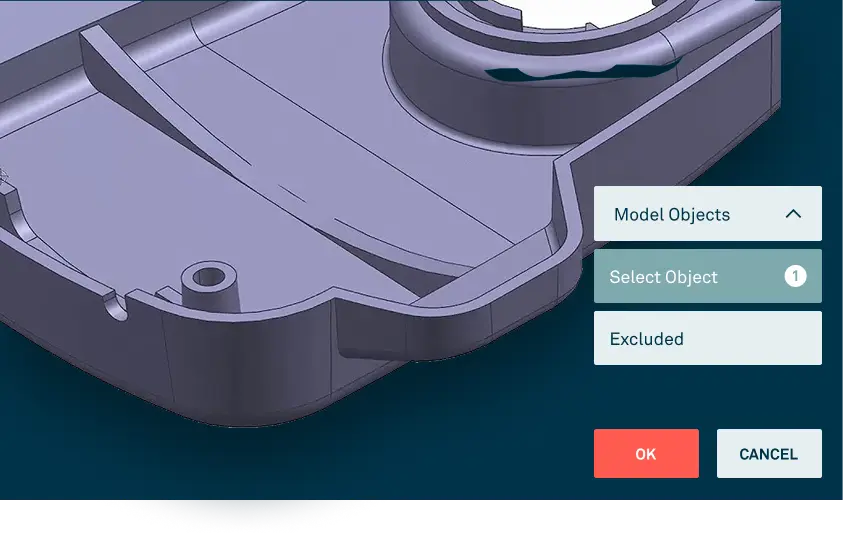
Integrated Design, Simulation, and Manufacturing
Combine all aspects of product development into a single environment, reducing design iterations and accelerating time-to-market.
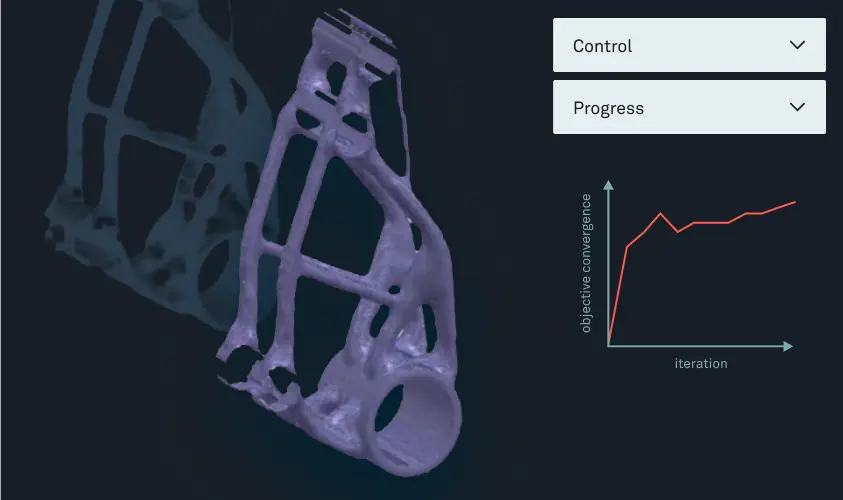
Integrated Design, Simulation, and Manufacturing
Combine all aspects of product development into a single environment, reducing design iterations and accelerating time-to-market.
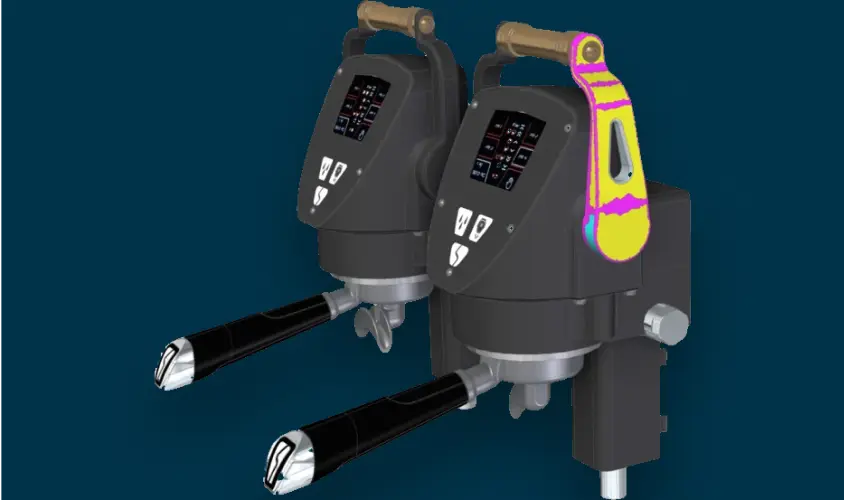
Integrated Design, Simulation, and Manufacturing
Combine all aspects of product development into a single environment, reducing design iterations and accelerating time-to-market.
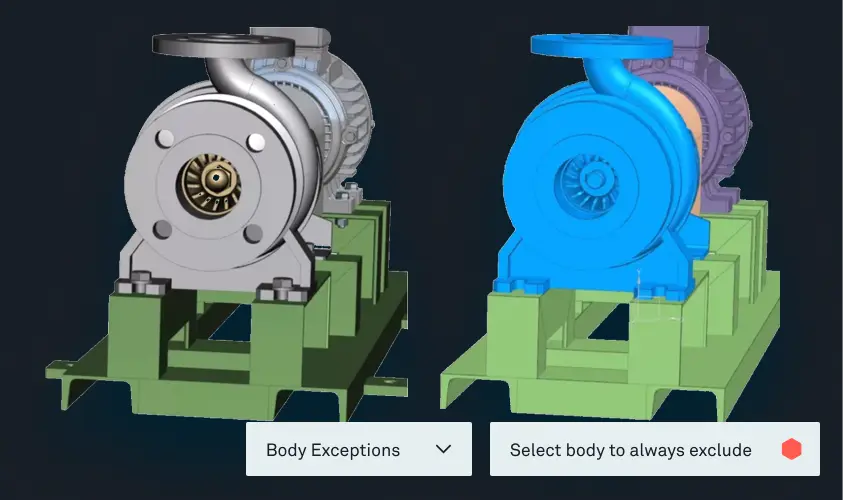
Integrated Design, Simulation, and Manufacturing
Combine all aspects of product development into a single environment, reducing design iterations and accelerating time-to-market.


Why CLEVR?
- Proven Expertise: 20 years of low code experience, 3,500+ applications delivered.
- Tailored Solutions: A unique "Vision to Value" methodology ensuring measurable results.
- Global Recognition: Mendix Platinum Partner, awarded Best BNL Partner 2024.
- Customer Satisfaction: Score of 8.8 out of 10, reflecting our commitment to excellence.
- Certified Professionals: The largest team of Mendix expert developers and MVPs.
- Proven Expertise: 20 years of low code experience, 3,500+ applications delivered.
Compare licensing plans
Advanced
Create and edit designs of typical 3D parts and assemblies and more with NX X Design Standard.
Standard
Create and edit designs of typical 3D parts and assemblies and more with NX X Design Standard.
Premium
Create and edit designs of typical 3D parts and assemblies and more with NX X Design Standard.
Stories from our customers
See how businesses like yours are transforming with CLEVR.
We very much enjoyed the collaboration with CLEVR; it's not just about the knowledge and experience that CLEVR came with, but also the passion, intuition, and curiosity.

CLEVR has helped us since the beginning — they built it from scratch, and we don't have to worry when CLEVR's on the project. They know what to do.

One of the things we appreciated most about working with CLEVR was their ability to take our ideas and make them better. They didn’t just build what we asked for—they challenged us, refined our vision, and helped us create something truly impactful.


It was one of the smoothest implementations we've done recently. CLEVR supported us not just technically, but with a real understanding of the commercial side of things, helping us make smart process decisions, rather than simply customizing for the sake of it.


The collaboration with CLEVR was excellent from the start. They coordinated between all stakeholders, bridging technical and organizational perspectives seamlessly, and ensuring that the transition was both robust and efficient. We know we can always rely on them for support whenever new needs or challenges arise.

CLEVR, as part of the broader backend team, played a key role in successfully delivering the solution on time, remaining accessible, engaged, and solution‑oriented whenever questions arose.


CLEVR is closely involved throughout the process, helping us define the right prompts, select the appropriate models, and structure the workflows. That continuous support makes it much easier for us to adopt the platform's new possibilities and build the confidence to use the platform effectively across the organization.


Mendix can be learned quickly and it is easy to use. Users can achieve a lot themselves and have the option of reusing building blocks in other apps. If the app you built doesn’t deliver the intended result, you can adjust it again or throw it away. This fits with the new way of working.


CLEVR has an elegant way of using its valuable perspective to challenge requirements and achieve best-in-class results. It is one of many skills that CLEVR can be very proud of.


This project required a fast turnaround, but CLEVR’s Agile approach and use of Mendix ensured that the portal was delivered within the deadline and delivered everything that we asked for.

There was an immediate click and a sense of trust between CLEVR and Thuisvaccinatie. The entire team, from both organisations, was closely involved in the development process. It was a very complex application but we managed to get it live in six months.

You can no longer think of Eneco Home Services without this application, without Splash. If we hadn’t done this, we would have already lost the battle for the customer.

The flexibility of Mendix application development technology allowed us to evolve our project requirements throughout the development process. As we created our system, we realised the ease and feasibility of additional tasks that we could implement simultaneously.


From the start, it was clear that CLEVR’s extensive experience would enrich our team. We know exactly what it takes to solve a malfunction in the best way and CLEVR knows how to translate this perfectly into an IT solution.

This project will allow us to analyse what is needed for customers to deliver fully digital packages that we can import so that our set-up procedure is fully automated.

We work with prestigious companies and we must have our purchasing and design in perfect order. That is why we engaged CLEVR.


I am thrilled with the result. This project in collaboration with CLEVR is a flywheel for more development. We want to automate more and more processes and to do that, you need a platform that translates from IT to the business and vice versa. CLEVR helps us secure the necessary knowledge within our own organisation and inspires us with the platform’s possibilities.

CLEVR had three months to prove that they could rise to the challenge, and they more than succeeded: they surpassed themselves.


We need to remain at the highest level when it comes to quality and competitiveness. With the high costs in Norway, it is absolutely essential that we find ways to produce the cables as efficiently as possible. Only in so doing will our customers continue to find us attractive.

Of all the parties we spoke to, CLEVR understood us best. We were amazed by its knowledge of retail processes. As a result, the experts know how to connect the application to our business optimally.

Working with Promotion Manager ensures a structured process and is more efficient. Everyone now works in the same application and with the same data, which benefits the quality!


CLEVR works with application development platform Mendix, and that is an effective combination. It fits well with the CLEVR Agile approach. The short iterations and implementations bring speed to the project.


The promotion process has become part of our IT landscape instead of a separate process and with the Promotion Manager, everyone is working on the same truth and you can easily make decisions based on data.

Determining a fair and accurate price is exactly where we can draw on assistance from CLEVR’s pricing tool.


We now have full focus on process improvement in our organisation. Future projects will focus on further automation to make work easier and reduce errors. Centralising information is an important pillar in this, helping us serve our customers well.


During the collaboration with CLEVR we have taken up many optimisations, and one becomes the breeding ground for another.


In a dynamic market like this, a flexible IT system is a strategic requirement. It was clear to us CLEVR were the right people to realise our growth ambitions. They understand not only our business, but also our business case.

We keep each other on our toes. At the start of our collaboration, CLEVR proved it could do this translation, which immediately created trust. CLEVR has also built up a lot of knowledge in the retail market, which we also benefit from.

In CLEVR I have found a reliable and quality partner. Not only through the way they approached the project and their ability to collaborate with us to simplify the process as much as possible, but also through the commitment and efforts of the team to make sure that deliverables were delivered on time. CLEVR provided ongoing good and clear information and realistic goals, both of which are key to successfully guide a project like this.


CLEVR’s industry knowledge and experience in automating complex wholesale processes helped us to create a future-proof product lifecycle management (PLM) environment. We are very pleased with the collaboration. It clicked from the first moment. We keep each other sharp and make good use of complementary expertise.


CLEVR came to meet us, asked about our business, and took an interest in seeing our operations on the floor. They suggested some innovative ways we could use Teamcenter that we hadn't seen before.


CLEVR helped us from the very beginning, starting with the vision of the software and working with our team in the development phase. Their expertise in low code solutions and their ongoing support have been invaluable in getting DataCross delivered in-time.

I think we build tomorrow together in different ways. We try to build the future by providing equipment to produce green hydrogen to enable the green transition, and CLEVR with the information technology will help us to do that efficiently.


Find out how CLEVR can drive impact for your business
We try to build the future by providing equipment to produce green hydrogen to enable the green transition.
Related Resources

Every agent in your enterprise must answer one question before it acts: what am I actually looking at? A language model can read a record from Teamcenter, SAP and your MES. On its own, it cannot know that the “part” in all three is the same physical thing, that this part sits in an assembly under an open engineering change, and that last week’s warranty claim points at exactly that assembly.
Your people know this from years of experience. Agents need it written down. That written-down understanding is an ontology, and once it is filled with live data it becomes a knowledge graph. Together they form the least glamorous and most decisive layer of the agentic enterprise: the one that lets people and agents work from the same reality.
This blog explains what ontologies and knowledge graphs are, how they work, where they sit in your architecture, what the predefined industrial ontologies in Siemens Intelligence Center X bring to manufacturers, and what it takes to build one yourself.
Short on time? Here’s a brief overview
- Agents fail on context, not on models. Gartner expects 60% of AI projects without AI-ready data to be abandoned. The difference between an agent that creates value and one that creates incidents is whether it understands what your data means.
- An ontology is the rulebook; a knowledge graph is the map drawn by that rulebook. The graph links every part, change and claim across your systems, so agents can follow the path from question to answer. Together they give people and agents the same definitions, the same rules and the same audit trail, the basis of a hybrid workforce you can trust.
- Keep the core clean and layer context on top. Your systems of record stay untouched at the base. The ontology and knowledge graph sit directly above them as a shared context layer, with orchestration and AI added on top where they make sense.
- Not every ontology layer is built for agents. Agents ask questions nobody anticipated, across many systems at once. Graph Studio in Siemens Intelligence Center X is a scalable graph platform designed to answer those at enterprise scale, without performance limits.
- Build on proven industry knowledge. You don’t have to model manufacturing from scratch. Predefined industrial ontologies and open standards already describe the digital thread, from engineering BOM to warranty claim. Your domain experts make them your own, matching records across systems and governing how the model evolves. Start with one cross-system workflow and let every next use case extend it.
Why agents stall without context
The model is rarely the bottleneck. The context it reasons against is.
Gartner predicts that through 2026, organisations will abandon 60% of AI projects that are not supported by AI-ready data, and 63% of organisations either lack the right data management practices for AI or are unsure whether they have them. For agents specifically, Gartner expects more than 40% of agentic AI projects to be cancelled by the end of 2027, citing escalating costs, unclear business value and inadequate risk controls.
The clearest evidence of what context does comes from a benchmark by data.world researchers. They asked GPT-4 business questions over an enterprise SQL database from the insurance domain. Queried directly, the model answered 16.7% of questions correctly. Queried over a knowledge graph built on an ontology of the same data, accuracy rose to 54.2%. On the hardest questions over the most complex schemas, direct SQL scored 0%, while the knowledge graph route reached 36–39%. A follow-up study used the ontology itself to check and repair the model’s queries and pushed accuracy to 72%.
Same model, same data. The only difference was whether the meaning of the data was made explicit. For an agent that does not just answer but acts, that difference decides whether it creates value or creates incidents.
Why 72% is a starting point, not a verdict
No enterprise should act on 72%, and no well-designed enterprise system asks it to. The benchmark measures a language model writing its own queries against open questions, without guardrails. In production, three things change the picture.
First, the ontology acts as a check, not just a guide. Queries that do not fit the model of the business are caught and repaired, or the system declines to answer. A known “I don’t know” is safe. A confident wrong answer is not.
Second, the required accuracy follows the consequence. Exploring a question can tolerate uncertainty. Approving a recall cannot. High-stakes decisions run on engineered rules and validated queries, with a human approval step, while open exploration stays a support tool.
Third, every answer is traceable. Which data was used, which query ran and who approved the action is logged, so an error is visible and correctable instead of hidden.
The takeaway from this research is not that AI using ontologies is 72% reliable. It is that grounding AI in context is the most effective way to make it more reliable, and to make it honest about where its knowledge ends.
The rulebook and the map
An ontology is the rulebook; a knowledge graph is the map drawn by that rulebook. The two terms are often used interchangeably, but they do different jobs.
The ontology is a formal vocabulary for your business. It defines the types of things that exist (a pump, a production line, an engineering change, a supplier), the properties they have, how they may relate to each other, and the rules that apply. A pump can be installed in a line. An engineering change affects one or more parts. A part cannot be released without an approved design. Without an ontology you have a picture of dots and lines. With one, the system knows what each dot is and can reason about it.
The knowledge graph is that vocabulary applied to your real data: Pump P-101, Line 3, change request ECR-2291, and the millions of connections between them, refreshed from your systems of record.
This split matters for the agentic enterprise. The ontology is where people encode what the business means. The graph is where agents and applications read and act on it. Get the ontology right and every new agent inherits that understanding for free.
How a knowledge graph works
A knowledge graph stores every fact as a triple: subject, relationship, object. Chain enough triples together and you get a map that people and agents can walk, rather than a warehouse they have to query with a dozen painful joins.
Triples. “Pump P-101 is installed in Line 3.” “Line 3 produces Product X.” “Product X contains Assembly 4471.” “Assembly 4471 has requirement max 80 °C.” Each thing is a node, each relationship an edge. In the W3C standards most enterprise graphs use, these are RDF triples, queried with SPARQL.
Traversal. A question like “which open warranty claims involve parts touched by last month’s engineering changes?” crosses PLM, ERP and service data. In a relational world that is a project. In a graph it is a path: claim → serial number → as-built configuration → part → change. Agents are good at following paths, as long as the paths exist and mean something.
Ontology vs Knowledge graph · one path from claim to change
The left column is written once, by people. The right column is filled continuously from your systems. An agent that understands the left can find the right for any claim, in any plant.
Inference. Because the ontology carries rules, the graph can derive facts nobody entered. If every assembly inherits the compliance requirements of its parts, a new regulation on one material instantly flags every product that contains it.
Entity resolution. The hardest, least visible part. “Pump_P101” in the maintenance system, “P-101” in the MES and “asset 4471-A” in ERP must be recognised as one object, across millions of records. Get this wrong and agents confidently reason about three pumps that are really one.
Materialised or virtual. A graph can copy data into a graph store or leave it where it is and map it on the fly. Bosch’s plant in Salzgitter used the virtual approach: an ontology for surface-mount electronics manufacturing, mapped onto existing databases. Machine failures recorded differently across machines were reconciled into a single ontology class, so engineers could finally compare like with like.
Grounding generative AI. The same structure makes retrieval for language models sharper. LinkedIn built a graph from historical customer-service tickets instead of treating them as loose text. In production, the system cut median per-issue resolution time by 28.6%. The lesson carries straight to a service or quality organisation in manufacturing: structure beats a bigger pile of documents.
Where it sits: the foundation layer
In the CLEVR Digital Renovation Principle, the core systems form Layer 1: ERP, PLM, CRM, MES and in-house applications, the systems of record that stay clean and stable. On top of that core, the ontology and knowledge graph form Layer 2: the semantic context layer that every layer above it reasons against. Orchestration and intelligence live in Layer 3. People meet agents in Layer 4. The graph does not replace any system of record; it makes them understandable to each other. Together, the layers put the CLEVR principle into practice: keep the core clean, layer a smart orchestration platform on top of it, and amplify with AI where it makes sense.
Four layers · a clean core at the base, semantic context on top of it
Every agent and app in the upper layers draws its meaning from the same foundation, under the same trust layer.
Siemens Intelligence Center X is built on the same logic, in four steps:
- Enterprise data from heterogeneous sources and data platforms.
- Context: an ontology layer spanning the enterprise that gives every data point its meaning, delivered by Graph Studio.
- Intelligence: AI and ML models in AI Studio that learn from semantically enriched data, refreshed in near real time.
- Action: applications, workflows and agents built and orchestrated on Mendix, all rooted in the same context.
An enterprise trust layer runs across all four, with guardrails, traceability and auditability for both people and agents. Graph Studio’s engine is designed to handle tens to hundreds of billions of RDF triples, in memory, on disk or virtualised, and exposes the graph to agents through MCP so they can explore and query across domains.
The wider market is converging on the same idea. Microsoft made Fabric IQ, its ontology-based context layer for agents, generally available at Build 2026, and is opening the ontology to agents from other vendors through MCP. Databricks and Google have moved their semantic layers in the same direction, and Palantir has built Foundry around its Ontology for years. The question is no longer whether you need a semantic layer for agents. It is which one understands your domain, and whether it connects to the platforms you already run. Intelligence Center X connects to Microsoft Fabric, Snowflake, Databricks and Palantir rather than competing with them, and it differentiates on two things: the depth of industrial meaning it brings on day one, and a graph architecture built for the questions nobody anticipated.
Different approaches to the ontology layer
Not every ontology layer is built the same way. Look under the hood and the market splits into four architectural approaches, each optimised for a different job.
The first three are strong at what they were designed for. A metadata layer makes dashboards and SQL analytics consistent. An object layer works well when the decisions are known in advance and the objects can be curated for them. A transactional graph database is fast when a question starts from a known node, such as one customer or one asset.
Agents do not work that way. A hybrid workforce asks questions nobody anticipated when the data model was designed: which suppliers, parts, plants and customers are exposed if this material is restricted, across every product line? Such a question has no single starting point and crosses many hops and domains at once. On a metadata or object layer, it means building new models or new pipelines first. On a transactional graph database, it means traversing outward one node at a time, which slows down as the graph and the question grow.
Of the four approaches, only a scalable graph platform is designed for that question. Graph Studio, the context layer of Intelligence Center X, runs on a massively parallel engine that distributes the graph across the cluster, so every core works on every query. Its ontology is generated from the source systems and linked automatically, rather than authored by hand per source. That is the difference between agents that answer the questions you planned for and an agentic enterprise in which people and agents can ask any question, without running into performance limits.
This does not make the other approaches obsolete. Intelligence Center X connects to the data platforms you already run, and adds the context layer that lets agents reason across all of them.
Predefined industrial ontologies: not starting from a blank page
A predefined industrial ontology is a ready-made model of what things mean in manufacturing, so you extend it rather than invent it. This is where Intelligence Center X sets itself apart from generic semantic layers.
Siemens ships Intelligence Center X with industrial ontologies that encode industry reasoning across the product lifecycle. Out of the box, they cover the core objects of the digital thread: design, part, engineering BOM, engineering change, bill of process, service BOM, warranty claim, inventory and IoT time series. These are connected live to systems of record (PLM, ERP, CRM and in-house applications) and to data platforms such as Microsoft Fabric, Snowflake, Databricks and Palantir. Siemens describes this as data in context that is “live, secure, configured, out of the box”.
Why this matters is easiest to see in the BOM. An engineering BOM describes what the product is. A manufacturing BOM describes how it is made. A service BOM describes how it is maintained. In most companies these live in different systems, owned by different teams, with different identifiers. An ontology that already knows how an EBOM item relates to its MBOM counterpart, which engineering change affects both, and which service parts follow from them gives agents the digital thread as a navigable structure. It also reflects decades of Siemens experience with Teamcenter, Opcenter and the wider Xcelerator portfolio, knowledge that is expensive to recreate from scratch.
Siemens is not alone in this field. Several open initiatives define manufacturing semantics, and a good ontology strategy knows where they fit:
These are complementary rather than competing. The IOF Core is designed so that domain ontologies stay consistent with each other (IOF). The Asset Administration Shell structures asset information in submodels whose templates the IDTA publishes (all-about-industries). A predefined platform ontology gets you to production fastest; mapping it to open standards keeps you interoperable with suppliers and customers.
One honest caveat: no predefined ontology knows your company. Your product families, naming conventions, plant-specific processes and in-house systems still have to be modelled. Predefined ontologies shift the work from inventing to extending, which is the difference between months and weeks.
What it takes to build an ontology
Ontology design is a craft, not a configuration screen. It succeeds when it starts from decisions and is built with the people who make them. In our experience, it follows seven steps:
- Start from the decisions, not the data. Write down the questions agents and people must be able to answer: “Which customers are affected if supplier X fails?” “Which products are touched by this change?” Knowledge engineers call these competency questions. They define the scope and become the test set.
- Reuse before you invent. Start from a predefined industrial ontology and open standards such as the IOF Core or the Asset Administration Shell. Only model what makes your company different.
- Model with domain experts in the room. Engineers, planners and service leads know what a “release” or a “variant” really means. The Bosch integration work found that domain expert involvement was essential for both the ontology and its mappings.
- Map your sources. Connect fields in Teamcenter, SAP, the MES and your in-house apps to ontology concepts. Decide per source whether data is copied into the graph or queried virtually.
- Resolve entities. Decide which records describe the same real-world object, and keep those decisions explainable.
- Validate against reality. Run the competency questions. Check the ontology for logical consistency with a reasoner. Let agents query it and look at where they take wrong paths.
- Govern and evolve. Version the ontology, assign owners per domain, and keep the graph in sync with its sources. A graph that falls behind its source systems is yesterday’s data, and an agent acting on it is acting on the past.
This used to be the reason knowledge graph projects took a year before delivering value. Automation is changing that. Siemens positions automated ontology creation from source systems as a way to remove months-long ontology development and uses MCP-connected agents to help create and maintain the knowledge graph itself. Research points the same way: at Bosch, automatically reshaping a domain ontology into a leaner graph schema made knowledge graph generation for welding data seven to eight times faster.
Automation speeds up steps 2 to 5. It does not replace steps 1, 3 and 7. Deciding what your business means, and who is accountable for that meaning, stays human work.
One ontology for a hybrid workforce
A hybrid workforce only works when people and agents share the same definitions, the same rules and the same boundaries. The ontology is where all three live.
Same definitions. When a planner and a planning agent both mean the same thing by “available stock” or “released part”, hand-offs stop producing errors. Without that, every agent quietly carries its own interpretation in its prompt, and you have rebuilt the silos you were trying to escape.
Same rules. Policies expressed against business concepts rather than database tables apply to everyone. Intelligence Center X adds policy-driven access control to the knowledge graph, based on attributes of both the user and the data, so the same rule governs what a human user and an agent may see. A supplier-quality agent sees what a supplier-quality engineer may see, and nothing more.
Same trail. Because every action references concepts in the graph, the trust layer can log not just what an agent did but what it was reasoning about. That is what makes decisions auditable, and autonomy defensible.
This also creates new work for people. In our Digital Renovation whitepaper series we described roles like the Agent Supervisor and the Eval Owner. Add one more: the Ontology Steward, the domain expert who owns what a concept means and approves changes to it. Researchers have called this profile the knowledge scientist. Whatever you call it, organisations that skip it end up with a graph nobody trusts.
Where to start: one thread, not the whole enterprise
You do not need an enterprise-wide ontology before your first agent goes live. You need one valuable thread through your systems, modelled well, and a foundation that grows with every next use case.
Pick a workflow that crosses systems and hurts today. Quality is a good candidate. Siemens illustrates a typical warranty-to-engineering loop in which complaint triage, investigation and root cause analysis take two to four weeks, and resolution around eight. That loop touches warranty claims, service BOMs, as-built configurations, parts and engineering changes: exactly the concepts the predefined industrial ontologies in Intelligence Center X already cover.
From there, the CLEVR approach is the one we apply to every agentic programme: think big, start small, scale fast. Think big by designing the ontology as the shared foundation for your whole hybrid workforce. Start small with one thread, extended from a predefined ontology rather than drawn from scratch. Scale fast by letting every new agent, app and workflow reuse what the first one taught the graph.
Agents will keep getting smarter. Whether they get smarter about your business depends on the layer underneath them.

Ask any Mendix developer what they would rather do, build a new feature, or spend half a day documenting the last one, and you already know the answer. Documentation may be far less rewarding than coding, but that is not the only reason it slides to the bottom of the backlog.
Under tight deadlines and pressure to deliver working code, documentation is usually the first thing to go, and what does get written tends to be informal, hard to follow and quickly out of date. The messier the existing docs become, the less point developers see in adding to them, and the gap only grows with every release.
What if documentation could keep itself up to date, scaling with the application and traceable to every change? For many teams, it would change more than daily development. It would change how they look at upgrading to Mendix 11.
The hidden cost of undocumented Mendix apps
Many Mendix applications have been running in production for years, some since Mendix 6 or 7, and many of them are business-critical. Upgrading them to Mendix 11 should be an obvious step. Instead, it often feels like a step into the unknown.
When so much of what the app does lives in people's heads, nobody can say exactly what is in it, what will break, or how long it will take to find out, leaving teams faced with three dilemmas:
1. Upgrade now, or keep building on old ground?
Upgrading means facing what years of changes left behind: hidden workarounds, deprecated widgets and old modules nobody remembers. Each major Mendix version also retires older widgets, modules and Java versions, so an upgrade often means replacing parts of the app, not just recompiling it. But staying put means every new feature is built on a foundation that falls further behind, while Mendix 11 capabilities such as Maia stay out of reach.
2. Move fast, or keep it stable?
The business wants new features, more users and new integrations. Without documentation, though, nobody can predict the impact of a change, and without tests or a clear description of how each process should behave, nobody can confirm that everything still works afterwards. Every release becomes a trade-off between speed and stability, and scaling the app gets harder each time.
3. Invest in the upgrade, or in new features?
If you cannot scope an upgrade, you cannot estimate it. Every process has to be checked by hand, and the experienced developers who could answer the questions may have moved on. Faced with an unclear cost and a working app, budgets go to visible features instead. The upgrade keeps getting postponed, and every year it waits, it gets bigger and more expensive.
Take the guesswork out of your Mendix 11 upgrade
With Mendix 11, developers finally gain what legacy apps have been missing for years: a clear view of their application and the tools to change it with confidence.
1. Document your Mendix app before you change anything
The first step out of the unknown is a map. Maia, the AI assistant built into Studio Pro, and the Mendix CLI (mxcli), a command-line tool from Mendix Labs that lets coding agents such as Claude Code or Codex work with a Mendix project, can both inspect an application and expose its structure: modules, entities, microflows, pages and the dependencies between them.
An agent can turn that metadata into clear documentation of how the app works, without a developer having to reverse-engineer it by hand. mxcli adds linting and best-practice reports that flag issues and outdated patterns, making technical debt visible before the migration even starts.
2. Move fast without losing control
Once the app is documented, every change becomes easier to judge. mxcli's impact analysis shows which microflows, pages and entities a change will touch before anyone makes it. But more importantly, the documentation no longer falls behind.
After each change, whether a new page, a new attribute or new business logic, the agent updates the documentation as part of the same task, serving two audiences at the same time. Developers and business users read it to understand the app, and AI agents use it to guide the next change or to power an assistant that helps new users find their way.
Because Maia and mxcli work on the Mendix model rather than on thousands of lines of raw code, the output stays easy to review.
3. Turn your Mendix upgrade into an informed decision
When you can see what is in the app, you can scope the upgrade. When you can scope it, you can estimate it, and the budget discussion becomes a business decision instead of a leap of faith.
The platform you upgrade to matters too. With Mendix 11.12, the first Long-Term Support (LTS) release of Mendix 11, teams get a stable foundation for long-term maintainability, security and scalability, and the AI-assisted tooling that comes with it is ready for business-critical production apps. Maia Plan turns a description into epics and user stories, and Maia Make starts implementing them, so the investment keeps paying off long after the migration.
4. Lay the foundation for the agentic enterprise
An application that documents itself, is also ready for what comes next. This is exactly what companies get with Mendix in the context of enterprise orchestration.
As part of Siemens Intelligence Center X (ICX), Siemens' industrial AI orchestration software, Mendix, together with Maia and mxcli, plays an important role in making applications understandable to agents and people alike. With Mendix 11.12, an app can act as an MCP server that exposes its logic, data and workflows to other AI tools, and Mendix Workflows can orchestrate agents and people inside a governed, auditable trust layer, creating the foundation for the hybrid workforce that brings people and AI agents together.
See mxcli in action: one prompt, feature and documentation done
In a recent demo, Erick Souza, Sr. Mendix Developer & Mendix MVP at CLEVR, showed how a single prompt can build a new feature and update the documentation in the same run. No one has to sit down and write it afterwards. Here is what he showed, if you don't have time to watch the full video.
Could a developer make these changes by hand? Of course, but it would take longer. Here it happens automatically, every time.
Upgrade to Mendix 11 with confidence, starting with your documentation
Download mxcli from the Mendix Labs GitHub page, drop it into your project folder and run mxcli init. Within minutes, your project is ready for the coding agent of your choice, whether that is Claude Code, Codex or another tool.
From there, the first prompt is the most valuable one: ask the agent to document what is already in your app, then make updating the documentation part of every prompt, and your team's knowledge grows with the application instead of falling behind it. One word of caution: mxcli is still alpha software and evolving quickly, so always work on a copy of your project or under version control, and review the agent's changes the way you would review a colleague's work.
The result is a foundation you can build on. An application your team understands, an upgrade you can plan, and an architecture ready for the agentic enterprise.
Curious what this could look like for your applications? Contact CLEVR to request a demo.

Even though EU defense spending reached €418 billion in 2025, a 47% rise since 2022, and is projected to climb to €454 billion in 2026, the European Defence Agency (EDA) warns that, under current national plans, Europe's shortfalls in naval forces are unlikely to be closed by 2030.
For naval shipbuilding, the pressure to deliver more vessels, faster, has never been higher, and the constraint isn't simply dry docks, steel or skilled welders. It's fragmentation, both between countries and inside organizations. Ask how a yard keeps thousands of parts, drawings and revisions in sync across a naval program, and the answer varies widely: modern shipbuilding software in one yard, a legacy PDM system and a stack of spreadsheets in the next. Even within a single yard, engineering data is often split across systems, with an ERP that doesn't talk to either.
With a stronger push for European sovereignty and growing attention to sustainability, that fragmentation is becoming harder to ignore, and digital shipbuilding is fast becoming a necessity rather than an option.
6 data challenges holding back naval shipbuilding
Steel decides how much a yard can build. Data decides how much of it is built right the first time. In naval shipbuilding, programs run for years, requirements shift mid-build and every decision has to be traceable from day 1. In that environment, fragmented data doesn't stay contained. It cascades through every stage of a program, adding rework, delays, and stretching lead times.
1. Outdated designs on the production floor
Naval programs rarely have the luxury of a finished design. To meet delivery dates, yards cut steel for early blocks while later sections are still being engineered, and the pressure to deliver faster pushes that overlap even further.
When engineering data is split between a legacy PDM tool and spreadsheets, nobody can say with certainty which revision production is working from. In practice, that might mean a block being outfitted with a pipe route that engineering changed two weeks earlier.
2. Design changes discovered too late
A naval vessel is a tightly coupled system, and its requirements often evolve during the build as systems and mission profiles change. Swap one piece of equipment and the change can ripple into structure, weight, cabling, ventilation and the bill of materials. When that information sits in disconnected files, the ripples surface late, on the production floor, where they cost the most to fix.
3. Mismatched bills of materials
Engineering defines what the ship is made of. ERP buys, plans and schedules it. When the two aren't connected, people bridge the gap by hand: re-typing part data, reconciling lists, chasing discrepancies. With long-lead naval equipment, an order placed against an outdated revision can mean months of delay, not days.
4. Person-dependent approvals
In many yards, releasing a drawing or approving a part depends on a few experienced people who know how it works. With a generation of engineers retiring, that is a continuity risk. And defense customers expect every decision to be traceable, which an approval trail spread across email and spreadsheets cannot reliably provide.
5. Hidden costs and carbon footprint
Most of a vessel's cost is locked in during design, yet it is often only calculated later. When one supplier delivers late, the impact ripples through the build sequence: outfitting stalls, blocks wait in the yard, and work is resequenced or done out of order at a higher cost. On the shop floor, rework, extra labor hours and expedited parts add up without ever being traced back to the change that caused them.
By the time the real number surfaces, there is little room left to steer.
6. No transparency on program status
Defense customers expect regular, accurate progress reporting. When data is scattered, simple questions become hard: What has been released? What is waiting for approval? Which changes are still open?
And reports compiled by hand from contradictory sources rarely offer the traceable, accurate picture engineers can stand behind.
The digital thread: how digital shipbuilding connects design, production and cost
A digital thread is a continuous flow of information that connects every stage of a vessel's lifecycle, from the first design decision to the delivered ship. Where a digital twin is the virtual model of the vessel, the digital thread is what keeps that model, and every team working on it, supplied with accurate, traceable data.
By connecting design, engineering, production, cost and performance data this way, shipbuilders can create a living digital twin of each vessel, automate the handovers that slow yards down, and take control of every stage of the build.
1. Design and engineering in one model
Every change made at the drawing board reaches the parts list and the production drawings automatically. Integrated CAD software makes it possible for designers and engineers to work on the same model, and design data flows into engineering without exporting, redrawing or re-entering it. The result is fewer drawing errors and faster design iterations.
2. One source of truth for every part and revision
Every part, drawing and revision has a single home, with a clear status and history. Shipbuilding PLM software, built on product lifecycle management, assesses each change against the full product structure before release, and routes approvals through standardized workflows instead of email chains. Know-how stays in the system when experienced engineers leave, and defense customers get a complete record of who approved what, and when.
3. Engineering and business in sync
Purchasing, planning and production work from the same bill of materials, so long-lead equipment is ordered against the right revision. By connecting PLM to ERP and other business systems with tailored low code applications, released engineering data flows automatically into purchasing and planning, and nobody re-types part lists by hand. That means less reconciliation work and fewer costly ordering mistakes.
4. A shop floor that sees what engineering sees
The shop floor always builds from the latest released design, and what happens there flows back to engineering. A manufacturing execution system (MES) connected to the digital thread captures progress, rework and extra hours as they happen, and provides digital work instructions and a complete as-built record of every vessel. When a supplier is late, plans can be adjusted with a clear view of what that means for the rest of the build.
5. Cost and carbon decided while the design is still open
Teams see what a design change or supplier delay will cost before it reaches the budget. Product cost management software (PCM) calculates cost and carbon footprint while the design is still open, including complex, non-linear pricing models from suppliers. It also gives buyers a fact-based position in supplier negotiations and a reliable basis for quotes and tenders.
6. Live insight instead of manual reports
Program managers, engineers and customers see real progress as it happens, backed by data they can trace and trust. An industrial IoT and analytics layer brings data from engineering, the shop floor and the business together in tailored dashboards, with live insight into equipment performance and early warning when production drifts off plan.
7. Intelligence that moves the program forward
Intelligent process orchestration flags risks early, anticipates bottlenecks and coordinates the next step across teams and systems, so issues are resolved before they turn into delays. And because it is built on the same structured, traceable data, AI stays governed. Every action is logged, access follows the same roles and permissions as the rest of the thread, and the orchestration is tailored to each yard's own processes. That makes it compliant by design and able to scale from a single workflow to an entire program.
From spreadsheets to a digital shipyard: a CLEVR digital transformation example
With more than 30 years of experience in digital transformation, CLEVR supports PLM, manufacturing operations and application programs for multiple aerospace, defense and naval manufacturers across Europe. One of them, a leading European shipyard building naval and government vessels, faced exactly the problems described in this article.
The problem: No digital thread, no traceability
Keeping parts, drawings and specifications in sync took constant manual effort, releases and approvals depended on the know-how of individual engineers, and reporting was limited. With engineering data spread across a legacy PDM system and disconnected spreadsheets, and no link to ERP, our client needed a system that understood how a shipyard actually works.
The process: Implementing shipbuilding product lifecycle management software
Rather than treating shipyard digital transformation as a big-bang replacement, the CLEVR consultants introduced Siemens Teamcenter, an industry-leading PLM platform, in clearly defined phases. First, they implemented Teamcenter on the yard's own servers, allowing for full control over its engineering data from day one, and then, they configured it around real engineering practice. This meant mapping out how custom types and properties should describe parts, drawings and documents the way the yard's engineers actually work with them, establishing roles and access rights that define who can create, change and release what, and standardizing release workflows so every drawing and part follows a defined route from draft to approval.
The result: Value that is built to scale
That foundation is now live: every part, drawing and revision has one home and a traceable history, and approvals no longer depend on who happens to know the process. More importantly, it gives the shipyard a base to build on. Advanced workflows, reporting, CAD integration and the connection to ERP are already being rolled out, each one adding automation on top of data that is structured and trusted. Once the thread is connected end to end, intelligence can be added to anticipate issues, orchestrate work across teams and help the yard grow faster as its programs scale.
CLEVR: Your go-to partner for shipyard digital transformation
This is the true power of the CLEVR methodology.
Rather than forcing a standard template, our consultants take the time to understand how each shipyard engineers its vessels, and configure the system around that. We work in phases, so every step delivers something usable before the next one begins, and we stay alongside our customers' teams from day one. We are not rebuilding old integrations as they were, we design for fewer manual steps from the start. That is what turns a software implementation into a change engineers feel in their day-to-day work.
Want to see how a connected digital thread can help your shipyard turn growing demand into vessels delivered on time? Contact CLEVR for a consultation.
Frequently Asked Questions
Which industries does CLEVR serve?
Lorem ipsum dolor sit amet, consectetur adipiscing elit. Suspendisse varius enim in eros elementum tristique. Duis cursus, mi quis viverra ornare, eros dolor interdum nulla, ut commodo diam libero vitae erat. Aenean faucibus nibh et justo cursus id rutrum lorem imperdiet. Nunc ut sem vitae risus tristique posuere.
How does CLEVR support digital transformation?
Lorem ipsum dolor sit amet, consectetur adipiscing elit. Suspendisse varius enim in eros elementum tristique. Duis cursus, mi quis viverra ornare, eros dolor interdum nulla, ut commodo diam libero vitae erat. Aenean faucibus nibh et justo cursus id rutrum lorem imperdiet. Nunc ut sem vitae risus tristique posuere.
What is CLEVR's experience and reach?
Lorem ipsum dolor sit amet, consectetur adipiscing elit. Suspendisse varius enim in eros elementum tristique. Duis cursus, mi quis viverra ornare, eros dolor interdum nulla, ut commodo diam libero vitae erat. Aenean faucibus nibh et justo cursus id rutrum lorem imperdiet. Nunc ut sem vitae risus tristique posuere.
Who are some of CLEVR's notable clients?
Lorem ipsum dolor sit amet, consectetur adipiscing elit. Suspendisse varius enim in eros elementum tristique. Duis cursus, mi quis viverra ornare, eros dolor interdum nulla, ut commodo diam libero vitae erat. Aenean faucibus nibh et justo cursus id rutrum lorem imperdiet. Nunc ut sem vitae risus tristique posuere.